

Prerequisites
Before connecting SpamExperts to Upmind, make sure you have an active SpamExperts (or N-able Mail Assure) account.Configuring SpamExperts provisioning in Upmind
- In Upmind, go to Settings > Provision Configurations
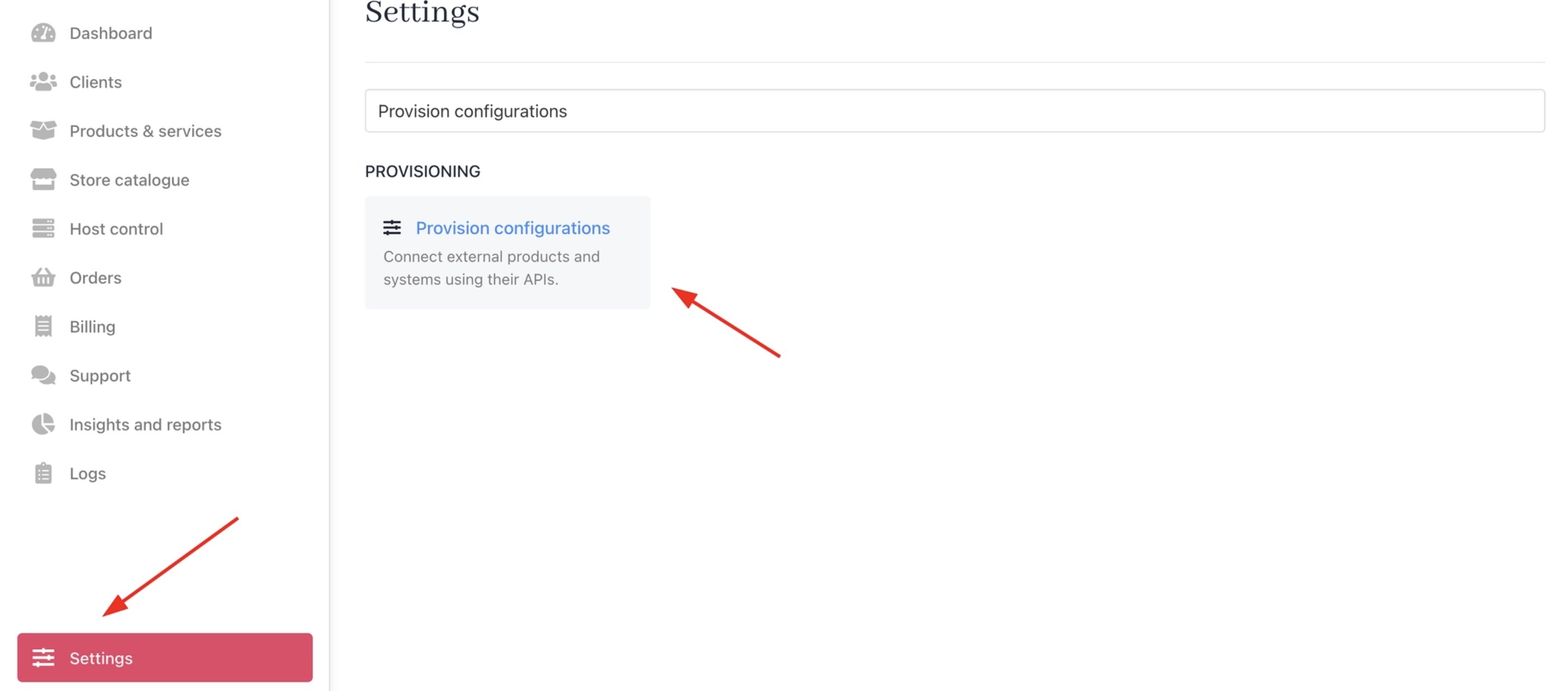
Settings > Provision configurations
- Click on Add New Configuration.

Add new configuration
- Provide a Name (e.g., SpamExperts Provision).
- Select Auto Login as the product type.
- Choose SpamExperts as the provisioning provider.
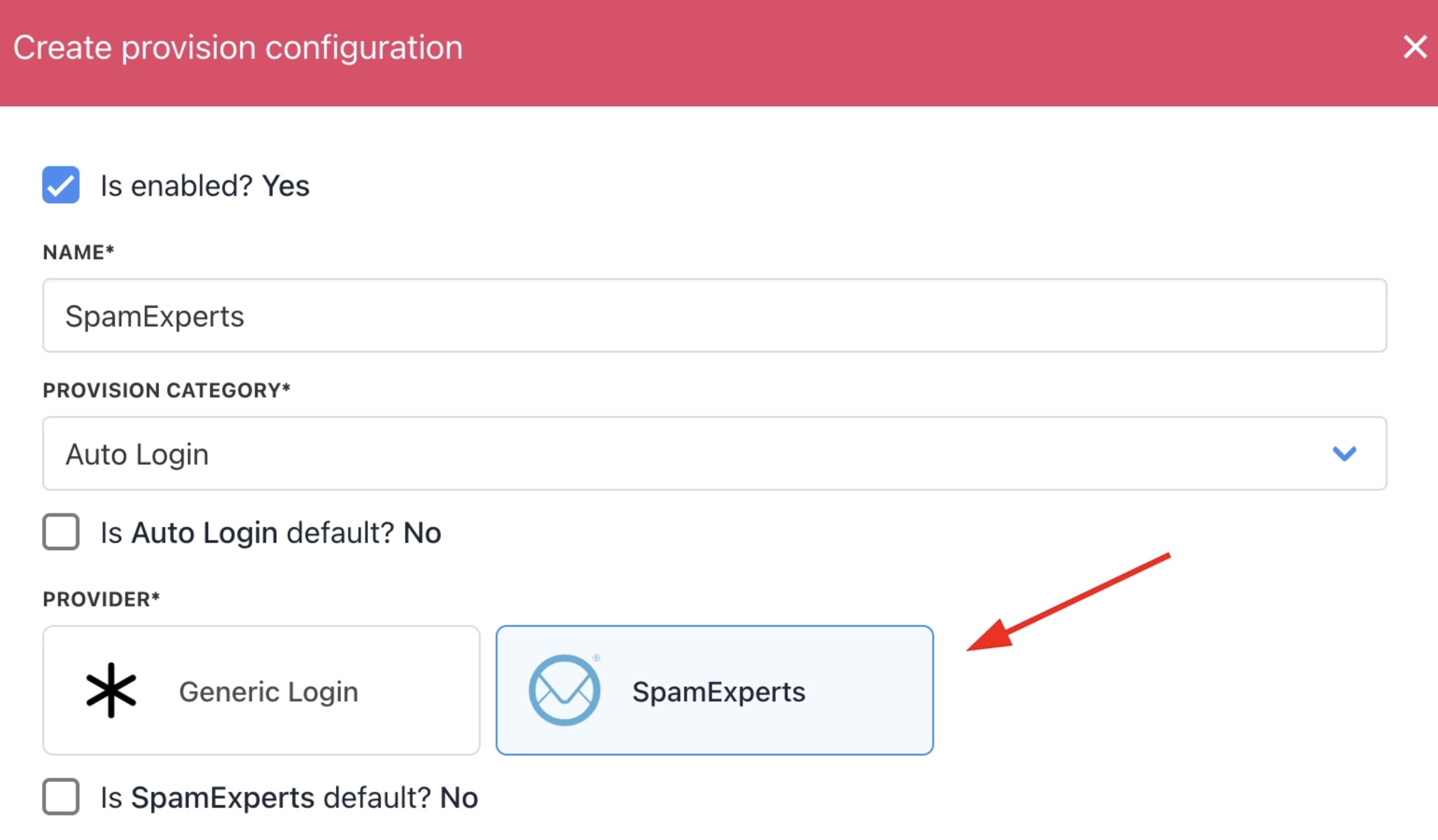
Choose SpamExperts
Provision configuration settings
-
Dashboard URL: Customer login portal for SpamExperts. You can use the default
https://login.antispamcloud.com/(product login) for the cloud version or enter your specific deployment URL for on-premises or partner-hosted setups. - Username: Admin or domain-level username for API access and service provisioning. Matches your SpamExperts control panel login.
- Password: Password paired with the username for authentication.
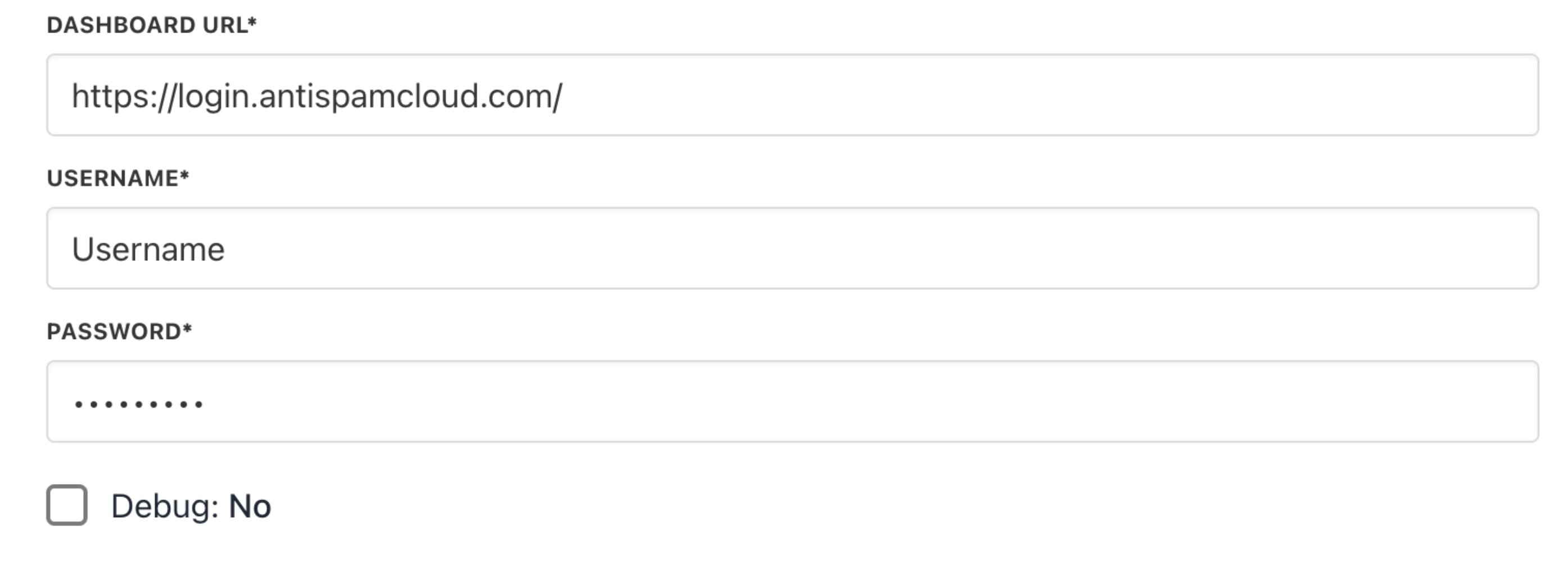
SpamExperts provider configuration
How to create a SpamExperts package in Upmind
- Go to Store Catalogue > Products in Upmind.
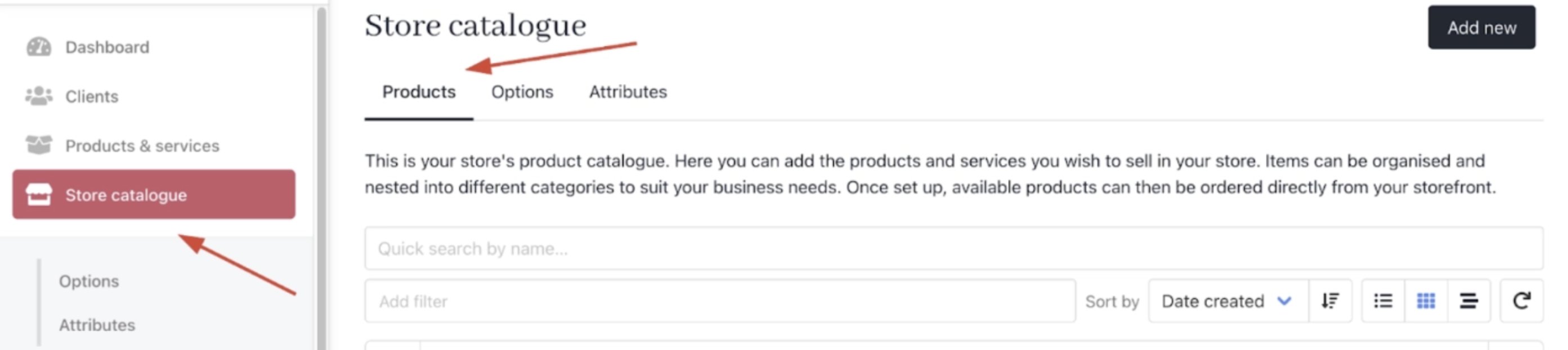
Store Catalogue > Products
- Click Add New.
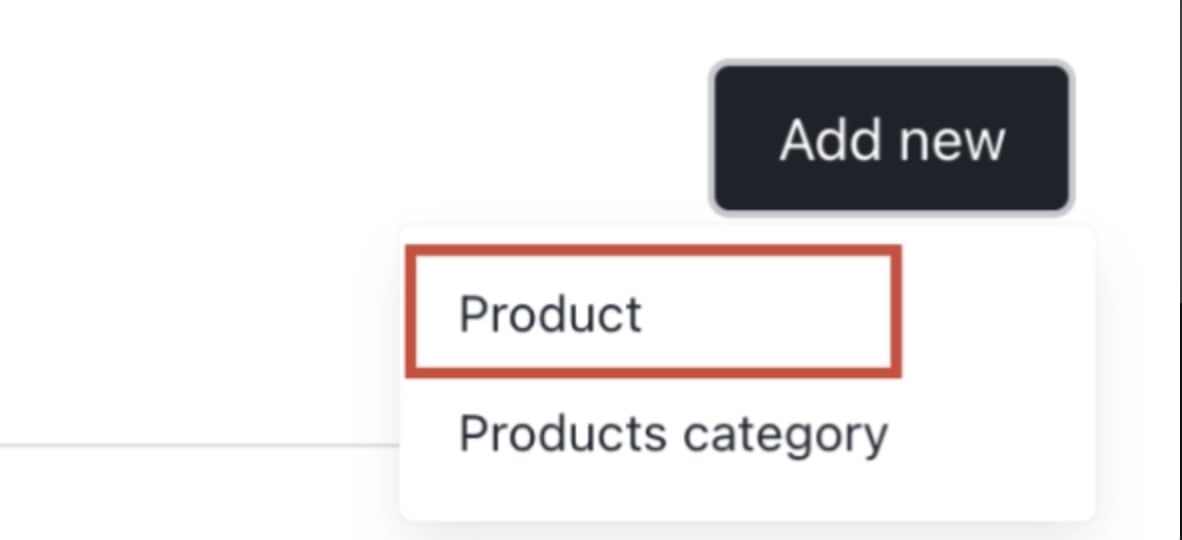
Add new
- Choose the category and fill in the details.
- Then click Create.
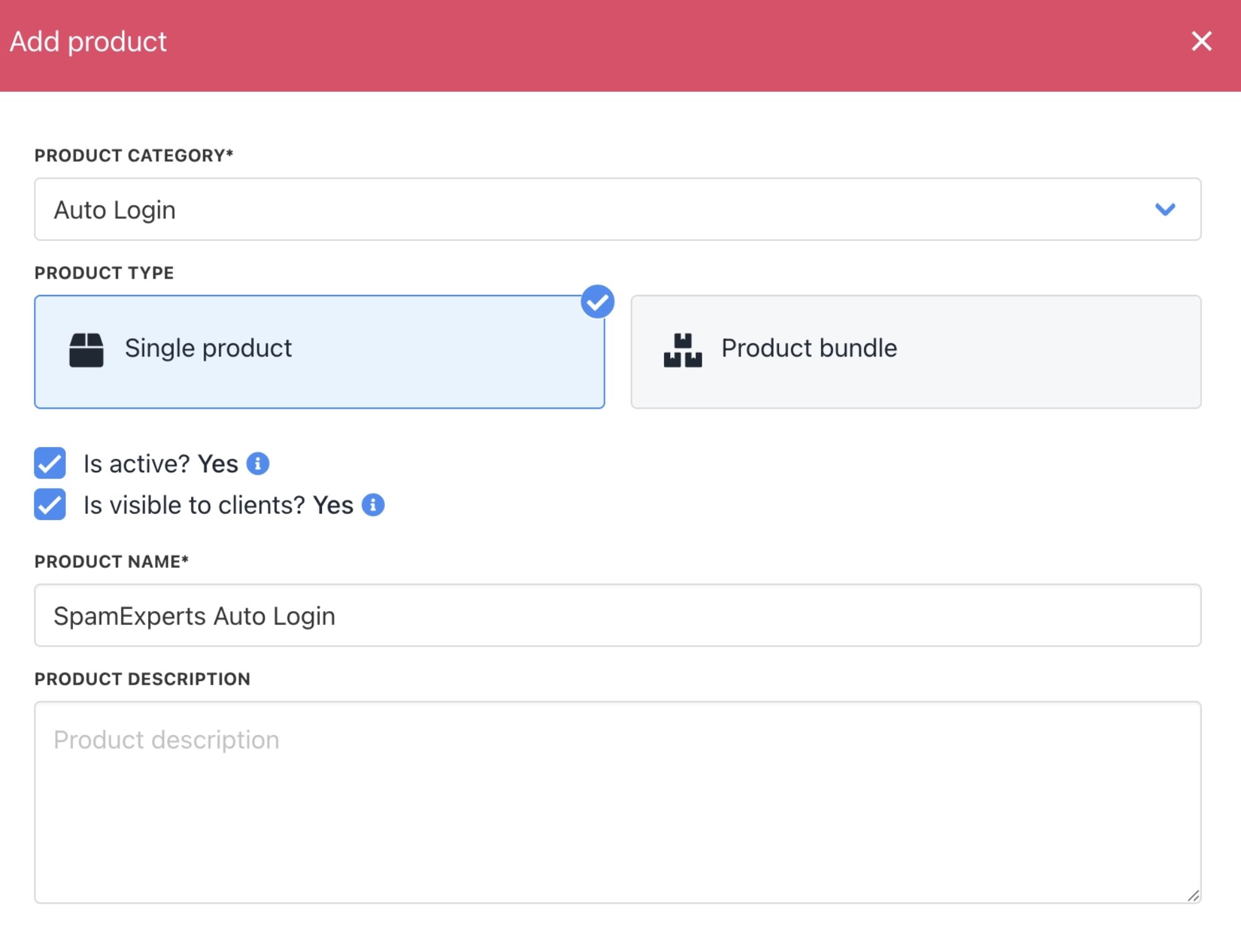
Fill in product details
-
On
Provisioning, set the Provision Blueprint to Auto Login. - Set the Provision Provider to SpamExperts.
- Choose the Configuration Mode and Provider Configuration.
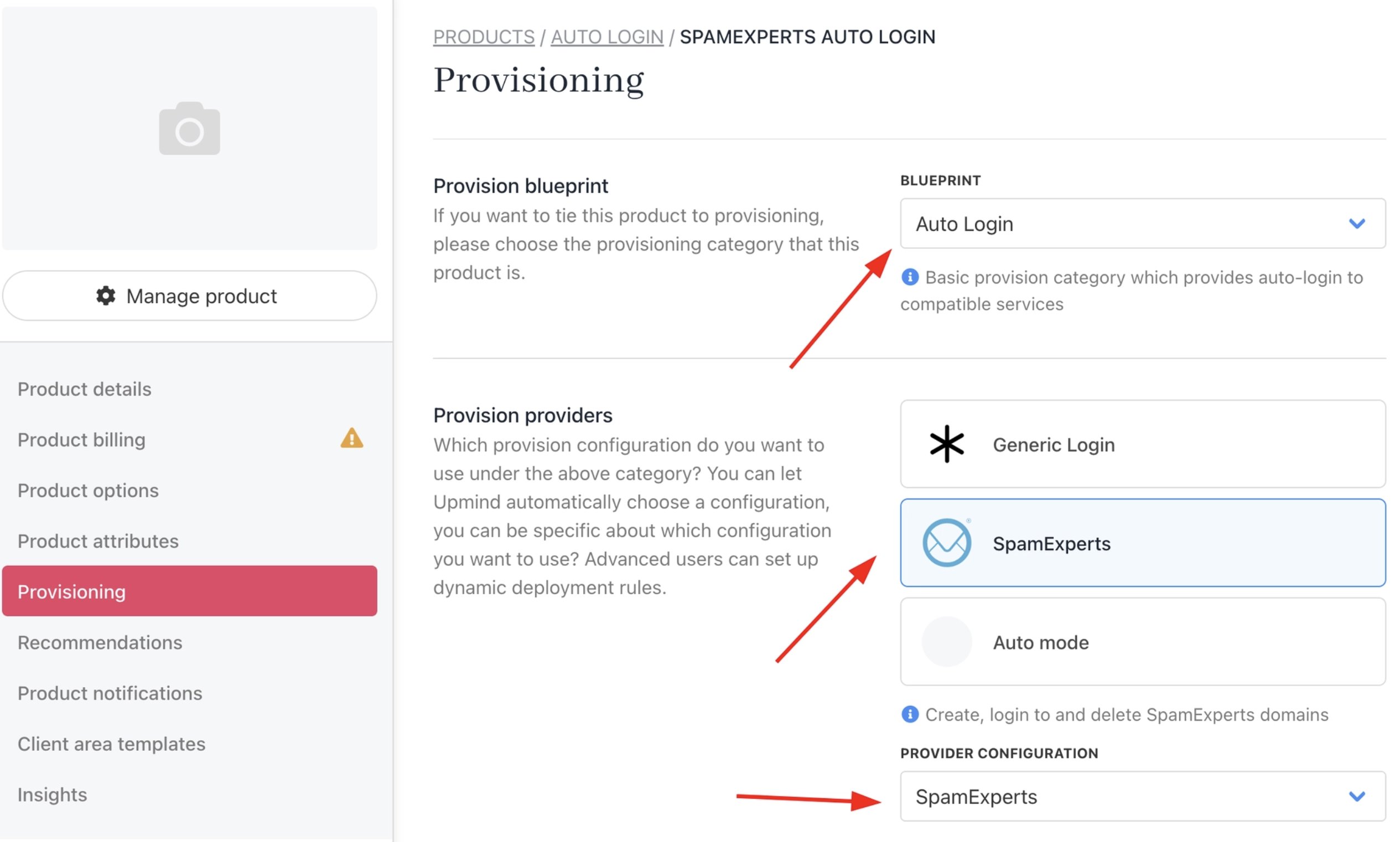
Set provisioning
- Enter the Package Identifier.

Package identifier
- Save the product.