

Credentials you need
To integrate with Upmind, you’ll need an Auth Key and Brand ID.Configuring Yola in Upmind
Add Yola Credentials
First, add Yola as a provision configuration.-
Go to
Settings > Provision Configurations -
Click
Add New Configuration - Fill in the fields with the information you gathered earlier. You can choose any name you like, but we recommend using “Yola”. If you don’t have multiple standalone Yola setups, you’ll only need to add this configuration once.
-
Click
Create
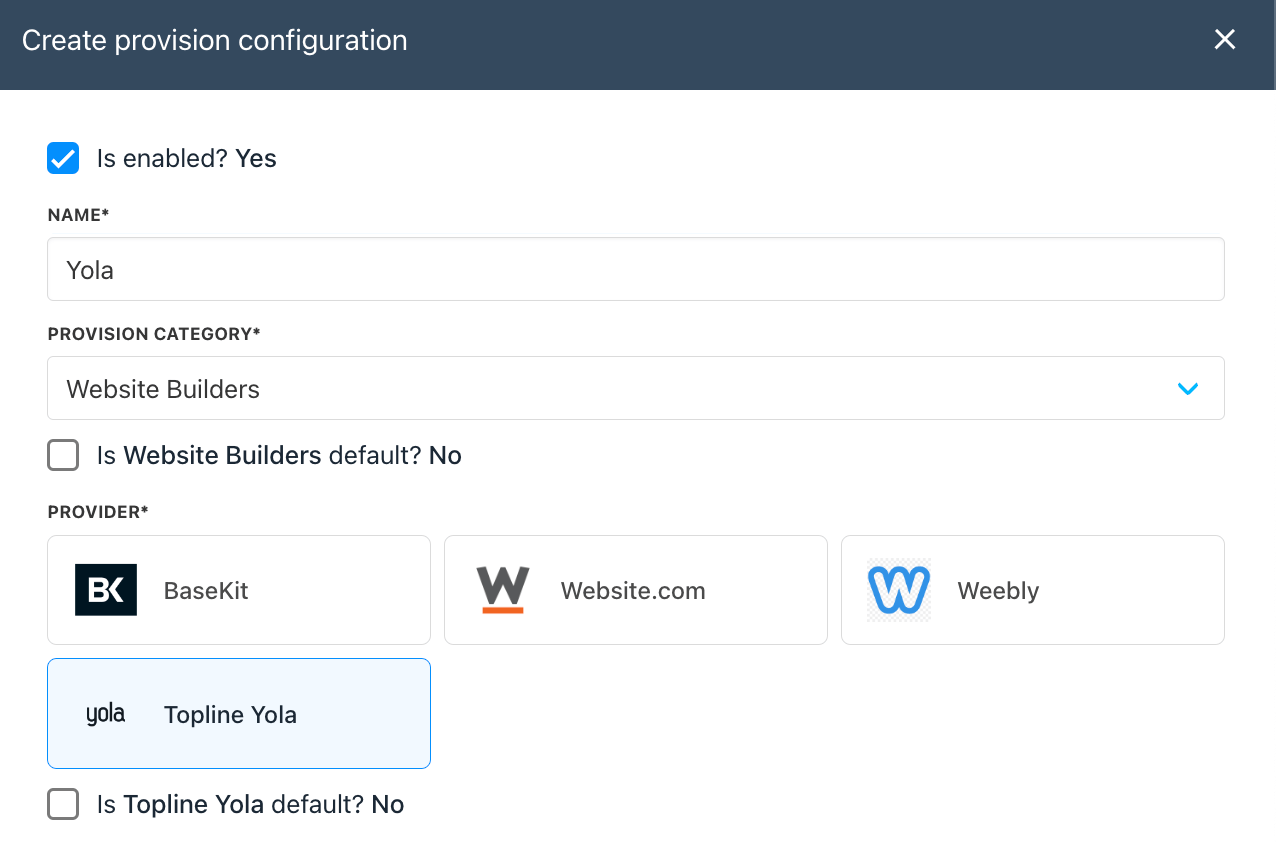
Creating Packages
To get started, you’ll need to create at least one website builder plan, usually one for each Yola package you have. Here’s how to do it:- Go to Settings > Product Catalogue
- Click on Add New. If you don’t have a product category yet, you’ll need to create one.
- Give your product a name and hit Create.
- In the Provisioning section, select Website Builders. Choose Yola.
- Save your changes, then configure the Package Reference. You can use either the Yola plan name or the ID as the package reference.
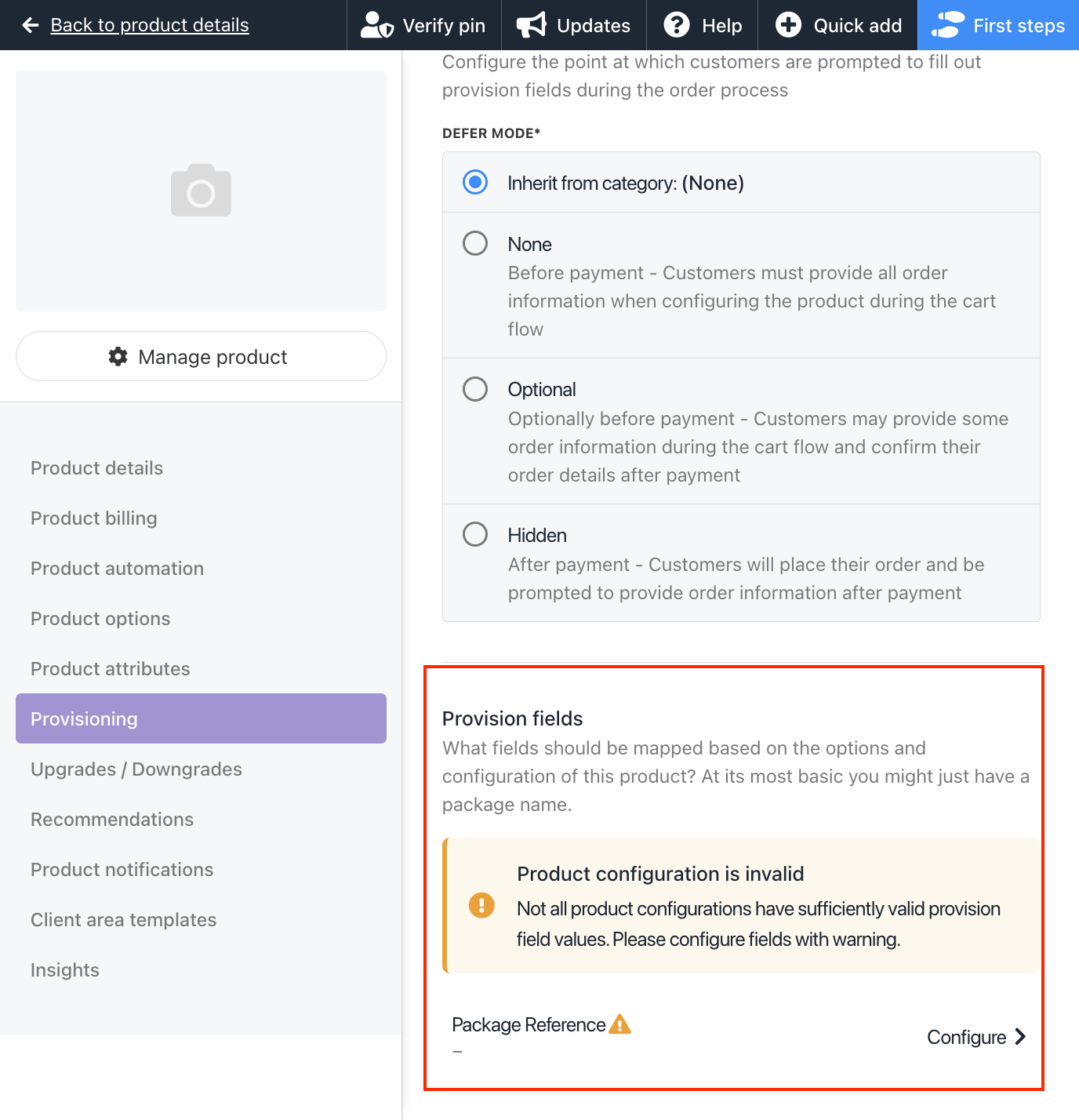
- Don’t forget to set up product billing and enable the product for sale.