

How to create an API token in Upmind
- Log in to your Upmind admin area.
- Go to Settings > API Tokens.
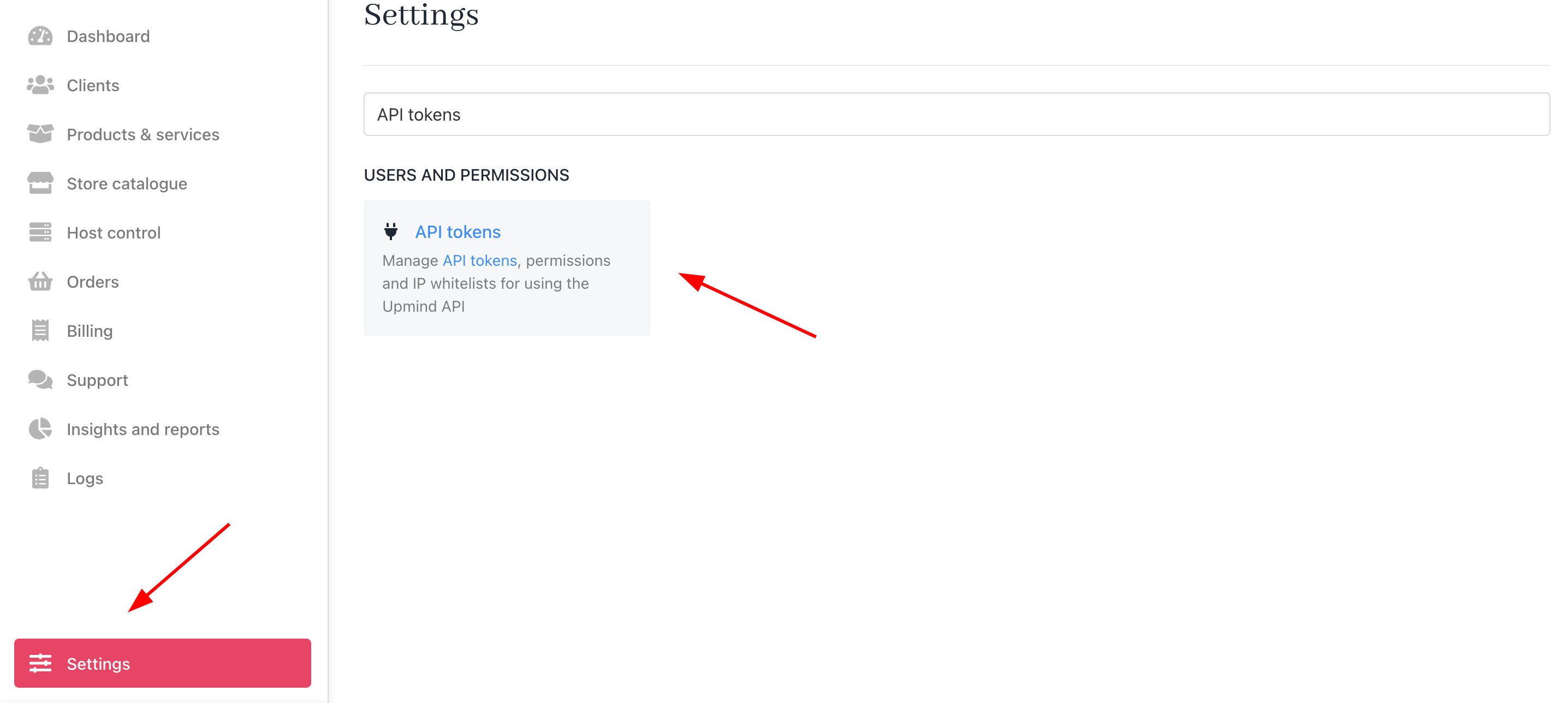
Settings > API Tokens
- Click Create API Token to create a new token. In the pop-up window:
- Enter a descriptive name for your token.
- Add an IP Whitelist for security.
- Set up user permissions as needed.

Create API Token
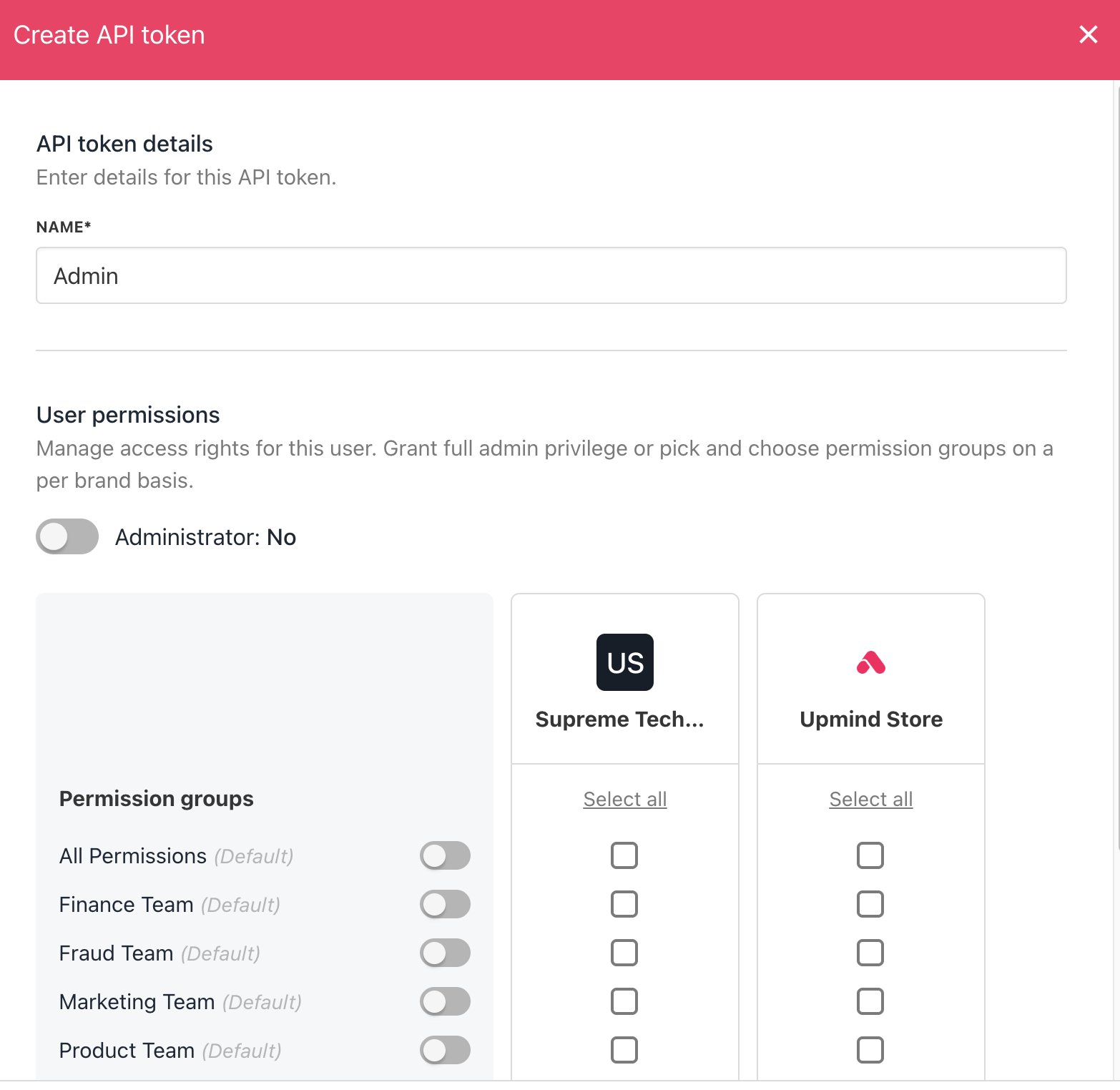
Add name and choose permissions
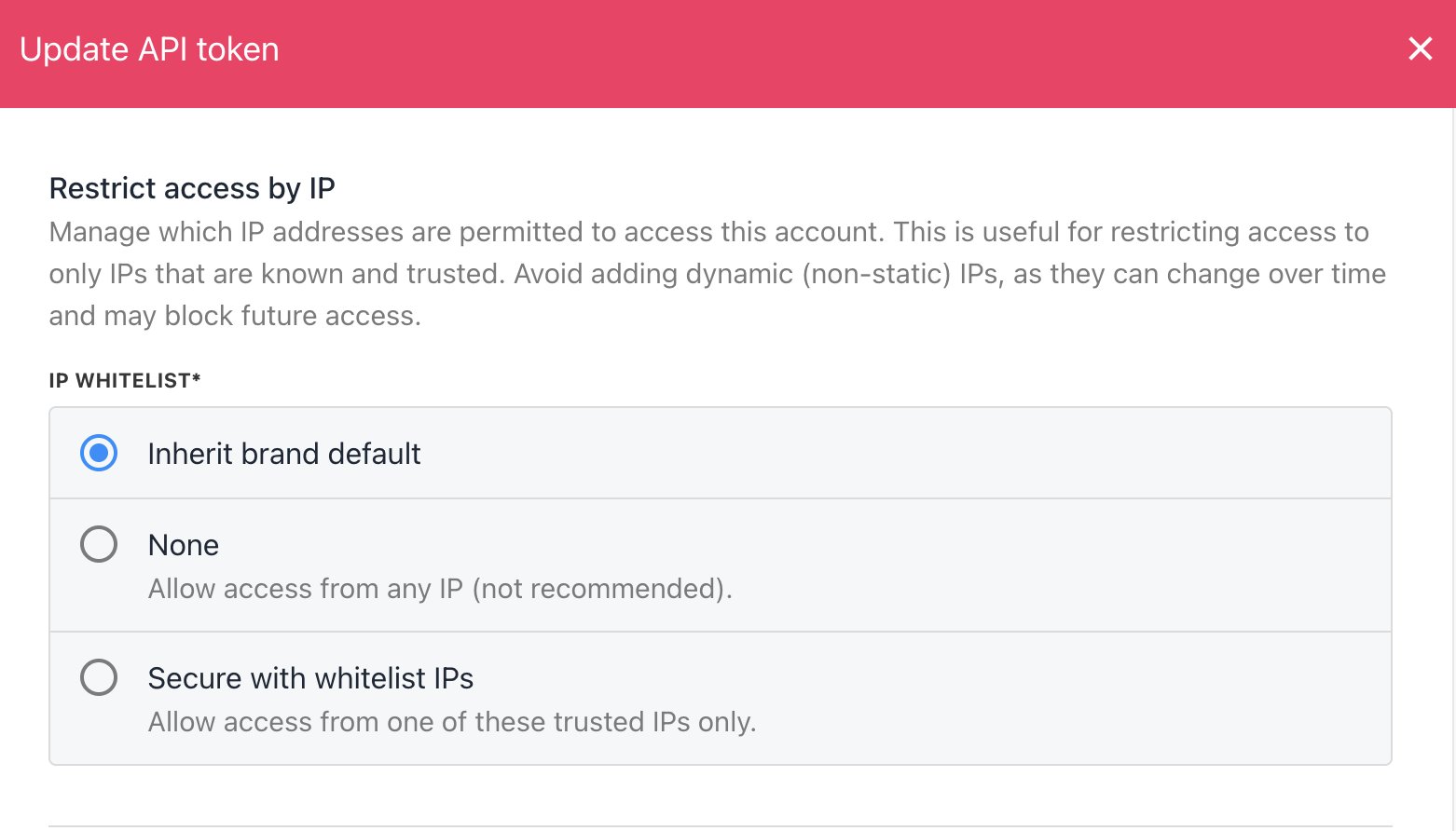
Add IP whitelist
- Click Save to generate the API token.
Managing API tokens
In the API Tokens section, you can:- Filter tokens by status (active, inactive, revoked).
- Filter by IP whitelist, Whitelisted IPs, and Date created.
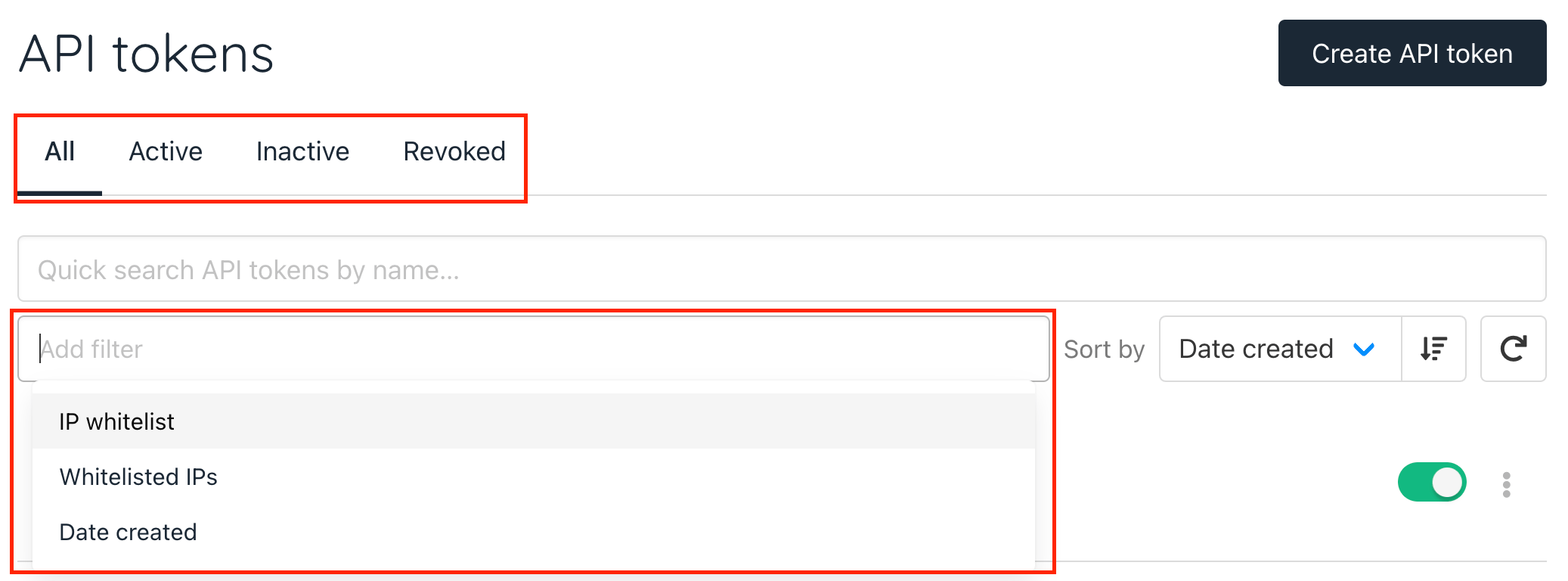
API token filters
- For each generated API token, you can:
- Toggle off to deactivate the token.
- Manage token settings.
- View the activity log.
- Refresh the token for security purposes.
- Revoke the token when it is no longer needed.
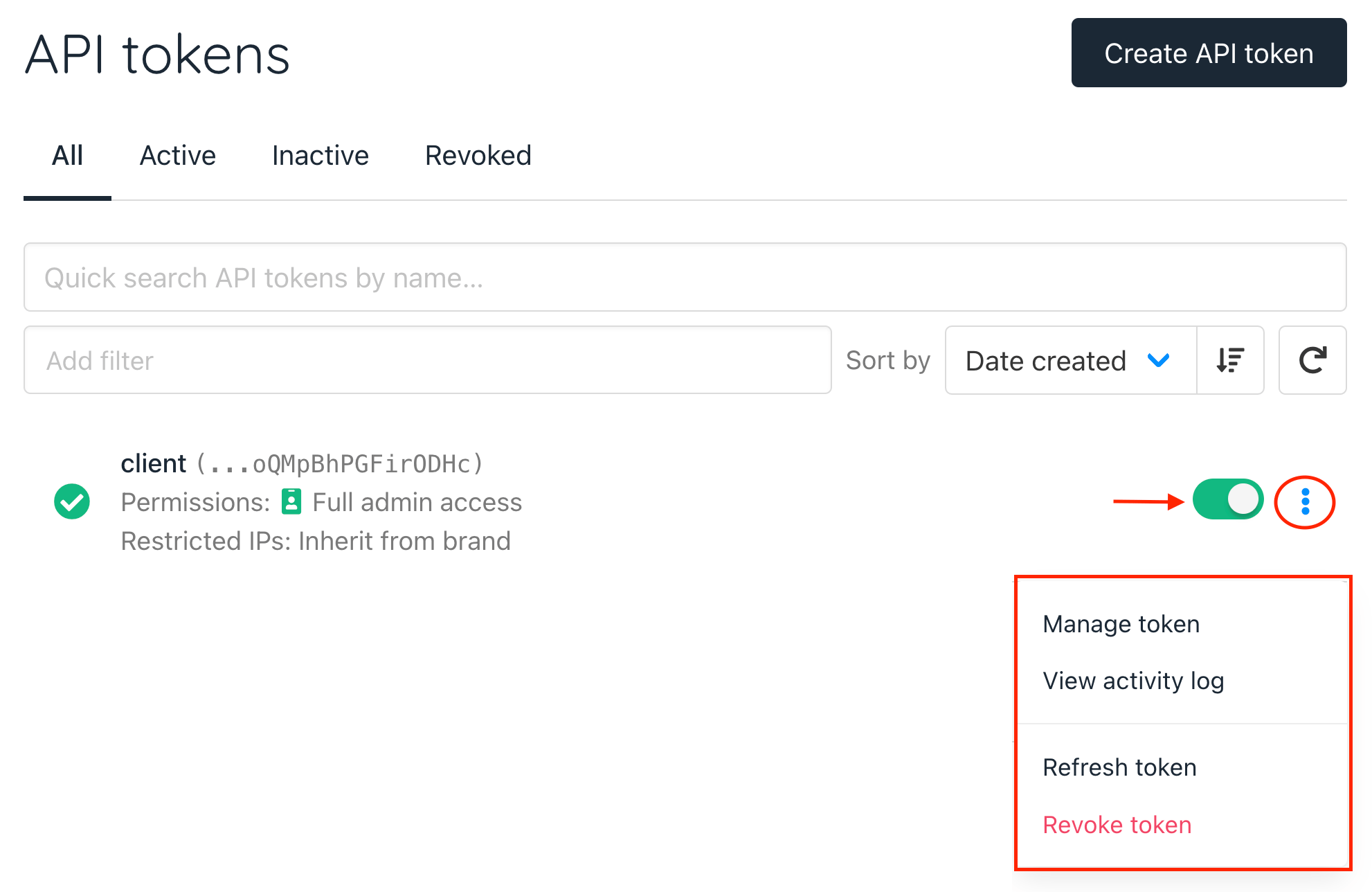
API token options