> ## Documentation Index
> Fetch the complete documentation index at: https://docs.upmind.com/llms.txt
> Use this file to discover all available pages before exploring further.
# How to Add Signatures on Ticket Messages
You can set up a signature that will automatically appear in your ticket replies, so you don’t need to type it each time. There are two ways to do this: from Preferences or from the Settings button inside a ticket message.
## Option 1: Add a Signature from Preferences
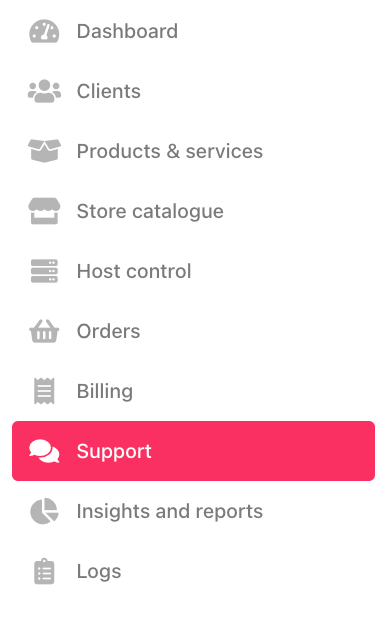
1. Go to Support.
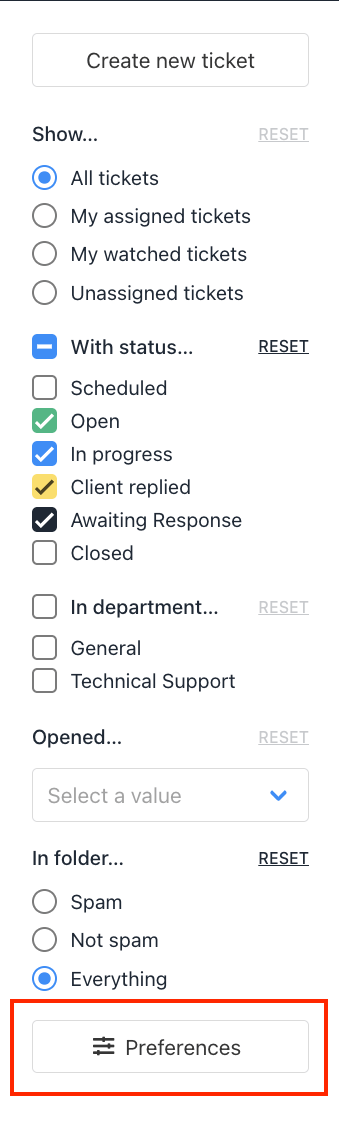
 2. Click Preferences.
 3. Under Message Composition, add your signature text.
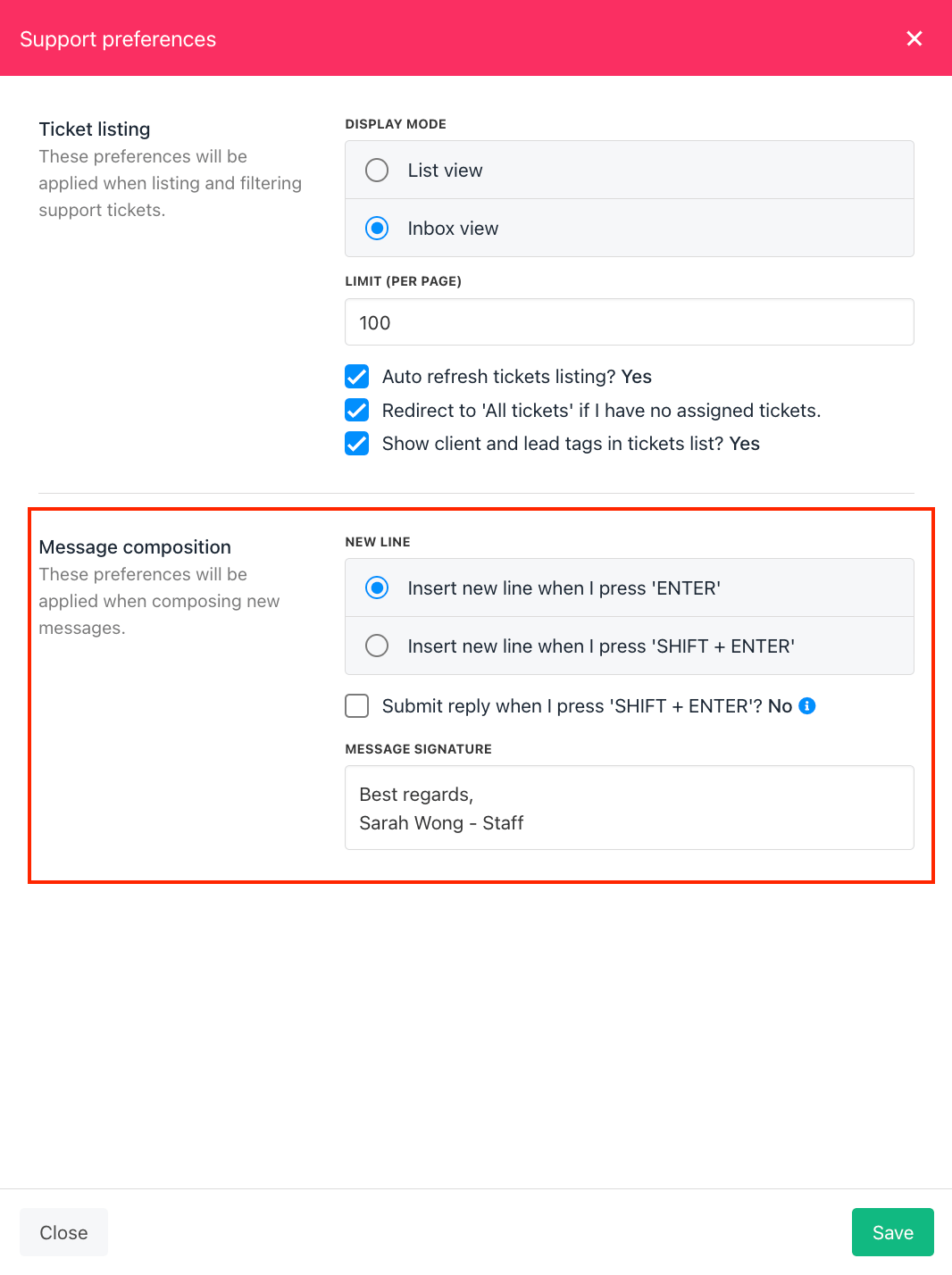 4. Click Save.
Your signature will now appear automatically in all your ticket replies.
## Option 2: Add or Edit a Signature from the Settings Button in a Ticket
You can also set or update your signature directly while working inside a ticket.
1. Open any ticket.
2. Click the Settings (gear icon) in the message editor.
3. Enter or update your signature text.
4. Click Save.
4. Click Save.
Your signature will now appear automatically in all your ticket replies.
## Option 2: Add or Edit a Signature from the Settings Button in a Ticket
You can also set or update your signature directly while working inside a ticket.
1. Open any ticket.
2. Click the Settings (gear icon) in the message editor.
3. Enter or update your signature text.
4. Click Save.
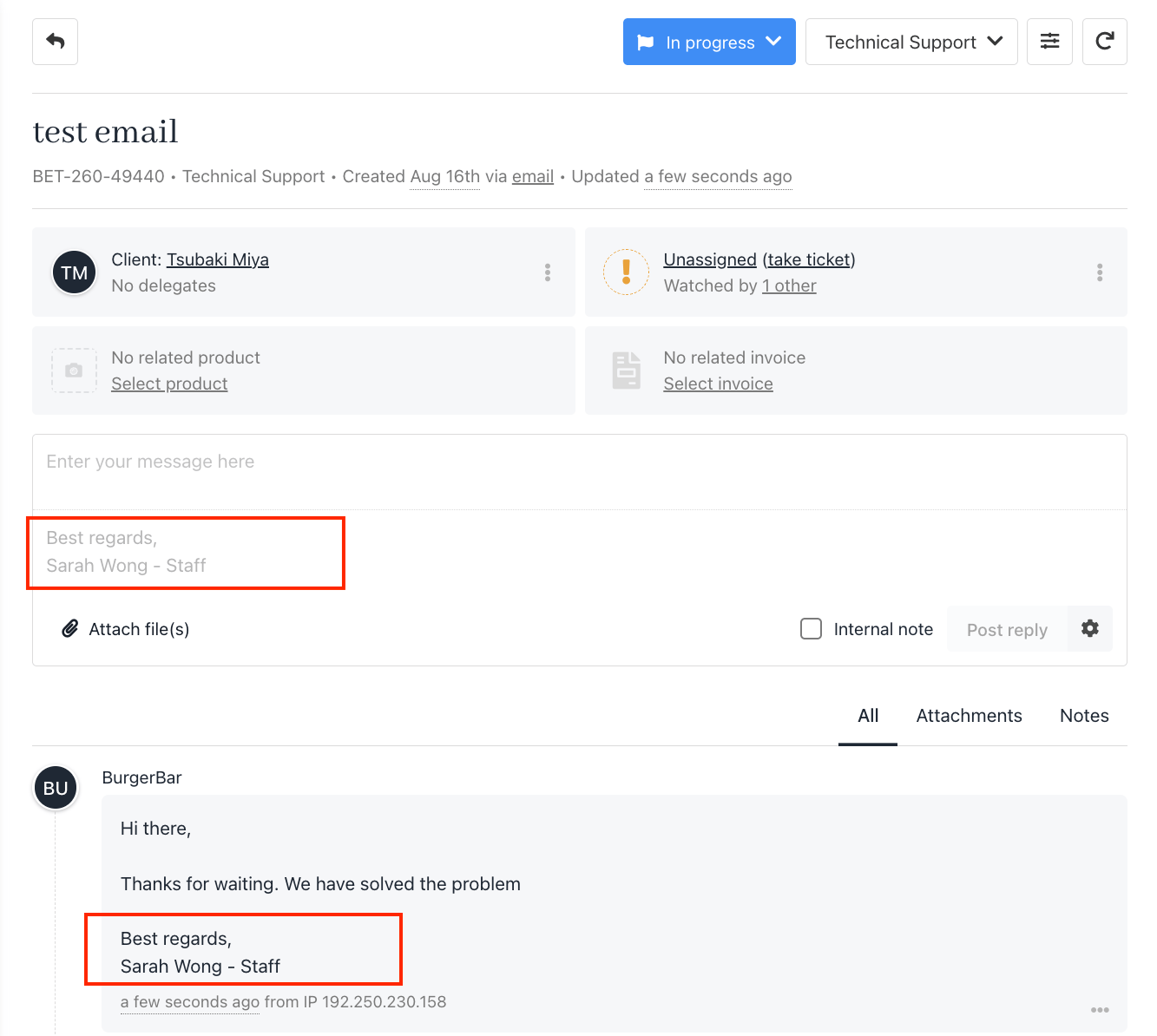
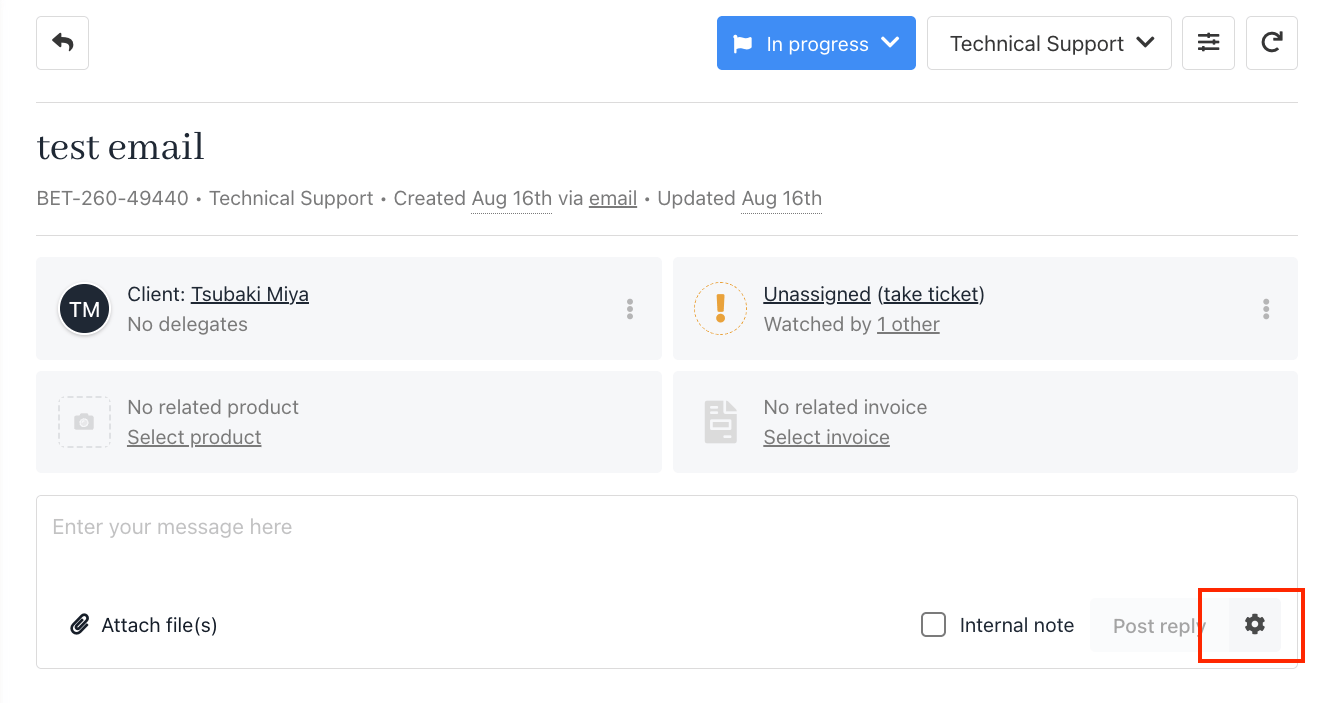 Once added, your signature will appear automatically in your ticket replies (see screenshot example).