> ## Documentation Index
> Fetch the complete documentation index at: https://docs.upmind.com/llms.txt
> Use this file to discover all available pages before exploring further.
# A Guide to cPanel/WHM Provisioning Options
> Options for cPanel/WHM provisioning
This guide explains the different provisioning settings available for your **cPanel/WHM**.
## Navigate to your provisioning settings
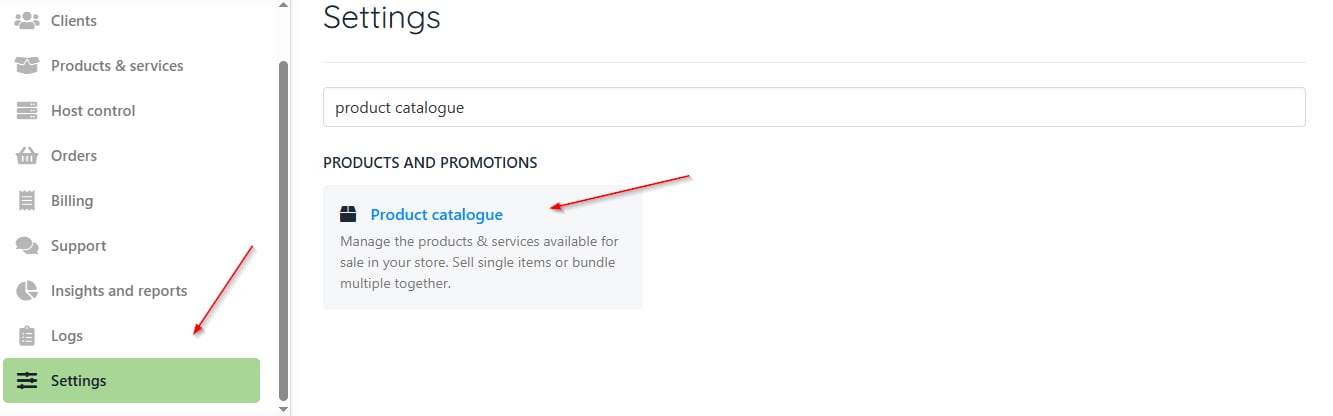
1. Go to `Settings`.
2. Find the `Product Catalogue`. If you already have the product, select it to check the provisioning options. If not, you can [create a new product](/using-upmind/product-management/how-to-create-products#/).
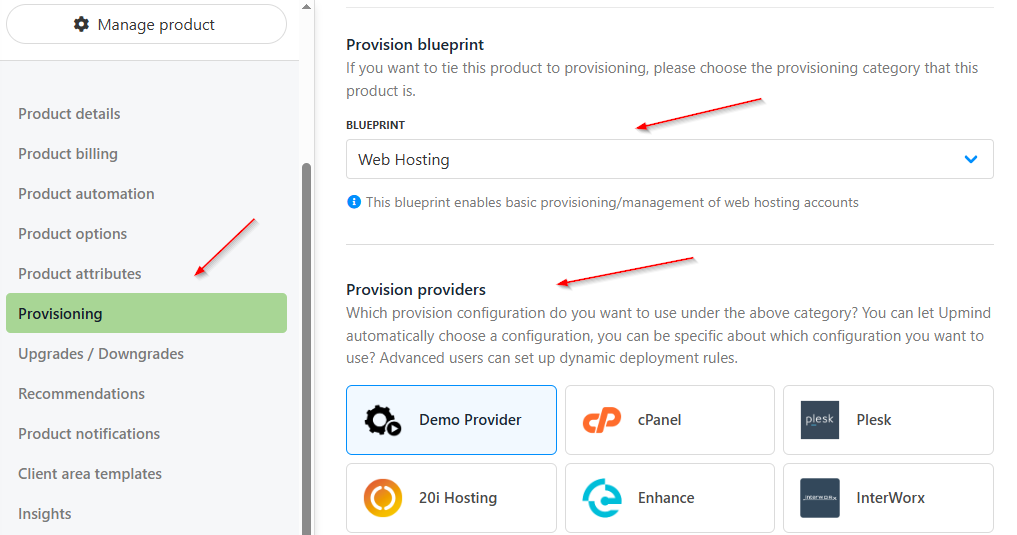
 3. Next, choose the provisioning field. On the following screen, select the **Provision Blueprint** and **Provision Providers**.
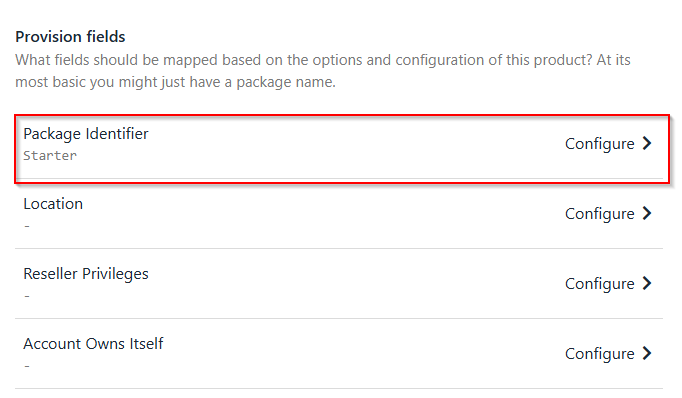
 4. Then, scroll down to find the **Provision Fields**. To configure the **package identifier**, ensure that it's similar to your package name in cPanel.
 ## Choose the provision fields
Fill up each part to set up the provisioning fields:
1. **Package Identifier**: Set this by creating a package in WHM or using an existing one. Make sure it matches the package name in cPanel.
If you are a hosting reseller, make sure your WHM package name includes your reseller username.
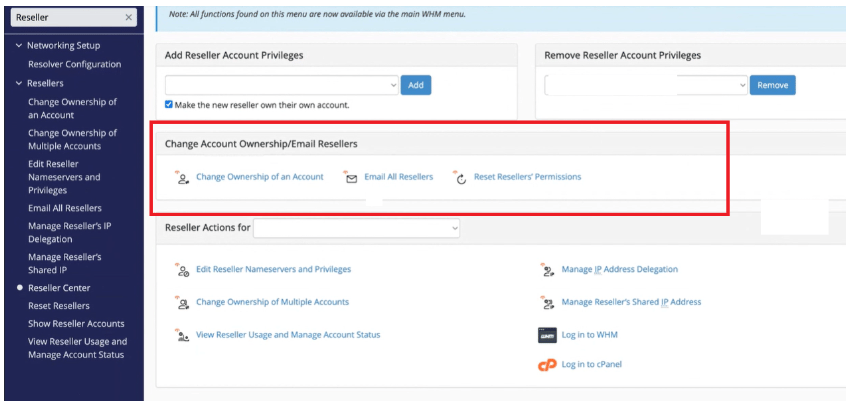
2. **Reseller Privileges**: Note that you cannot manage reseller privileges, ACL names, account limits, disk space, or bandwidth through WHM **unless you have root access**.
3. **Account Owns Itself**
## Choose the provision fields
Fill up each part to set up the provisioning fields:
1. **Package Identifier**: Set this by creating a package in WHM or using an existing one. Make sure it matches the package name in cPanel.
If you are a hosting reseller, make sure your WHM package name includes your reseller username.
2. **Reseller Privileges**: Note that you cannot manage reseller privileges, ACL names, account limits, disk space, or bandwidth through WHM **unless you have root access**.
3. **Account Owns Itself**
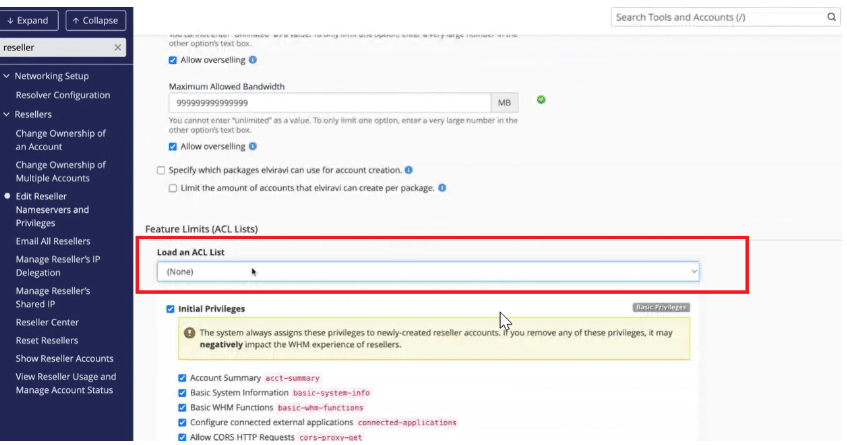
 4. **Reseller ACL Name**
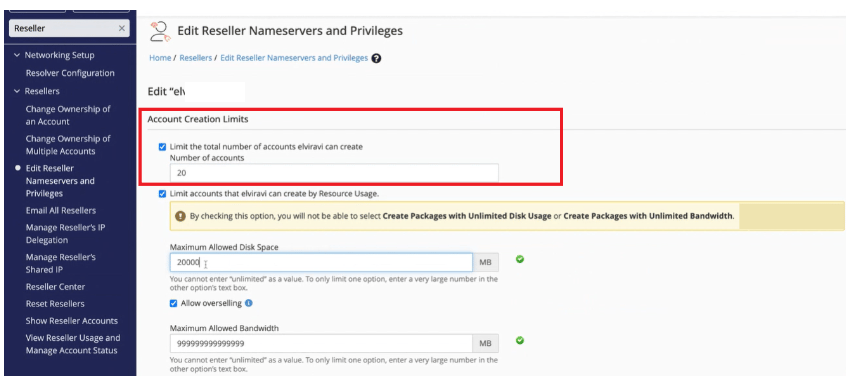
 5. **Reseller Account Limit**
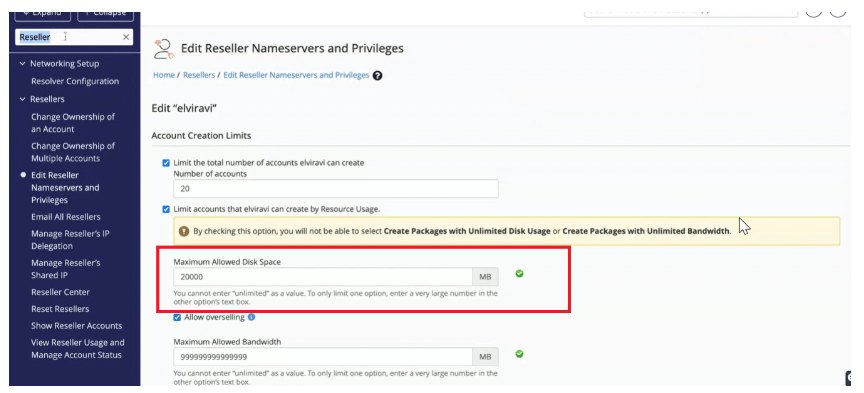
 6. **Reseller Disk Space Limit (MB)**
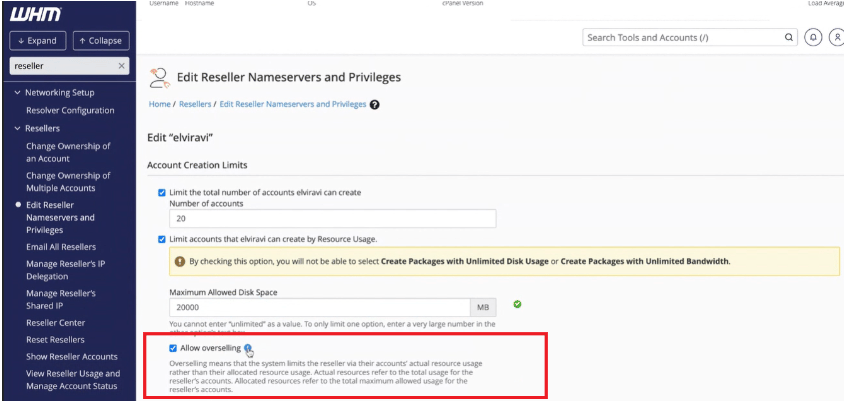
 7. **Reseller Diskspace Overselling**
 8. **Reseller Bandwidth Limit (MB)**
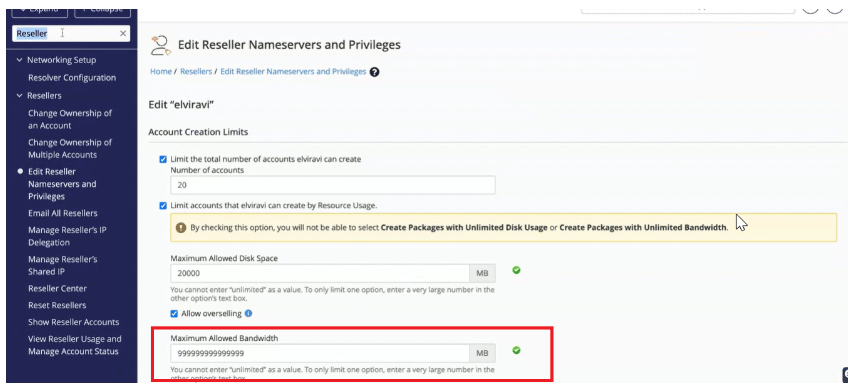 9. **Reseller Bandwidth Overselling**
These features collectively provide control, flexibility, and limitations for resellers in managing hosting accounts within Upmind.
9. **Reseller Bandwidth Overselling**
These features collectively provide control, flexibility, and limitations for resellers in managing hosting accounts within Upmind.