> ## Documentation Index
> Fetch the complete documentation index at: https://docs.upmind.com/llms.txt
> Use this file to discover all available pages before exploring further.
# What If Your Product or Service is Not Showing?
> Read this article and know the to do list, What If Your Product or Service is Not Showing? Check out and explore Upmind now!
If products or services don’t appear on your frontend shopping cart, the following steps help ensure proper visibility.
## Check payment gateway and currency support
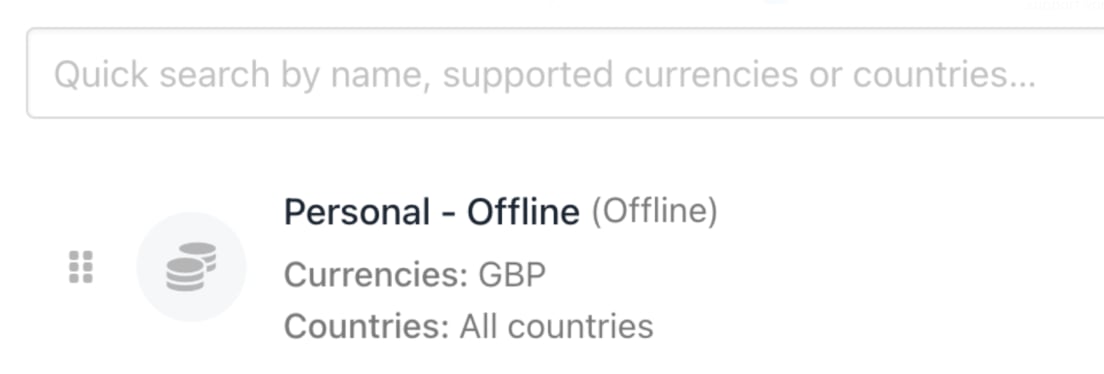
Products require enabled payment gateways to be displayed, since customers need a payment method to complete purchases.
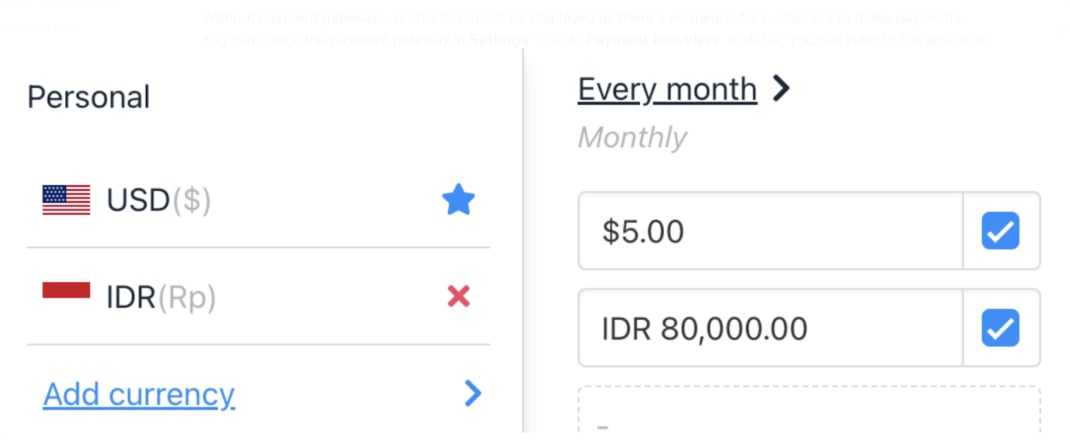
You can verify your payment gateways under **Settings** > **Payment Providers** under **E-commerce settings**, to make sure they support the currencies assigned to your products (found in **Product** > **Billing**).
A mismatch in supported currencies blocks product display and ordering. For detailed setup, see this guide on \[topic/link].
 ## Ensure catalogue display is activated
1. Go to **Settings** > **User Interface** under **Branding and Customisation**.
## Ensure catalogue display is activated
1. Go to **Settings** > **User Interface** under **Branding and Customisation**.
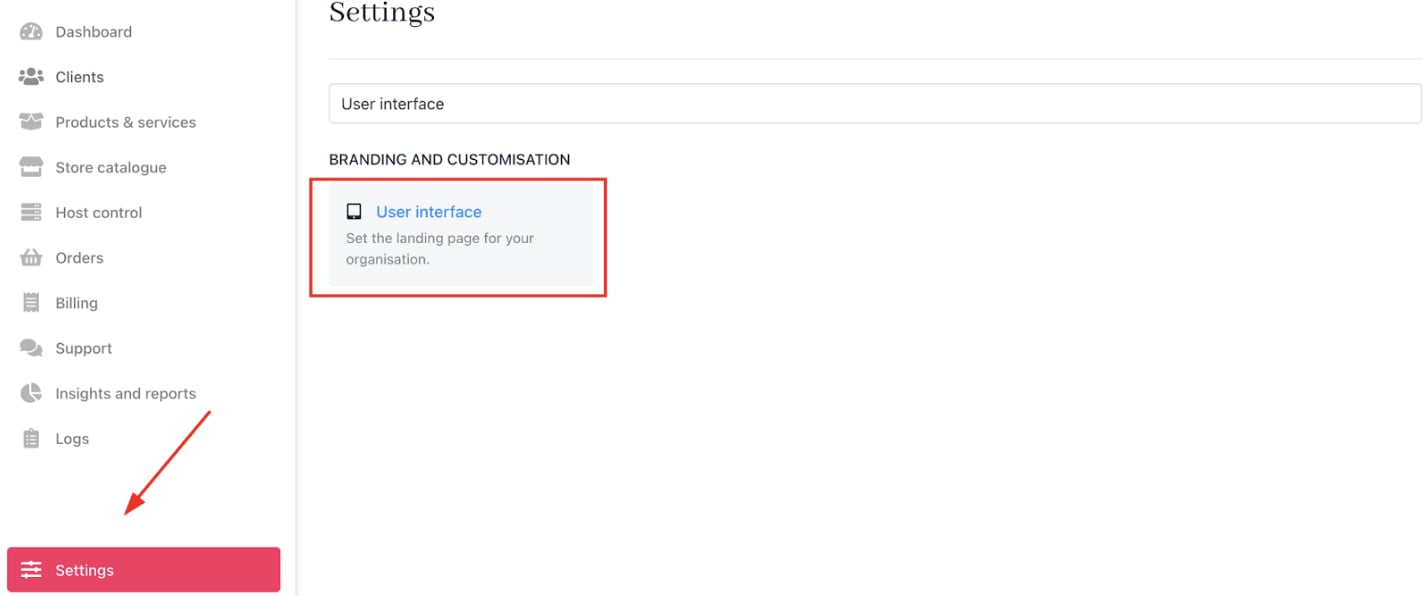 2. In the `Client Area` settings, find `Show Catalog`.
 3. Choose one of:
* **Always Show** — Catalogue visible to all visitors.
* **Show to Logged in** — Catalogue visible only to logged-in customers.
* **Hide** — Catalogue hidden from customers.
Select **Always Show** to guarantee product visibility.
## Confirm products have prices
Upmind includes a default price list that sets basic pricing for each product or service. For more details, see this on how to create price lists.
3. Choose one of:
* **Always Show** — Catalogue visible to all visitors.
* **Show to Logged in** — Catalogue visible only to logged-in customers.
* **Hide** — Catalogue hidden from customers.
Select **Always Show** to guarantee product visibility.
## Confirm products have prices
Upmind includes a default price list that sets basic pricing for each product or service. For more details, see this on how to create price lists.