> ## Documentation Index
> Fetch the complete documentation index at: https://docs.upmind.com/llms.txt
> Use this file to discover all available pages before exploring further.
# Configure Product Automation
> Learn how to configure subscription automation for your online store. You can set subscription renewal settings and many more. Check Now!
Subscription automation in Upmind controls intervals for suspension, cancellation, and closure of subscriptions and simplifies contract management.
## Open the automation settings
1. Log in to the Upmind dashboard.
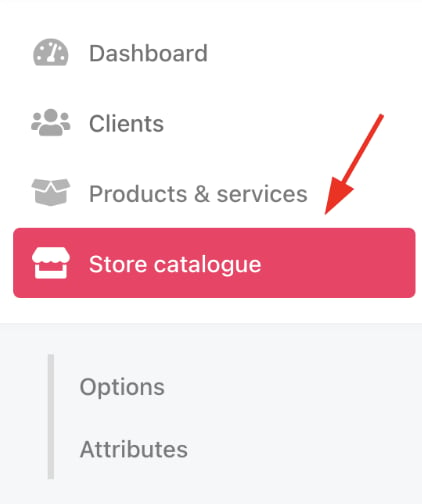
2. Access it from the dashboard by clicking on **Store Catalogue**.
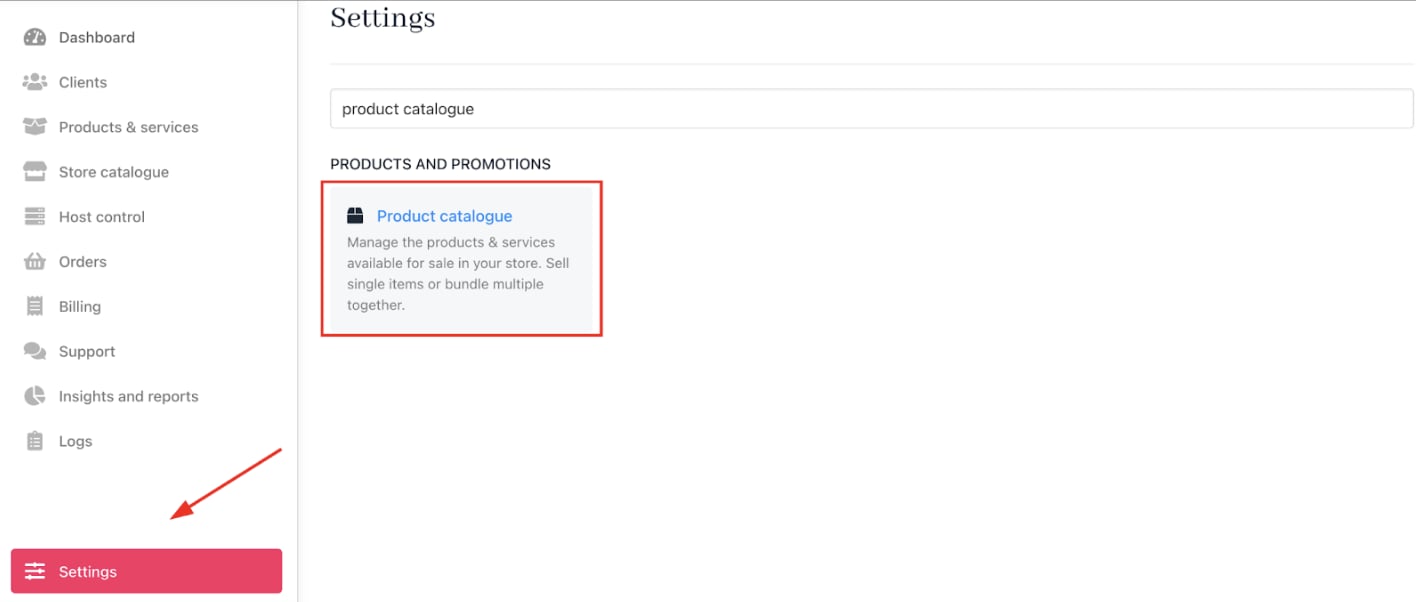
 3. You can also click **Settings** and select the **Product Catalogue** tile under **Products and Promotions**.
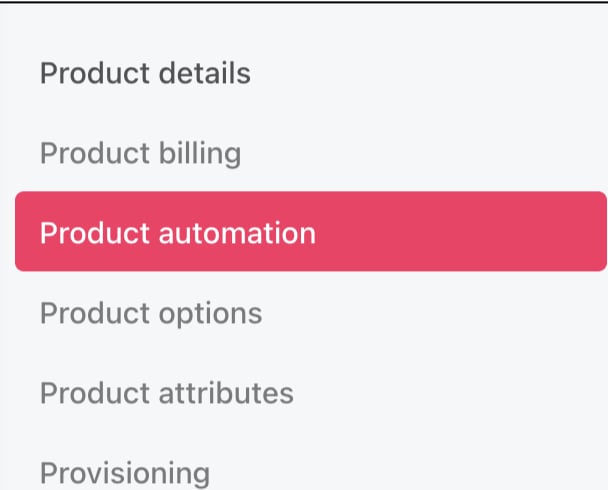
 4. Choose a product and click **Product Automation** on the product details page.
 ## Set interval timings
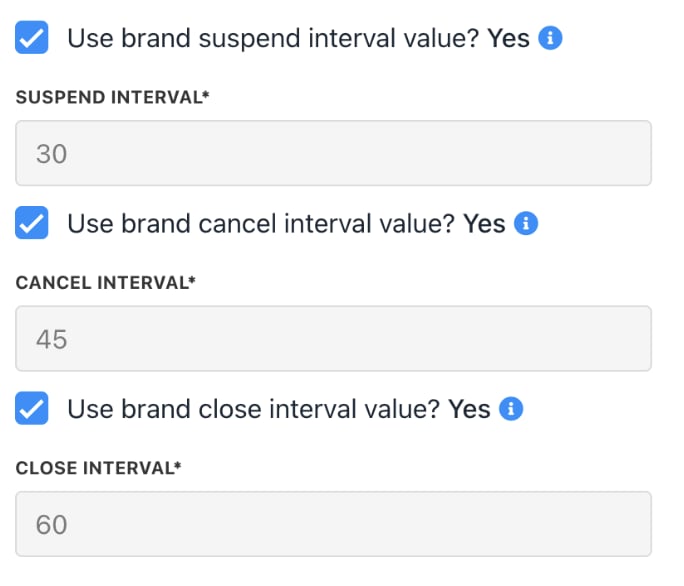
Customise interval settings at the top of the `Product Automation` page:
* **Suspend**: Enter the number of days after expiration before suspending the subscription (default enabled).
* **Cancel**: Set days after suspension when a subscription is cancelled.
* **Close**: Define the time after cancellation when the subscription is closed, invoices are credited, and unpaid balances are written off.
## Set interval timings
Customise interval settings at the top of the `Product Automation` page:
* **Suspend**: Enter the number of days after expiration before suspending the subscription (default enabled).
* **Cancel**: Set days after suspension when a subscription is cancelled.
* **Close**: Define the time after cancellation when the subscription is closed, invoices are credited, and unpaid balances are written off.
 ## Define restrictions
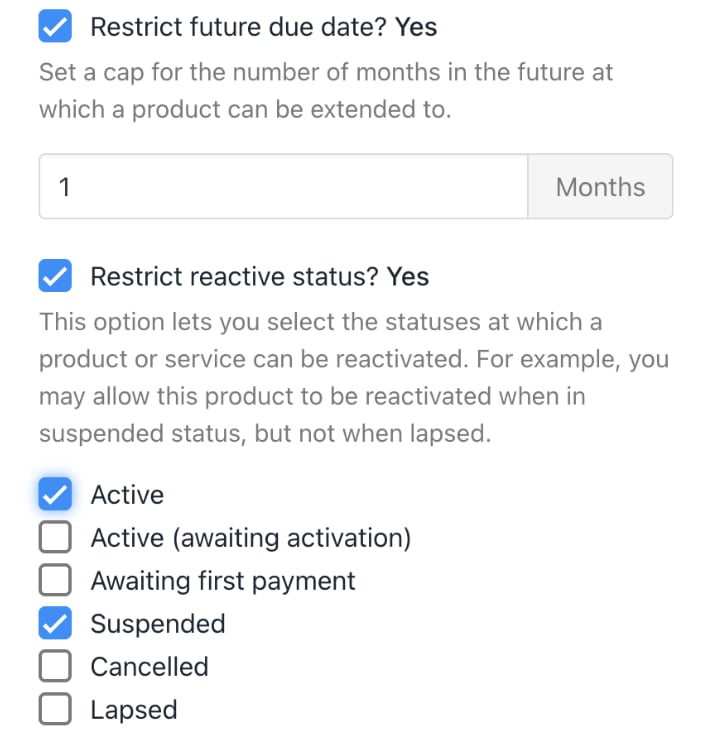
* **Restrict Future Due Date**: If the box is checked, you can limit subscription contract length (e.g., maximum 24 months). Leave unchecked for no limit.
* **Restrict Reactive Status**: If the box is checked, define contract statuses under which clients can renew. If unchecked, renewal is allowed regardless of contract status.
By default, clients can renew a subscription in all the statuses listed below.
## Define restrictions
* **Restrict Future Due Date**: If the box is checked, you can limit subscription contract length (e.g., maximum 24 months). Leave unchecked for no limit.
* **Restrict Reactive Status**: If the box is checked, define contract statuses under which clients can renew. If unchecked, renewal is allowed regardless of contract status.
By default, clients can renew a subscription in all the statuses listed below.
 ## Recurring invoice settings
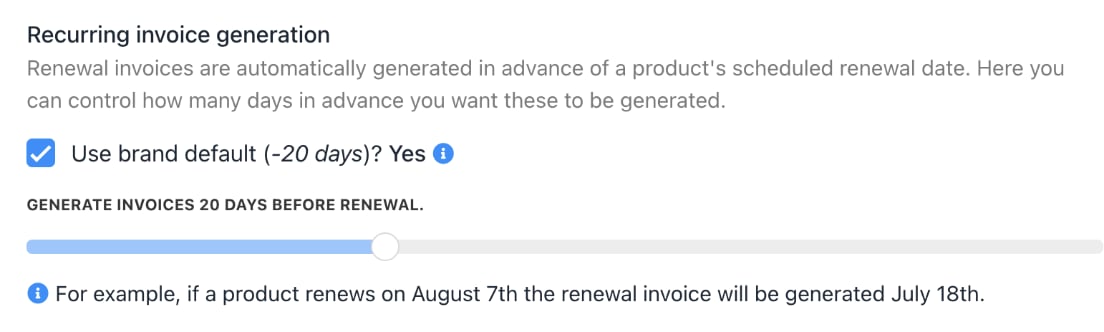
* **Invoice Generation**: Set when recurring invoices are created (default 30 days before period end).
## Recurring invoice settings
* **Invoice Generation**: Set when recurring invoices are created (default 30 days before period end).
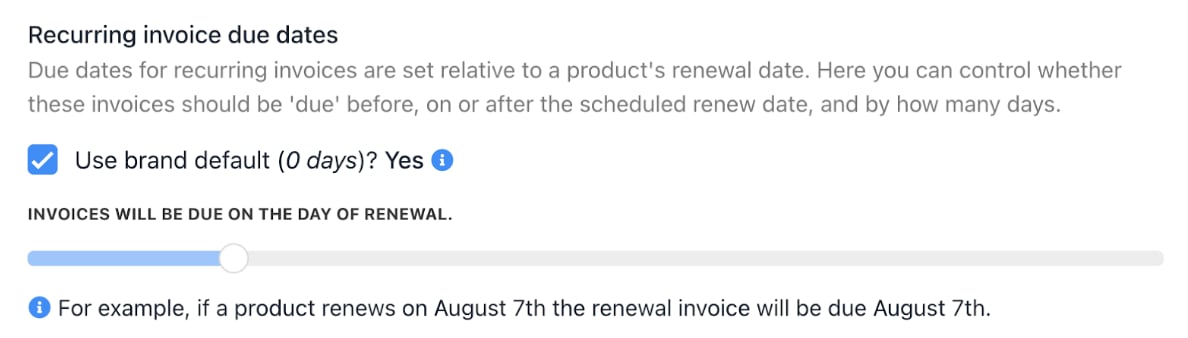
 * **Invoice Due Dates**: You can configure due dates relative to subscription renewal (default 0 days before period end).
 ## Support
Support tickets opened by clients related to the product will be automatically routed to the selected department.
## Support
Support tickets opened by clients related to the product will be automatically routed to the selected department.
