> ## Documentation Index
> Fetch the complete documentation index at: https://docs.upmind.com/llms.txt
> Use this file to discover all available pages before exploring further.
# How to Add PayPal Legacy Subscription (Callbacks) as Payment Method
> Configure PayPal Legacy Subscription (Callbacks)
**PayPal Legacy Subscriptions (Callbacks)** use **NVP/SOAP APIs** and are maintained for legacy clients. This method is deprecated for new integrations but remains available for existing subscriptions.
In this guide, we will set up PayPal Express. You will require:
* A PayPal account
* An Upmind account
Please make sure this feature is enabled on your PayPal account. You may need to contact PayPal or check their [guide](https://developer.paypal.com/api/nvp-soap/ipn/IPNSetup/).
## Obtaining API credentials from PayPal
1. Log in to **PayPal**.
2. Go to `Account Settings`.
3. Click **API Access** > **Update**.
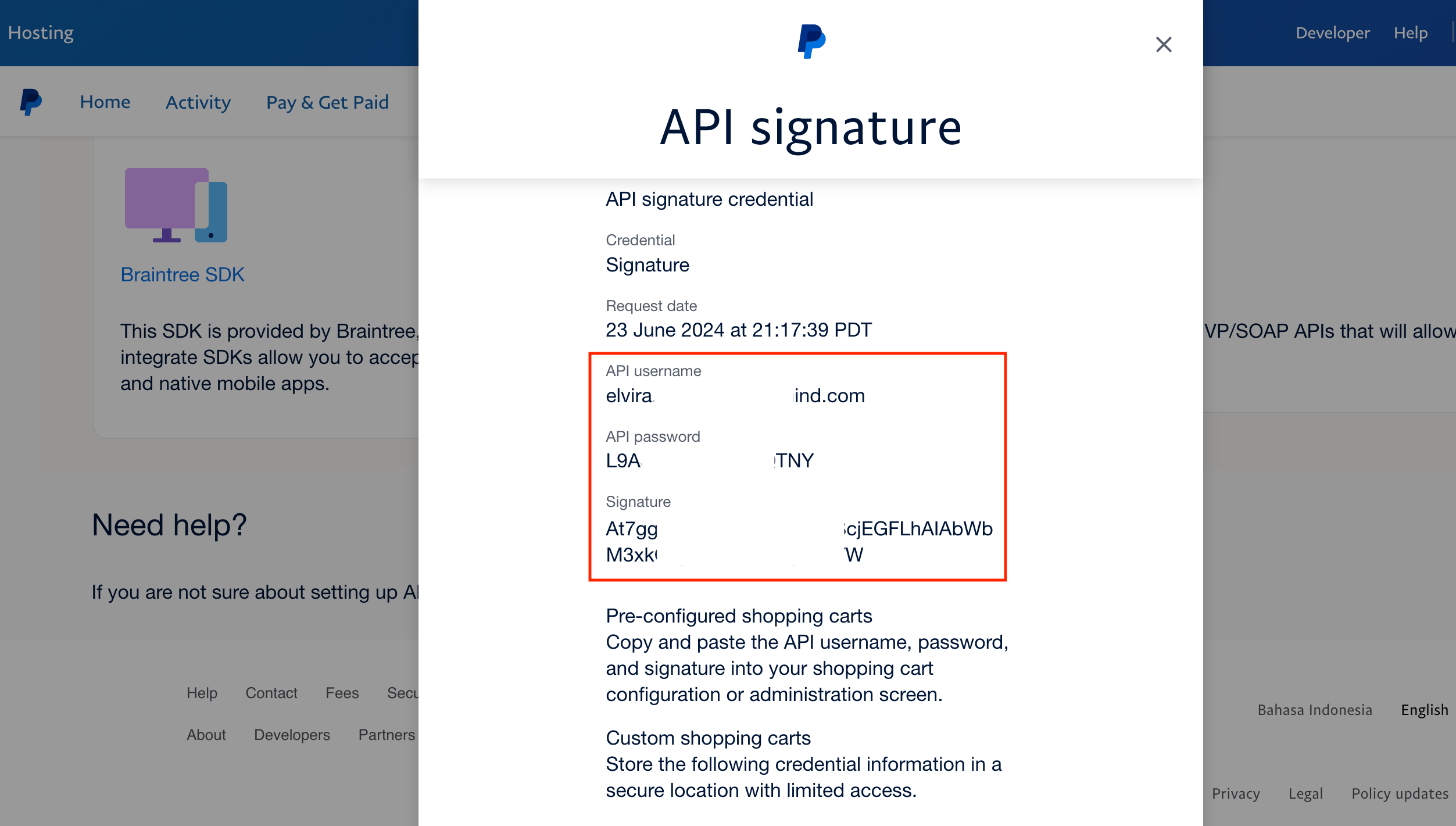
4. Under **Custom checkout experience**, select **NVP/SOAP API Integration (Classic)** and click **Manage API credentials**.
5. Copy the **Username**, **Password**, and **Signature**.
 ## Adding PayPal Legacy Subscription in Upmind
1. In Upmind, navigate to **Settings** > **Payment Providers**.
2. Click **Add Payment Provider**.
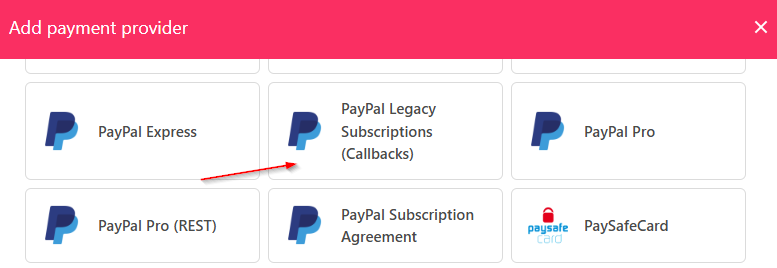
3. Select **PayPal Legacy Subscription (Callbacks)**.
## Adding PayPal Legacy Subscription in Upmind
1. In Upmind, navigate to **Settings** > **Payment Providers**.
2. Click **Add Payment Provider**.
3. Select **PayPal Legacy Subscription (Callbacks)**.
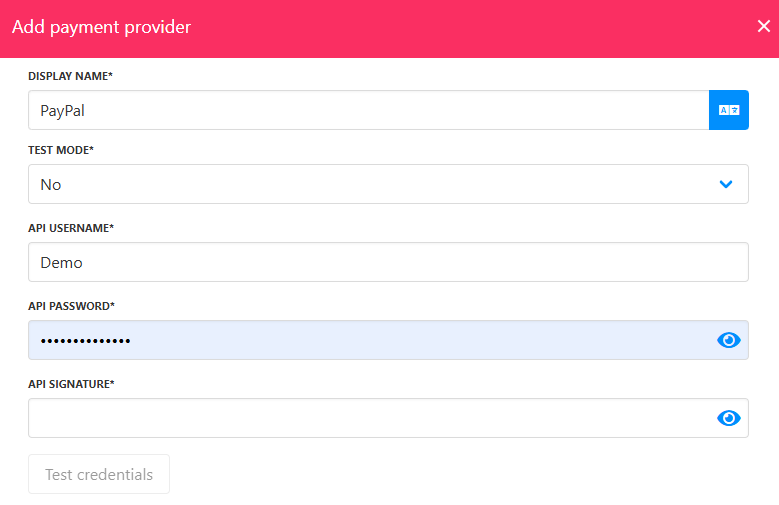
 4. Enter a display name. We suggest **PayPal**.
5. Set **Test Mode** to **No**.
6. Add your **API credentials**.
7. Click **Test Credentials**.
8. (Optional) Add currencies and payment instructions.
9. Click **Create**.
4. Enter a display name. We suggest **PayPal**.
5. Set **Test Mode** to **No**.
6. Add your **API credentials**.
7. Click **Test Credentials**.
8. (Optional) Add currencies and payment instructions.
9. Click **Create**.
 ## Editing PayPal Legacy Subscription
To edit, go to **Settings** > **Payment Providers**, click the three dots, and select **Edit**.
## Editing PayPal Legacy Subscription
To edit, go to **Settings** > **Payment Providers**, click the three dots, and select **Edit**.