> ## Documentation Index
> Fetch the complete documentation index at: https://docs.upmind.com/llms.txt
> Use this file to discover all available pages before exploring further.
# How to Add Paystack as a Payment Method
> Set up Paystack to take payments in Upmind
[Paystack](https://paystack.com/) is a secure payment gateway popular in Nigeria, supporting credit/debit cards, bank transfers, and mobile money.
In Upmind, Paystack supports stored cards for automated payments, provided the customer places an order and chooses to save their card.
## Getting Paystack API credentials
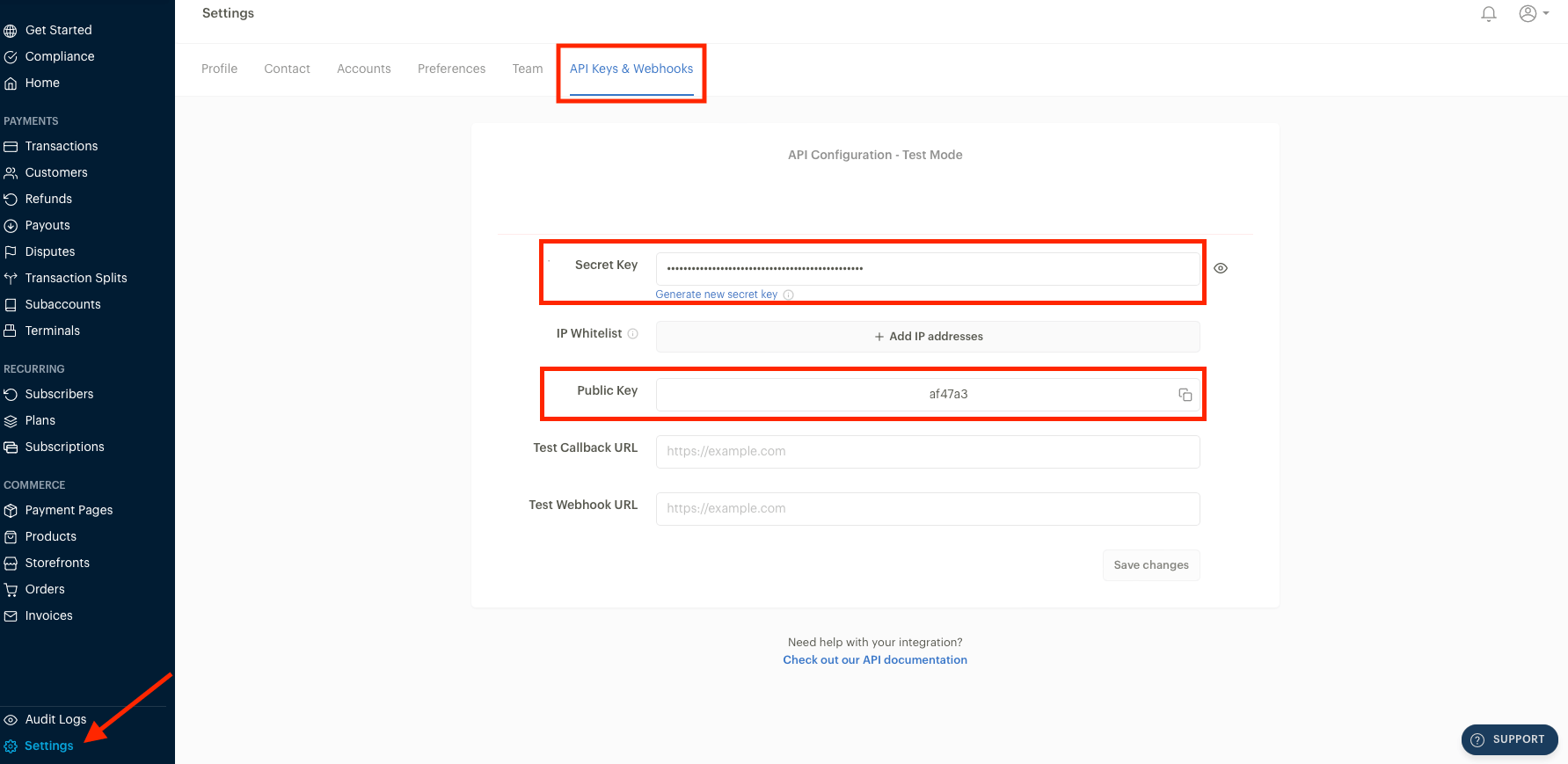
1. Log in to your **Paystack** account.
2. Go to **Settings** > **API Keys** & **Webhooks**.
3. Copy your **Secret Key** and **Public Key**.
 ## Adding Paystack in Upmind
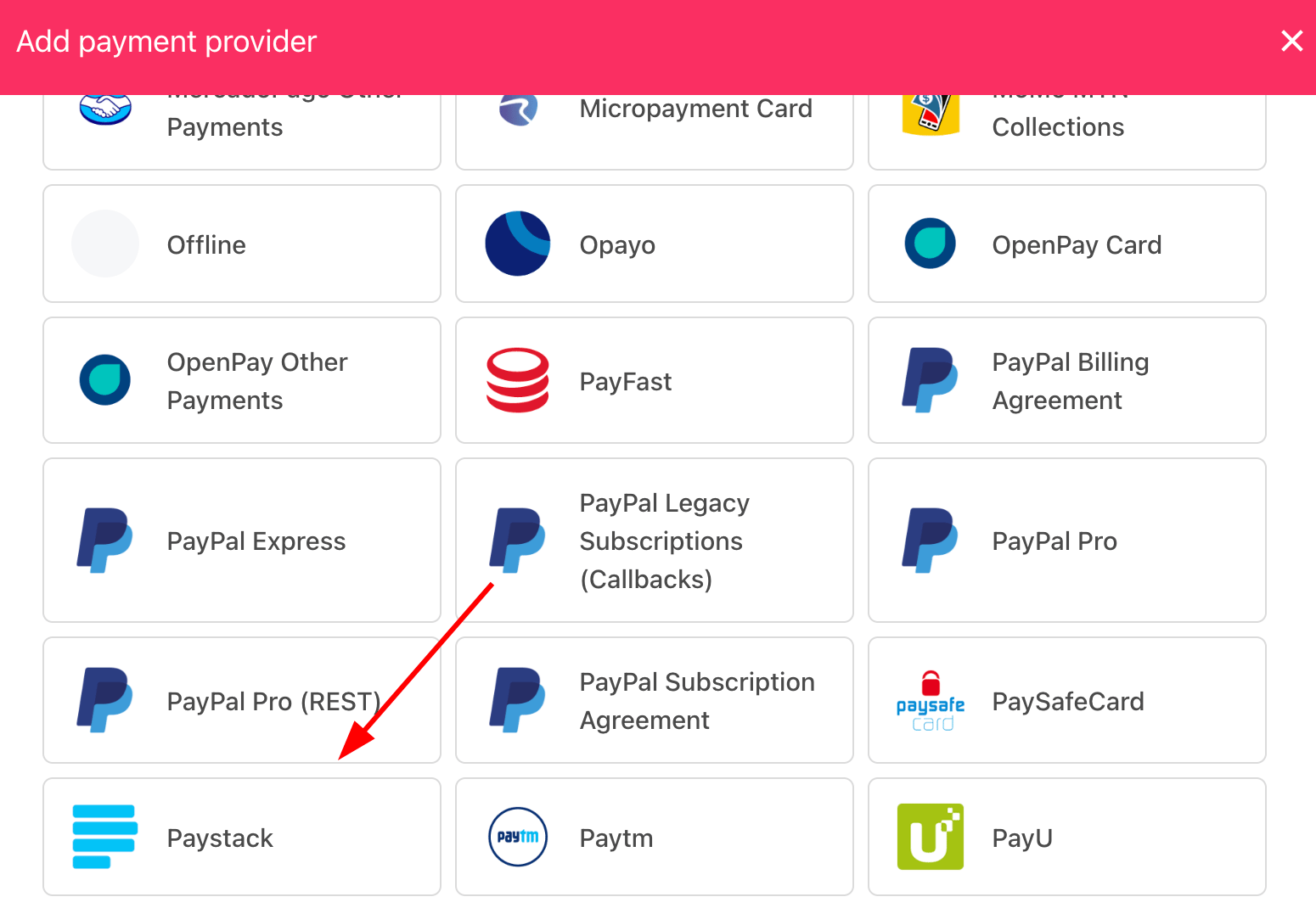
1. Go to **Settings** > **Payment Providers** in your admin area.
2. Click **Add Payment Provider** and select **Paystack**.
## Adding Paystack in Upmind
1. Go to **Settings** > **Payment Providers** in your admin area.
2. Click **Add Payment Provider** and select **Paystack**.
 ## Configuring details
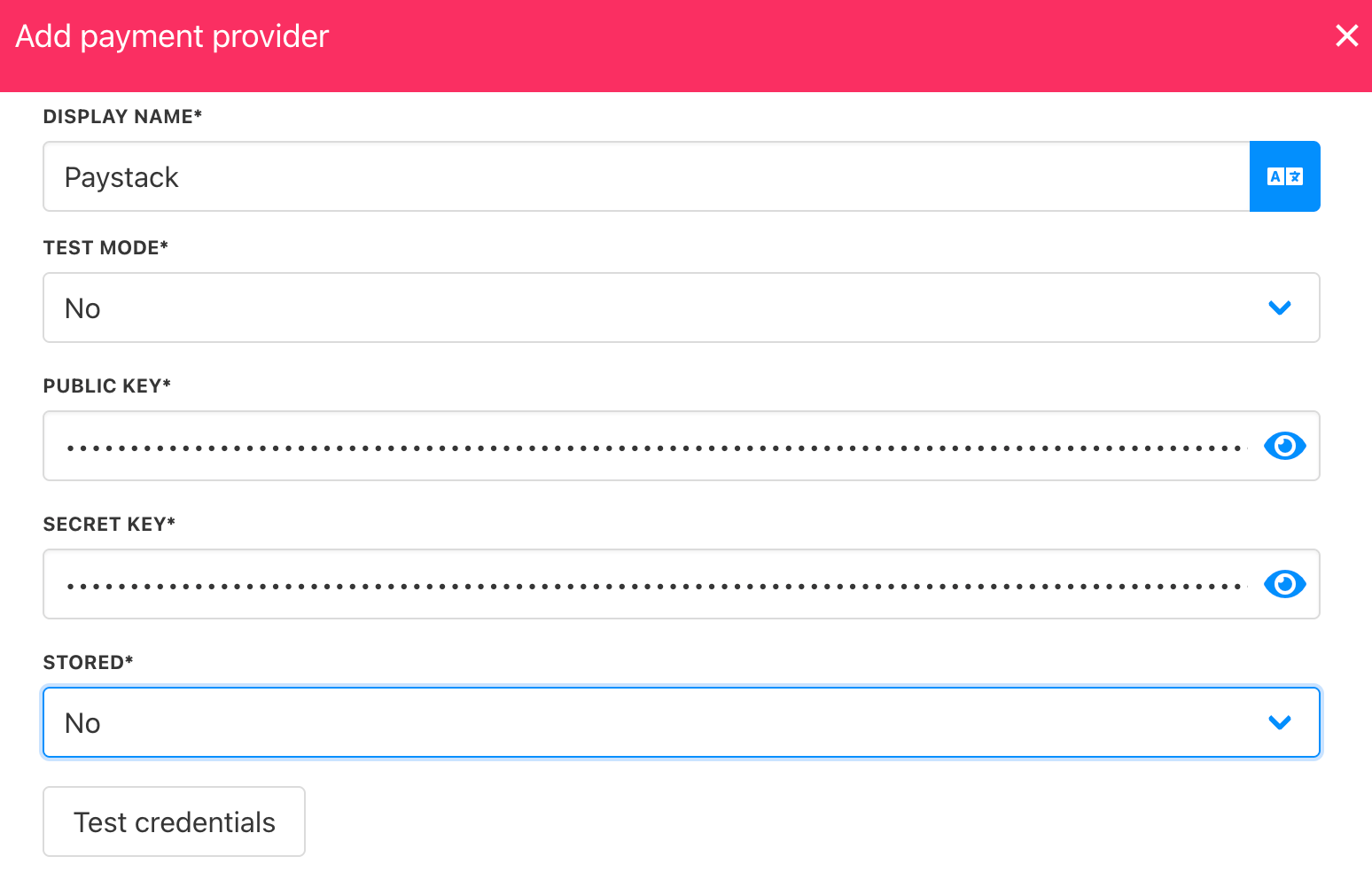
1. Enter a display name. We suggest **Paystack**.
2. Select the appropriate **Test Mode** option.
3. Enter your **Public Key** and **Secret Key**.
4. Click **Test Credentials** to verify successful authentication.
5. (Optional) Add supported currencies.
6. (Optional) Enter payment instructions for your customers.
7. Click **Create** to enable Paystack.
## Configuring details
1. Enter a display name. We suggest **Paystack**.
2. Select the appropriate **Test Mode** option.
3. Enter your **Public Key** and **Secret Key**.
4. Click **Test Credentials** to verify successful authentication.
5. (Optional) Add supported currencies.
6. (Optional) Enter payment instructions for your customers.
7. Click **Create** to enable Paystack.
 ## Editing the payment method
To update the payment method, go to **Settings** > **Payment Providers**, click the three dots next to `Paystack`, and select **Edit**.
## Editing the payment method
To update the payment method, go to **Settings** > **Payment Providers**, click the three dots next to `Paystack`, and select **Edit**.