> ## Documentation Index
> Fetch the complete documentation index at: https://docs.upmind.com/llms.txt
> Use this file to discover all available pages before exploring further.
# How to Add BitPay as a Payment Method
> Set up BitPay to take payments in Upmind
[BitPay](https://www.bitpay.com/) is a payment service provider specialising in cryptocurrency payments. It lets you accept payments in Bitcoin, Bitcoin Cash, Ethereum, and select stablecoins.
## Getting BitPay API credentials
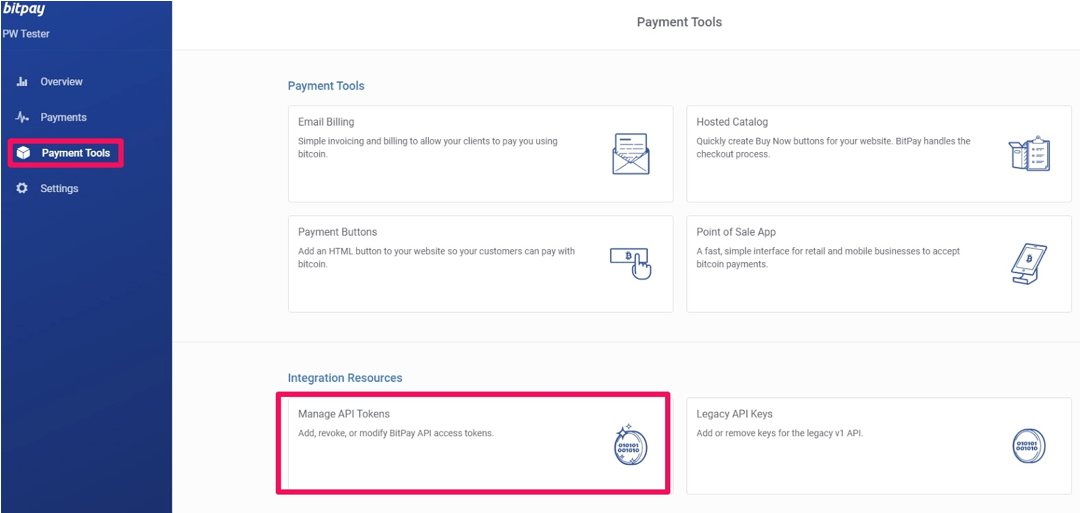
1. Log in to your BitPay account.
2. Generate a pairing key and use it as your first API token.
3. BitPay will then issue an updated API key for ongoing use.
 ## Adding BitPay as a payment provider
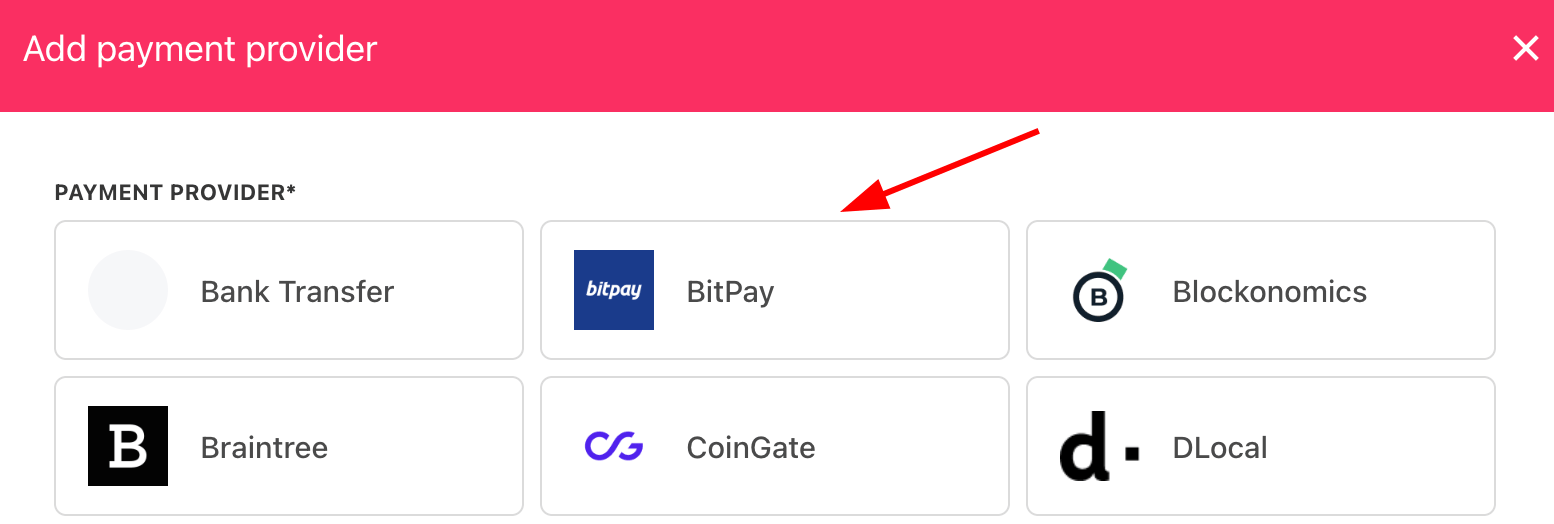
1. Go to **Settings** > **Payment Providers** in Upmind.
2. Click **Add Payment Provider** and choose **BitPay**.
## Adding BitPay as a payment provider
1. Go to **Settings** > **Payment Providers** in Upmind.
2. Click **Add Payment Provider** and choose **BitPay**.
 ## Configuring details
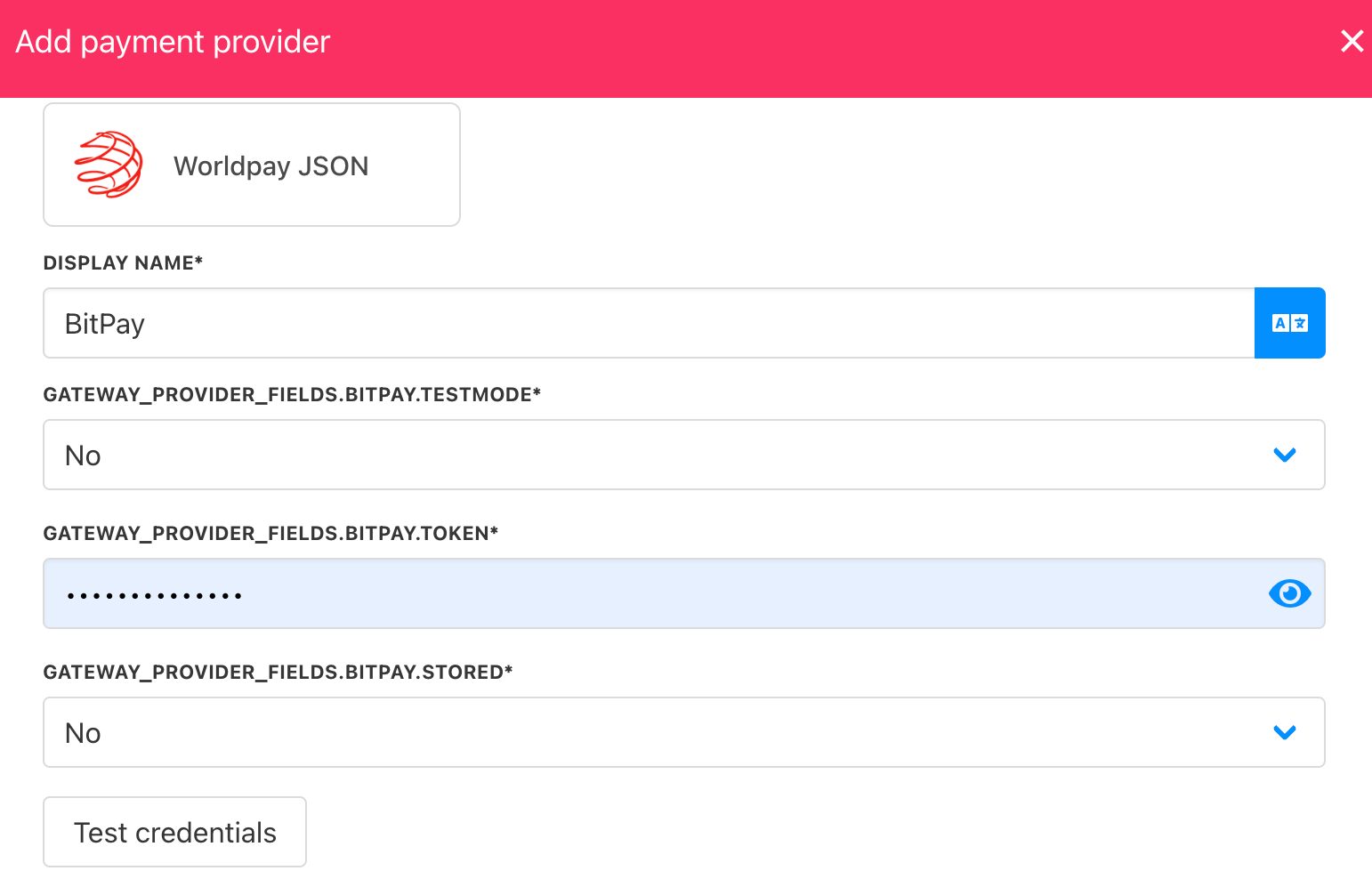
1. Enter a display name. We suggest **BitPay**.
2. Set **Test Mode** as needed.
3. Enter your **API Token**.
4. Click **Test Credentials** to verify.
5. (Optional) Add currencies and payment instructions.
6. Click **Create**.
## Configuring details
1. Enter a display name. We suggest **BitPay**.
2. Set **Test Mode** as needed.
3. Enter your **API Token**.
4. Click **Test Credentials** to verify.
5. (Optional) Add currencies and payment instructions.
6. Click **Create**.
 ## Editing the payment method
Go to **Settings** > **Payment Providers**, click the three dots next to `BitPay`, and select **Edit**.
## Editing the payment method
Go to **Settings** > **Payment Providers**, click the three dots next to `BitPay`, and select **Edit**.