> ## Documentation Index
> Fetch the complete documentation index at: https://docs.upmind.com/llms.txt
> Use this file to discover all available pages before exploring further.
# How to Change a Subscription Service Level
> Upgrade or downgrade a subscription
Admins and store staff can modify a client's subscription by upgrading or downgrading the service level. Typically, you would use this feature when a client wants to scale up or scale down the scope of services in response to changes in their business.
To keep the same subscription service but modify its terms, see [How to Modify a Subscription Contract](/using-upmind/manage-client-services/how-to-modify-a-subscription-contract).
## Opening a client subscription page
The first step is to open the client's subscription page.
1. Log in to Upmind.
2. Click Products & Services on the left menu.
3. Make sure the Subscriptions menu tab is selected.
 4. Scroll through the list and click the subscription contract you want to change.
5. Click the Modify product button under the QUICK ACTIONS heading.
4. Scroll through the list and click the subscription contract you want to change.
5. Click the Modify product button under the QUICK ACTIONS heading.
 6. On the new window, click the Change to new product tile.
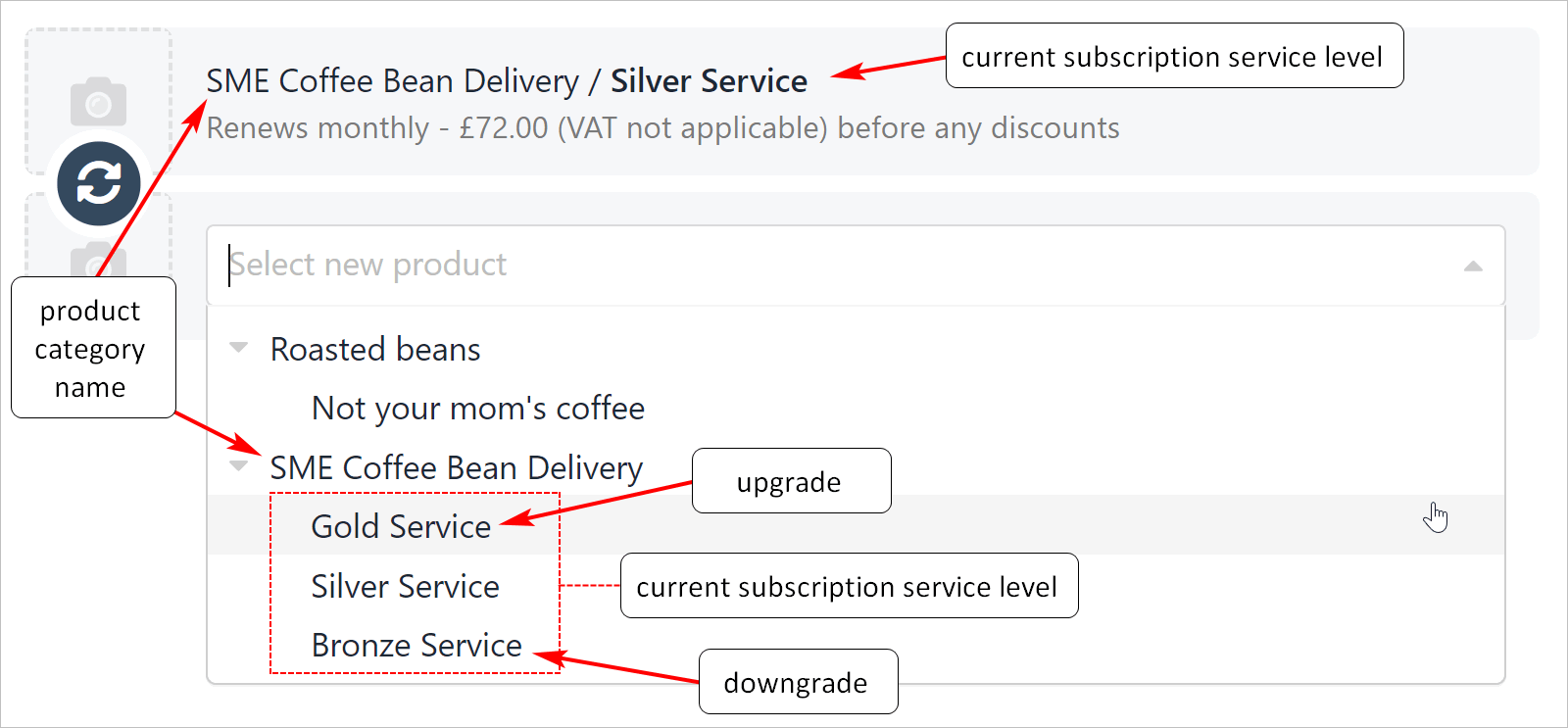
7. Click the field below the product name.
8. Select an option to upgrade or downgrade the current service level.
6. On the new window, click the Change to new product tile.
7. Click the field below the product name.
8. Select an option to upgrade or downgrade the current service level.
 ## Upgrades and invoice changes
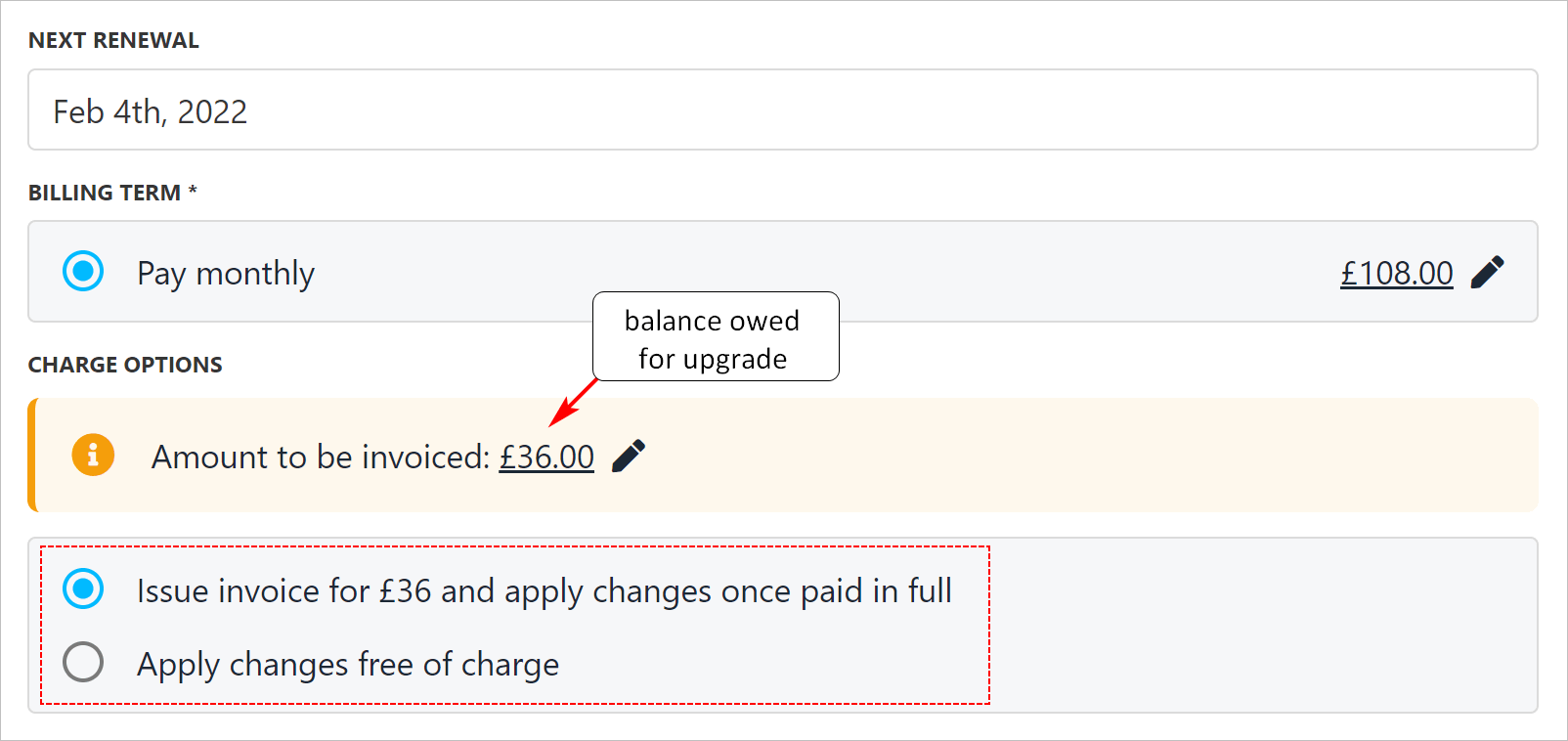
Upmind automatically calculates the balance owed, if applicable, when you upgrade a subscription service. You can choose to send an invoice or apply changes for free.
## Upgrades and invoice changes
Upmind automatically calculates the balance owed, if applicable, when you upgrade a subscription service. You can choose to send an invoice or apply changes for free.
 ## Downgrades and invoice changes
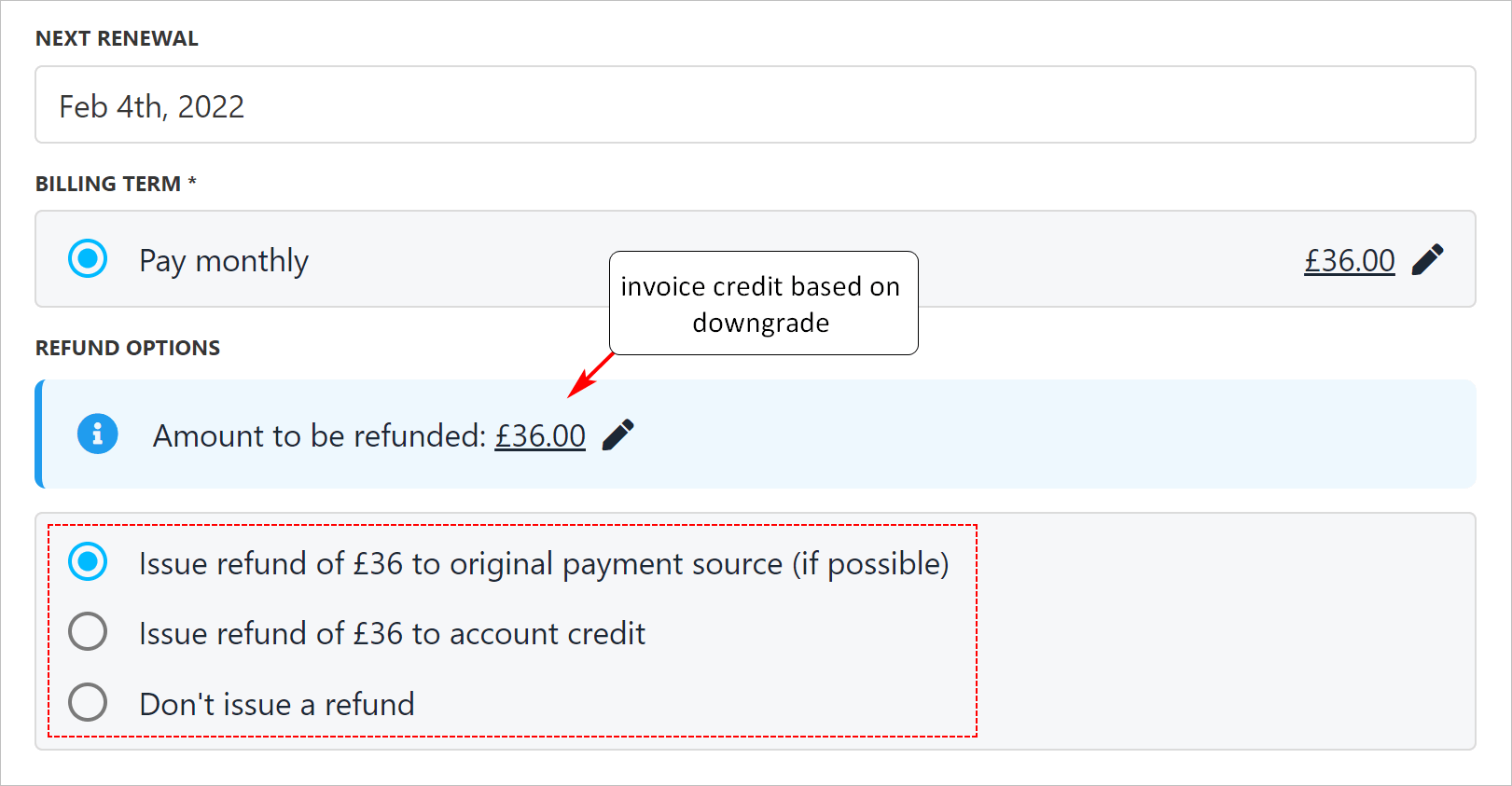
Upmind automatically calculates an account credit, if applicable, when you downgrade a subscription service. You can choose to issue a refund, add funds to the client's account, or do nothing.
## Downgrades and invoice changes
Upmind automatically calculates an account credit, if applicable, when you downgrade a subscription service. You can choose to issue a refund, add funds to the client's account, or do nothing.