> ## Documentation Index
> Fetch the complete documentation index at: https://docs.upmind.com/llms.txt
> Use this file to discover all available pages before exploring further.
# Schedule Price Changes for Contract Products
> Automating future price adjustments.
Scheduling price changes allows you to plan and automate billing adjustments for contract products. Changes take effect automatically on the next renewal invoice.
**Watch the** [**YouTube tutorial**](https://www.youtube.com/watch?v=ng0HS8iCksI) **about Schedule Price Changes for Contract Products.**
## Scheduling a price change
1. Go to `Products & Services` and select the contract product.
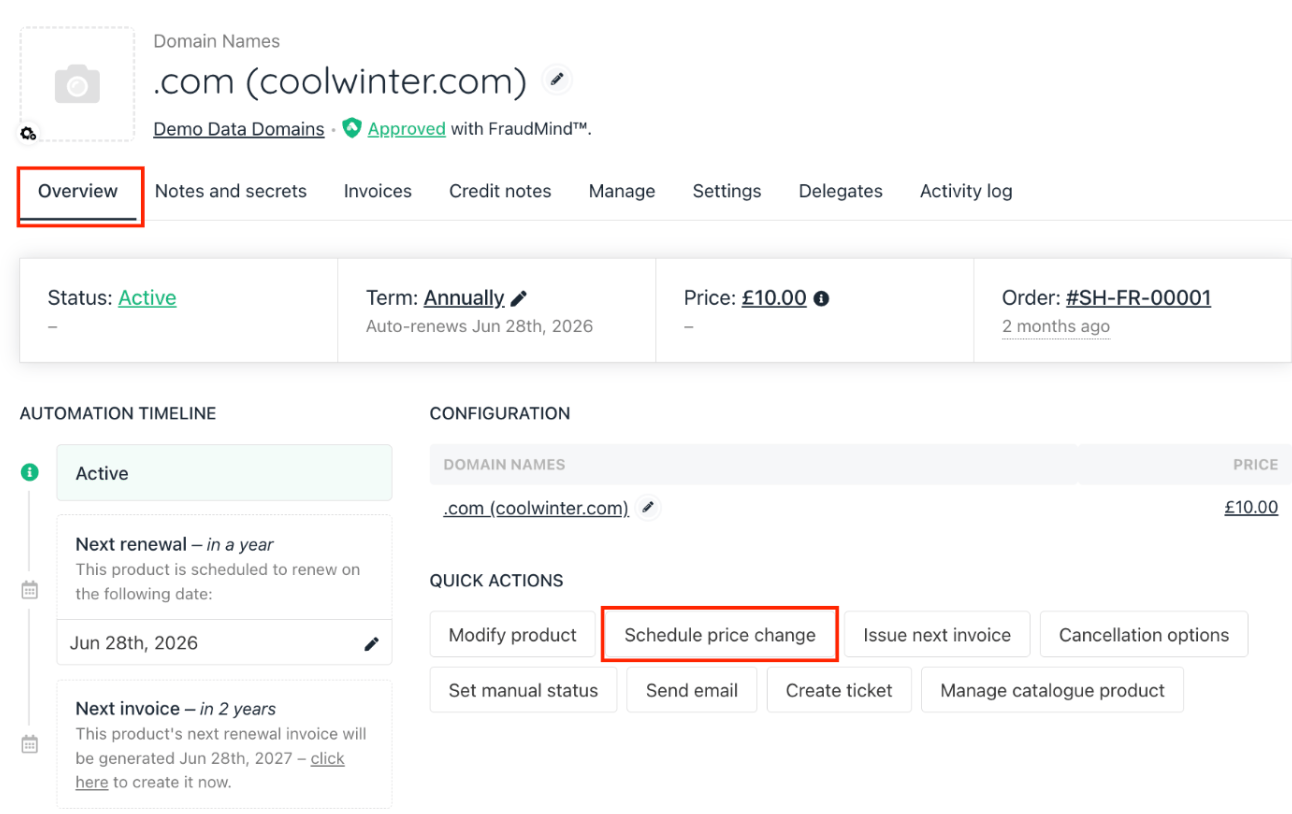
2. In the `Overview` tab, find `Schedule Price Change` in **Quick Actions**.
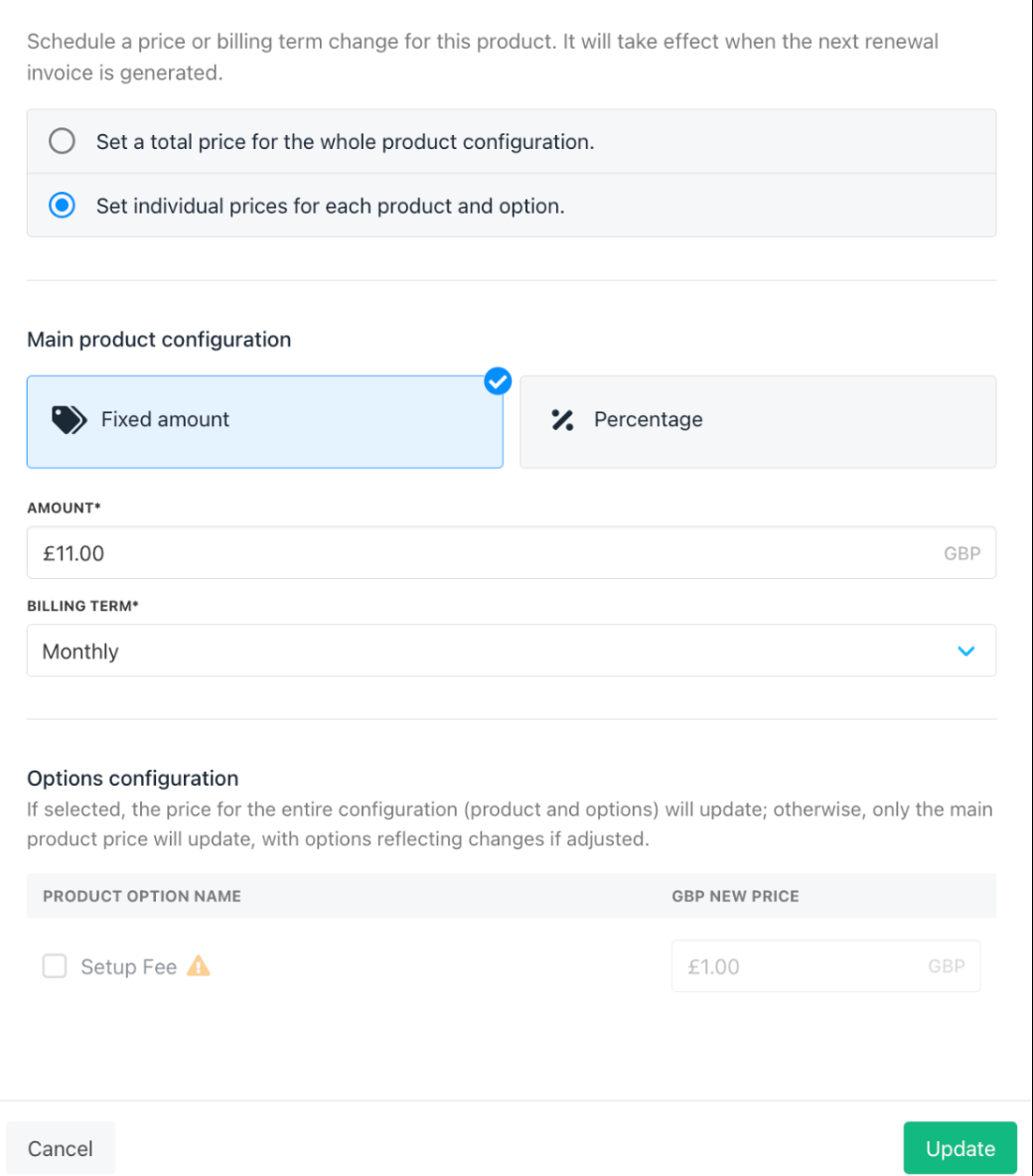
 3. You can choose to set a total price for the entire product if only the product price needs changing, or set individual prices for the product and its options to adjust option prices too.
4. Enter the new price (fixed amount or percentage).
5. Select the billing term if applicable.
6. If the contract product has options, adjust their prices as needed.
7. Click **Create** to schedule.
3. You can choose to set a total price for the entire product if only the product price needs changing, or set individual prices for the product and its options to adjust option prices too.
4. Enter the new price (fixed amount or percentage).
5. Select the billing term if applicable.
6. If the contract product has options, adjust their prices as needed.
7. Click **Create** to schedule.
 ## Editing or deleting scheduled changes
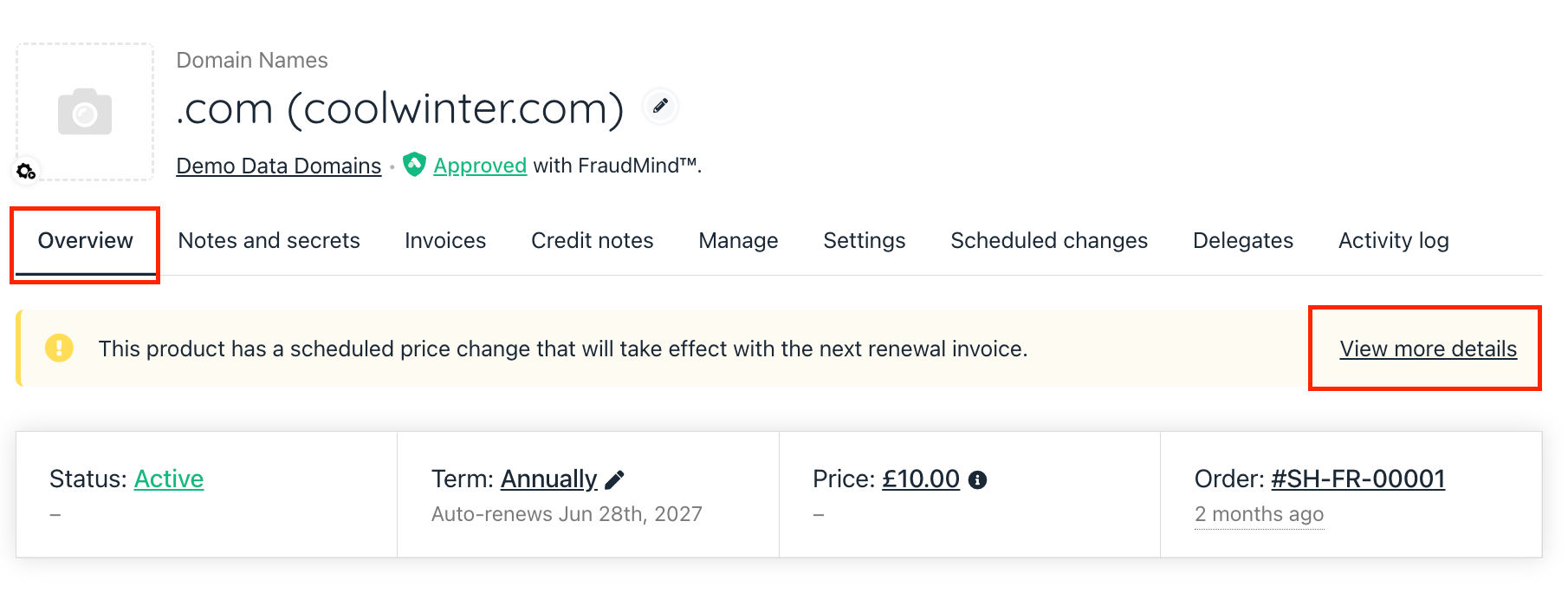
1. From the `Overview` tab, click **View** more details on the scheduled change.
2. Edit the price or details as needed.
## Editing or deleting scheduled changes
1. From the `Overview` tab, click **View** more details on the scheduled change.
2. Edit the price or details as needed.
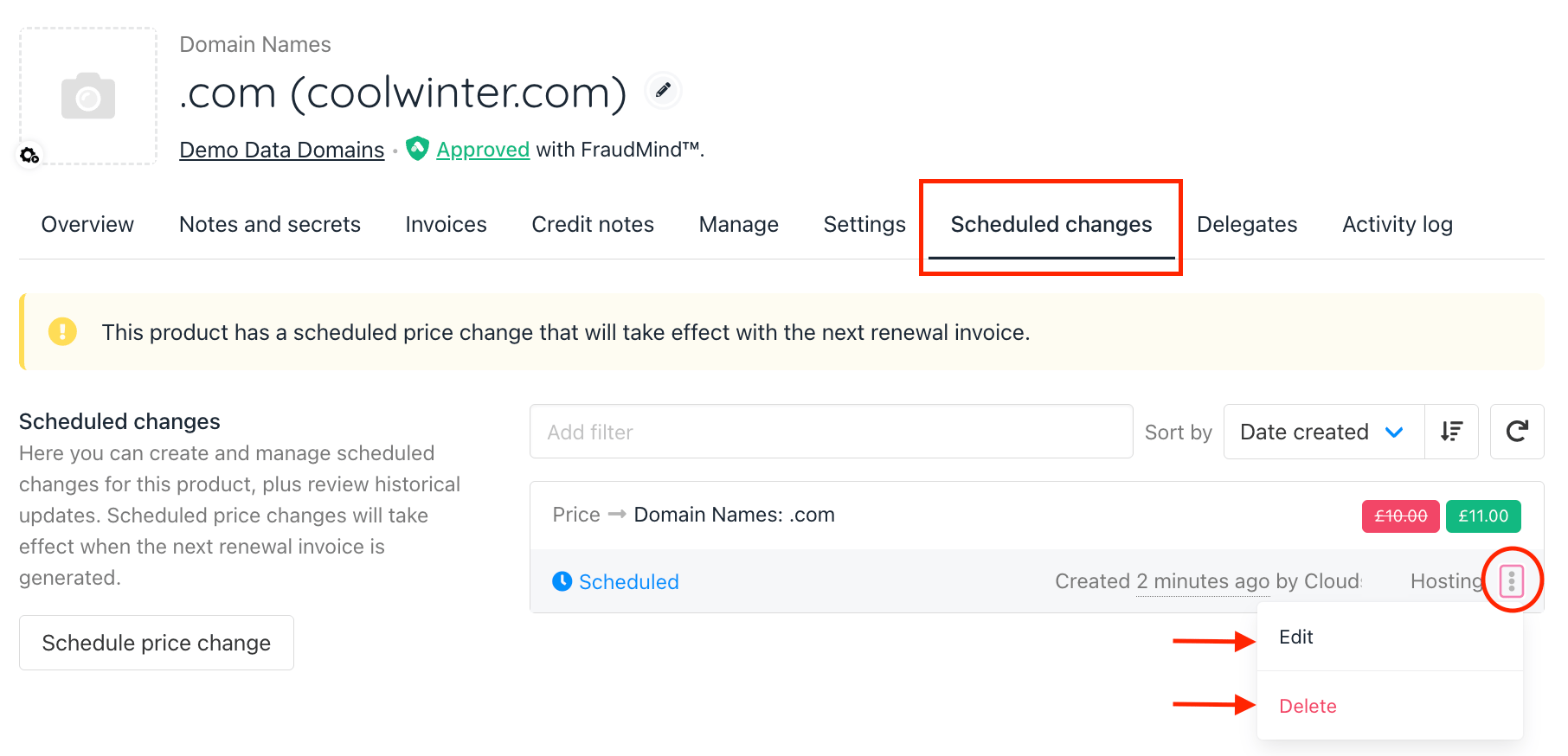
 3. Alternatively, go to the `Scheduled Changes` tab and use the three-dot menu to **Edit** or **Delete** the schedule.