> ## Documentation Index
> Fetch the complete documentation index at: https://docs.upmind.com/llms.txt
> Use this file to discover all available pages before exploring further.
# Revenue Recognition
> Track and report deferred revenue.
Every Upmind contract product’s service period requires an invoice, even if the amount is 0, to ensure proper revenue recognition and acknowledge the service provided.
## Configuring global revenue recognition
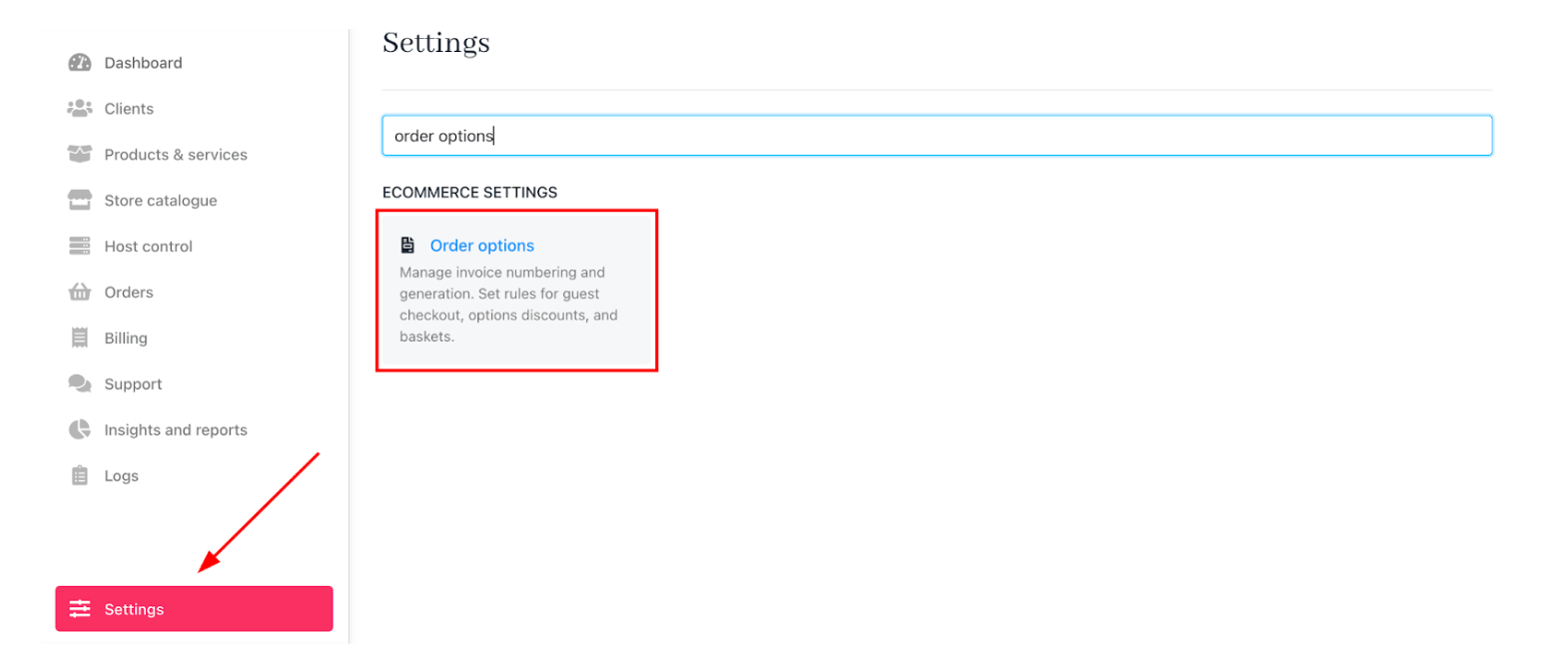
1. Go to Settings > Order Options under Ecommerce Settings.
 2. Scroll to `Misc` and find **Account Revenue Recognition**.
3. Choose Recognition Method:
* **Over Billing Cycle**: Revenue is recognised gradually over the billing or subscription period.
* **Immediately**: Revenue is recognised in full as soon as the product is delivered or the service is provided, regardless of the billing cycle.
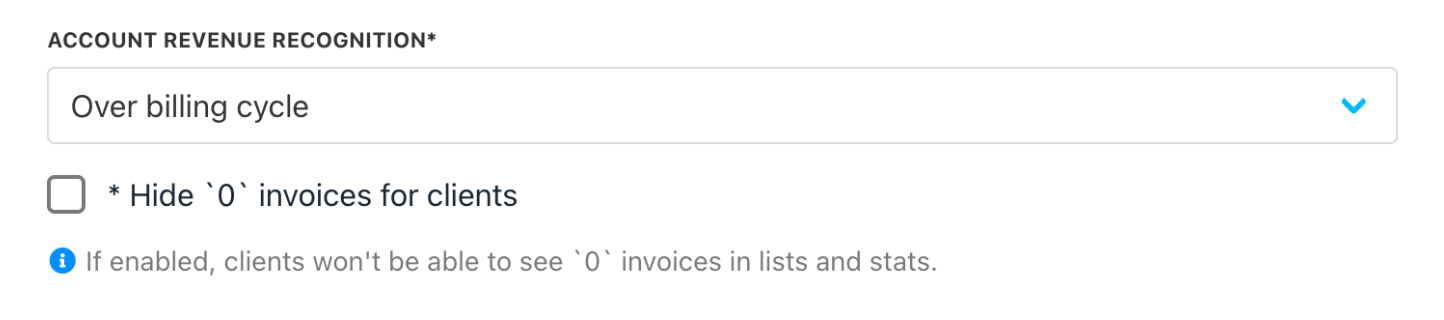
2. Scroll to `Misc` and find **Account Revenue Recognition**.
3. Choose Recognition Method:
* **Over Billing Cycle**: Revenue is recognised gradually over the billing or subscription period.
* **Immediately**: Revenue is recognised in full as soon as the product is delivered or the service is provided, regardless of the billing cycle.
 The selection of a revenue recognition method may vary.
Businesses evaluate whether revenue should be recognised at a point in time or over a period, based on factors like delivery of goods, transfer of control, or the fulfilment of performance obligations.
Contract terms, including payment schedules, milestones, and service durations, influence the timing and pattern of revenue recognition.
Compliance with relevant accounting frameworks ensures that revenue is recorded accurately and consistently, reflecting the economic reality of transactions while meeting regulatory requirements. This approach aligns revenue recognition with the delivery of value to customers and supports transparent financial reporting.
4. Enable Hide 0 Invoices for clients. (Optional)
## Why zero value invoices exist
Upmind generates 0 value invoices to bridge gaps between service periods, ensuring continuous revenue tracking and accurate recognition, even when no payment is due.
Since these invoices can confuse clients, we recommend enabling the **Hide 0 Invoices for clients option**.
## Product level revenue recognition
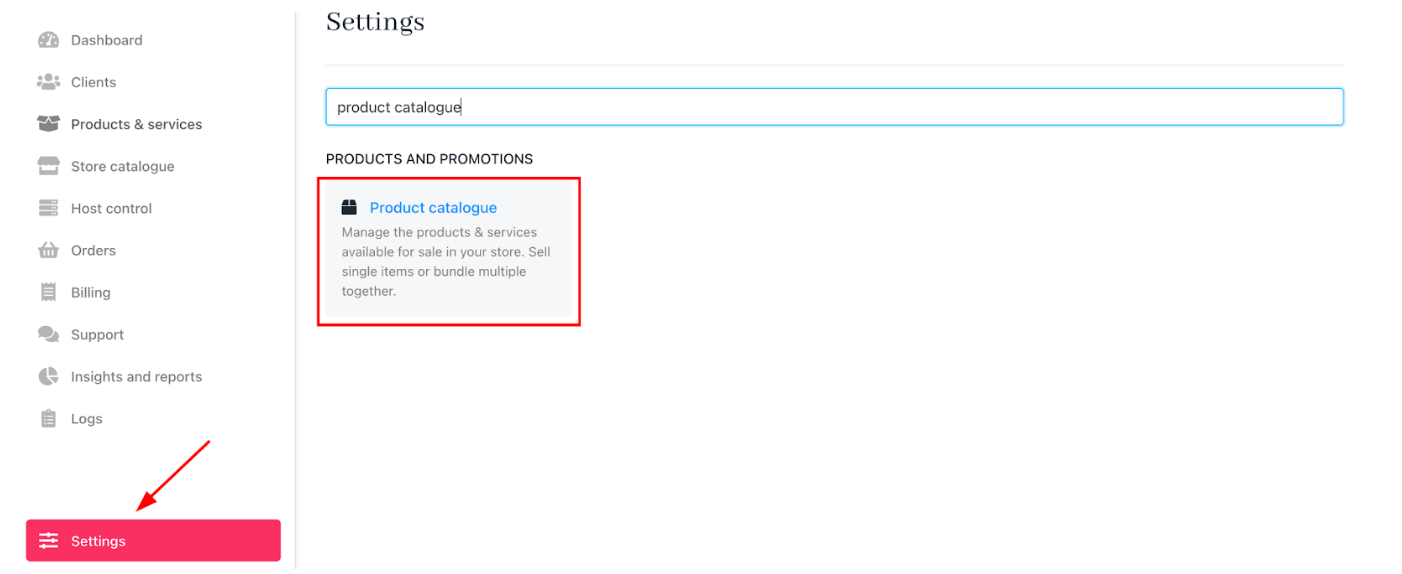
1. Go to **Settings** > **Product Catalogue**.
The selection of a revenue recognition method may vary.
Businesses evaluate whether revenue should be recognised at a point in time or over a period, based on factors like delivery of goods, transfer of control, or the fulfilment of performance obligations.
Contract terms, including payment schedules, milestones, and service durations, influence the timing and pattern of revenue recognition.
Compliance with relevant accounting frameworks ensures that revenue is recorded accurately and consistently, reflecting the economic reality of transactions while meeting regulatory requirements. This approach aligns revenue recognition with the delivery of value to customers and supports transparent financial reporting.
4. Enable Hide 0 Invoices for clients. (Optional)
## Why zero value invoices exist
Upmind generates 0 value invoices to bridge gaps between service periods, ensuring continuous revenue tracking and accurate recognition, even when no payment is due.
Since these invoices can confuse clients, we recommend enabling the **Hide 0 Invoices for clients option**.
## Product level revenue recognition
1. Go to **Settings** > **Product Catalogue**.
 2. Adjust the revenue recognition method for individual products.
3. Then select a product and go to the `product billing`.
2. Adjust the revenue recognition method for individual products.
3. Then select a product and go to the `product billing`.
 This allows different products to follow distinct revenue recognition rules, supporting complex sales agreements and multi-service offerings.