> ## Documentation Index
> Fetch the complete documentation index at: https://docs.upmind.com/llms.txt
> Use this file to discover all available pages before exploring further.
# Legacy Invoices
> View and analyse historical billing data imported from a previous platform.
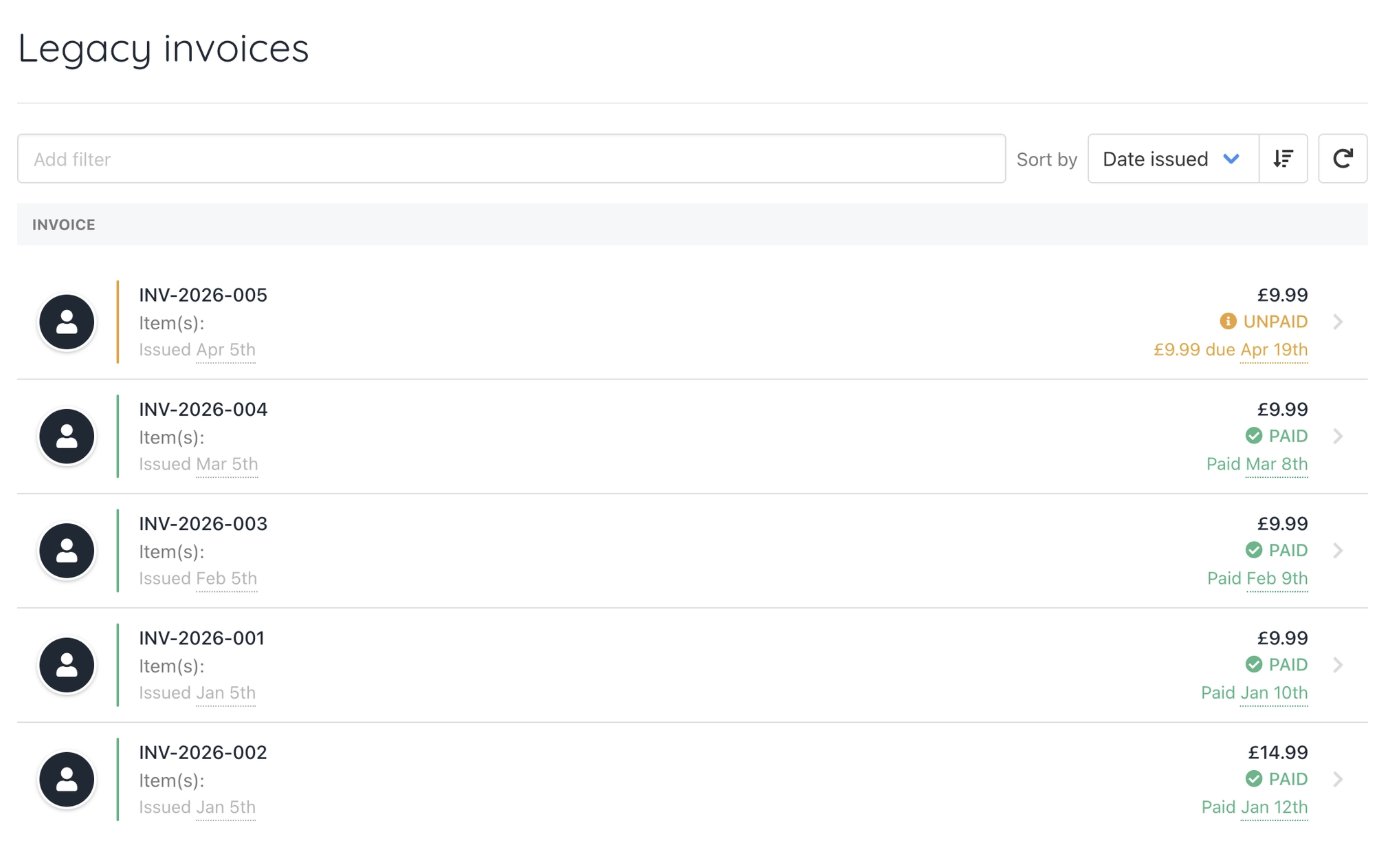
When invoices are imported into Upmind from WHMCS or via CSV, they are stored as **Legacy Invoices**. These are a read-only representation of your clients' historical billing data from your previous platform, giving clients continued access to their past invoice records after migration.
Legacy invoices are available for reference only. They are not active invoices within Upmind, which means they cannot be paid, cancelled, or refunded. No billing actions can be taken on them.
For more information on importing data, follow this [guide](/setup-and-configuration/importing-data/importing-csv-data).
## Where to find legacy invoices
Legacy invoices can be accessed in two places.
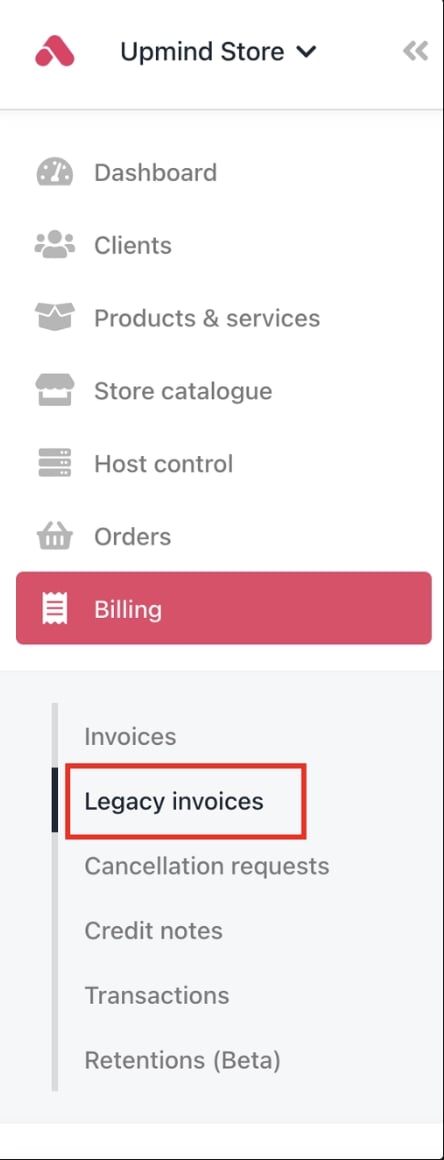
**From the Billing section:**
1. Go to **Billing** in the left menu.
2. Select the **Legacy Invoices** tab.
 **From a client profile:**
1. Go to **Clients** and select the client.
2. Click **Billing** in the client profile.
3. Select the **Legacy Invoices** tab.
**From a client profile:**
1. Go to **Clients** and select the client.
2. Click **Billing** in the client profile.
3. Select the **Legacy Invoices** tab.
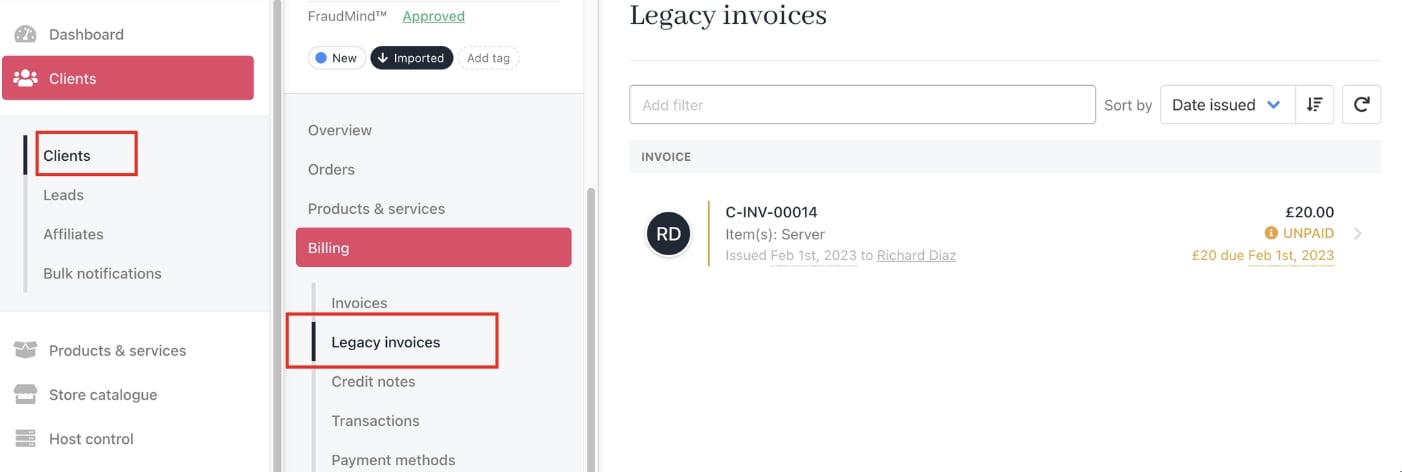 From here, you and your clients can view the full details of any imported invoice for reference.
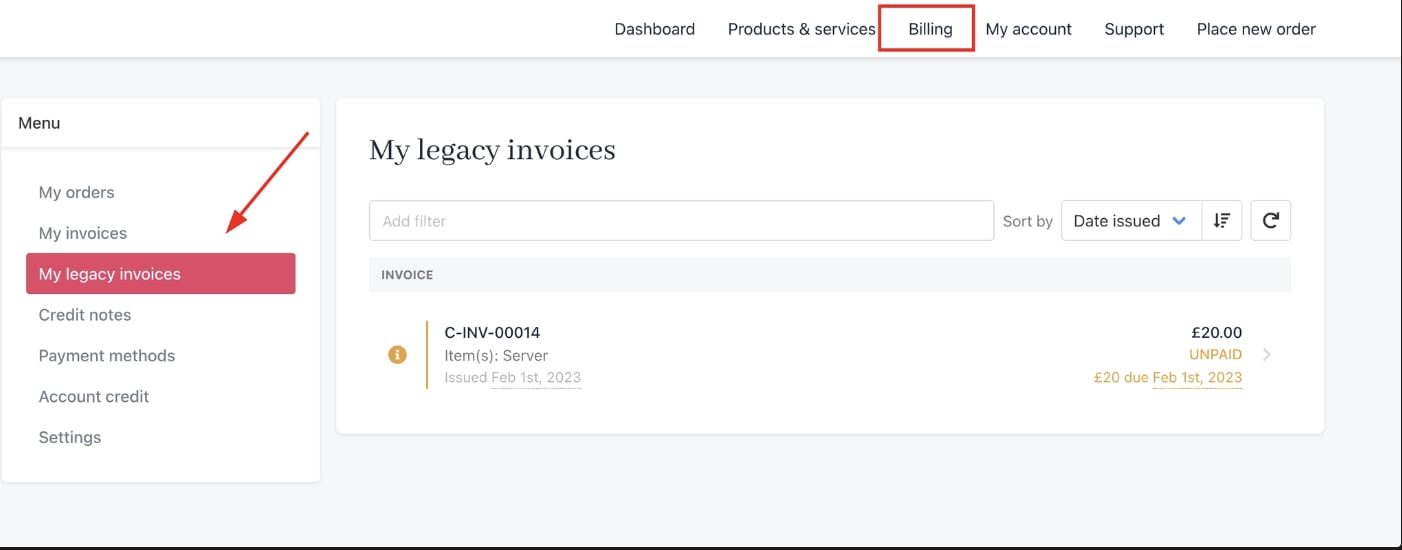
Clients can also view Legacy invoices in the client area from **Billing** > **My Legacy Invoices**.
From here, you and your clients can view the full details of any imported invoice for reference.
Clients can also view Legacy invoices in the client area from **Billing** > **My Legacy Invoices**.
 ## What legacy invoices can and cannot do
Legacy invoices are strictly read-only records. Once imported, they reflect the billing history from your previous platform exactly as it was at the time of migration.
**You can:**
* View invoice details, line items, and amounts.
* Reference historical billing records for a client.
**You cannot:**
* Collect payment on a legacy invoice.
* Cancel or void a legacy invoice.
* Issue a refund against a legacy invoice.
If a client needs a corrected or reissued invoice for past services, a new invoice will need to be created manually in Upmind.
## Frequently asked questions
**What happens to invoices that were unpaid at the time of import?**
If an invoice was marked as unpaid in WHMCS or your CSV data, it will appear as **replaced** in Upmind. This means it is no longer treated as an outstanding invoice to be collected.
If the associated service is still active and requires billing, Upmind will automatically generate a new invoice based on the service's next due date. The client will receive the new invoice through the normal billing process, and it can be paid, tracked, and managed like any other Upmind invoice.
## What legacy invoices can and cannot do
Legacy invoices are strictly read-only records. Once imported, they reflect the billing history from your previous platform exactly as it was at the time of migration.
**You can:**
* View invoice details, line items, and amounts.
* Reference historical billing records for a client.
**You cannot:**
* Collect payment on a legacy invoice.
* Cancel or void a legacy invoice.
* Issue a refund against a legacy invoice.
If a client needs a corrected or reissued invoice for past services, a new invoice will need to be created manually in Upmind.
## Frequently asked questions
**What happens to invoices that were unpaid at the time of import?**
If an invoice was marked as unpaid in WHMCS or your CSV data, it will appear as **replaced** in Upmind. This means it is no longer treated as an outstanding invoice to be collected.
If the associated service is still active and requires billing, Upmind will automatically generate a new invoice based on the service's next due date. The client will receive the new invoice through the normal billing process, and it can be paid, tracked, and managed like any other Upmind invoice.