> ## Documentation Index
> Fetch the complete documentation index at: https://docs.upmind.com/llms.txt
> Use this file to discover all available pages before exploring further.
# Invoice Numbering and Prefixes
> Customising invoice sequences and IDs.
Invoice numbering sequences can be customised to meet your business and legal requirements.
Upmind’s billing system lets you set invoice prefixes and numbers for easy tracking. As an administrator, you can also separate numbers for free invoices and hide zero-amount invoices from clients in the `Miscellaneous` section.
## How to set invoice number and prefixes
1. Go to **Settings** > **Order Options**.
2. Find the `Invoice Number` section.
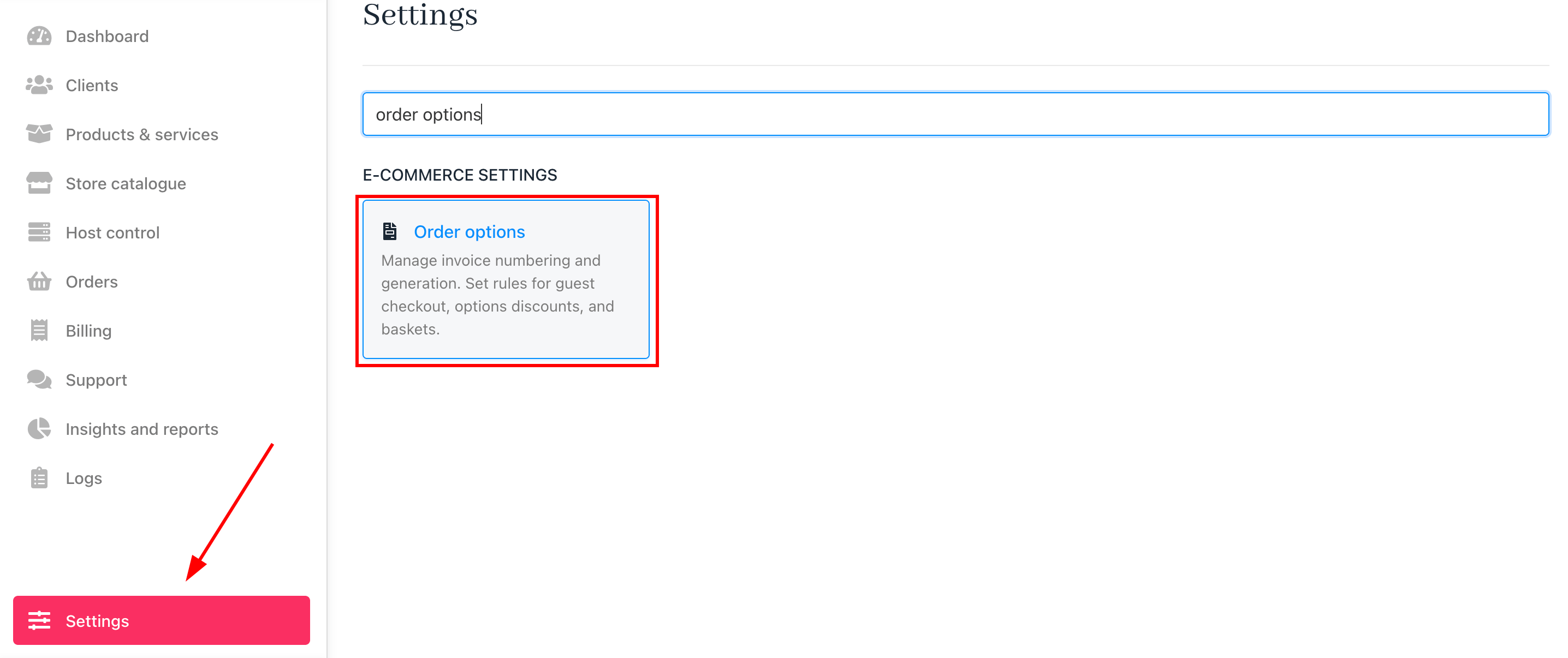 3. Enter your preferred prefix (e.g., INV) and starting number.
 Invoice numbers must be incremental, but prefixes can be changed as needed.
Resetting yearly invoice numbering
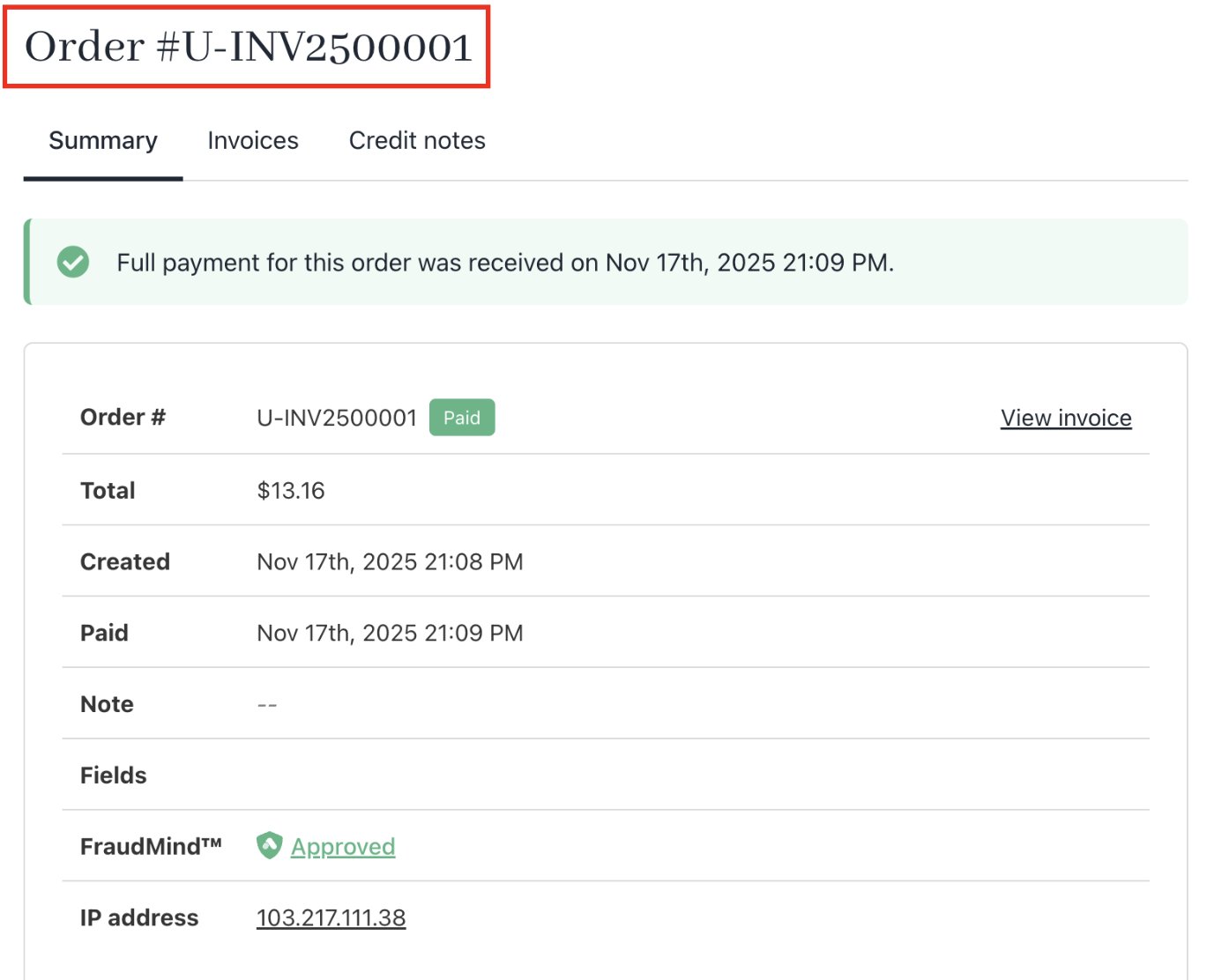
You can reset yearly invoice numbering by starting the invoice number with the year.
* The prefix can be changed (we recommend using INV).
* The invoice number would start 2500001 for 2025.
* The following year would start 2600001 for 2026.
Invoice numbers must be incremental, but prefixes can be changed as needed.
Resetting yearly invoice numbering
You can reset yearly invoice numbering by starting the invoice number with the year.
* The prefix can be changed (we recommend using INV).
* The invoice number would start 2500001 for 2025.
* The following year would start 2600001 for 2026.

 ## Separate number sequences
You can separate number sequences for free invoices (0 value invoices), proforma invoices, and credit notes, keeping paid invoices strictly incremental.
## How to separate invoice number for zero-amount invoices
1. Go to **Settings** > **Order Options** > **Miscellaneous**.
2. Tick *Separate number sequence for free invoice* and click **Save**.
## Separate number sequences
You can separate number sequences for free invoices (0 value invoices), proforma invoices, and credit notes, keeping paid invoices strictly incremental.
## How to separate invoice number for zero-amount invoices
1. Go to **Settings** > **Order Options** > **Miscellaneous**.
2. Tick *Separate number sequence for free invoice* and click **Save**.
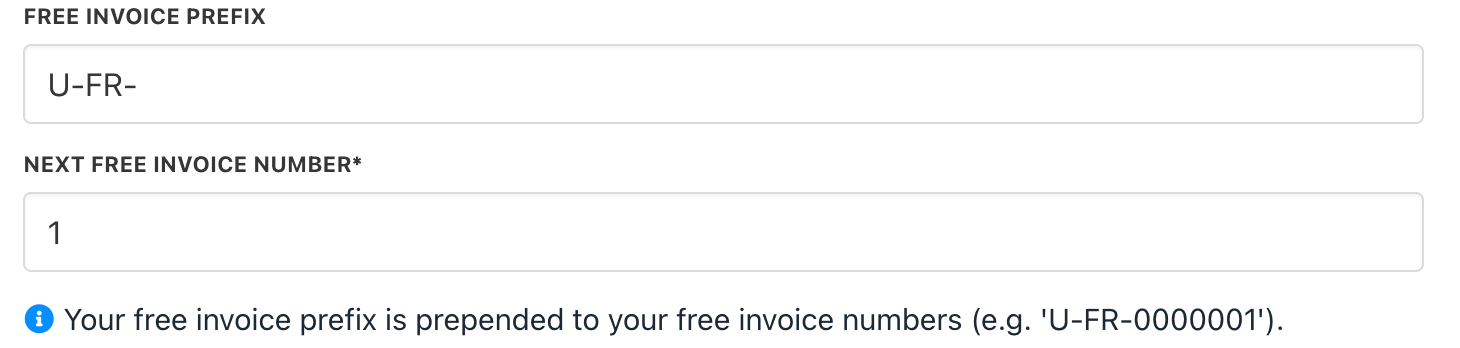
 3. Set the prefix and number for free invoices.
 ## How to hide zero-amount invoices from clients
In **Order Options** > **Miscellaneous**, tick *Hide 0 invoice for clients* to prevent clients from seeing zero-value invoices and click **Save**.
## How to hide zero-amount invoices from clients
In **Order Options** > **Miscellaneous**, tick *Hide 0 invoice for clients* to prevent clients from seeing zero-value invoices and click **Save**.
 ## Enforcing consecutive numbers
With tens of thousands of daily invoices, enforcing strict consecutive numbering creates overhead by processing invoices one at a time to ensure 100% sequence accuracy. This option impacts performance.
You can enable *Strict* consecutive number sequence for compliance.
## Enforcing consecutive numbers
With tens of thousands of daily invoices, enforcing strict consecutive numbering creates overhead by processing invoices one at a time to ensure 100% sequence accuracy. This option impacts performance.
You can enable *Strict* consecutive number sequence for compliance.
