> ## Documentation Index
> Fetch the complete documentation index at: https://docs.upmind.com/llms.txt
> Use this file to discover all available pages before exploring further.
# How to Configure Subscription Options
> Manage global subscription settings.
This guide explains how admins and store staff can customise global subscription and cancellation settings by configuring the overall **subscription options**.
## Accessing subscription options
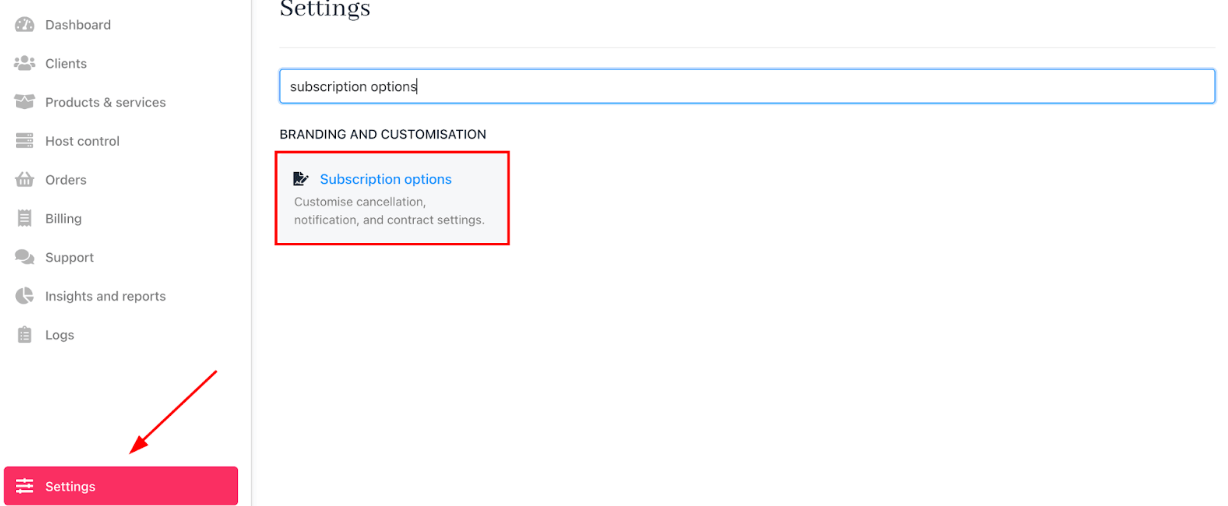
1. Log in to Upmind.
2. Go to `Settings`.
3. Click the **Subscription Options** tile under **Branding and Customisation**.
 ## Setting notification terms
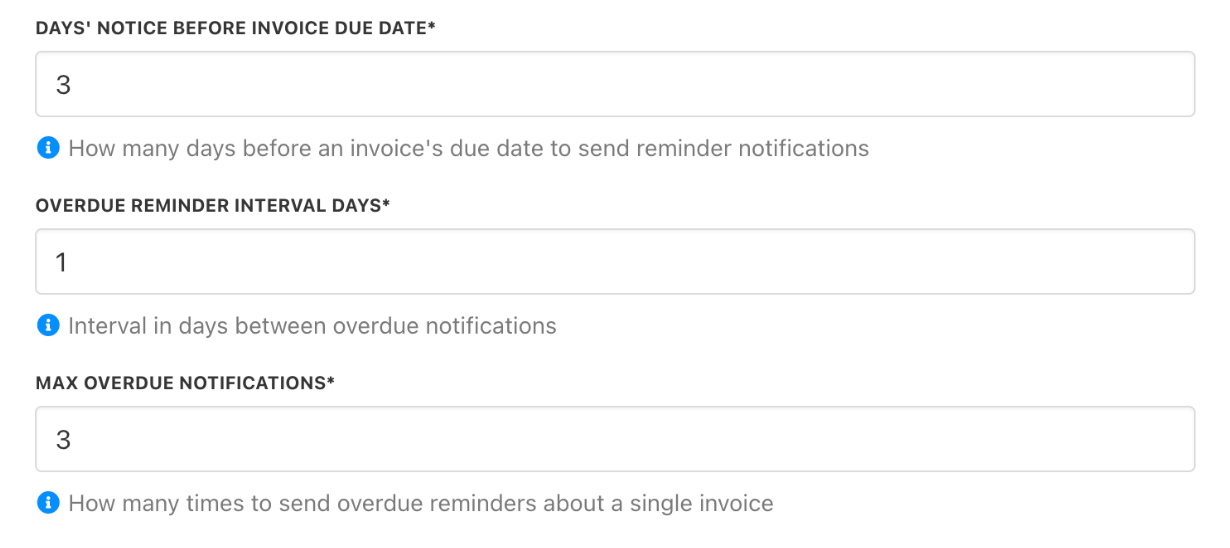
Define how your store sends notifications for overdue invoices by customising the timing, notice intervals, and the number of reminders.
You can set up when and how clients are notified about overdue invoices and subscription events, ensuring timely and effective communication.
## Setting notification terms
Define how your store sends notifications for overdue invoices by customising the timing, notice intervals, and the number of reminders.
You can set up when and how clients are notified about overdue invoices and subscription events, ensuring timely and effective communication.
 ## Setting contract terms
### Set configuration for new contracts
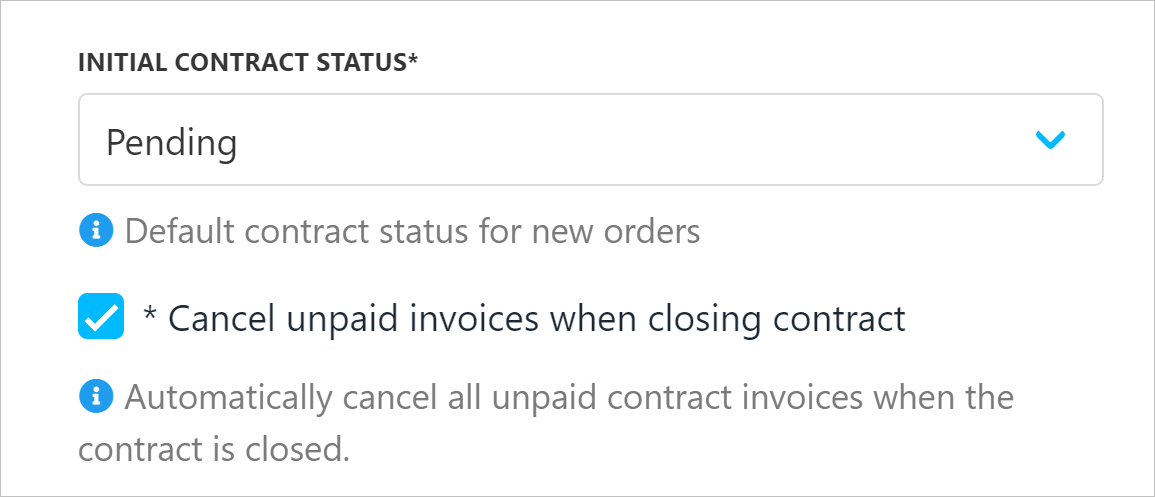
1. You can restrict the manual issuing of recurring invoices by setting an interval during which clients cannot create them.
2. This interval specifies how many days before the due date clients may manually generate a recurring invoice.
3. Review the checkbox for unpaid invoices. The default shows that unpaid invoices are cancelled when contracts are closed.
## Setting contract terms
### Set configuration for new contracts
1. You can restrict the manual issuing of recurring invoices by setting an interval during which clients cannot create them.
2. This interval specifies how many days before the due date clients may manually generate a recurring invoice.
3. Review the checkbox for unpaid invoices. The default shows that unpaid invoices are cancelled when contracts are closed.
 ### Set delay terms
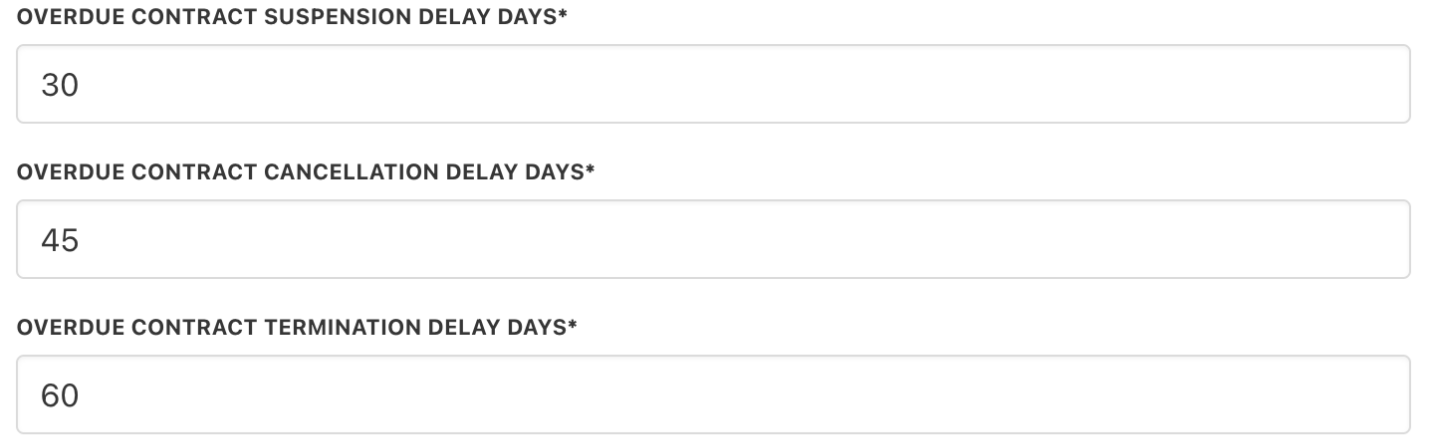
Enter the number of days to define when an overdue contract should be suspended, cancelled, or terminated.
### Set delay terms
Enter the number of days to define when an overdue contract should be suspended, cancelled, or terminated.
 To prevent automation from suspending, cancelling, or closing a contract product, you can enable it.