> ## Documentation Index
> Fetch the complete documentation index at: https://docs.upmind.com/llms.txt
> Use this file to discover all available pages before exploring further.
# How to Configure a Proforma Invoice
> Setting up quotes and pre-bill drafts.
A **proforma invoice** is a preliminary bill sent to buyers before delivery, outlining transaction details such as descriptions, quantities, prices, and terms. While not a demand for payment or an official record, it is often used for customs, pre-shipment approvals, or as a detailed quote before issuing a final invoice.
Upmind supports proforma invoices with separate numbering that convert to regular invoices upon payment.
This guide explains how to set up proforma invoices for unpaid invoices.
## How to enable a proforma invoice
1. Go to **Settings** > **Order Options**.
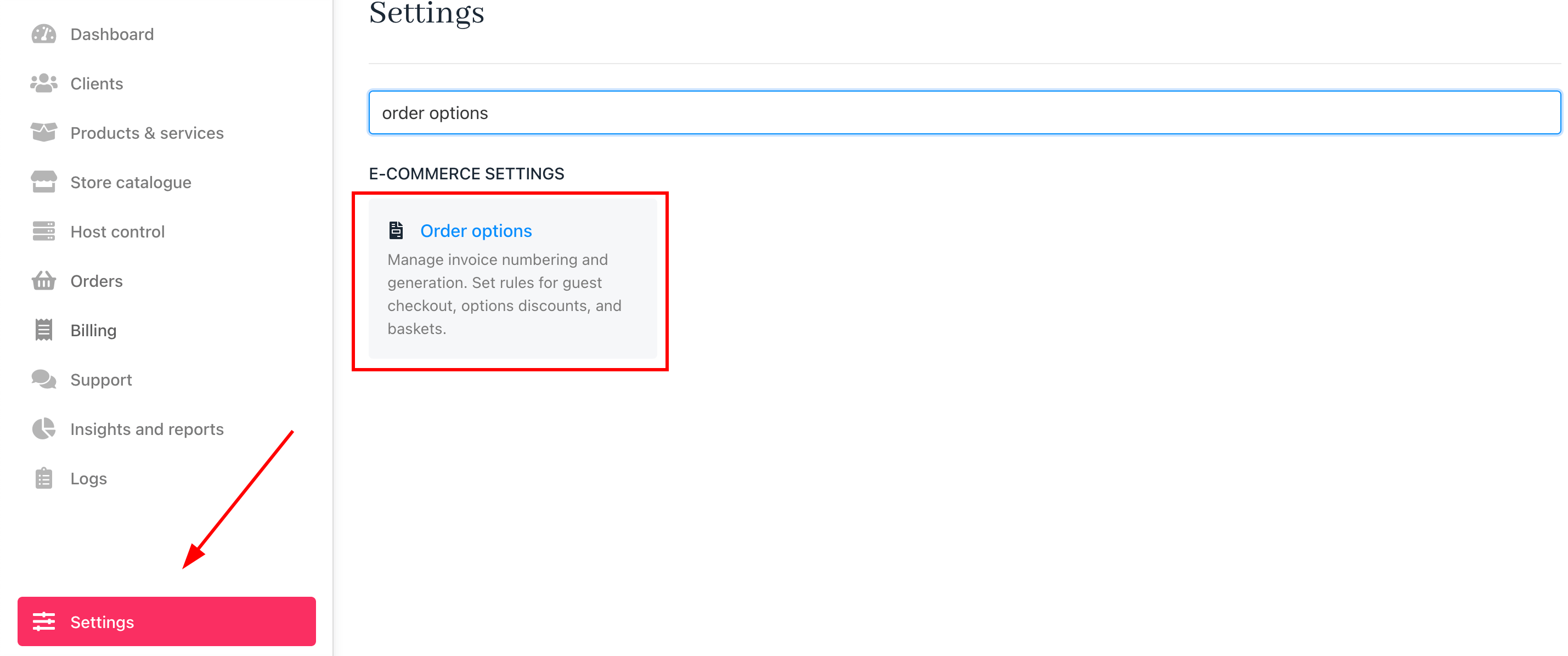 2. Scroll to the `Proforma Invoice` section.
3. Toggle `ON` to enable proforma invoices.
2. Scroll to the `Proforma Invoice` section.
3. Toggle `ON` to enable proforma invoices.
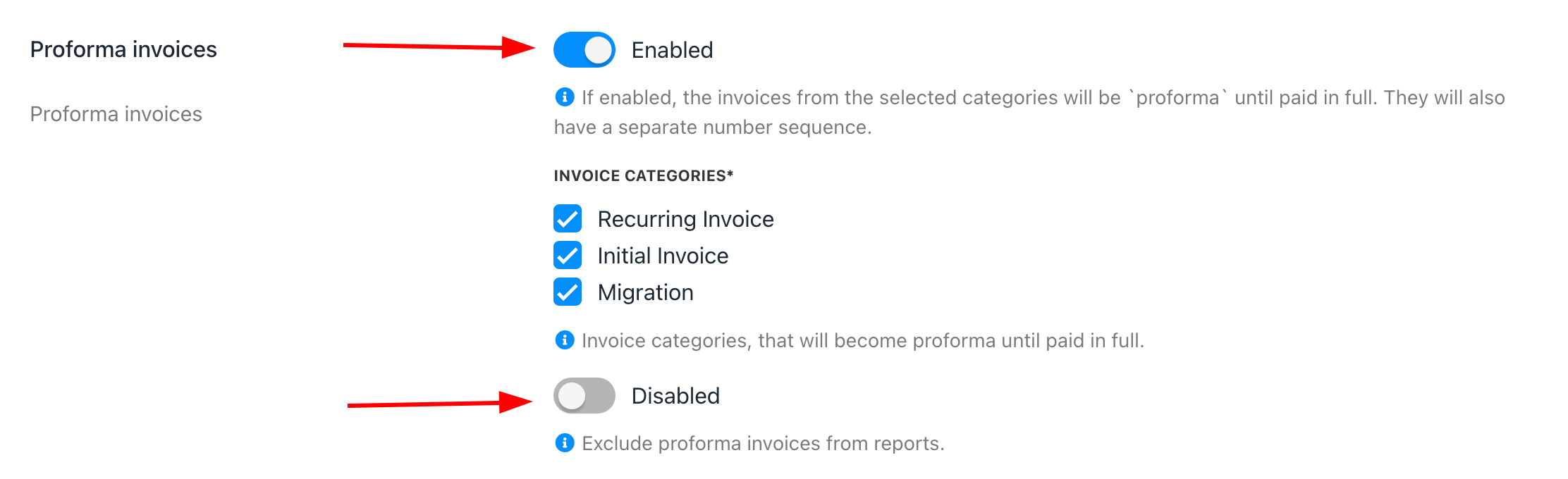 4. Choose which invoice categories will apply to proforma invoices.
5. You can exclude proforma invoices from reports. (Optionally)
## How to separate the invoice number sequence
To use a different number sequence for proforma invoices, follow these steps:
1. In **Order Options** > **Miscellaneous**, tick *Separate number sequence for proforma invoices*.
4. Choose which invoice categories will apply to proforma invoices.
5. You can exclude proforma invoices from reports. (Optionally)
## How to separate the invoice number sequence
To use a different number sequence for proforma invoices, follow these steps:
1. In **Order Options** > **Miscellaneous**, tick *Separate number sequence for proforma invoices*.
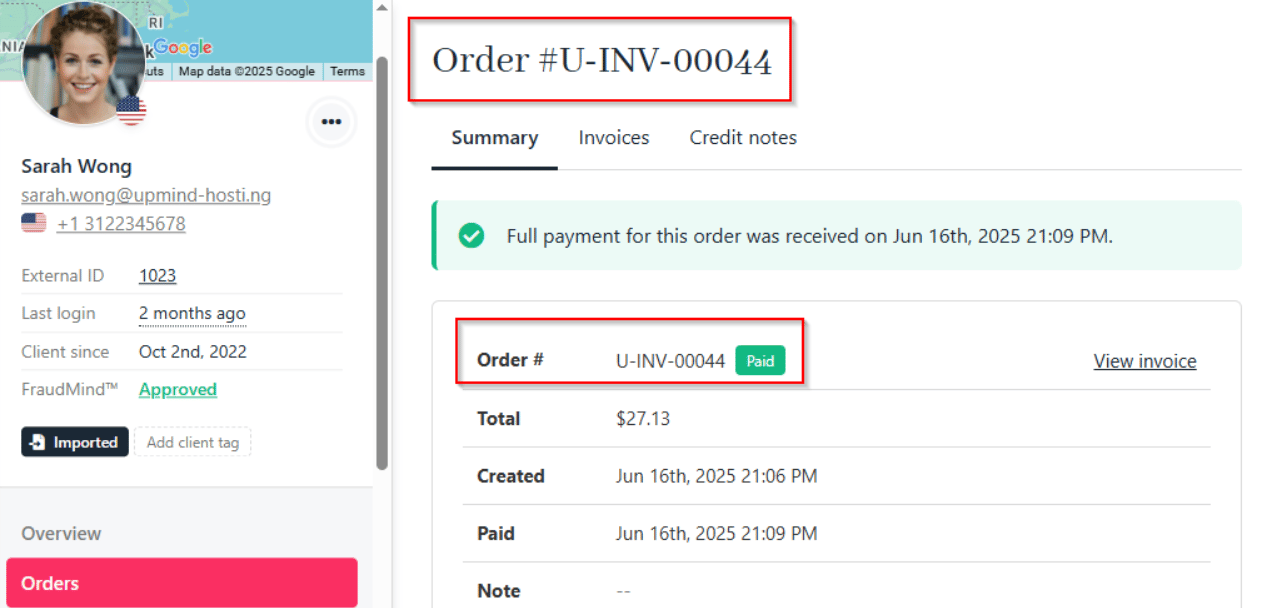
 2. The proforma invoice number will appear separately, starting at `#PRF-000001`, and will convert to a regular invoice upon payment.
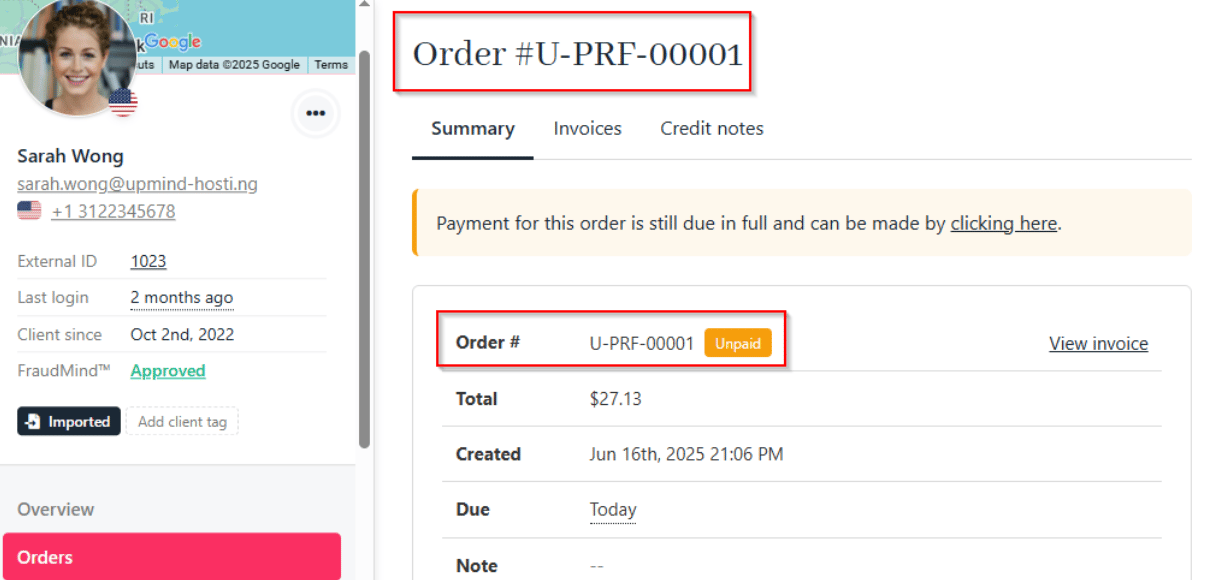 3. After payment, the invoice number switches to your regular numbering sequence.
 ## How to manage the proforma invoice number and prefix
By default, proforma invoices start at `#PRF-000001`. To change the number or prefix, follow these steps:
1. Go to **Settings** > **Order Options** > **Invoice Number**.
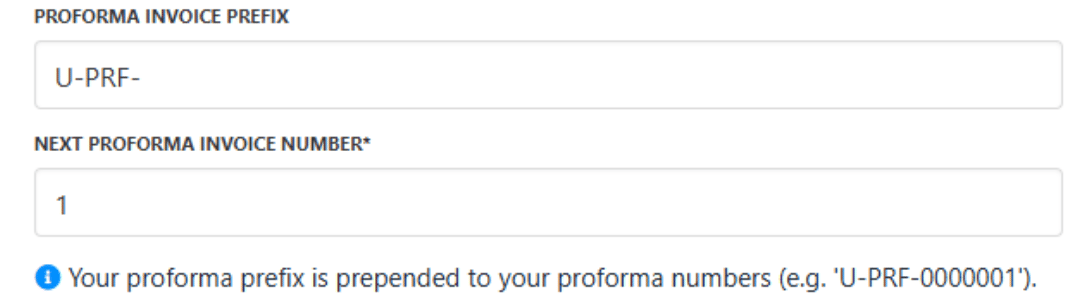
2. Set the prefix and starting number for proforma invoices.
## How to manage the proforma invoice number and prefix
By default, proforma invoices start at `#PRF-000001`. To change the number or prefix, follow these steps:
1. Go to **Settings** > **Order Options** > **Invoice Number**.
2. Set the prefix and starting number for proforma invoices.