> ## Documentation Index
> Fetch the complete documentation index at: https://docs.upmind.com/llms.txt
> Use this file to discover all available pages before exploring further.
# How to Check an Invoice Status
> Monitor and understand invoice states.
This guide explains how to find and review invoices by status category or customer, making it easy to track and monitor invoice states for any client or transaction.
## Accessing the invoices page
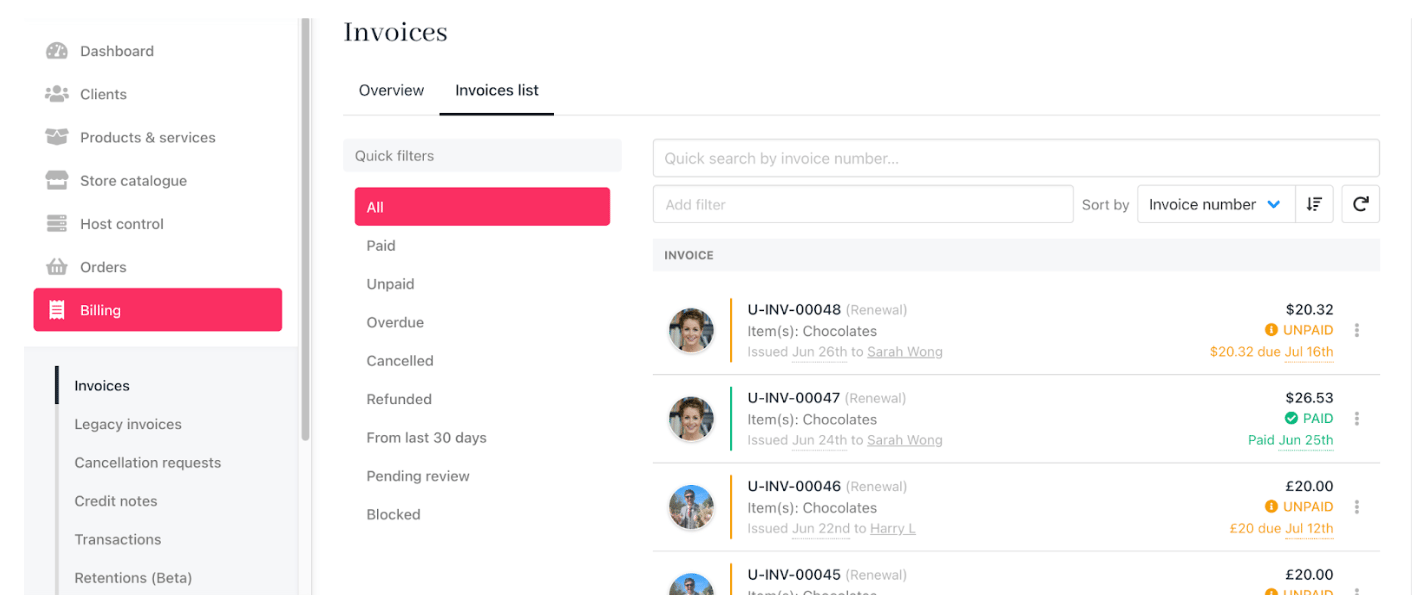
1. Log in to your Upmind dashboard.
2. Click **Billing** in the left menu.
3. Select the **Invoices list** tab to view all invoices and their current statuses.
 ## Using filters and sorting
1. Use `quick filters` to display invoices by status (e.g., date paid, date created, due date).
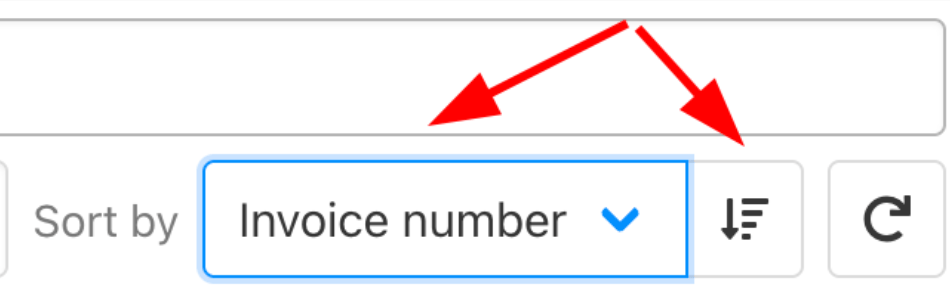
2. Change the display order by clicking the `sort tool` with a dropdown menu that allows you to change the sort criteria, or an arrow icon that lets you toggle the sort order.
## Using filters and sorting
1. Use `quick filters` to display invoices by status (e.g., date paid, date created, due date).
2. Change the display order by clicking the `sort tool` with a dropdown menu that allows you to change the sort criteria, or an arrow icon that lets you toggle the sort order.
 ## Reviewing invoice details
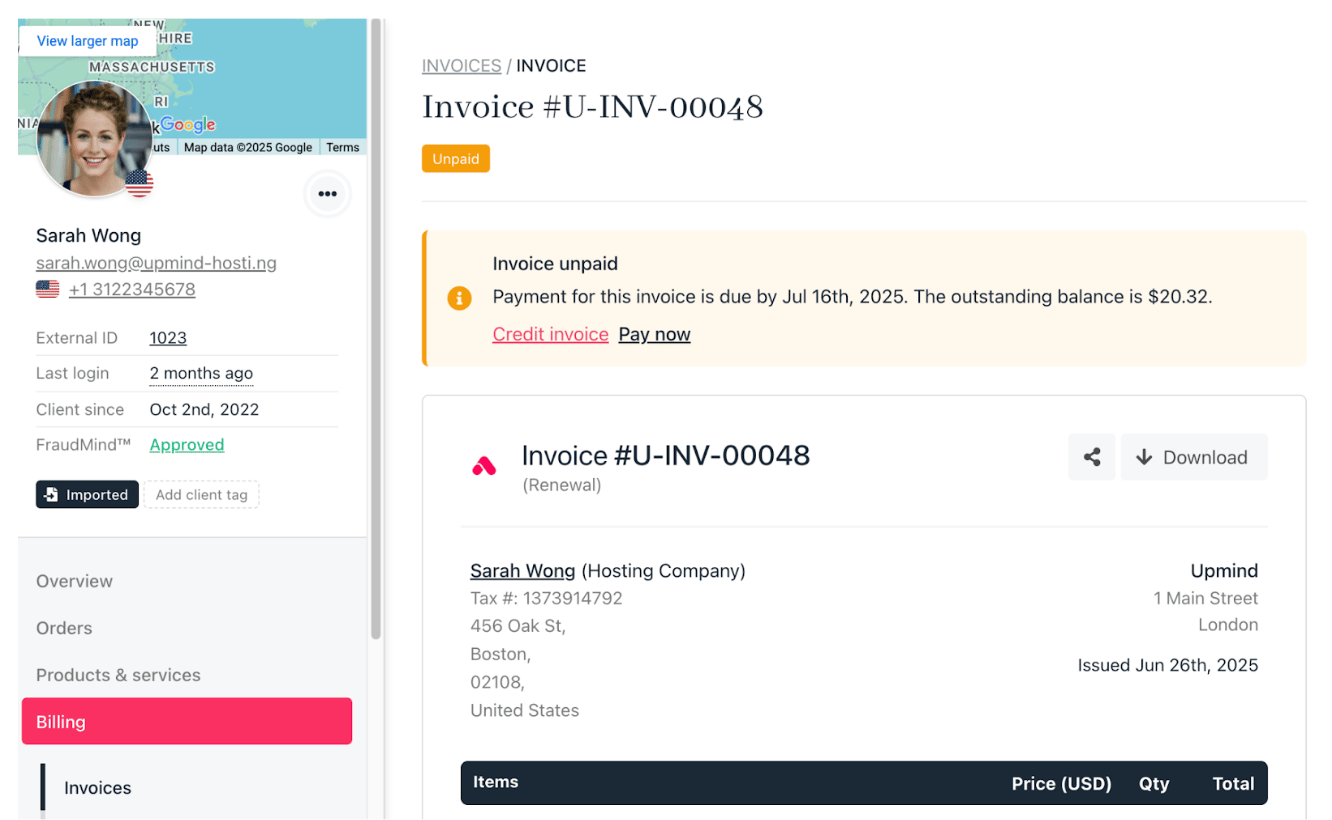
1. Click any invoice in the list to open its details page.
2. View all related information, including:
* Client details
* Transactions and payment history
* Linked support tickets
* Email history
3. From this page, you can email the client directly or take further actions.
## Reviewing invoice details
1. Click any invoice in the list to open its details page.
2. View all related information, including:
* Client details
* Transactions and payment history
* Linked support tickets
* Email history
3. From this page, you can email the client directly or take further actions.