> ## Documentation Index
> Fetch the complete documentation index at: https://docs.upmind.com/llms.txt
> Use this file to discover all available pages before exploring further.
# Turning on/off Auto-renew
> Stop recurring payments.
Clients and staff can toggle auto-renew per subscription to control recurring invoices. Manual renew options are also available for recurring payments.
## Turning off auto-renew
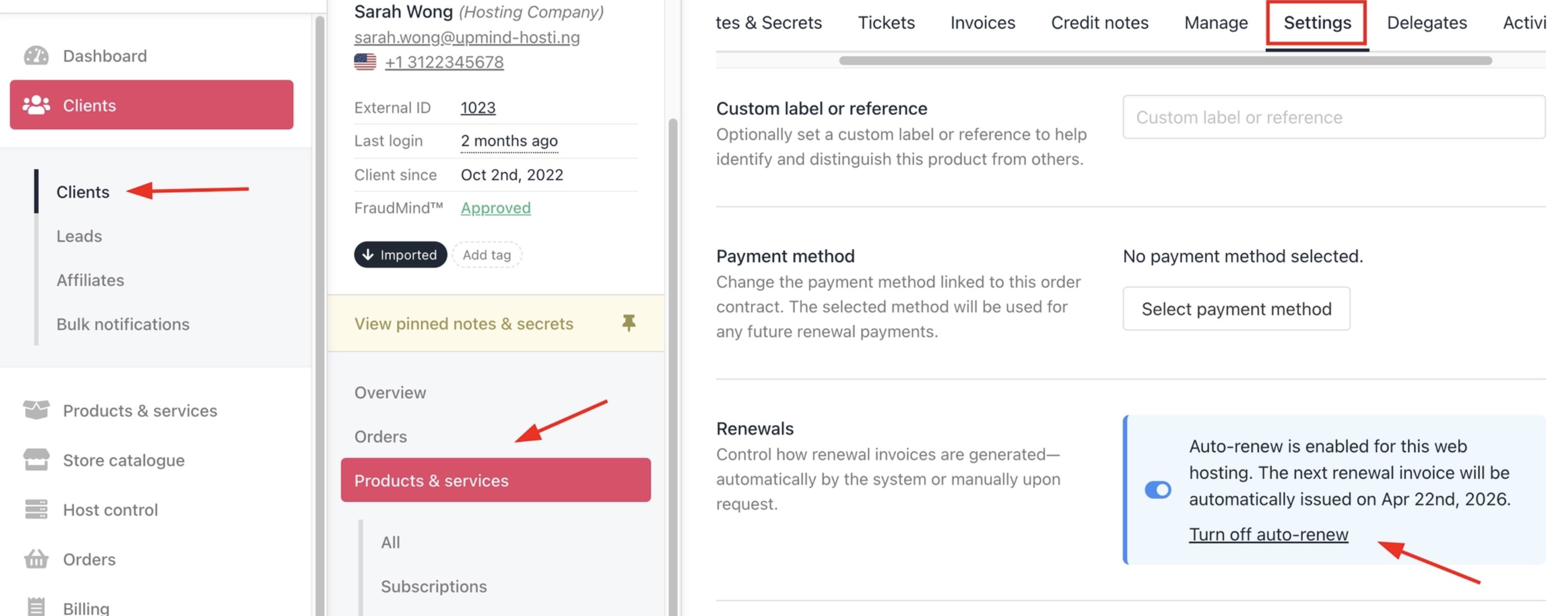
1. Log in to Upmind.
2. Click **Products & Services** and choose the subscription.
3. Go to the **Settings** tab.
4. Click the **Turn off auto-renew** link.
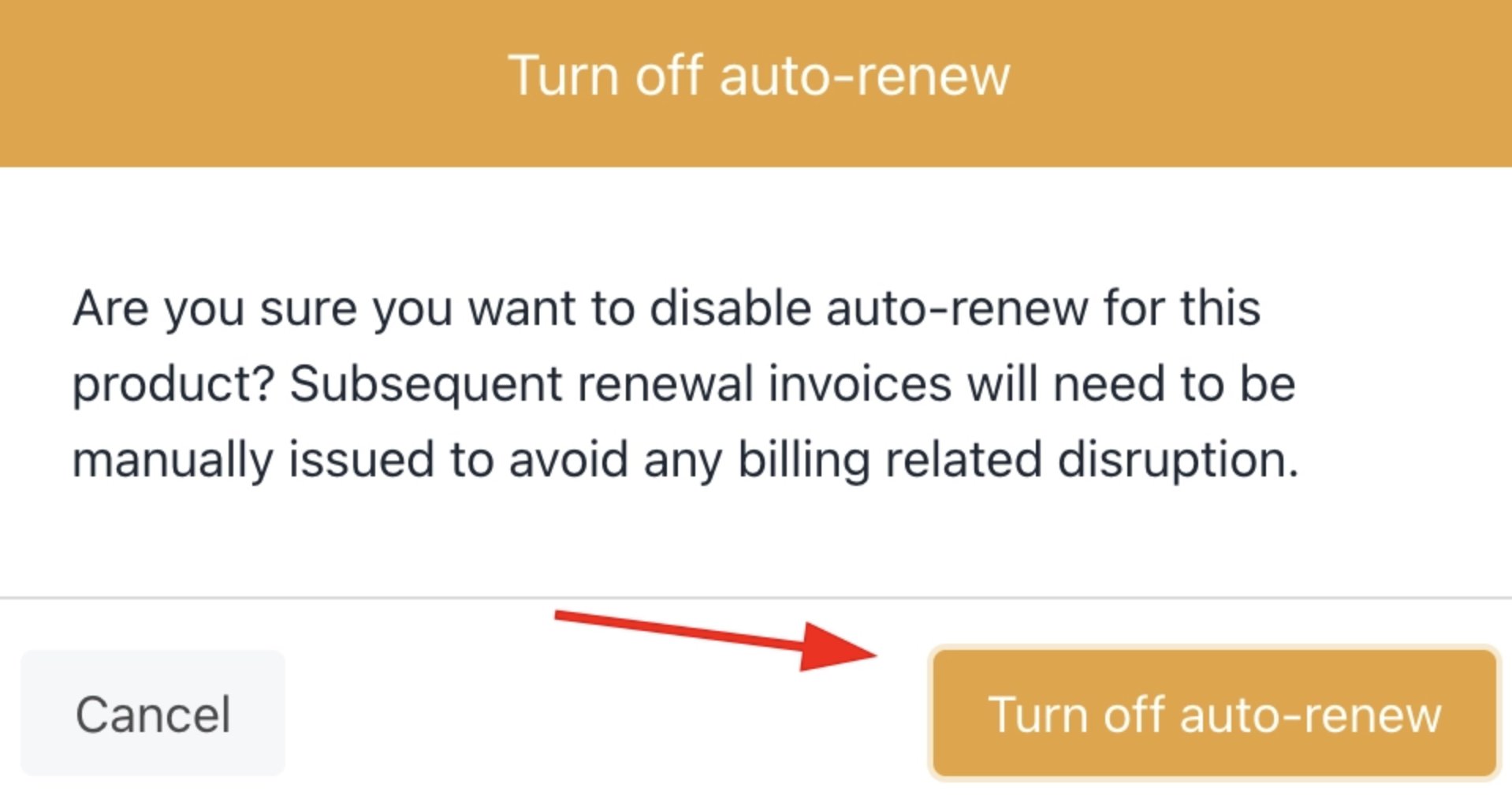
 5. Click **Turn off auto-renew** in the pop-up confirmation window.
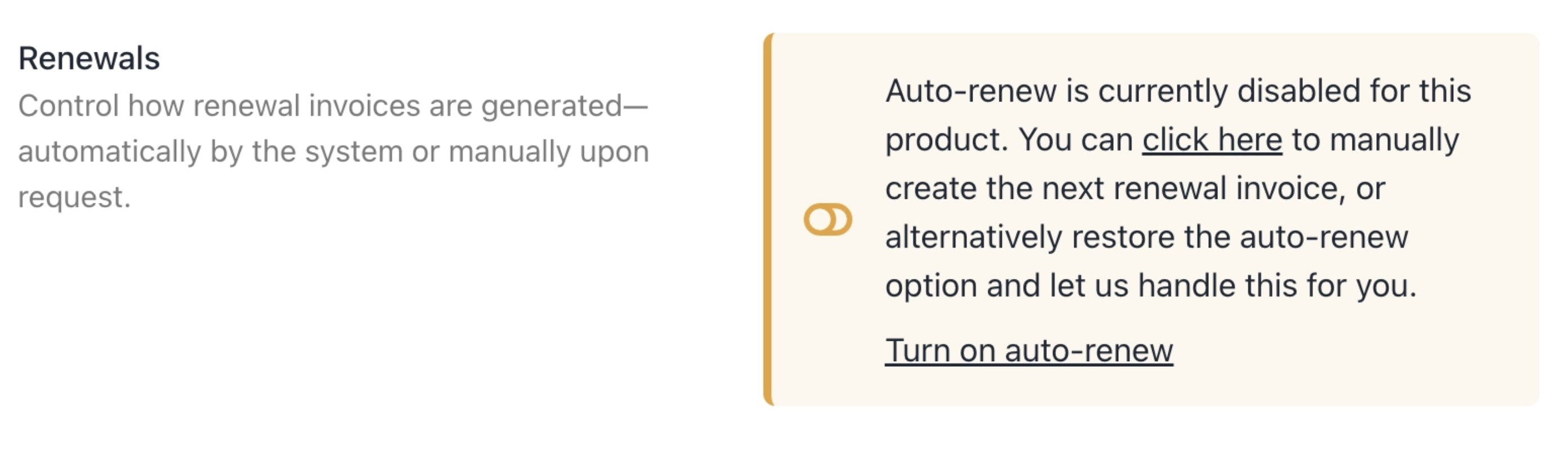
 The auto-renew status changes to off.
 Cancelling a subscription stops it from renewing after the current payment period ends so your service continues unaffected until then.
If you want to turn the auto-renew on again, click **Turn on auto-renew.**
## Manual renew
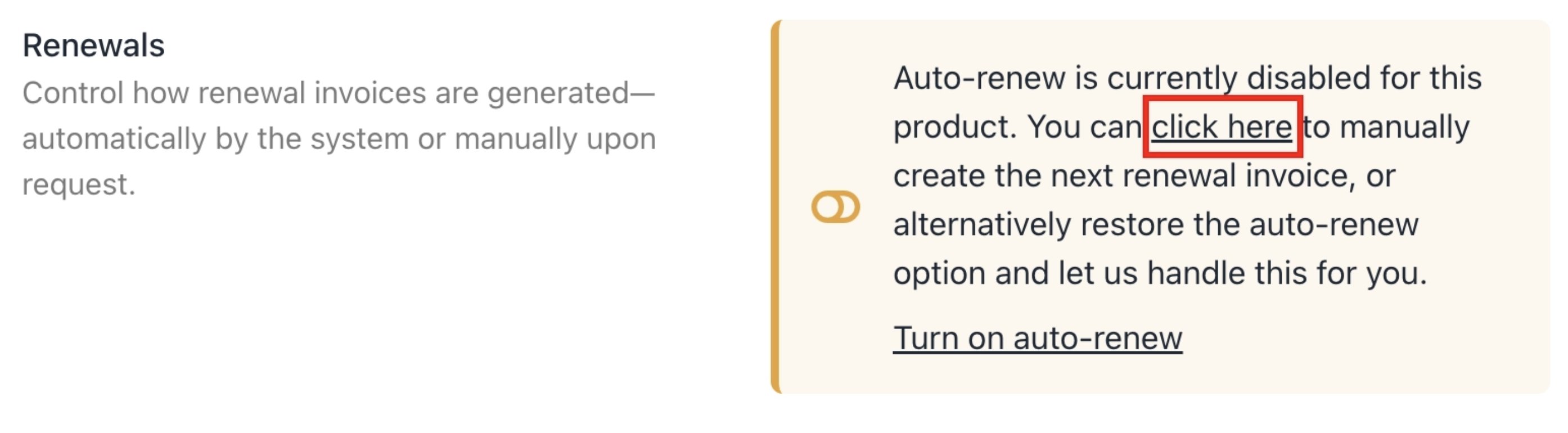
When the auto-renew feature is turned off, the client can manually renew the subscription.
1. Click the manual renew link in the text.
Cancelling a subscription stops it from renewing after the current payment period ends so your service continues unaffected until then.
If you want to turn the auto-renew on again, click **Turn on auto-renew.**
## Manual renew
When the auto-renew feature is turned off, the client can manually renew the subscription.
1. Click the manual renew link in the text.
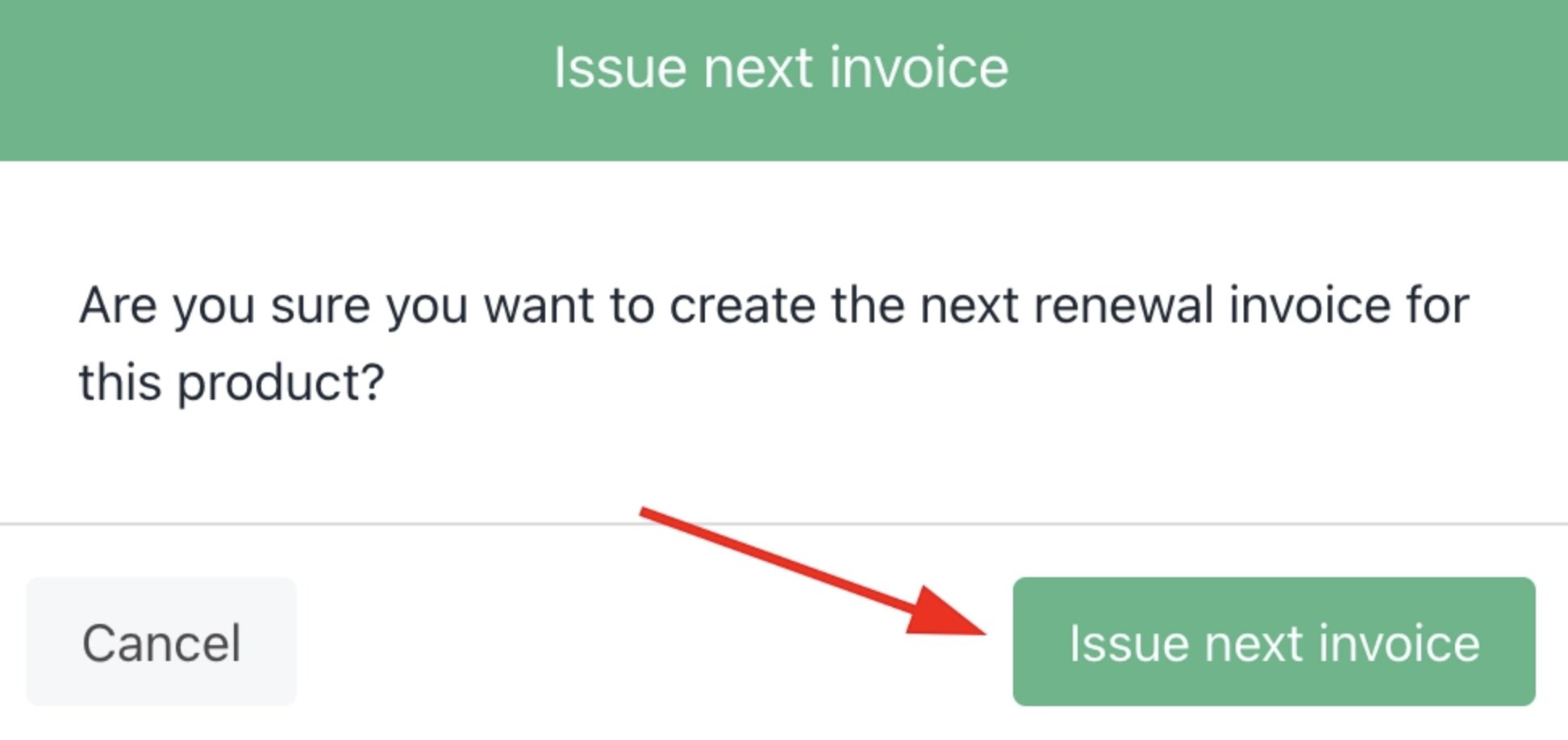
 2. Click **Issue next invoice** in the pop-up confirmation window.
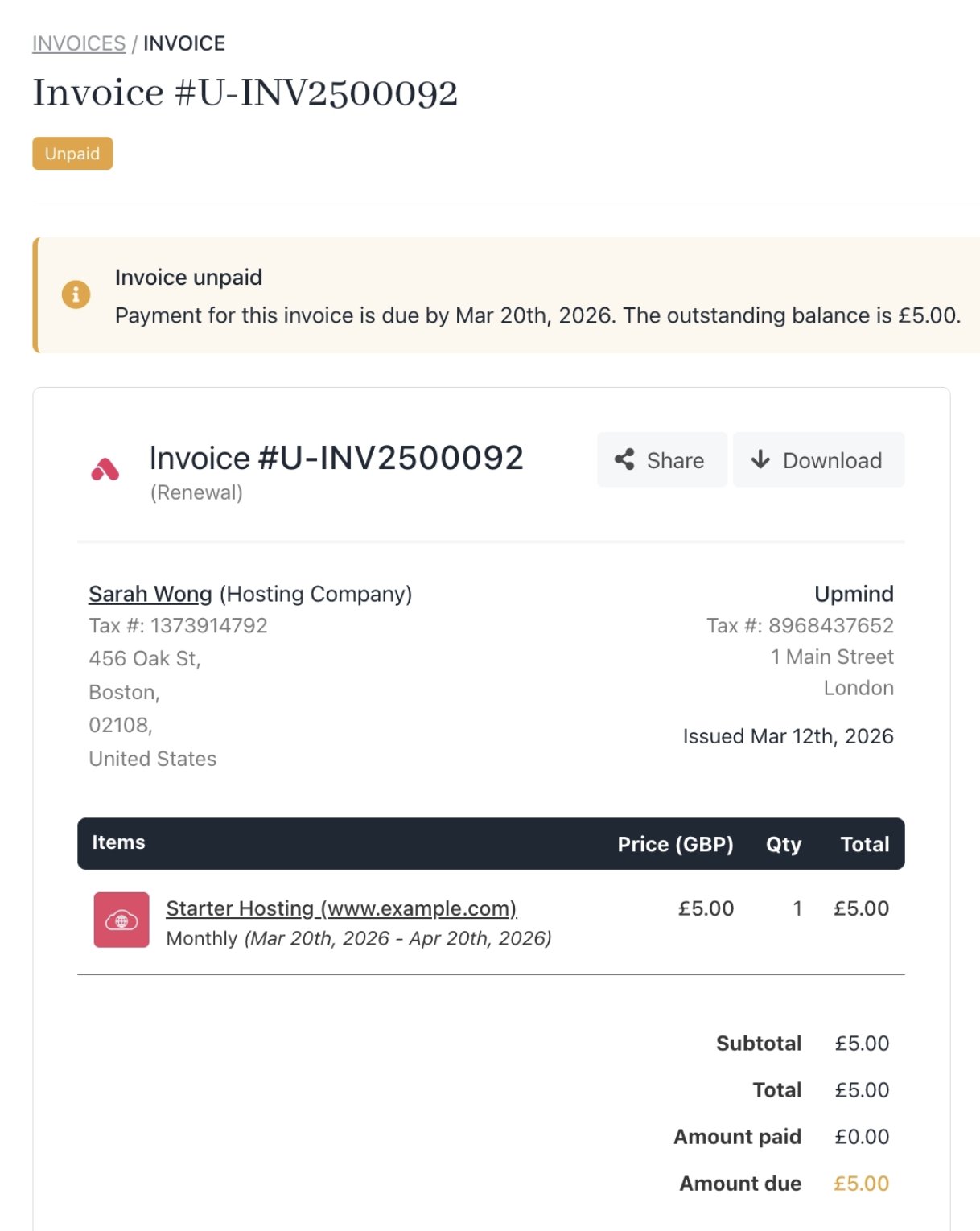
 3. Upmind displays a new invoice.
 Strict mode cancels unpaid future invoices if off.
If you want to change the renewal date of a subscription, follow this [guide](https://features.upmind.com/dashboard/articles/pmbul2hh9yd1joja/0341867).
If you want to know how to manage renewal automation settings, follow this [guide](https://features.upmind.com/dashboard/articles/pmbul2hh9yd1joja/1852492).
Strict mode cancels unpaid future invoices if off.
If you want to change the renewal date of a subscription, follow this [guide](https://features.upmind.com/dashboard/articles/pmbul2hh9yd1joja/0341867).
If you want to know how to manage renewal automation settings, follow this [guide](https://features.upmind.com/dashboard/articles/pmbul2hh9yd1joja/1852492).