> ## Documentation Index
> Fetch the complete documentation index at: https://docs.upmind.com/llms.txt
> Use this file to discover all available pages before exploring further.
# How to Create Account Notes and Secrets
> Securely save important remarks and information.
Client notes and secrets allow you to store freeform notes against a client. You have the option to make them visible or hide them from your clients, but they are always visible to staff members.
Account notes are a way to capture and share non-sensitive information, while account secrets are a way to share sensitive information and are stored in a digital vault using AES-256 encryption, ensuring your data is safe and secure.
Both can be edited and deleted by the author or admins. A note can also be *pinned* to the top of a client's profile, which makes it visible first whenever notes and secrets are viewed.
## Opening Account Notes
1. Log in to your account.
2. Click Clients on the left menu.
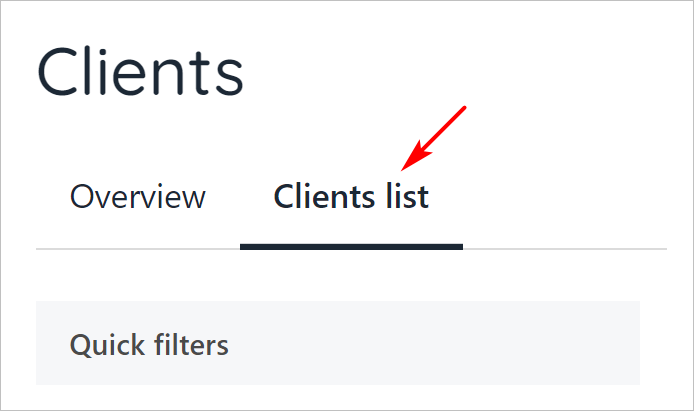
3. Click the Clients list menu tab.
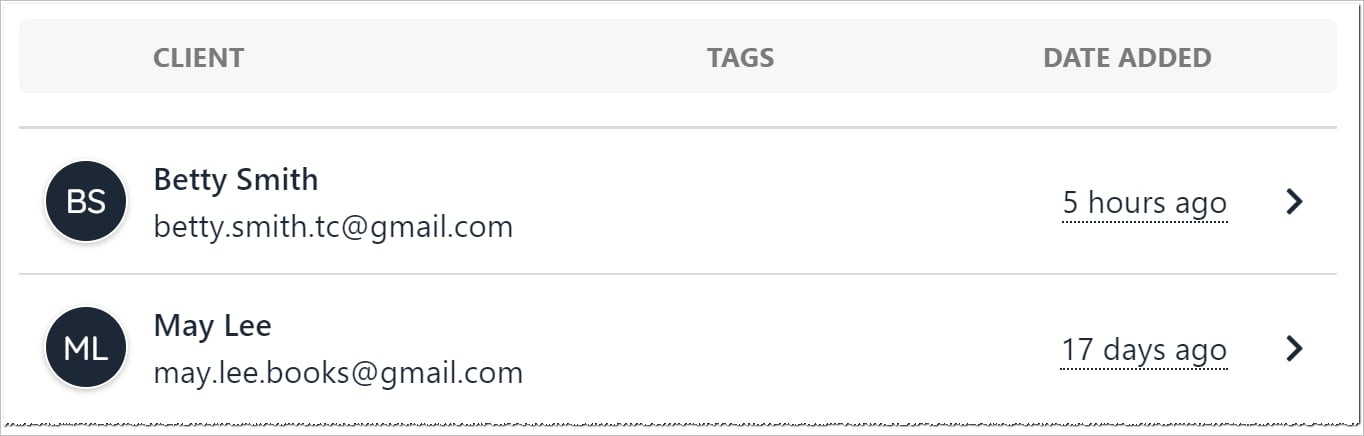
 4. Scroll through the client list and click a name.
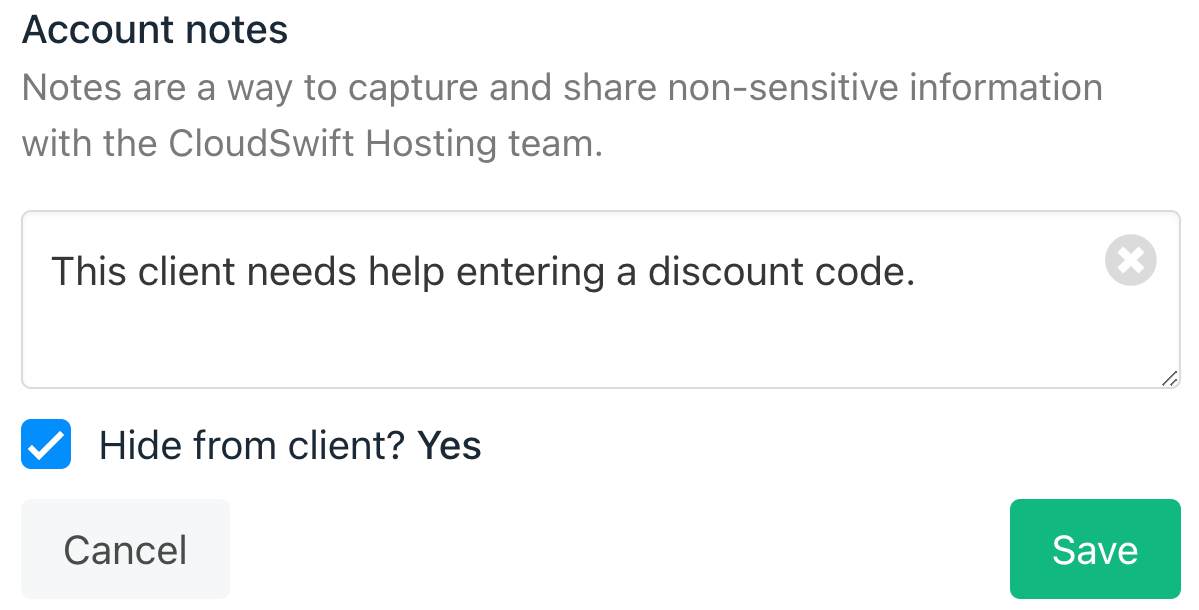
 5. On the Client overview page, enter text into the Account notes field.
6. Click Save note.
5. On the Client overview page, enter text into the Account notes field.
6. Click Save note.
 ## Editing and Deleting Account Notes
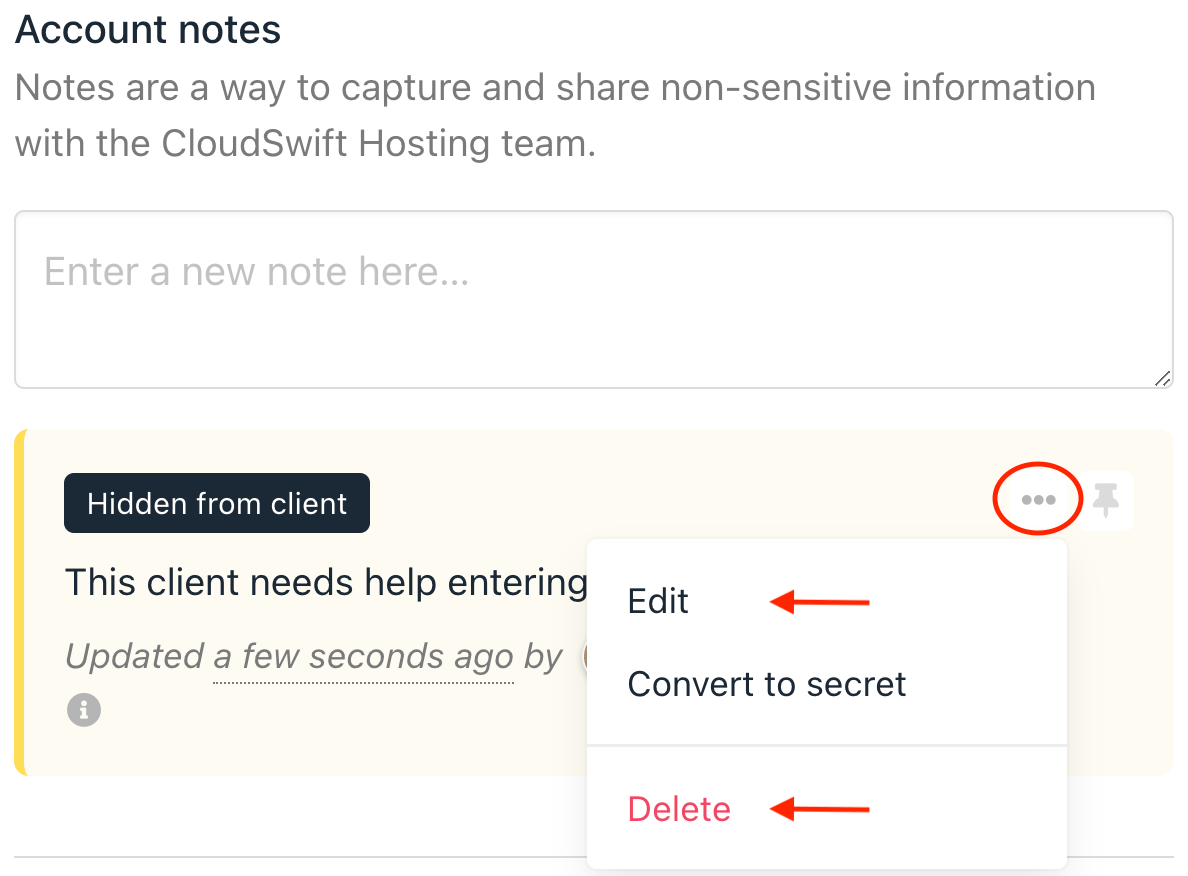
Saved notes display under the Account Notes field. Each note can be edited or deleted by staff users.
## Editing and Deleting Account Notes
Saved notes display under the Account Notes field. Each note can be edited or deleted by staff users.
 ## Pinning a note
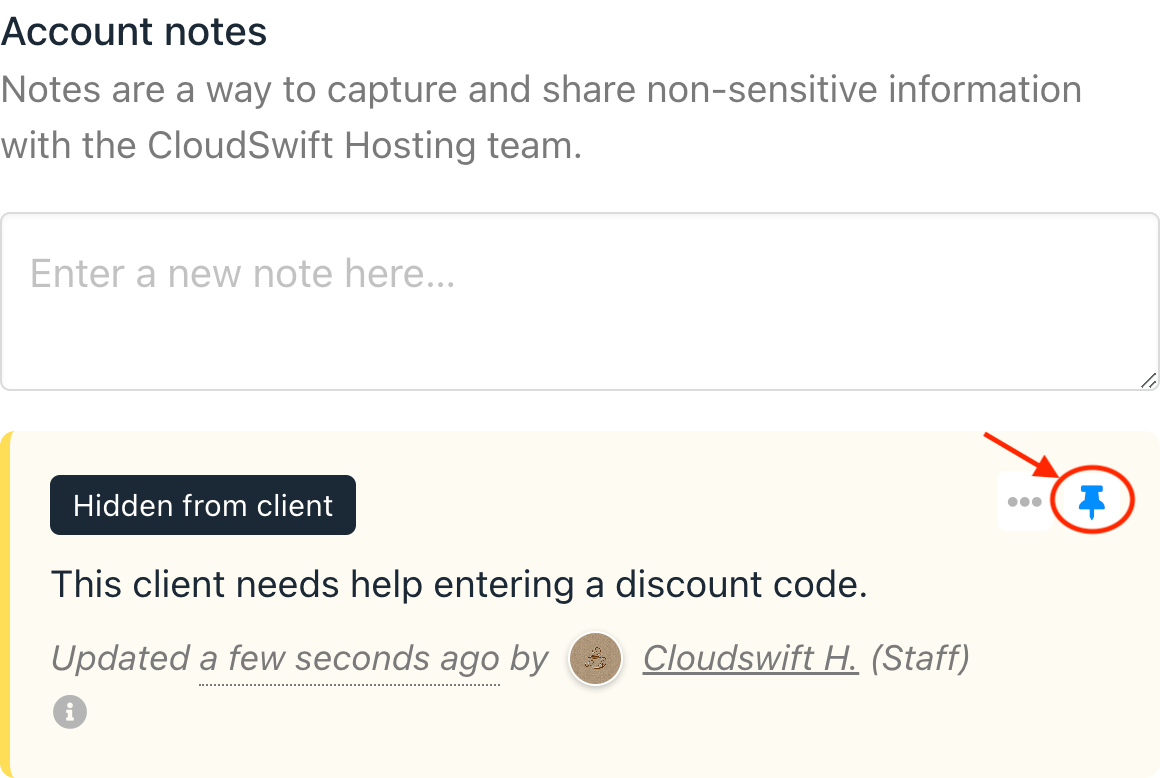
Click the Pin icon to keep the note close to the Account Notes field. Pinned notes do not move when admins or staff add notes to the list.
## Pinning a note
Click the Pin icon to keep the note close to the Account Notes field. Pinned notes do not move when admins or staff add notes to the list.
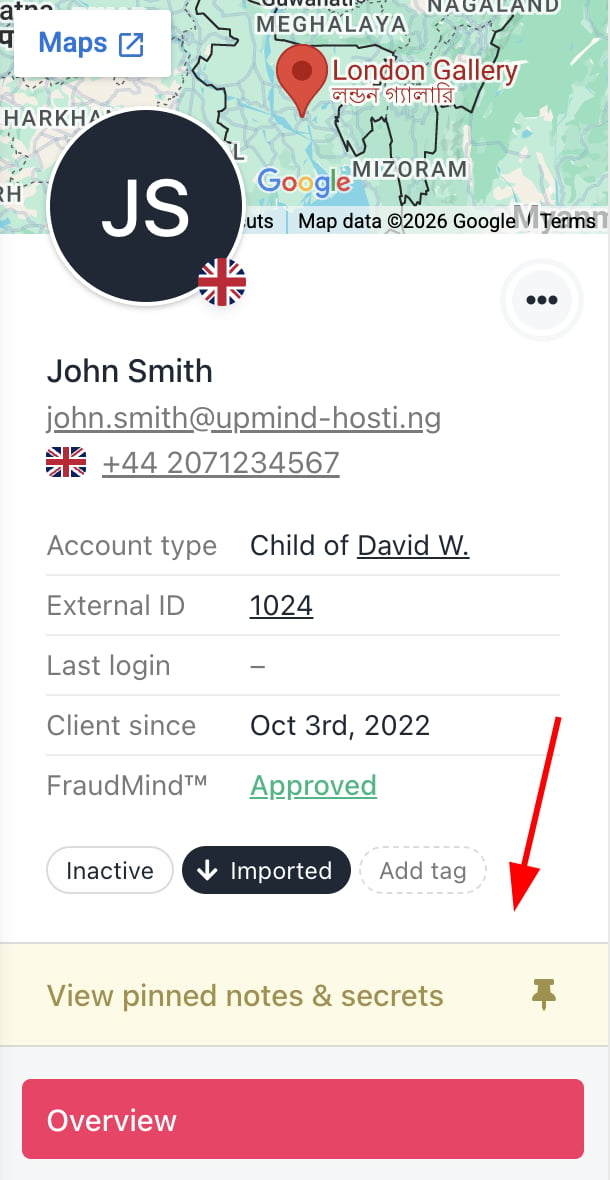
 The pinned note can now be viewed from the client summary.
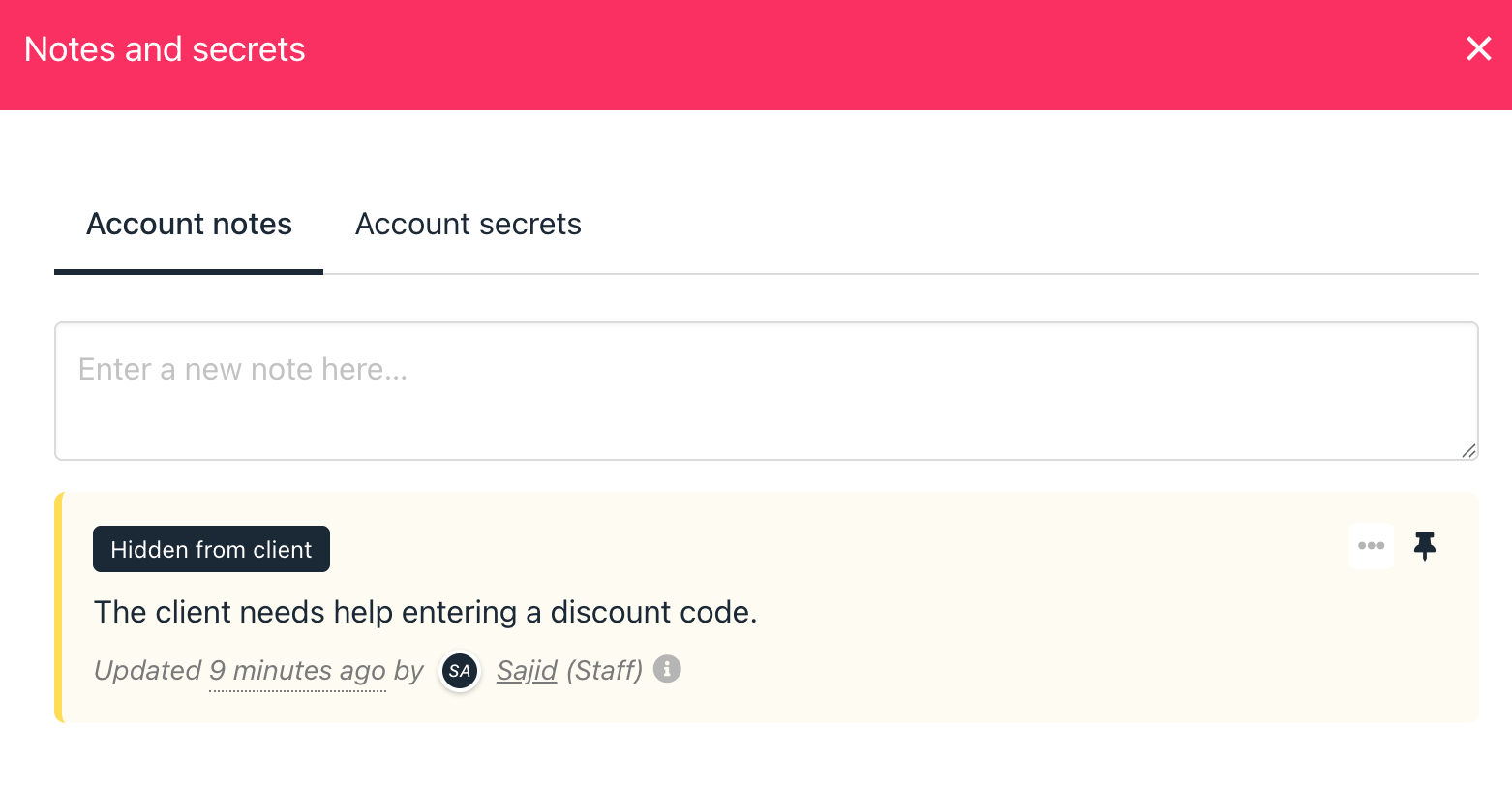
 You can click the note to see the details.
 ## Creating Account Secrets
When you want to add Account Secrets to a client's account, the steps are similar to adding Account Notes. However, you need to find the Account Secret field below the Account Notes.
## Creating Account Secrets
When you want to add Account Secrets to a client's account, the steps are similar to adding Account Notes. However, you need to find the Account Secret field below the Account Notes.
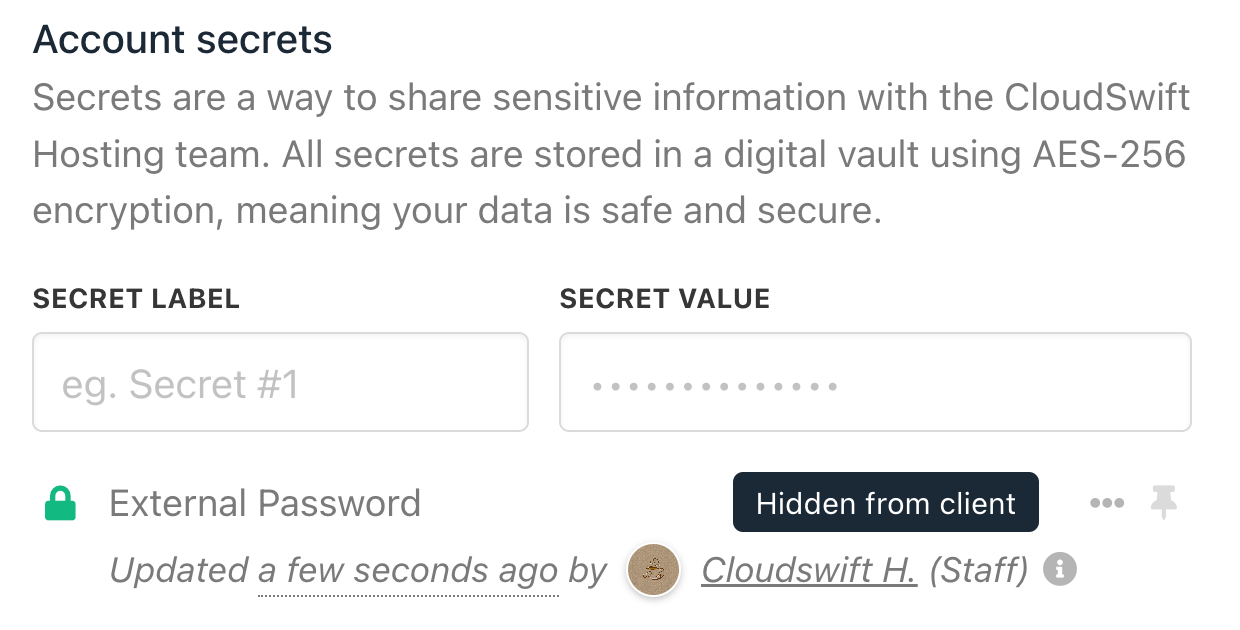 Account secrets can be edited, deleted, and pinned, just like account notes.