> ## Documentation Index
> Fetch the complete documentation index at: https://docs.upmind.com/llms.txt
> Use this file to discover all available pages before exploring further.
# Affiliate: Enable and Request Manual Commission Withdrawals
> Allow affiliates to request their commissions manually and manage requests easily.
Manual commission requests let affiliates request their commissions directly. Once enabled, affiliates with an available balance will see a button in their account to submit a withdrawal request. When submitted, a ticket is automatically created and sent to the selected department for processing.
To enable manual withdrawal requests as an admin, follow these steps:
1. Go to **Settings → Affiliate → General Settings**.
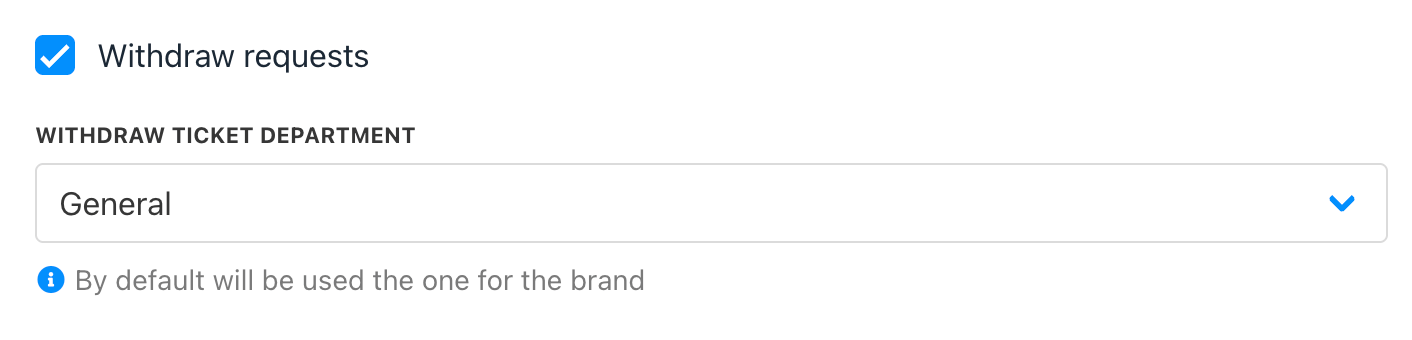
2. Tick the box for **Withdrawal Request**.
3. Select the department that will handle withdrawal tickets.
4. Click Save.
 ### Client Area View
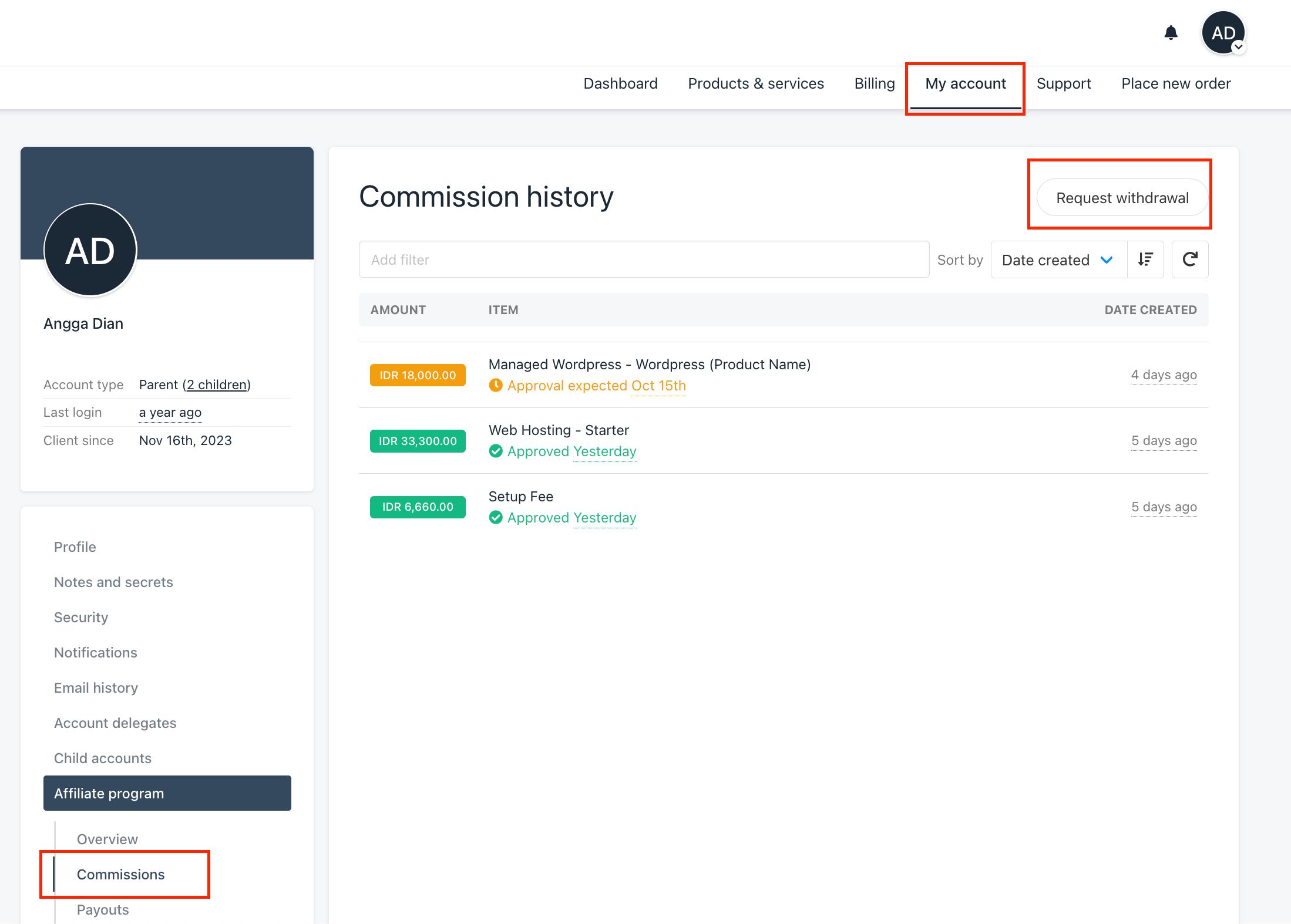
If the client has an available balance, they will see a Request Withdrawal button. Clicking this creates a ticket in the chosen department.
### Client Area View
If the client has an available balance, they will see a Request Withdrawal button. Clicking this creates a ticket in the chosen department.
 ### Managing Requests in Admin Area
When a withdrawal request is submitted, a ticket is automatically created for the admin.
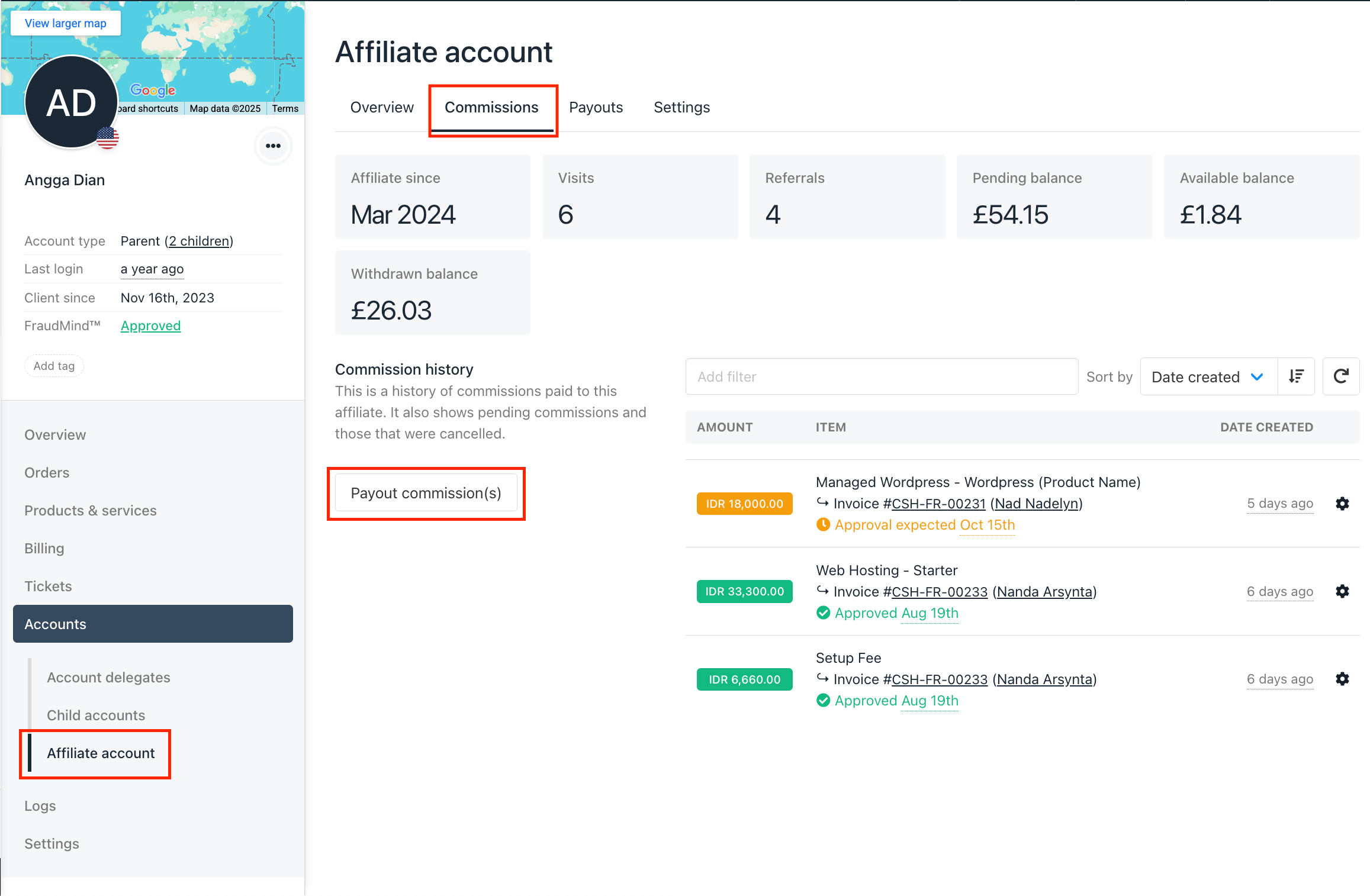
After reviewing and approving the request, you can process the payout by going to the client’s profile → Account → Affiliate Account → Commissions tab.
### Managing Requests in Admin Area
When a withdrawal request is submitted, a ticket is automatically created for the admin.
After reviewing and approving the request, you can process the payout by going to the client’s profile → Account → Affiliate Account → Commissions tab.