> ## Documentation Index
> Fetch the complete documentation index at: https://docs.upmind.com/llms.txt
> Use this file to discover all available pages before exploring further.
# Order Options Overview
> You can customise invoices and the client view as you like. With Upmind, the options are limitless.
The Order Options page lets you customise the appearance of invoices, enable guest checkout, configure basket settings, and more.
## Opening the Order Options page
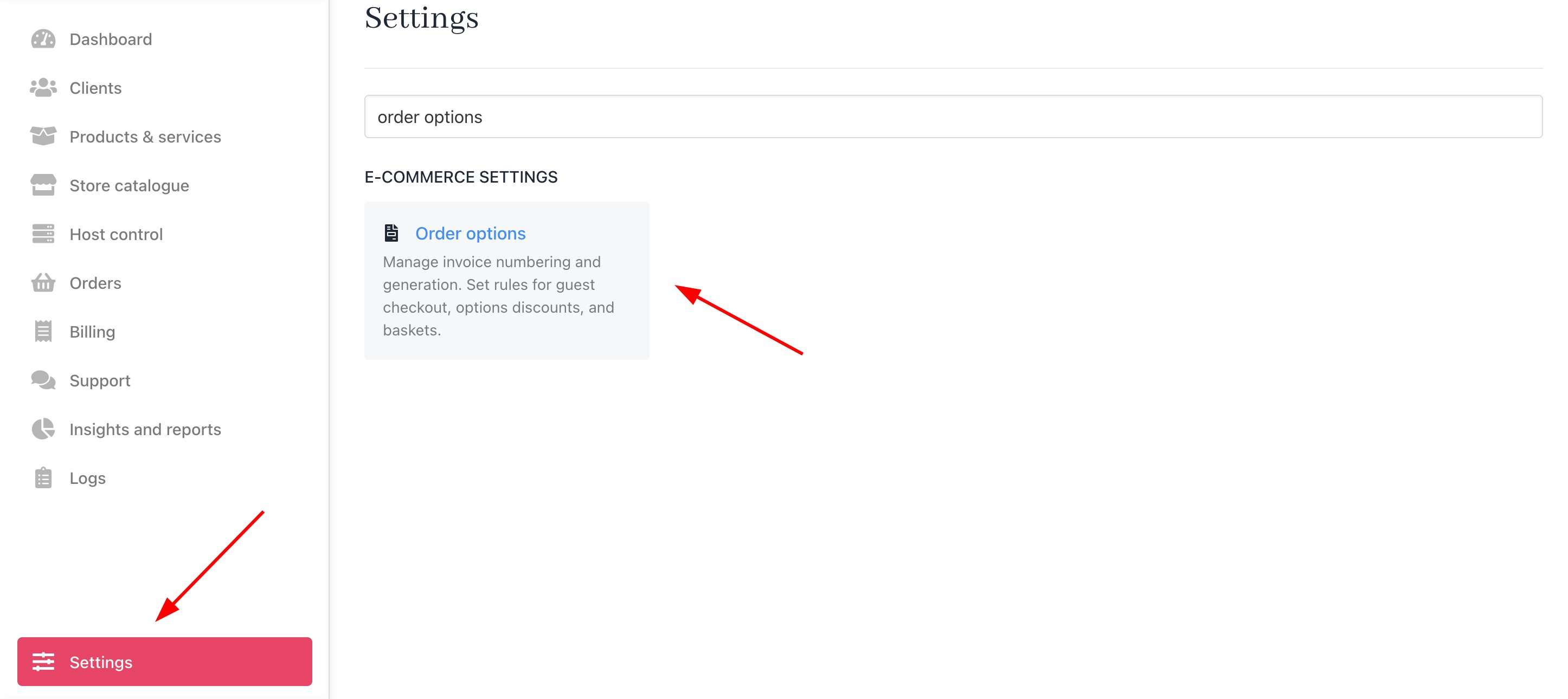
To open the Order Options page:
1. Log in to your Upmind account.
2. Go to **Settings** > **Order options** under **Ecommerce Settings**.
 ### Invoice settings
At the top of the Order Options page, you can [configure invoice settings](/using-upmind/invoicing-and-taxes/how-to-configure-invoice-settings):
* invoice numbering
* due dates for recurring and non-recurring invoices
* when invoices are generated relative to the renewal date
### Guest checkout
Enable or disable [guest checkout](/setup-and-configuration/orders-services/how-to-enable-guest-checkout). Use this feature to control customer access to the checkout area.
### Invoice settings
At the top of the Order Options page, you can [configure invoice settings](/using-upmind/invoicing-and-taxes/how-to-configure-invoice-settings):
* invoice numbering
* due dates for recurring and non-recurring invoices
* when invoices are generated relative to the renewal date
### Guest checkout
Enable or disable [guest checkout](/setup-and-configuration/orders-services/how-to-enable-guest-checkout). Use this feature to control customer access to the checkout area.
 ### Discount for options
When enabled, this feature automatically applies a [product discount](/setup-and-configuration/orders-services/how-to-manage-the-basket) to related product options in the basket.
### Discount for options
When enabled, this feature automatically applies a [product discount](/setup-and-configuration/orders-services/how-to-manage-the-basket) to related product options in the basket.
 #### Abandoned basket
Customise this setting to define an [abandoned basket](/setup-and-configuration/orders-services/how-to-manage-the-basket).
### Misc
Customise information in the [basket](/setup-and-configuration/orders-services/how-to-manage-the-basket) and related notifications, including:
* Pay Later option
* Promo prices
* Generate a ticket when a customer adds a note to the basket
### Pro Forma Invoices
If you have services that require a pro forma invoice to ensure all parties agree to the transaction details before finalising the sale, Upmind provides this functionality for you.
* Choose which types of invoices you want to mark as pro forma
* Enable/Disable to exclude pro forma invoices from reports.
### Consolidation
If you want to consolidate your invoice, we provide you with several options, such as:
* Enable or disable invoice consolidation support.
* Give access to staff.
* Set rules and specify the date of the month for consolidation, along with intervals for recurring consolidation.
#### Abandoned basket
Customise this setting to define an [abandoned basket](/setup-and-configuration/orders-services/how-to-manage-the-basket).
### Misc
Customise information in the [basket](/setup-and-configuration/orders-services/how-to-manage-the-basket) and related notifications, including:
* Pay Later option
* Promo prices
* Generate a ticket when a customer adds a note to the basket
### Pro Forma Invoices
If you have services that require a pro forma invoice to ensure all parties agree to the transaction details before finalising the sale, Upmind provides this functionality for you.
* Choose which types of invoices you want to mark as pro forma
* Enable/Disable to exclude pro forma invoices from reports.
### Consolidation
If you want to consolidate your invoice, we provide you with several options, such as:
* Enable or disable invoice consolidation support.
* Give access to staff.
* Set rules and specify the date of the month for consolidation, along with intervals for recurring consolidation.