> ## Documentation Index
> Fetch the complete documentation index at: https://docs.upmind.com/llms.txt
> Use this file to discover all available pages before exploring further.
# How to Manage the Basket
> Customise the online store, choose the home currency, contact details, and more.
This guide shows you how to manage the basket by customising discounts for options and defining an abandoned basket. Other settings require advanced tweaks, which we discuss in other articles.
These include:
* [Set home currency](/setup-and-configuration/branding/how-to-configure-business-settings)
* [Manage promotion codes](/using-upmind/marketing-tools/how-to-create-a-basic-promotion-code)
* [Customise product billing](/using-upmind/product-management/how-to-add-product-billing)
* [Customise invoice settings](/using-upmind/invoicing-and-taxes/how-to-configure-invoice-settings)
## Enabling option discounts
This global toggle enables or disables the discounts on [product options](/using-upmind/product-management/how-to-add-product-options).
1. Go to the Upmind dashboard.
2. Go to **Settings** > **Order Options**.
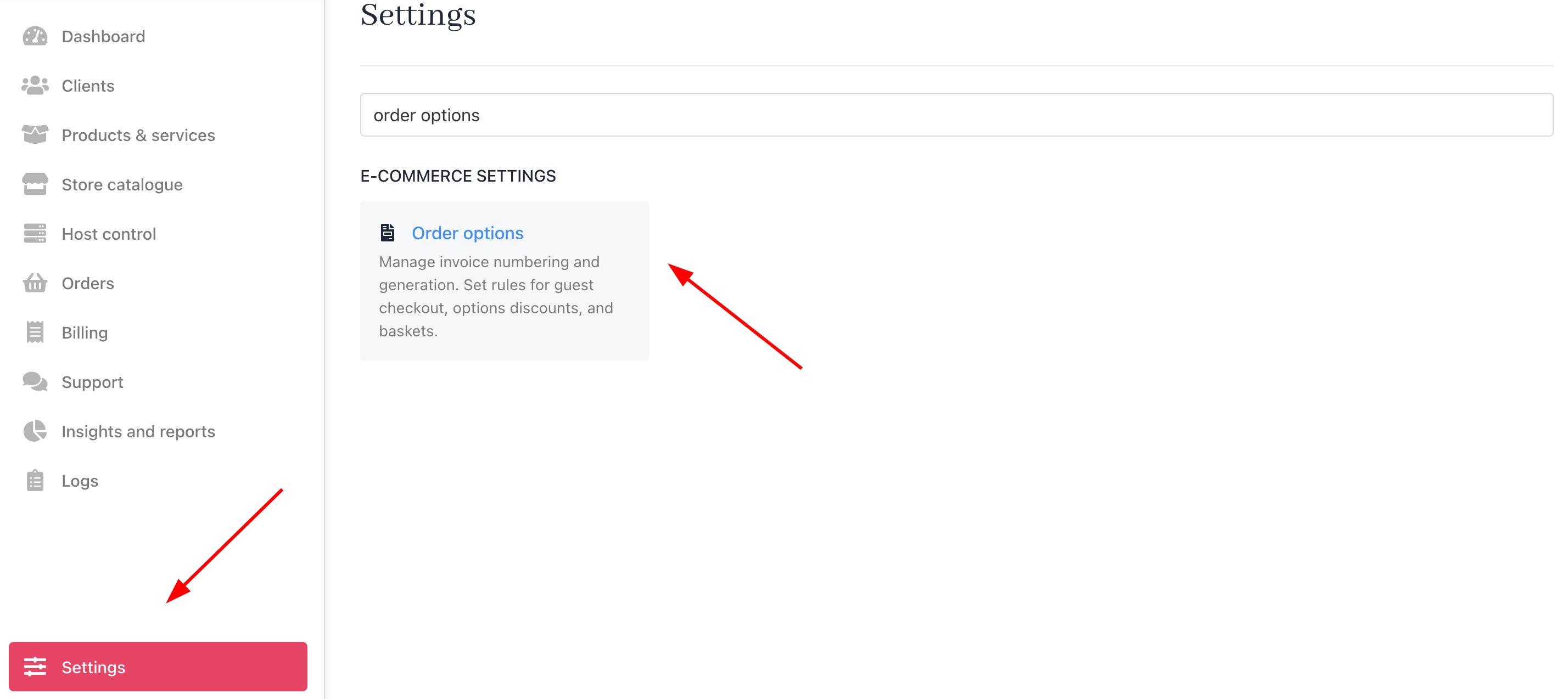 3. Scroll down to the **Discount for options** heading.
4. Click the toggle to the **ON** position to enable this control.
When enabled, product discounts extend to their options. When disabled, a product discount does not apply to the product option.
3. Scroll down to the **Discount for options** heading.
4. Click the toggle to the **ON** position to enable this control.
When enabled, product discounts extend to their options. When disabled, a product discount does not apply to the product option.
 ## Defining an abandoned basket
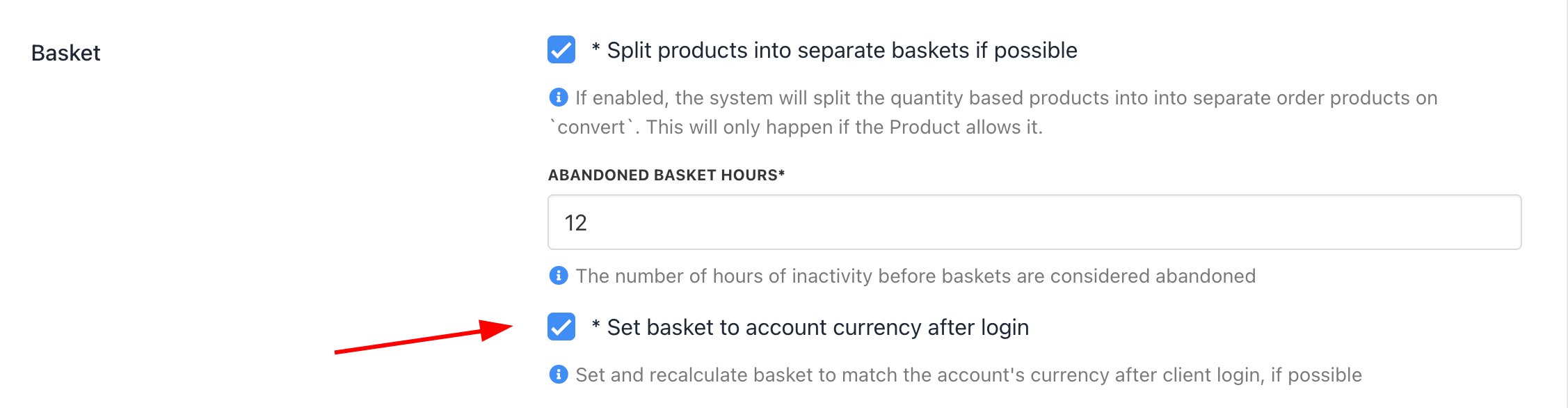
Set the number of hours of inactivity before Upmind automatically abandons the customer’s basket.
1. Go to the Basket heading.
2. Enter the number of hours of inactivity in the field.
3. Check the box to change basket prices to the customer account’s preferred currency when possible.
## Defining an abandoned basket
Set the number of hours of inactivity before Upmind automatically abandons the customer’s basket.
1. Go to the Basket heading.
2. Enter the number of hours of inactivity in the field.
3. Check the box to change basket prices to the customer account’s preferred currency when possible.
 ## Setting miscellaneous terms
The **Misc** section lets you define specific invoice and checkout display settings.
#### Invoice notes
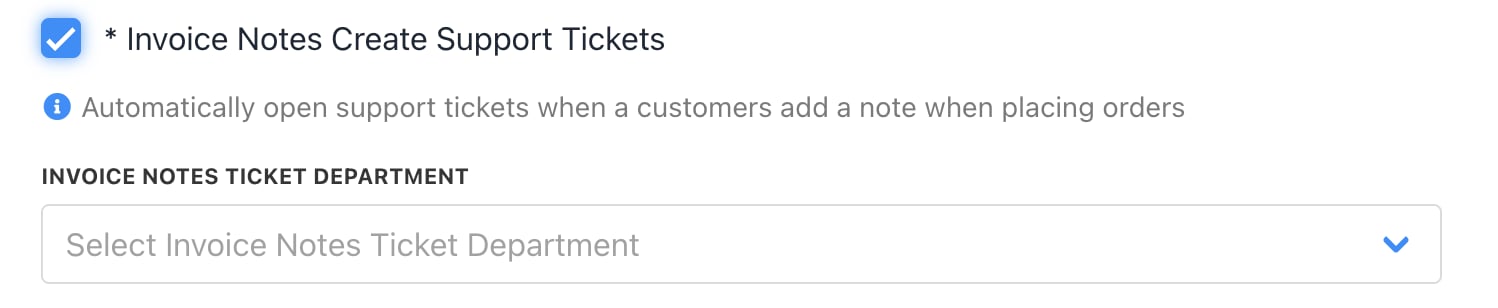
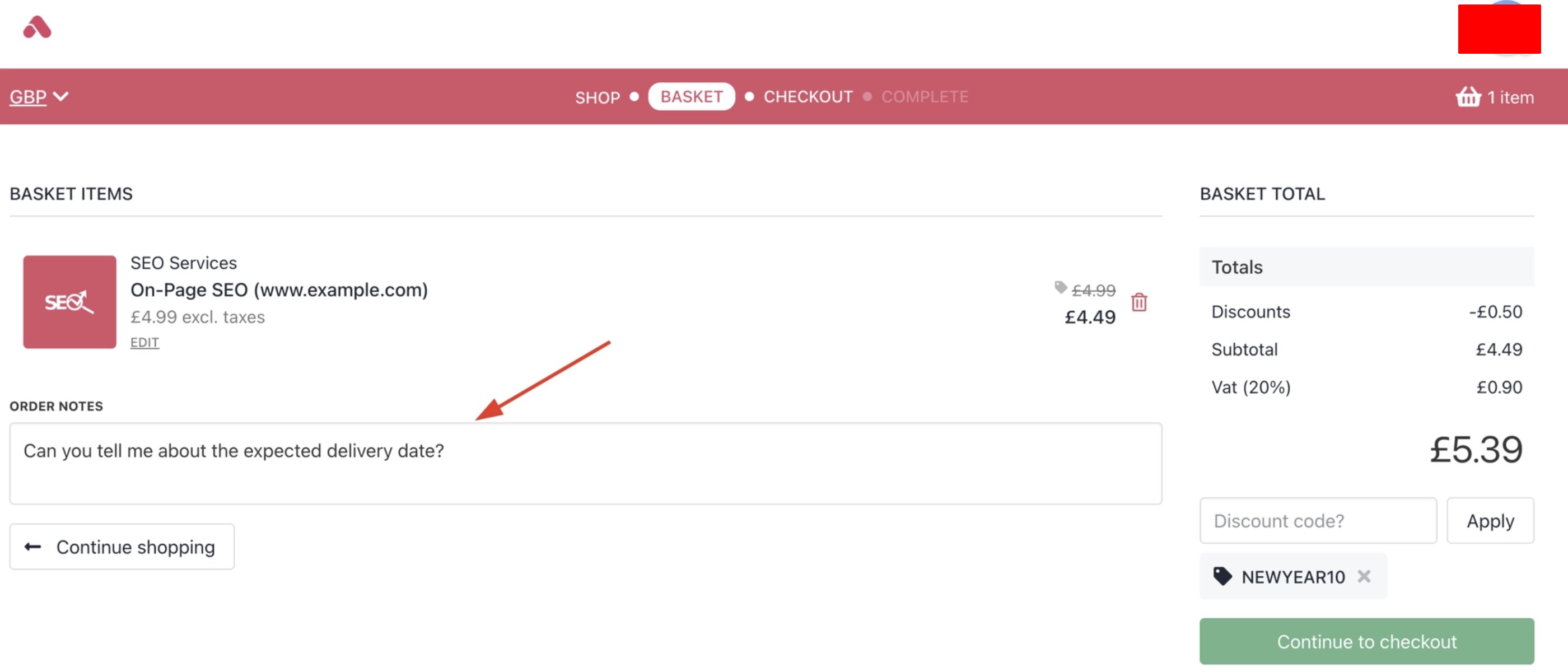
Check the box to automatically generate a ticket when the customer enters text into the Notes field in the basket.
## Setting miscellaneous terms
The **Misc** section lets you define specific invoice and checkout display settings.
#### Invoice notes
Check the box to automatically generate a ticket when the customer enters text into the Notes field in the basket.
 #### Invoice terms
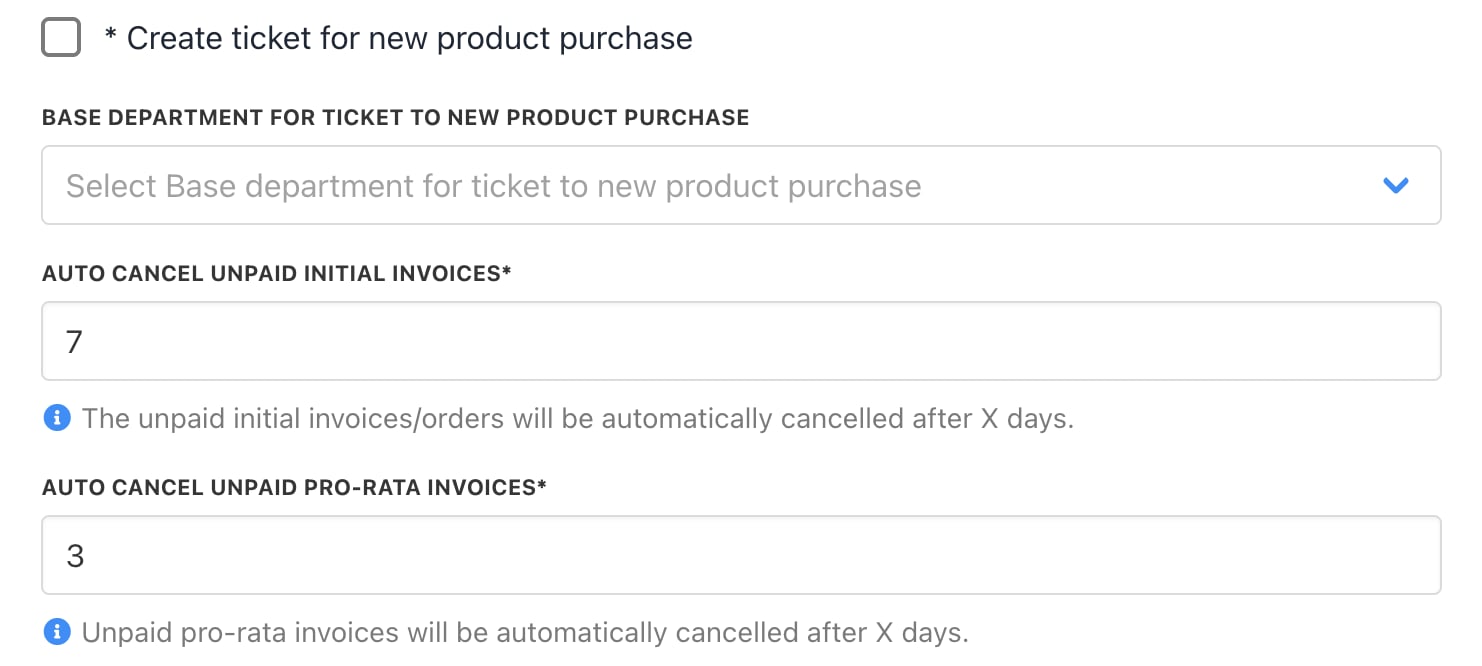
* Check the box to automatically open a support ticket when a client adds a note to a purchase.
* Set the number of days to cancel an unpaid initial invoice.
* Set the number of days to cancel an unpaid pro-rata invoice.
#### Invoice terms
* Check the box to automatically open a support ticket when a client adds a note to a purchase.
* Set the number of days to cancel an unpaid initial invoice.
* Set the number of days to cancel an unpaid pro-rata invoice.
 #### Checkout items
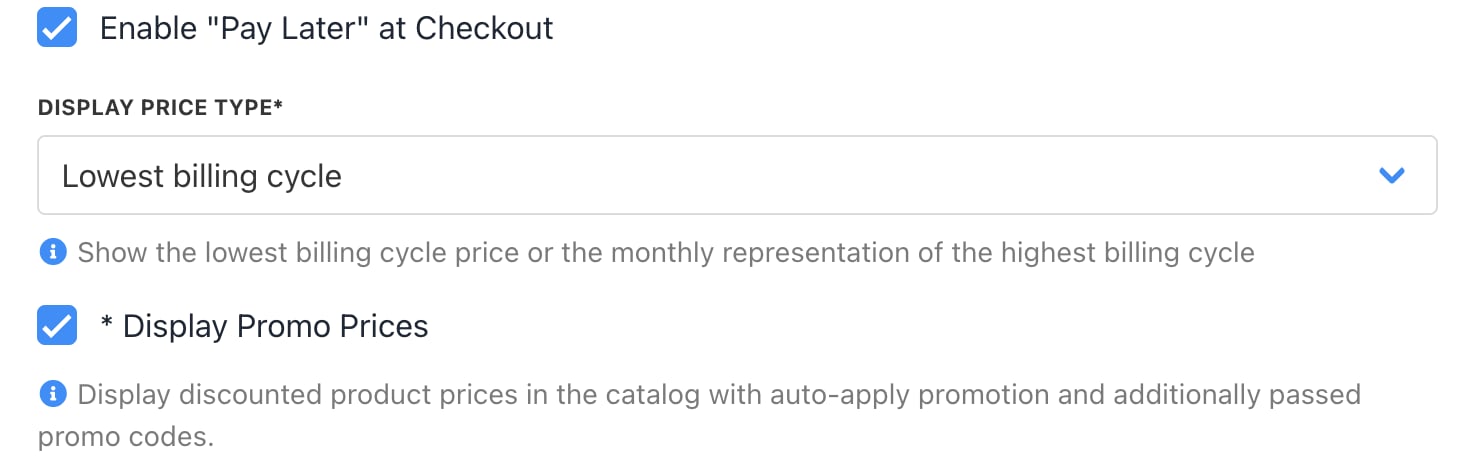
* Check the box to enable the **Pay Later** option in the checkout.
* Set the basket display price. Choose the highest or lowest figure price based on average monthly rates.
* Check the box to display promo prices.
#### Checkout items
* Check the box to enable the **Pay Later** option in the checkout.
* Set the basket display price. Choose the highest or lowest figure price based on average monthly rates.
* Check the box to display promo prices.
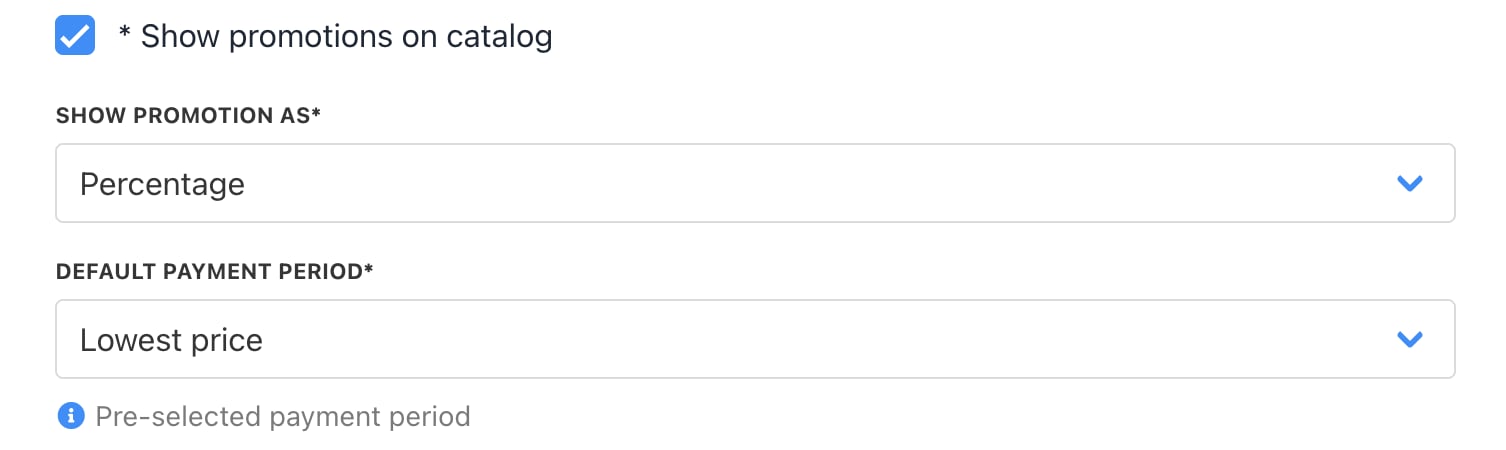
 * Check the box to show promos on the catalogue.
* Use the drop-down menu to select the promo display type.
* Click the drop-down menu to select a default payment period.
* Check the box to show promos on the catalogue.
* Use the drop-down menu to select the promo display type.
* Click the drop-down menu to select a default payment period.
 ## View baskets
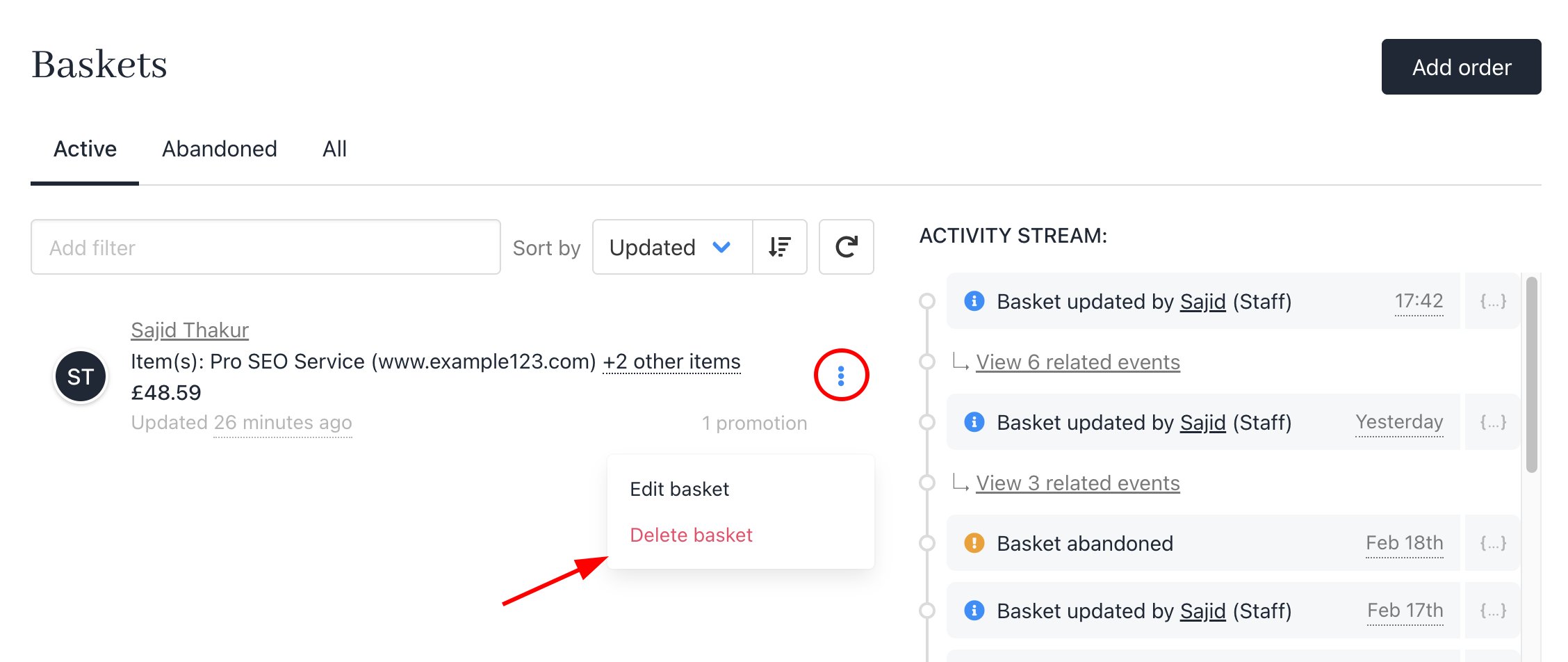
You can view your baskets from Order > Baskets.
## View baskets
You can view your baskets from Order > Baskets.
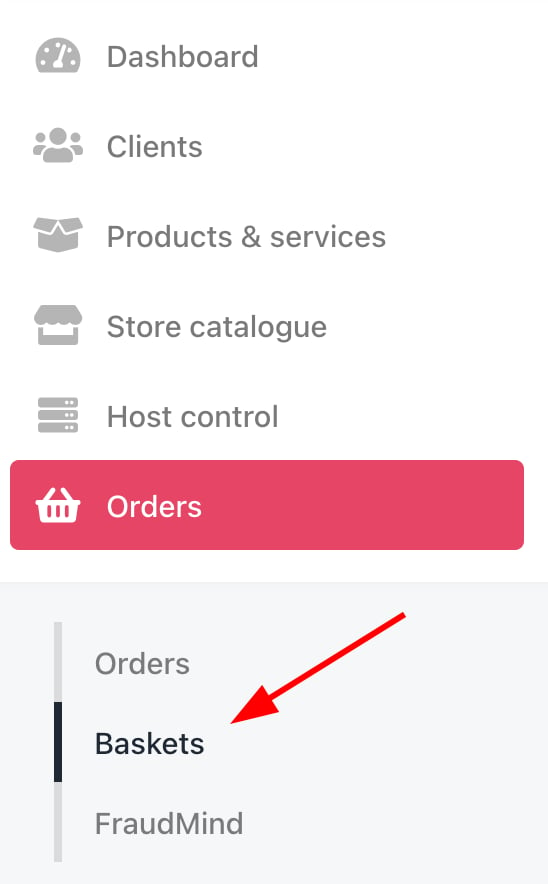 Here, you can edit your customers' baskets or delete them if needed.