> ## Documentation Index
> Fetch the complete documentation index at: https://docs.upmind.com/llms.txt
> Use this file to discover all available pages before exploring further.
# Notifications Overview
> Send messages based on Upmind events.
Notifications let you send messages to clients and staff triggered by specific events in Upmind.
**Examples**:
* Emailing a customer when a new invoice is generated.
* Alerting staff to a new response on a support ticket.
* Sending a message to a Slack channel when an order is placed.
* Notifying about a specific product order or cancellation.
Hundreds of events can trigger emails, Slack messages, or WebSocket notifications, with fully configurable content. You can also insert variables specific to an event, such as product name, client name, or invoice amount.
## **Hooks**
Notifications trigger through hooks, which "hook" into specific events in Upmind. Hundreds of hooks are available in Upmind.
**Example**: A hook fires when a client creates, updates, removes, or verifies an email address.
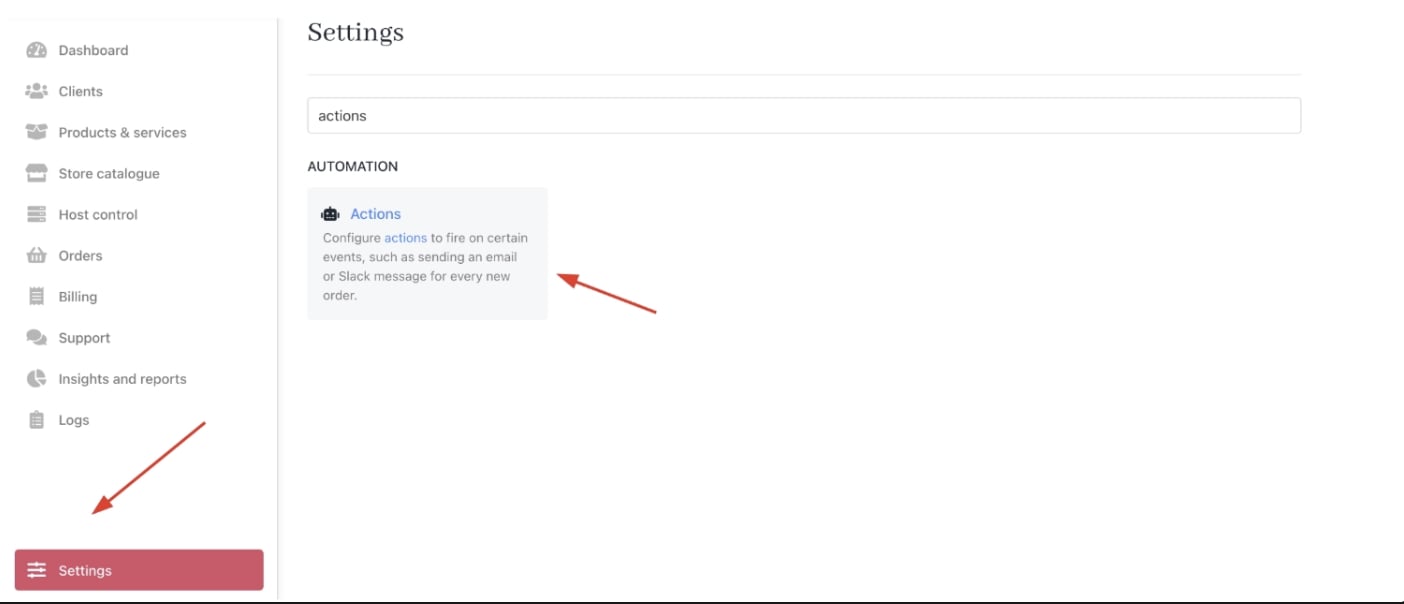
You can view all hooks in the admin area under **Settings** > **Actions** under **Automation**. Then select **Triggers**.
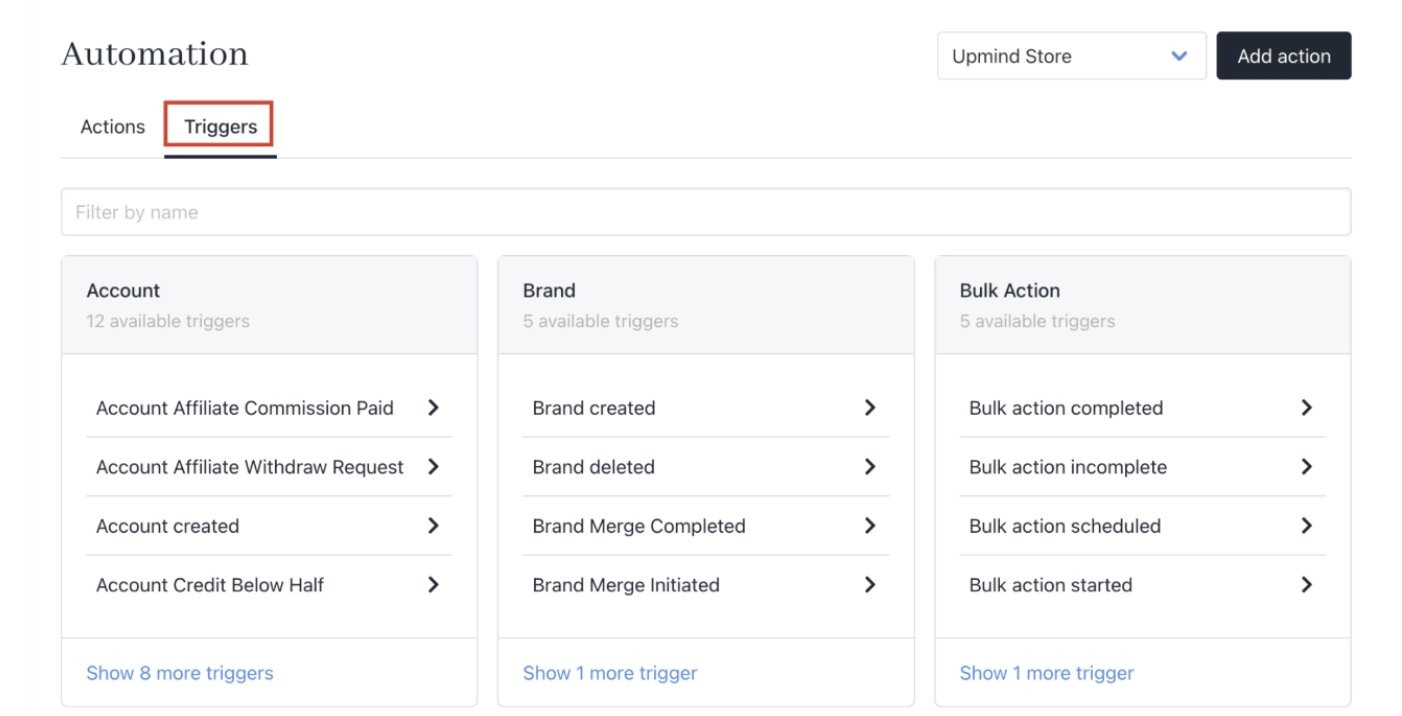 Hooks are categorised by subject, which determines the data available for notifications.
**Example**: ClientEmail hook provides access only to the client's profile information, while a ClientInvoice hook includes details about the invoice and related payments.
The most common hooks involve invoices, orders, payments, and customer support.
[Sensible defaults](/setup-and-configuration/notifications/about-default-notification-templates) come pre-configured and enabled on new accounts. You can edit or disable them as needed.
## **Sending notifications**
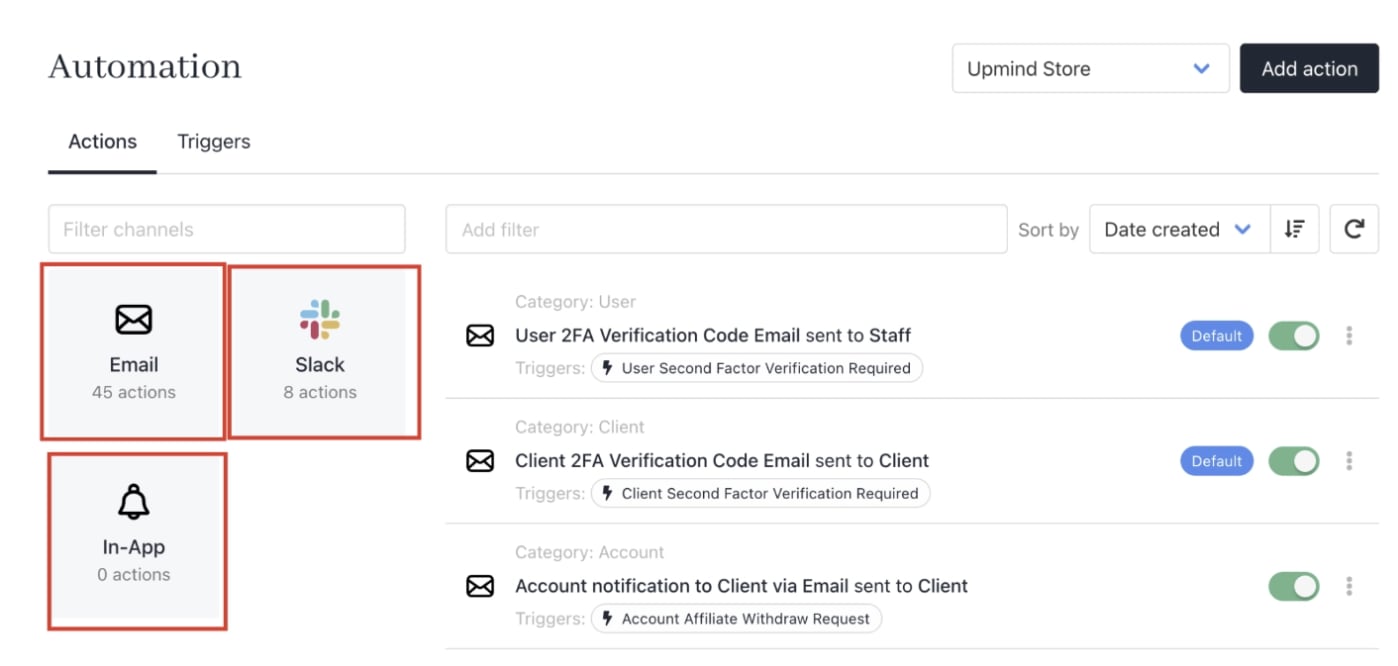
Notifications can be sent in three ways:
* [Email messages](/setup-and-configuration/email-configuring-and-sending/email-messages-vs-notifications) to client or staff email addresses.
* [Slack notifications](/setup-and-configuration/notifications/how-to-integrate-with-slack) to your organisation's channel.
* **WebSocket** popups within the Upmind app for staff or clients.
You can configure unlimited notifications per hook.
Hooks are categorised by subject, which determines the data available for notifications.
**Example**: ClientEmail hook provides access only to the client's profile information, while a ClientInvoice hook includes details about the invoice and related payments.
The most common hooks involve invoices, orders, payments, and customer support.
[Sensible defaults](/setup-and-configuration/notifications/about-default-notification-templates) come pre-configured and enabled on new accounts. You can edit or disable them as needed.
## **Sending notifications**
Notifications can be sent in three ways:
* [Email messages](/setup-and-configuration/email-configuring-and-sending/email-messages-vs-notifications) to client or staff email addresses.
* [Slack notifications](/setup-and-configuration/notifications/how-to-integrate-with-slack) to your organisation's channel.
* **WebSocket** popups within the Upmind app for staff or clients.
You can configure unlimited notifications per hook.
 ## **Templating**
Notifications use configurable templates with variables depending on the hook category. For an **Invoice paid** hook, you might include client details, invoice info, and payment data by enclosing variables in parentheses.
**Example**:
```text theme={null}
We successfully received payment of {currency}{amount} from your {payment source} for invoice {invoice_number} on {payment_date}
```
**Displays as**:
```text theme={null}
We successfully received payment of $50.00 from your card ending 7777 for invoice #3191 on August 21 2019.
```
## **Multi-Language support**
If you have added multiple languages during your Upmind setup, then each template can be configured in those languages. If a language is not configured, the notification will fall back to your default brand language.
## **Templating**
Notifications use configurable templates with variables depending on the hook category. For an **Invoice paid** hook, you might include client details, invoice info, and payment data by enclosing variables in parentheses.
**Example**:
```text theme={null}
We successfully received payment of {currency}{amount} from your {payment source} for invoice {invoice_number} on {payment_date}
```
**Displays as**:
```text theme={null}
We successfully received payment of $50.00 from your card ending 7777 for invoice #3191 on August 21 2019.
```
## **Multi-Language support**
If you have added multiple languages during your Upmind setup, then each template can be configured in those languages. If a language is not configured, the notification will fall back to your default brand language.