> ## Documentation Index
> Fetch the complete documentation index at: https://docs.upmind.com/llms.txt
> Use this file to discover all available pages before exploring further.
# About Default Notification Templates
> Pre-generated notifications for your business.
Upmind is designed for immediate use with minimal setup, so we include pre-generated notifications for the most common business needs.
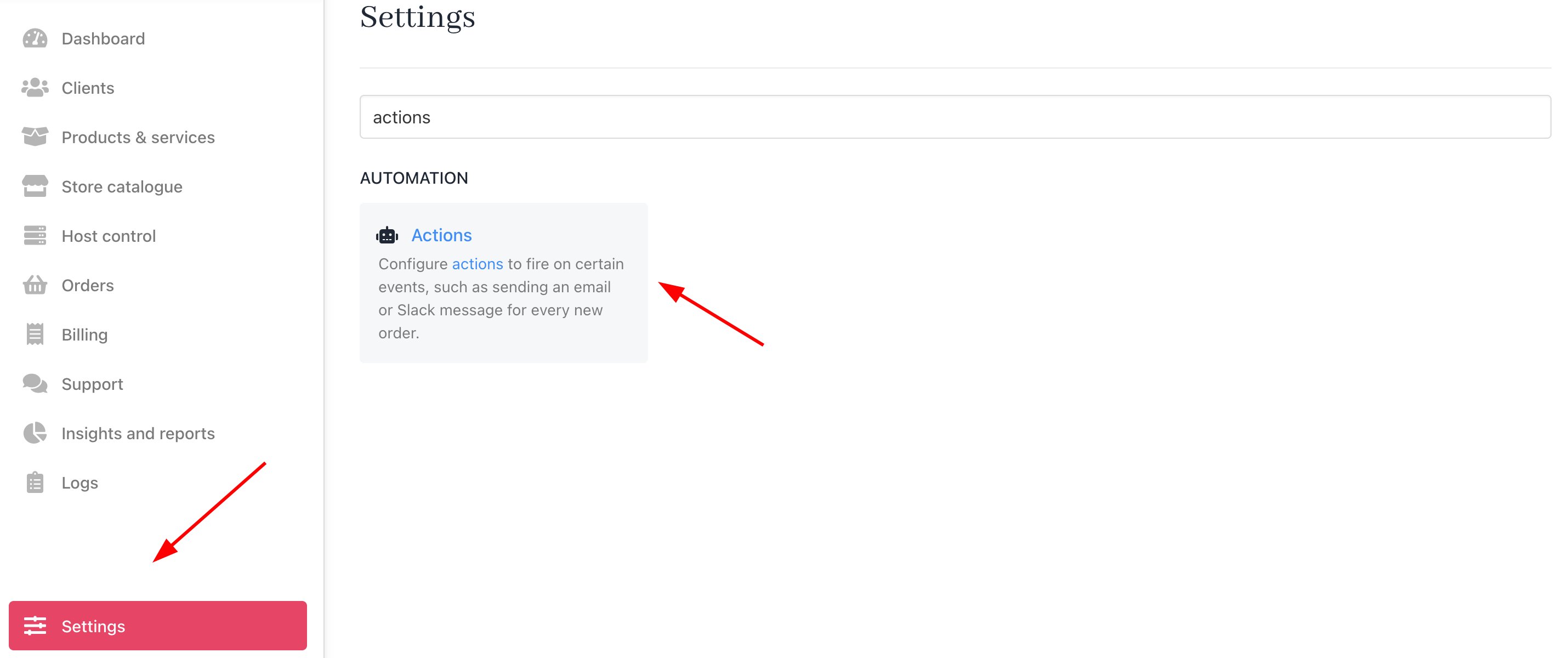
You can disable or replace them in the admin area from **Settings** > **Actions** under **Automation**.
 Because Upmind is designed to work immediately, with little configuration required, we pre-generated some notifications that we think are important for most businesses.
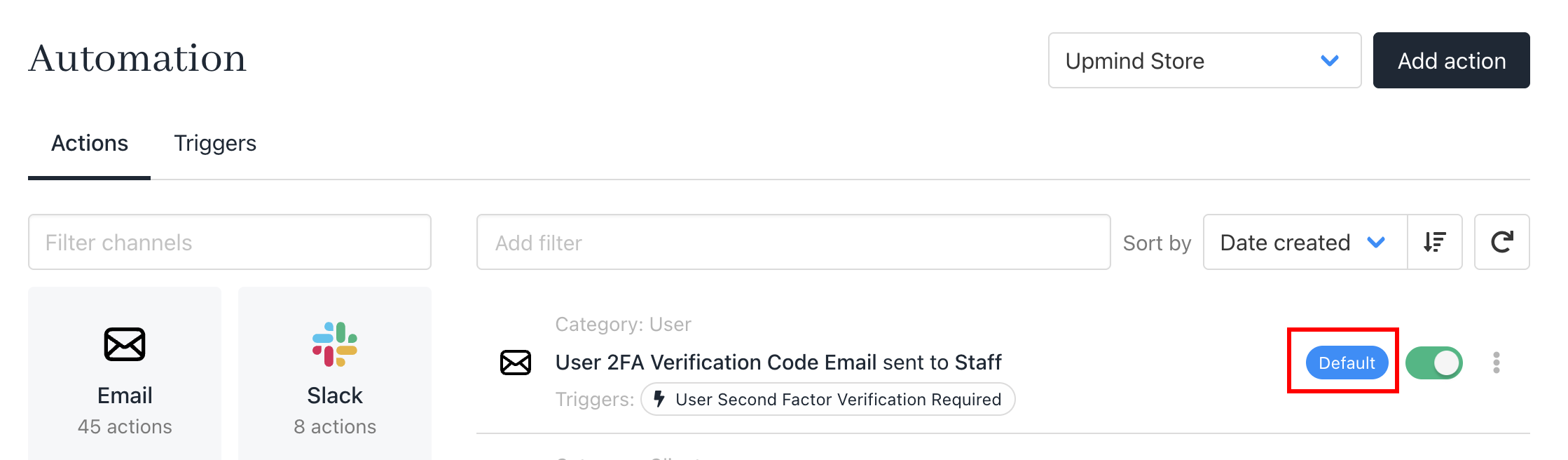
All pre-generated templates are highlighted as **Default**.
Because Upmind is designed to work immediately, with little configuration required, we pre-generated some notifications that we think are important for most businesses.
All pre-generated templates are highlighted as **Default**.
 ## Template list
Here is a full list of default notifications:
### Client email notifications
These are sent to clients. Message contents will vary based on whether you've enabled the [client login feature](/using-upmind/client-management/how-to-add-and-manage-clients) on the Client overview page.
**Example**: Users without accounts won't see login prompts for invoice payments.
* Account created
* Password reset
* Order confirmation
* New invoice created
* Invoice overdue
* Payment received
* Cancellation request received
* New ticket opened
* New ticket reply
### Staff email notifications
* New client
* New order placed
* Invoice paid
* New cancellation request
* New ticket opened
* New ticket reply
### WebSocket notifications
These are pre-configured real-time popups or updates in the Upmind app on active events for staff and clients, which can be customised as needed.
## Template list
Here is a full list of default notifications:
### Client email notifications
These are sent to clients. Message contents will vary based on whether you've enabled the [client login feature](/using-upmind/client-management/how-to-add-and-manage-clients) on the Client overview page.
**Example**: Users without accounts won't see login prompts for invoice payments.
* Account created
* Password reset
* Order confirmation
* New invoice created
* Invoice overdue
* Payment received
* Cancellation request received
* New ticket opened
* New ticket reply
### Staff email notifications
* New client
* New order placed
* Invoice paid
* New cancellation request
* New ticket opened
* New ticket reply
### WebSocket notifications
These are pre-configured real-time popups or updates in the Upmind app on active events for staff and clients, which can be customised as needed.