> ## Documentation Index
> Fetch the complete documentation index at: https://docs.upmind.com/llms.txt
> Use this file to discover all available pages before exploring further.

# How to BCC Trustpilot in Upmind

> Automatically copy emails to external services for reviews or archiving.

Trustpilot helps you collect customer reviews. By adding your unique Trustpilot BCC email address to outgoing emails (such as invoice payment messages), you can trigger Trustpilot’s Automatic Feedback Service (AFS) to send review invitations.

## Prepare your Trustpilot account

1. Create and verify your Trustpilot business account.

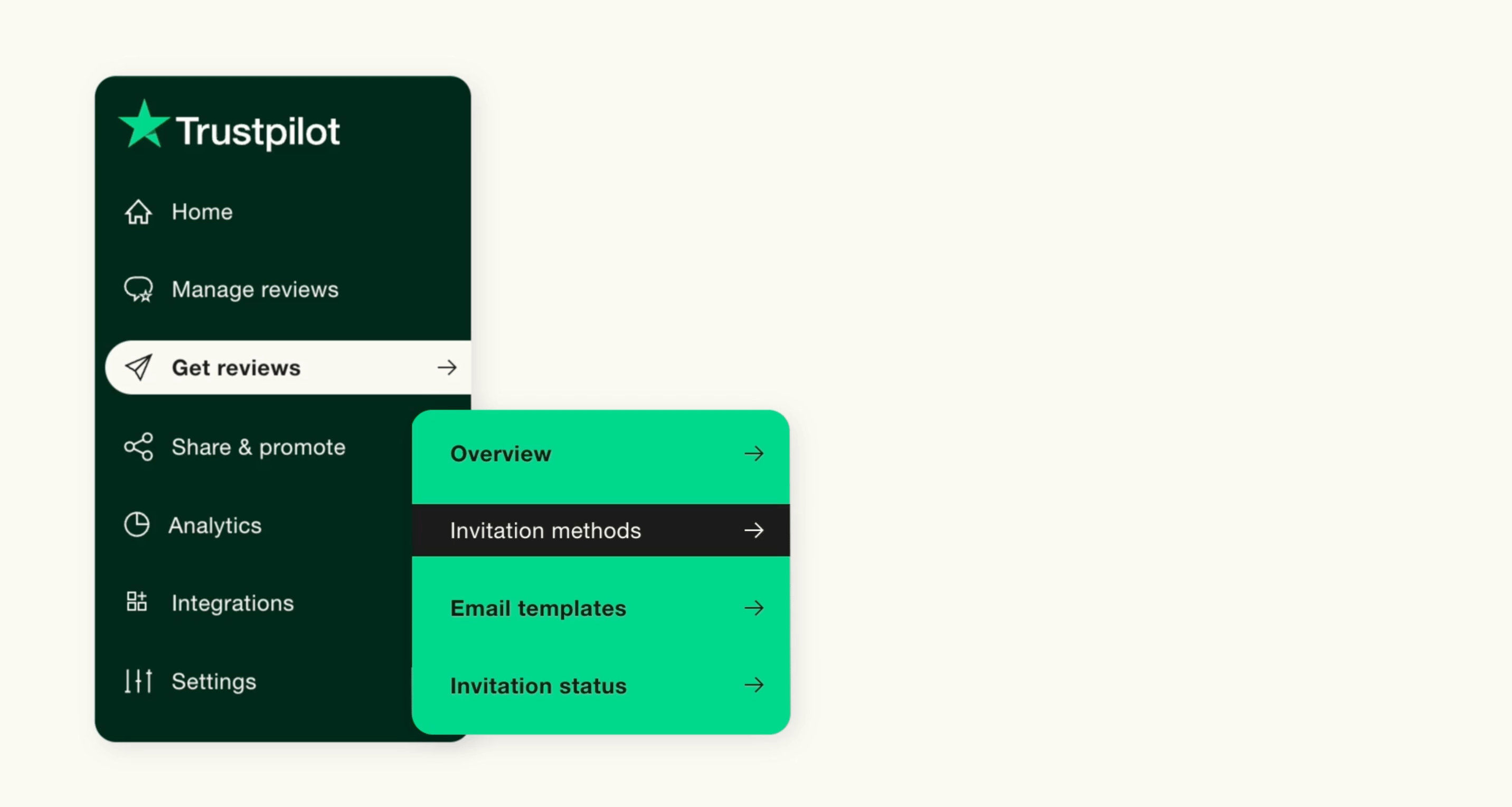
2. Go to **Trustpilot Business** and select **Get reviews**.

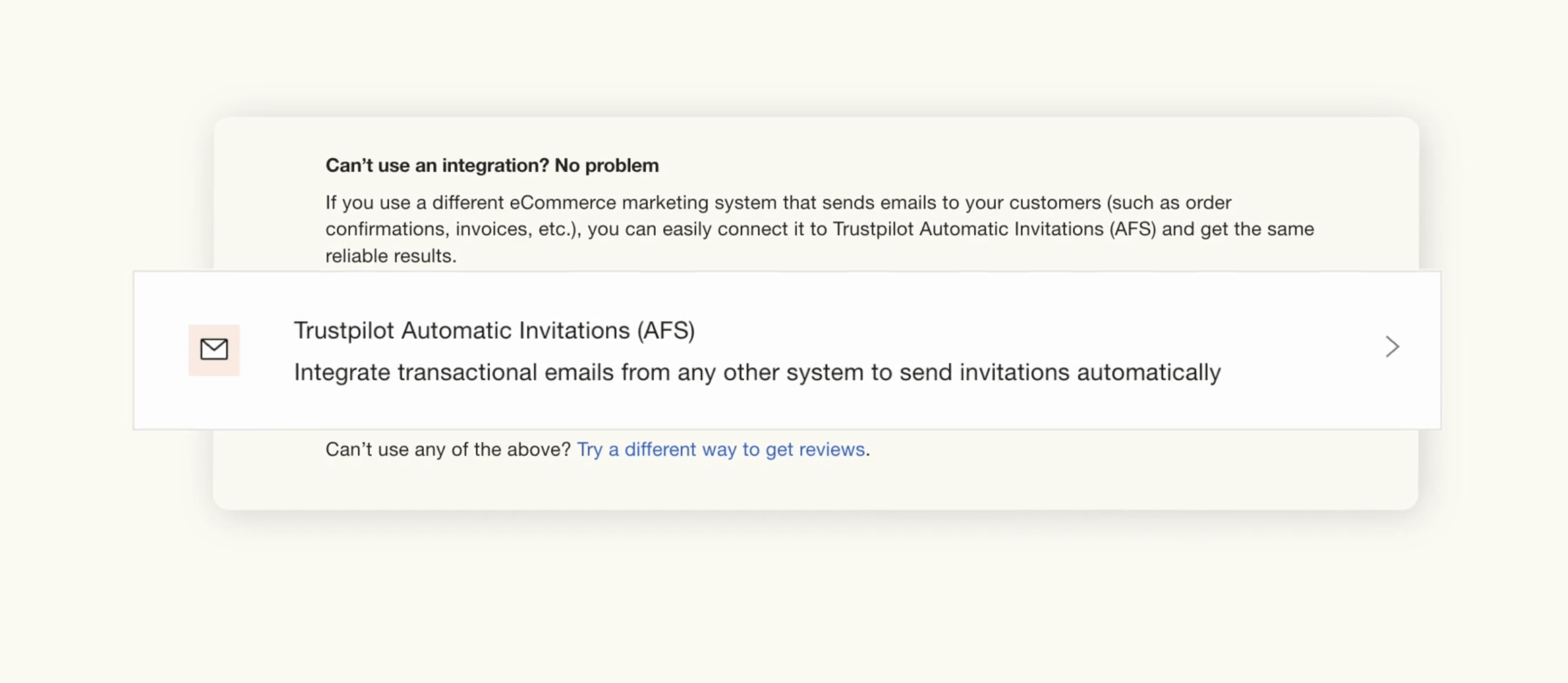
3. Under **Invitation methods**, choose **Trustpilot Automatic Invitations (AFS)**.
<Frame caption="Invitation methods">
  <img src="https://mintcdn.com/upmind/kXD0Ya8PpcxxNm6Q/images/fb/4227e788c18e58b2.png?fit=max&auto=format&n=kXD0Ya8PpcxxNm6Q&q=85&s=197a34a94b2e789e6d3753a4619b59b3" alt="Invitation methods" width="2864" height="1528" data-path="images/fb/4227e788c18e58b2.png" />
</Frame>

4. Copy your unique Trustpilot email address.
<Frame caption="Invitation methods">
  <img src="https://mintcdn.com/upmind/h8h5zREaX7k8Y-3x/images/fb/0f73566246e2fdee.png?fit=max&auto=format&n=h8h5zREaX7k8Y-3x&q=85&s=45f9495b2a4a0f4b0c4404640df4dc73" alt="Invitation methods" width="2710" height="1180" data-path="images/fb/0f73566246e2fdee.png" />
</Frame>

## Configure in Upmind

1. Log in to Upmind admin.

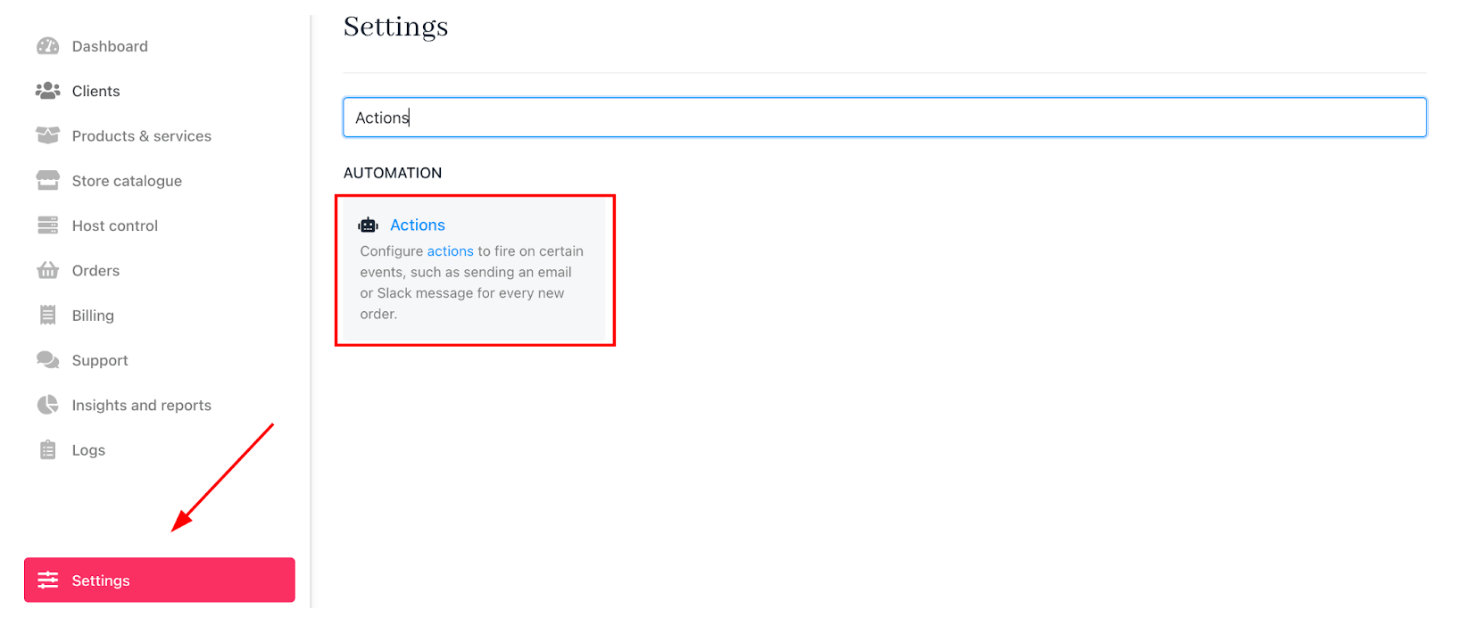
2. Go to **Settings** and select **Actions** under **Automation**.
<Frame caption="Settings > Actions">
  <img src="https://mintcdn.com/upmind/Dgjmf3QWYVBR40cE/images/fb/601289d7feece07b.png?fit=max&auto=format&n=Dgjmf3QWYVBR40cE&q=85&s=c2decba7d5d24b764735983ae74e967d" alt="Settings > Actions" data-og-width="1462" width="1462" data-og-height="624" height="624" data-path="images/fb/601289d7feece07b.png" data-optimize="true" data-opv="3" srcset="https://mintcdn.com/upmind/Dgjmf3QWYVBR40cE/images/fb/601289d7feece07b.png?w=280&fit=max&auto=format&n=Dgjmf3QWYVBR40cE&q=85&s=15ddb8639994e4b39c622690b1a3024a 280w, https://mintcdn.com/upmind/Dgjmf3QWYVBR40cE/images/fb/601289d7feece07b.png?w=560&fit=max&auto=format&n=Dgjmf3QWYVBR40cE&q=85&s=9457720b6c14d592bef3b438ed33d4e2 560w, https://mintcdn.com/upmind/Dgjmf3QWYVBR40cE/images/fb/601289d7feece07b.png?w=840&fit=max&auto=format&n=Dgjmf3QWYVBR40cE&q=85&s=50b236ef3e6400c25ed2d460ca5f65c1 840w, https://mintcdn.com/upmind/Dgjmf3QWYVBR40cE/images/fb/601289d7feece07b.png?w=1100&fit=max&auto=format&n=Dgjmf3QWYVBR40cE&q=85&s=79f3999a95c2f7ba11d665afdb8d7f3e 1100w, https://mintcdn.com/upmind/Dgjmf3QWYVBR40cE/images/fb/601289d7feece07b.png?w=1650&fit=max&auto=format&n=Dgjmf3QWYVBR40cE&q=85&s=663d3714f94e0aac8d2fc8db48789ff2 1650w, https://mintcdn.com/upmind/Dgjmf3QWYVBR40cE/images/fb/601289d7feece07b.png?w=2500&fit=max&auto=format&n=Dgjmf3QWYVBR40cE&q=85&s=e15da17bd0a54352c56e6409a14ddbcd 2500w" />
</Frame>

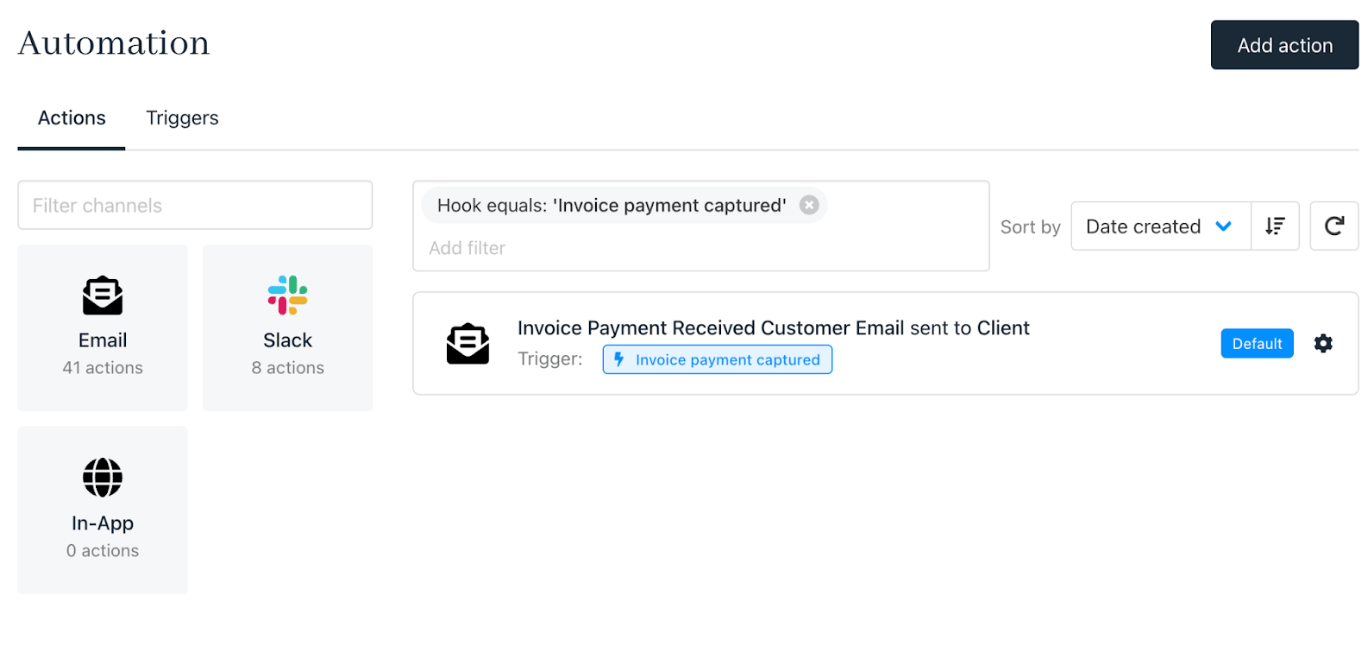
3. Find and select the **Invoice Payment Capture Triggered** action.
<Frame caption="Select invoice payment capture triggered">
  <img src="https://mintcdn.com/upmind/VnCXiz5rboywDnvn/images/fb/d40325850b3aaa4e.png?fit=max&auto=format&n=VnCXiz5rboywDnvn&q=85&s=58cbac8ecd853cadb3e0062e74d0e637" alt="Select invoice payment capture triggered" width="1366" height="652" data-path="images/fb/d40325850b3aaa4e.png" />
</Frame>

4. Paste your Trustpilot email address into the **BCC** field.

<Frame caption="Paste Trustpilot email address">
  <img src="https://mintcdn.com/upmind/VnCXiz5rboywDnvn/images/fb/db7a62edb22707d6.png?fit=max&auto=format&n=VnCXiz5rboywDnvn&q=85&s=1ef96632db899183dac45f070f7d67da" alt="Paste Trustpilot email address" width="1532" height="238" data-path="images/fb/db7a62edb22707d6.png" />
</Frame>

5. Save your changes.

Now you can easily prompt clients to leave reviews after transactions. This increases brand reputation and customer feedback automatically.
