> ## Documentation Index
> Fetch the complete documentation index at: https://docs.upmind.com/llms.txt
> Use this file to discover all available pages before exploring further.

# What is an Organisation?

> Understand your Upmind account structure.

An organisation in Upmind represents your main account, often matching your brand name. It serves as the top-level entity under which you manage your subscription plan, products, services, staff, and brands.

## Organisations vs. Multiple brands

An organisation can contain [<u>multiple brands</u>](/setup-and-configuration/branding/how-to-add-brands). Brands let you manage different customers under the same organisation.

To manage brands, go to **Settings** > **Brands** under **Branding and customisation**.
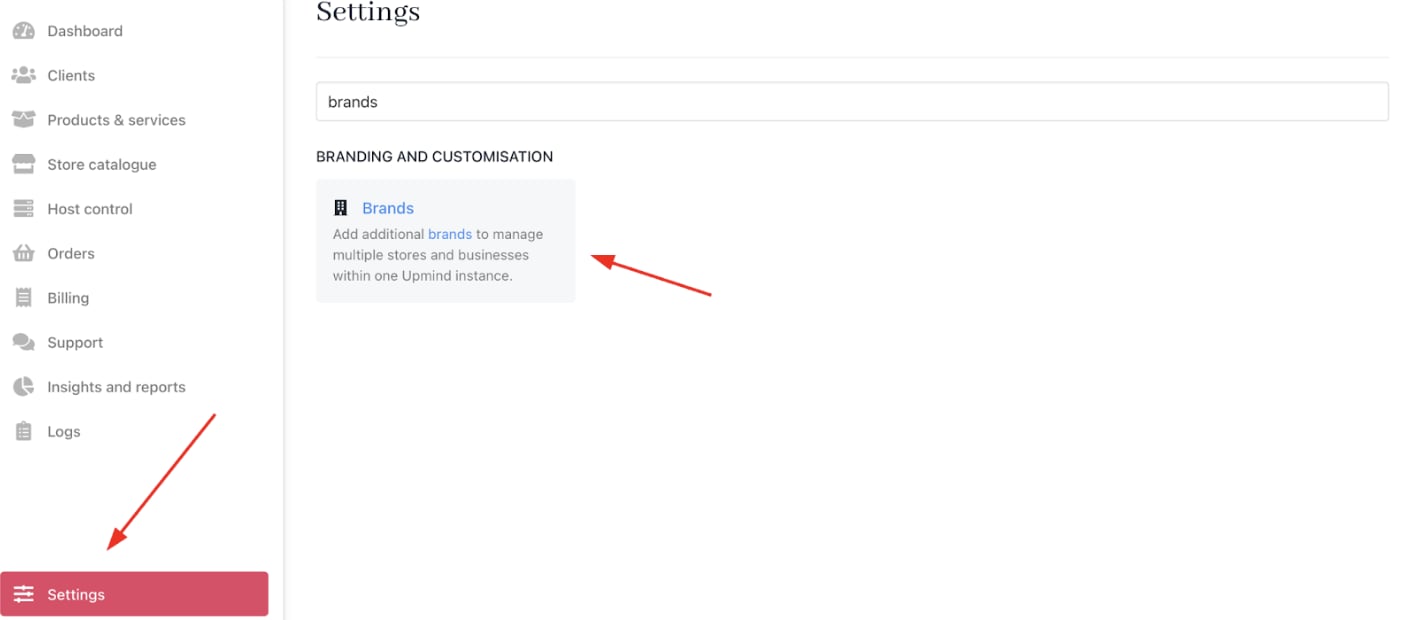
<Frame caption="Settings > Branding and customisation > Brands">
  <img src="https://mintcdn.com/upmind/pcUdSuxUJ6LgBXnd/images/fb/a32216343c28f1ab.png?fit=max&auto=format&n=pcUdSuxUJ6LgBXnd&q=85&s=b2b36a34c4a5da3be8c3ce26162b8442" alt="Settings > Branding and customisation > Brands" className="mx-auto" style={{ width:"98%" }} data-og-width="1408" width="1408" data-og-height="620" height="620" data-path="images/fb/a32216343c28f1ab.png" data-optimize="true" data-opv="3" srcset="https://mintcdn.com/upmind/pcUdSuxUJ6LgBXnd/images/fb/a32216343c28f1ab.png?w=280&fit=max&auto=format&n=pcUdSuxUJ6LgBXnd&q=85&s=9c56a737ac6547663390af2c3c709f31 280w, https://mintcdn.com/upmind/pcUdSuxUJ6LgBXnd/images/fb/a32216343c28f1ab.png?w=560&fit=max&auto=format&n=pcUdSuxUJ6LgBXnd&q=85&s=77f99202bad8c2597733570580c8cdc3 560w, https://mintcdn.com/upmind/pcUdSuxUJ6LgBXnd/images/fb/a32216343c28f1ab.png?w=840&fit=max&auto=format&n=pcUdSuxUJ6LgBXnd&q=85&s=3bbf63bdf5d2696f771fc63118f5e6d4 840w, https://mintcdn.com/upmind/pcUdSuxUJ6LgBXnd/images/fb/a32216343c28f1ab.png?w=1100&fit=max&auto=format&n=pcUdSuxUJ6LgBXnd&q=85&s=68f1ba667b92e872299a3c001344ca81 1100w, https://mintcdn.com/upmind/pcUdSuxUJ6LgBXnd/images/fb/a32216343c28f1ab.png?w=1650&fit=max&auto=format&n=pcUdSuxUJ6LgBXnd&q=85&s=c99e61b457e8e4fd4c23cef0e4ca1056 1650w, https://mintcdn.com/upmind/pcUdSuxUJ6LgBXnd/images/fb/a32216343c28f1ab.png?w=2500&fit=max&auto=format&n=pcUdSuxUJ6LgBXnd&q=85&s=df24f4c9bdc135c99b81fd76e170989d 2500w" />
</Frame>

We recommend you use one Upmind organisation for multiple brands under the same legal entity. For separate businesses, create a standalone Upmind organisation for each.

## Multi-brand mode and brand toggling

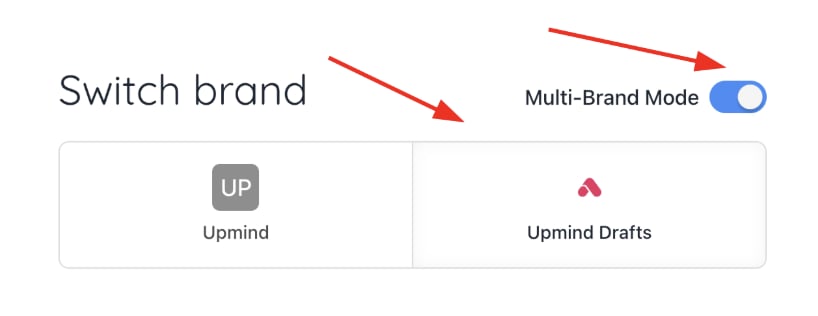
If multiple brands are enabled, you can view data per brand by toggling between them or see combined data by selecting **Multi-brand mode**.
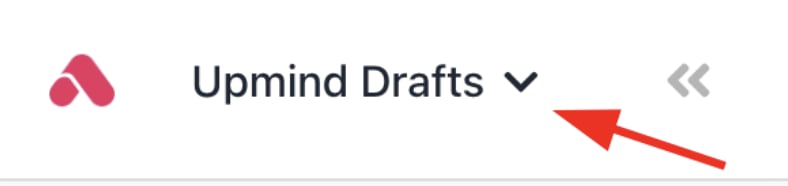
<Frame caption="Choose brands">
  <img src="https://mintcdn.com/upmind/pcUdSuxUJ6LgBXnd/images/fb/a0c4a819b9b0566a.png?fit=max&auto=format&n=pcUdSuxUJ6LgBXnd&q=85&s=d2f32d2ed1f1398022250e7b94303696" alt="Choose brands" className="mx-auto" style={{ width:"80%" }} width="788" height="186" data-path="images/fb/a0c4a819b9b0566a.png" />
</Frame>

<Frame caption="Toggle between brands or select multi-brand mode">
  <img src="https://mintcdn.com/upmind/kXD0Ya8PpcxxNm6Q/images/fb/4102cf4d87bde5d1.png?fit=max&auto=format&n=kXD0Ya8PpcxxNm6Q&q=85&s=2f7d553b0cb616a581f22921dbc86b34" alt="Toggle between brands or select multi-brand mode" className="mx-auto" style={{ width:"95%" }} width="818" height="316" data-path="images/fb/4102cf4d87bde5d1.png" />
</Frame>

This mode presents data across brands for unified reporting and management.

<Warning>
  The multi-brand mode is not available on the free plan.
</Warning>
