> ## Documentation Index
> Fetch the complete documentation index at: https://docs.upmind.com/llms.txt
> Use this file to discover all available pages before exploring further.
# Getting Help from Upmind
> If you're stuck, have questions, or need help of any kind, Upmind's dedicated support team is always available to help you.
We try to make Upmind as user-friendly as possible, but you can also get help from us.
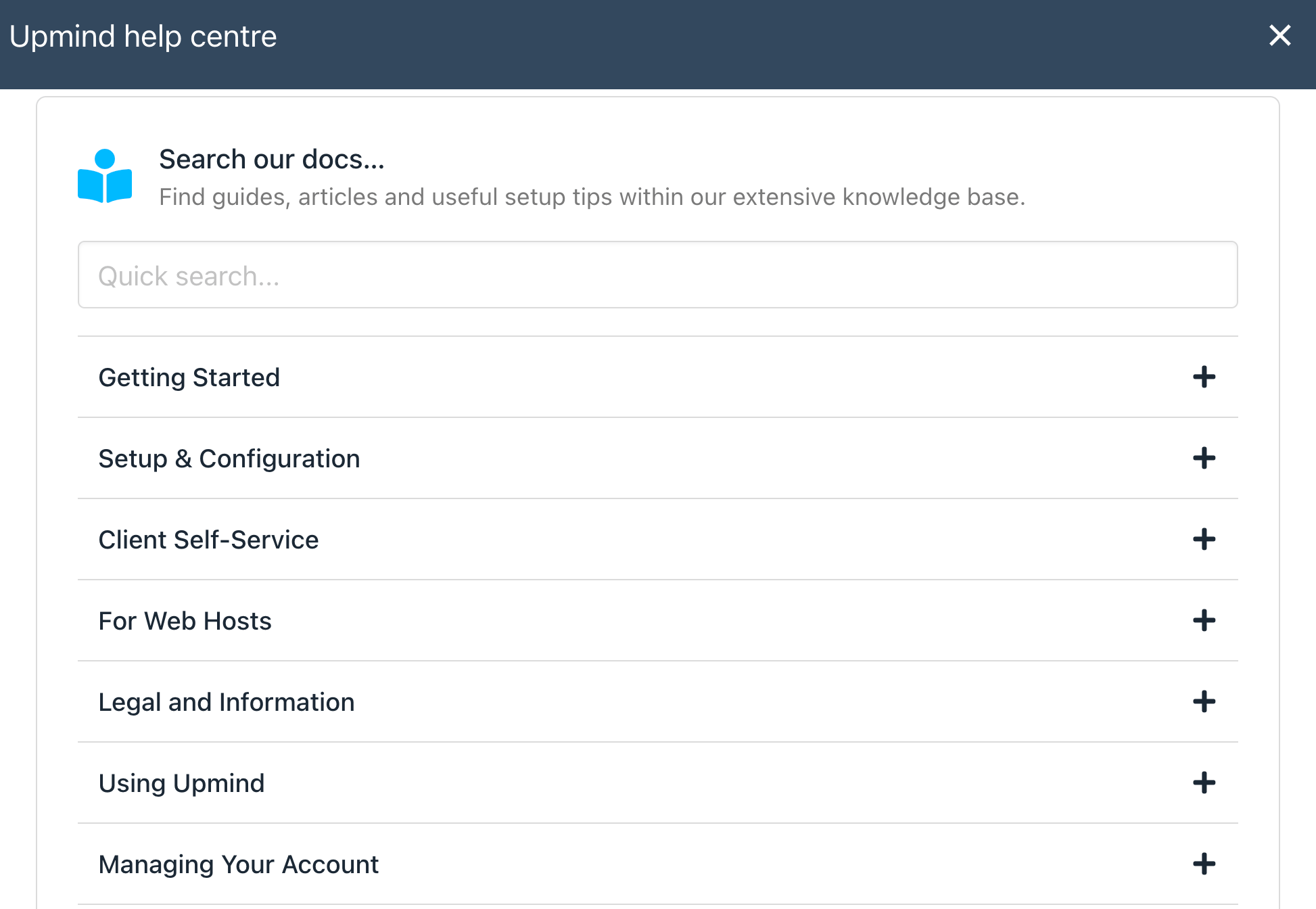
 1. In your admin area, click **Help** in the top right at any point to find suggested guides.
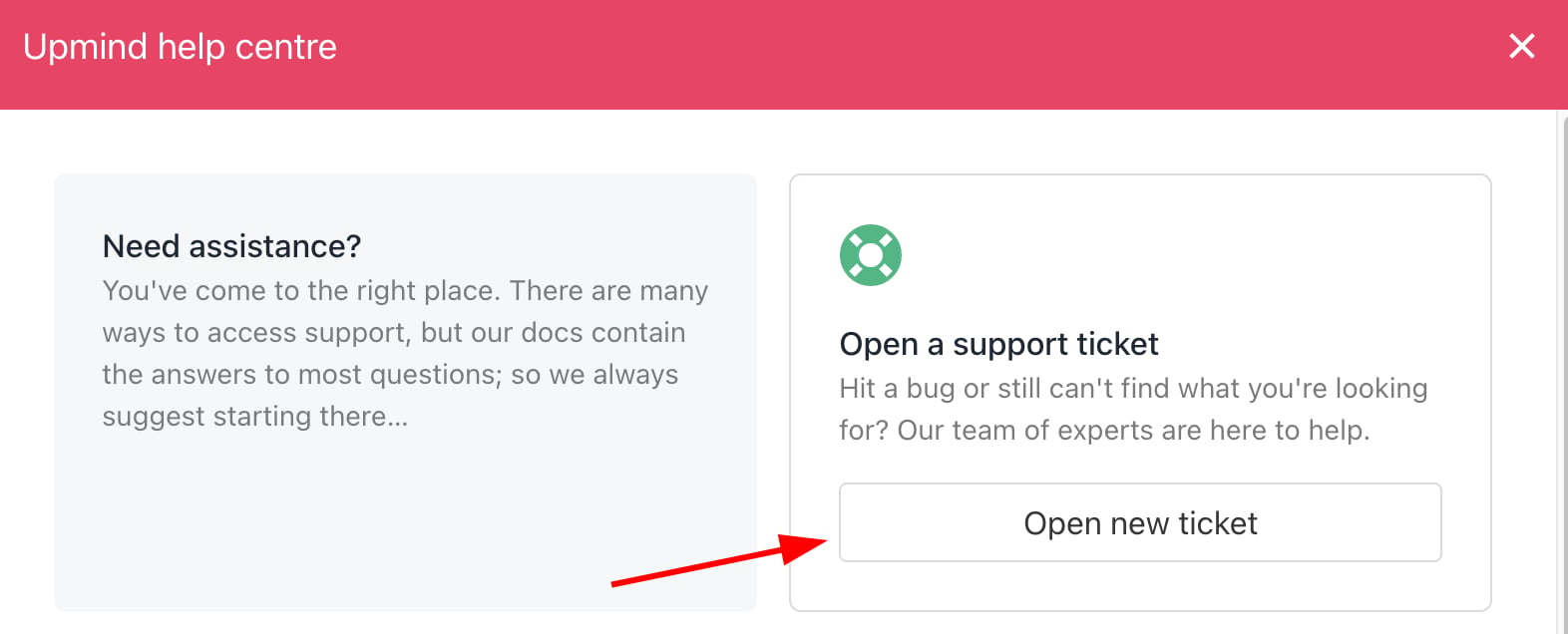
2. If you need to raise a support ticket with us, you can also do this.
1. In your admin area, click **Help** in the top right at any point to find suggested guides.
2. If you need to raise a support ticket with us, you can also do this.
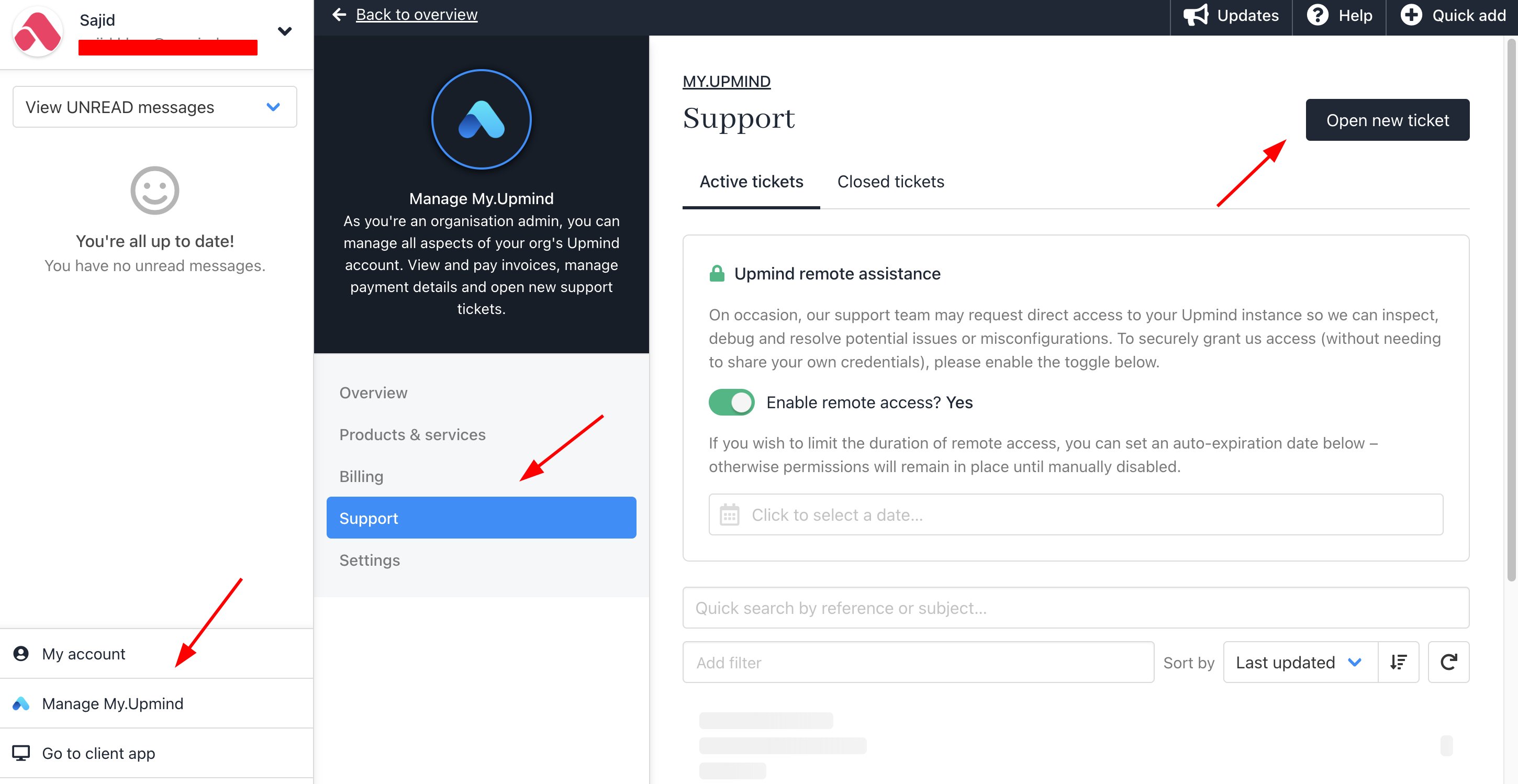
 3. You can also reach tickets by clicking on your name on the bottom left > **Manage My.Upmind** > **Support.**
 ## Enabling remote assistance
If you raise a support ticket where you need help, by default, we cannot log into your brand or access any of your settings or data.
1. Go to your account > Click **Manage My.Upmind**.
## Enabling remote assistance
If you raise a support ticket where you need help, by default, we cannot log into your brand or access any of your settings or data.
1. Go to your account > Click **Manage My.Upmind**.
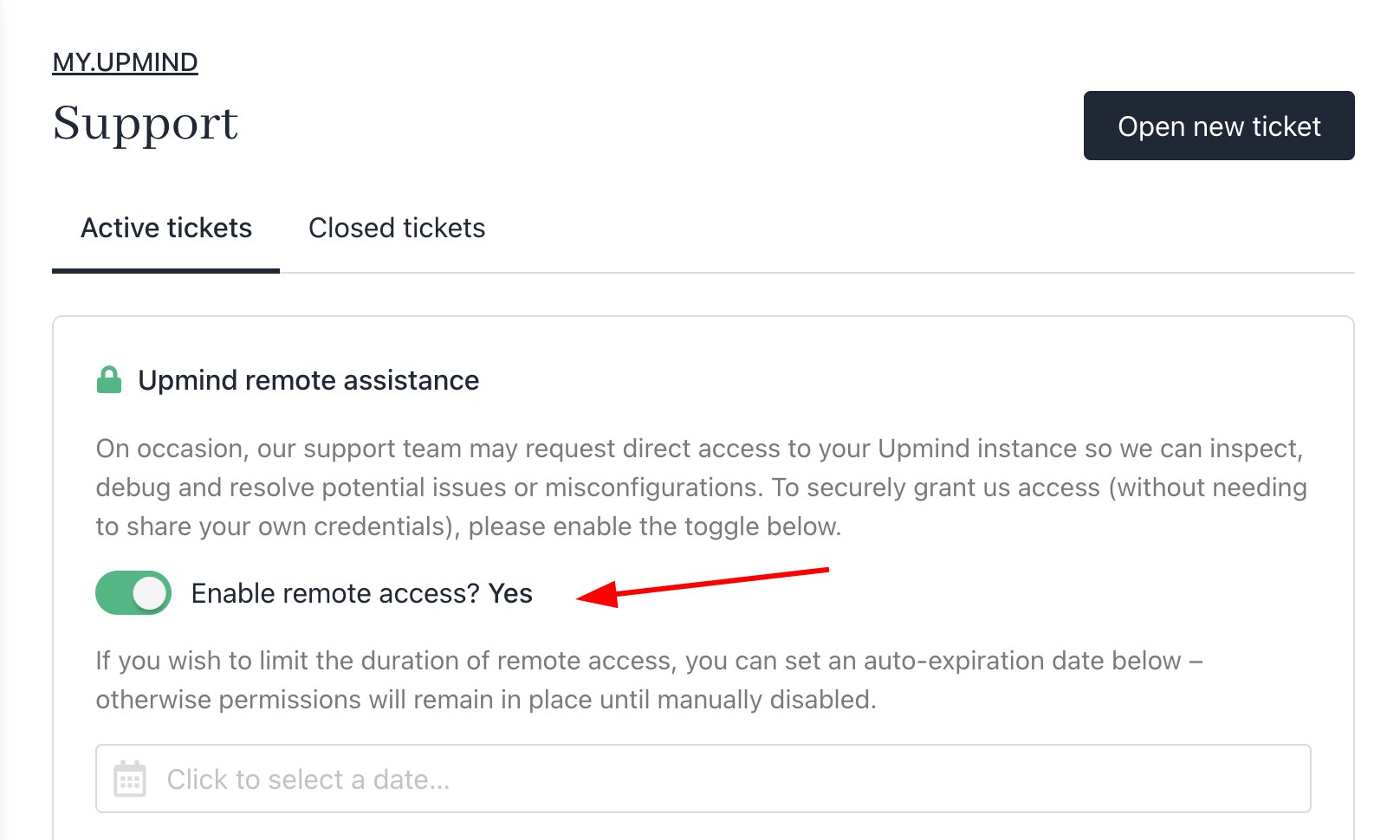 2. You can enable remote assistance under the support settings. You can toggle this on at any time and set a time limit. We are not able to turn this on on your behalf.
## Knowledge base
You can find the **Upmind Knowledge Base** under the `Help` menu. Scroll down slightly to access related guides, articles, and useful setup tips within our extensive knowledge base. Also, you can access the guide by visiting [this link](https://docs.upmind.com/getting-started/how-to-use-upminds-knowledge-base).
2. You can enable remote assistance under the support settings. You can toggle this on at any time and set a time limit. We are not able to turn this on on your behalf.
## Knowledge base
You can find the **Upmind Knowledge Base** under the `Help` menu. Scroll down slightly to access related guides, articles, and useful setup tips within our extensive knowledge base. Also, you can access the guide by visiting [this link](https://docs.upmind.com/getting-started/how-to-use-upminds-knowledge-base).