> ## Documentation Index
> Fetch the complete documentation index at: https://docs.upmind.com/llms.txt
> Use this file to discover all available pages before exploring further.
# How to Integrate and Sell Basekit
[Basekit](https://www.basekit.com) is a website builder designed for small businesses. Many web hosting companies who provide website builder software actually sell a white-labelled version of Basekit.
Basekit can be easily sold and integrated into Upmind.
## Credentials you need
You need to have an active BaseKit solution. [Contact them if you do not have one](https://www.basekit.com/solutions/partner/).
Basekit is provided either on-premise on your own hardware, or as a SAAS solution from Basekit themselves. Either way, you will receive a set of credentials, as follows:
| Credential Name | Format |
| ---------------------------- | ------------------------------------------------------------------------------ |
| API URL | e.g. \`[https://rest.bk-partnersus.com\\\`](https://rest.bk-partnersus.com\\`) |
| Username | A 32 character hexadecimal string |
| Password | A 32 character hexadecimal string |
| Brand Reference | Integer (e.g. 1234) |
| Suspension Package Reference | Integer (e.g. 1999) |
| Package References | For each package (e.g. 2000, 2001, 2002) |
## Configuring Basekit In Upmind
### Add Basekit Credentials
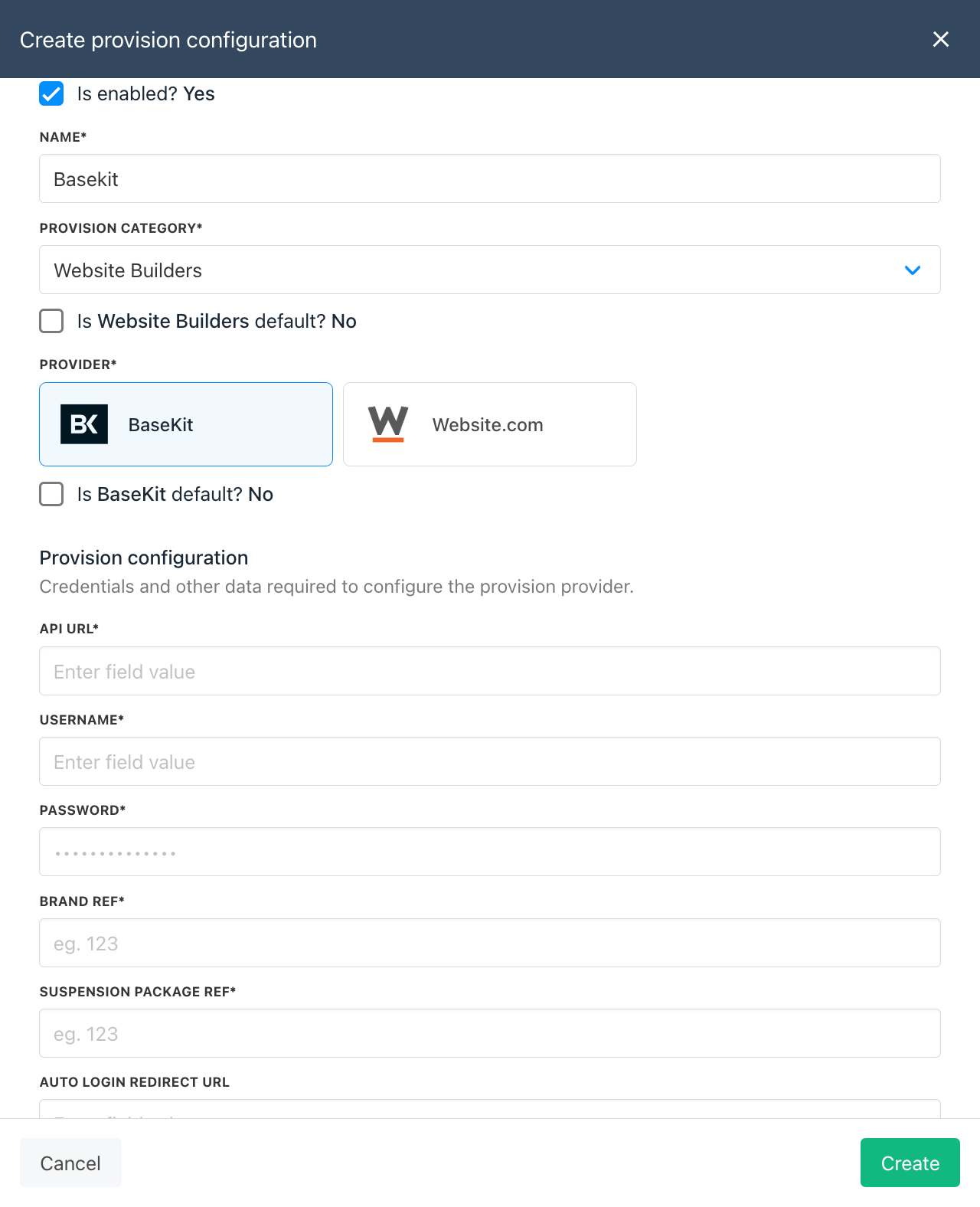
First, add Basekit as a provision configuration.
1. Go to `Settings` > `Provision Configuration`
2. Click `Add new configuration`
3. Fill out the data with the info you have above. You can enter whatever you like in 'Name' but we recommend `Basekit`. Unless you have two standalone Basekit setups you will only need to add this once.
4. Click `Create`.
 ### Creating Packages
You need to create at least one website builder plan. Usually you would create one plan for each Basekit package you have.
1. Go to `Settings` > `Products & Services`
2. Click `Add New`. You may need to create a product category if you do not already have one.
3. Give the product a name and click Create.
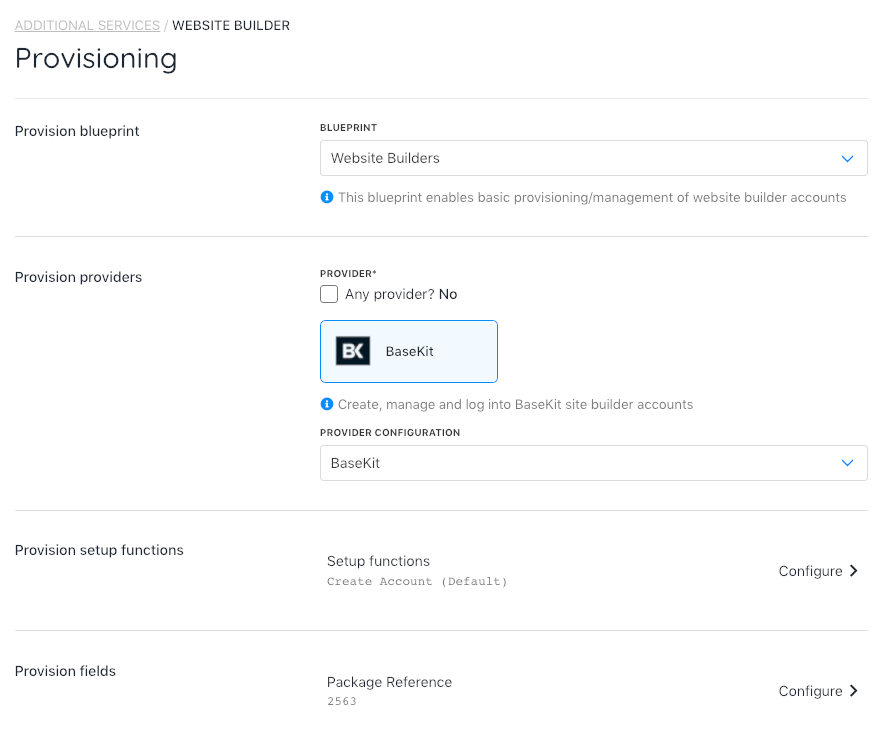
4. Under Provisioning, choose `Website Builders`, then untick any provider and choose `Basekit`.
5. Save, then you can configure the Package Reference to this Basekit Package ID.
6. Remember to set up product billing and enable the product for sale.
### Creating Packages
You need to create at least one website builder plan. Usually you would create one plan for each Basekit package you have.
1. Go to `Settings` > `Products & Services`
2. Click `Add New`. You may need to create a product category if you do not already have one.
3. Give the product a name and click Create.
4. Under Provisioning, choose `Website Builders`, then untick any provider and choose `Basekit`.
5. Save, then you can configure the Package Reference to this Basekit Package ID.
6. Remember to set up product billing and enable the product for sale.
 That's it! Your Basekit product is ready for sale.