> ## Documentation Index
> Fetch the complete documentation index at: https://docs.upmind.com/llms.txt
> Use this file to discover all available pages before exploring further.
# How to Sell Pax8 M365 Licensing
> Configure and sell Pax8 M365 licensing products with Upmind
[Pax8 M365](https://www.pax8.com/en-us/vendors/microsoft/) delivers Microsoft 365 licences through Pax8's cloud marketplace for MSPs and resellers. Upmind automates the full subscription lifecycle from order creation through renewals and suspensions using Pax8's OAuth API, matching products by SKU or ID for reliable provisioning of Business Basic, Premium, and Enterprise plans.
## Pax8 M365 required credentials
You will require the following credentials:
1. **Client ID**: OAuth application identifier from Pax8.
2. **Client Secret**: Secret key for API authentication.
## Get Pax8 M365 credentials
Pax8 API uses OAuth 2.0 authentication.
1. Log in to .
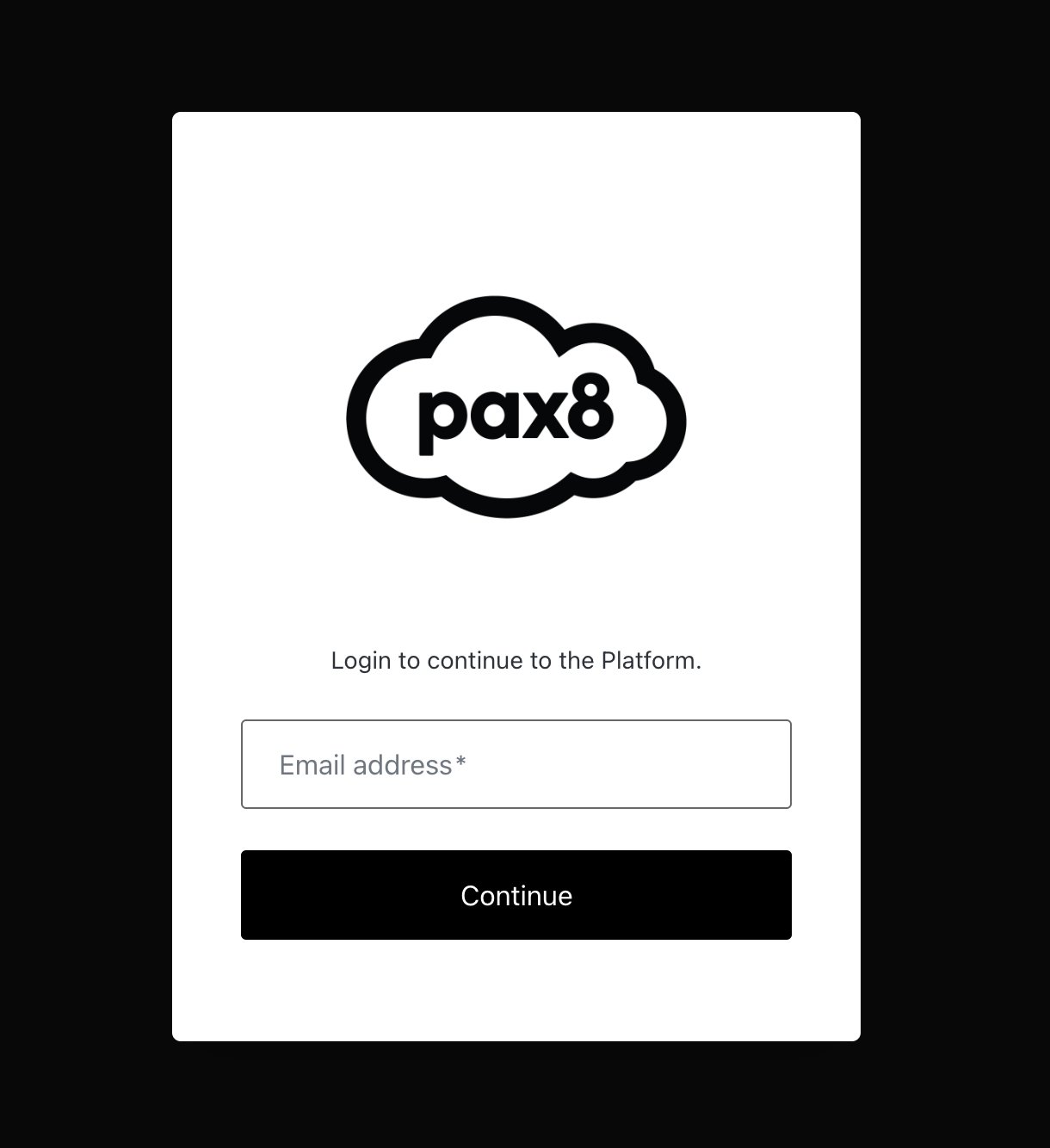 2. Get **Client ID** and **Client Secret** from Pax8 dashboard.
3. Exchange credentials for access token.
4. Use token for API requests.
For more details, you can see the following guides:
* [https://devx.pax8.com/docs/public-api-details](https://devx.pax8.com/docs/public-api-details)
* [https://devx.pax8.com/docs/authentication](https://devx.pax8.com/docs/authentication).
## Configuring Pax8 M365 provisioning in Upmind
1. In Upmind, go to **Settings** > **Provision Configurations**
2. Get **Client ID** and **Client Secret** from Pax8 dashboard.
3. Exchange credentials for access token.
4. Use token for API requests.
For more details, you can see the following guides:
* [https://devx.pax8.com/docs/public-api-details](https://devx.pax8.com/docs/public-api-details)
* [https://devx.pax8.com/docs/authentication](https://devx.pax8.com/docs/authentication).
## Configuring Pax8 M365 provisioning in Upmind
1. In Upmind, go to **Settings** > **Provision Configurations**
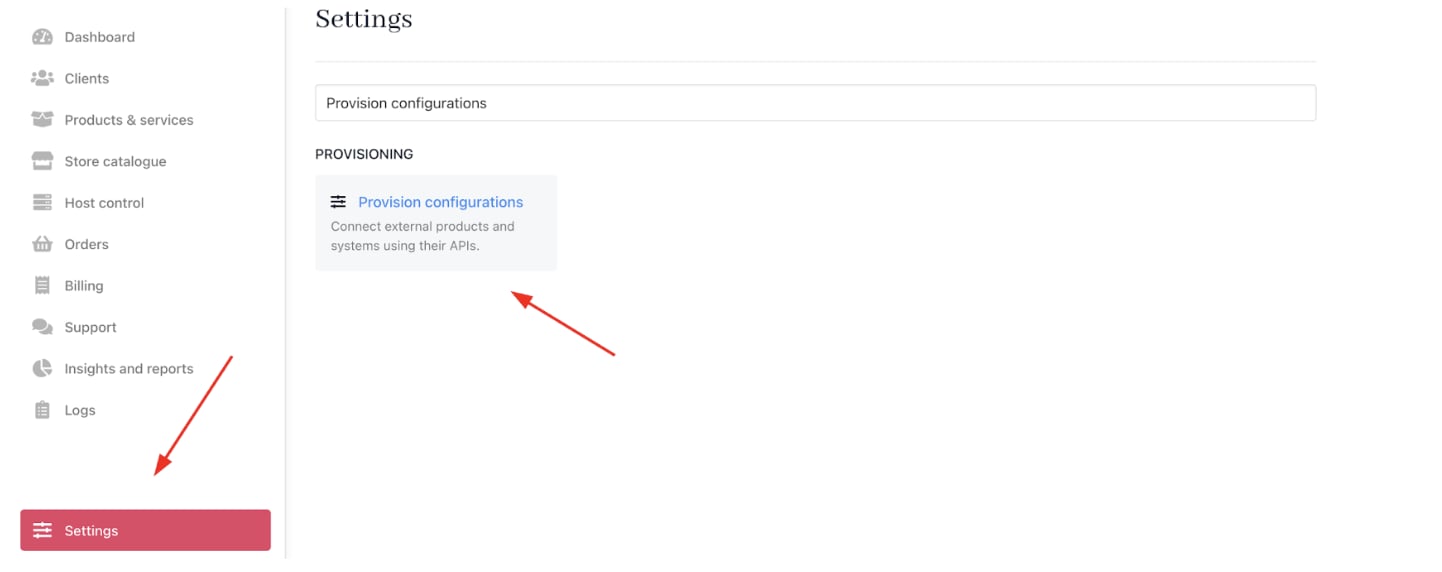 2. Click on **Add New Configuration**.
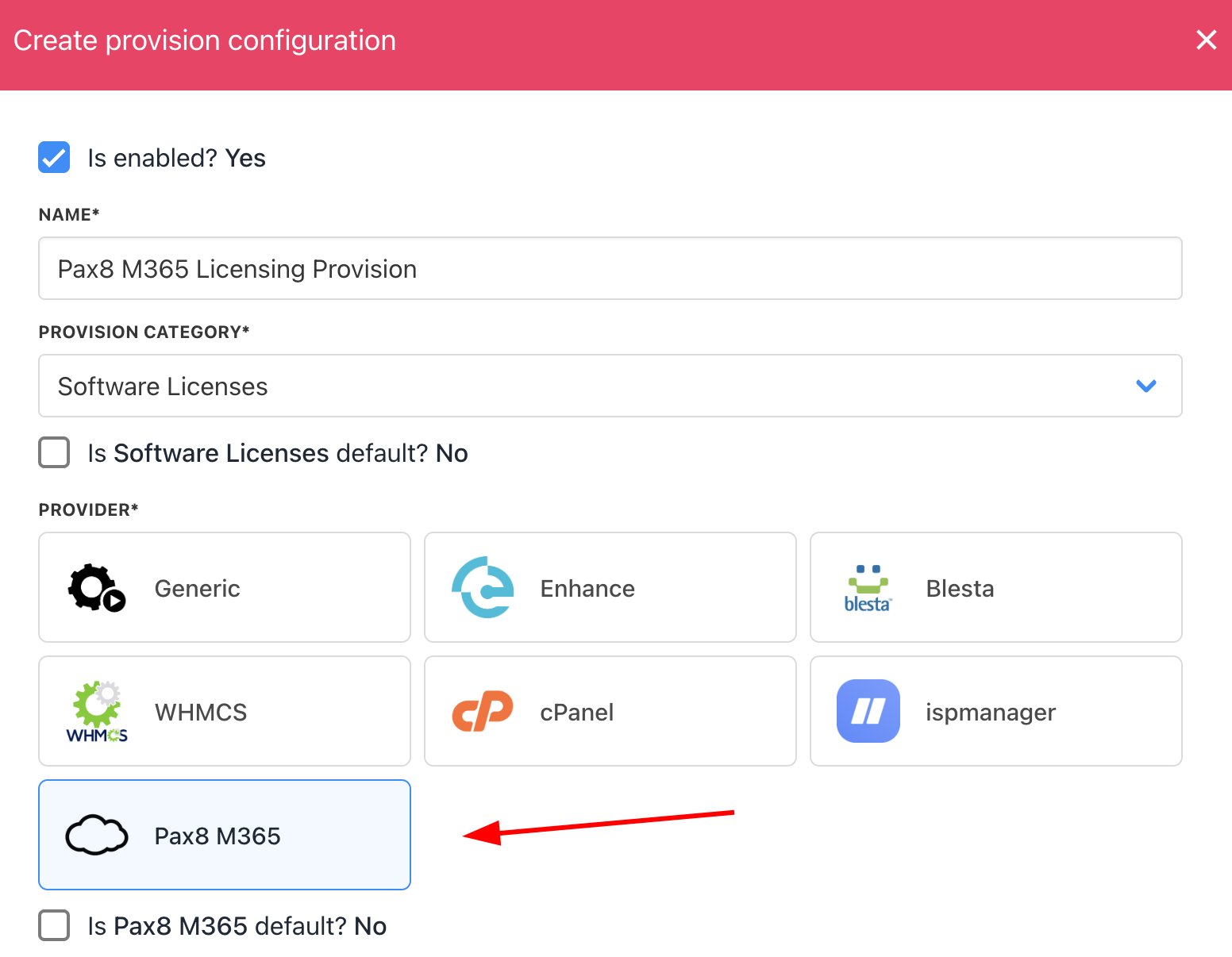
 3. Provide a **Name** (e.g., Pax8 M365 Licensing Provision).
4. Select **Software Licenses** as the product type.
5. Choose **Pax8 M365** as the provisioning provider.
3. Provide a **Name** (e.g., Pax8 M365 Licensing Provision).
4. Select **Software Licenses** as the product type.
5. Choose **Pax8 M365** as the provisioning provider.
 6. Enter the **Client ID** and **Client Secret**.
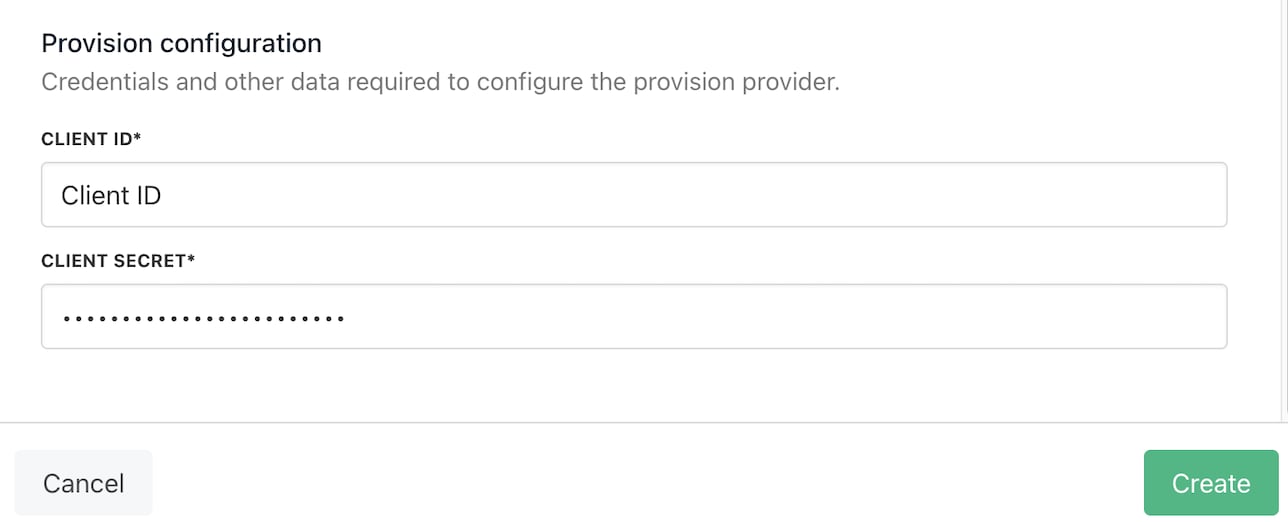 7. Click **Create**.
## Creating Pax8 M365 licensing products in Upmind
1. Go to **Store Catalogue** > **Products** in Upmind.
7. Click **Create**.
## Creating Pax8 M365 licensing products in Upmind
1. Go to **Store Catalogue** > **Products** in Upmind.
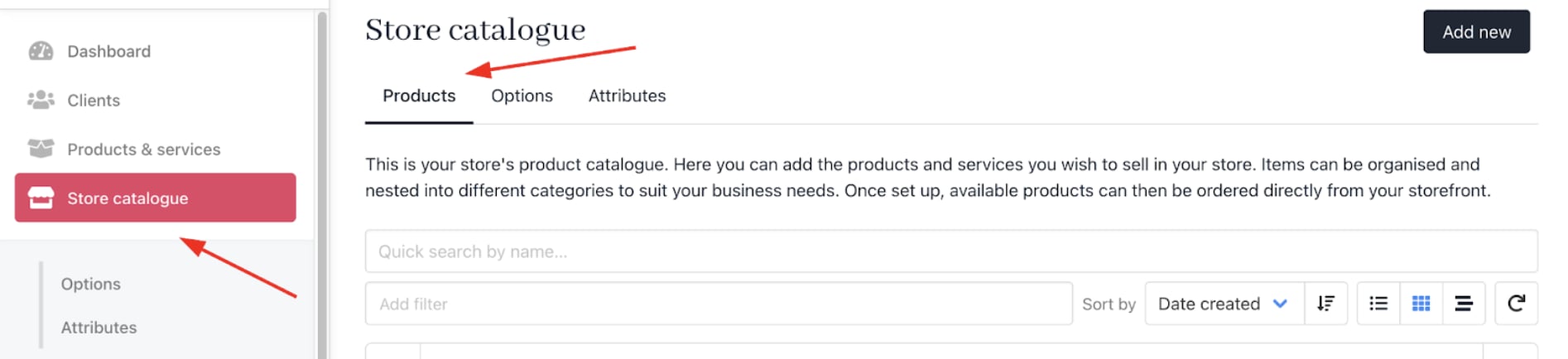 2. Click **Add New**.
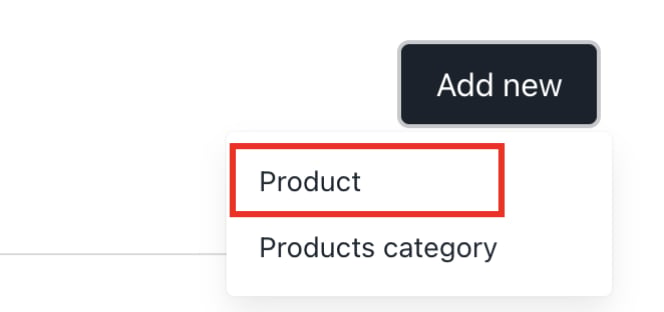 3. Choose the category and fill in the details.
4. Then click **Create**.
3. Choose the category and fill in the details.
4. Then click **Create**.
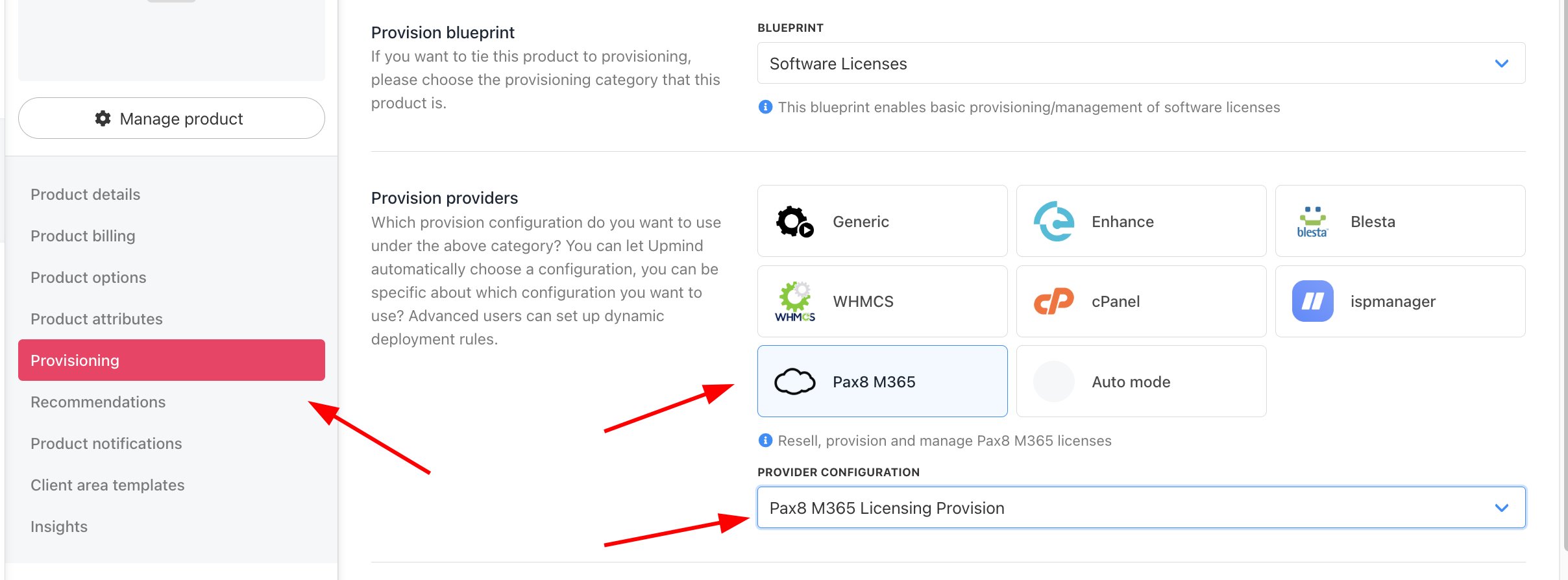
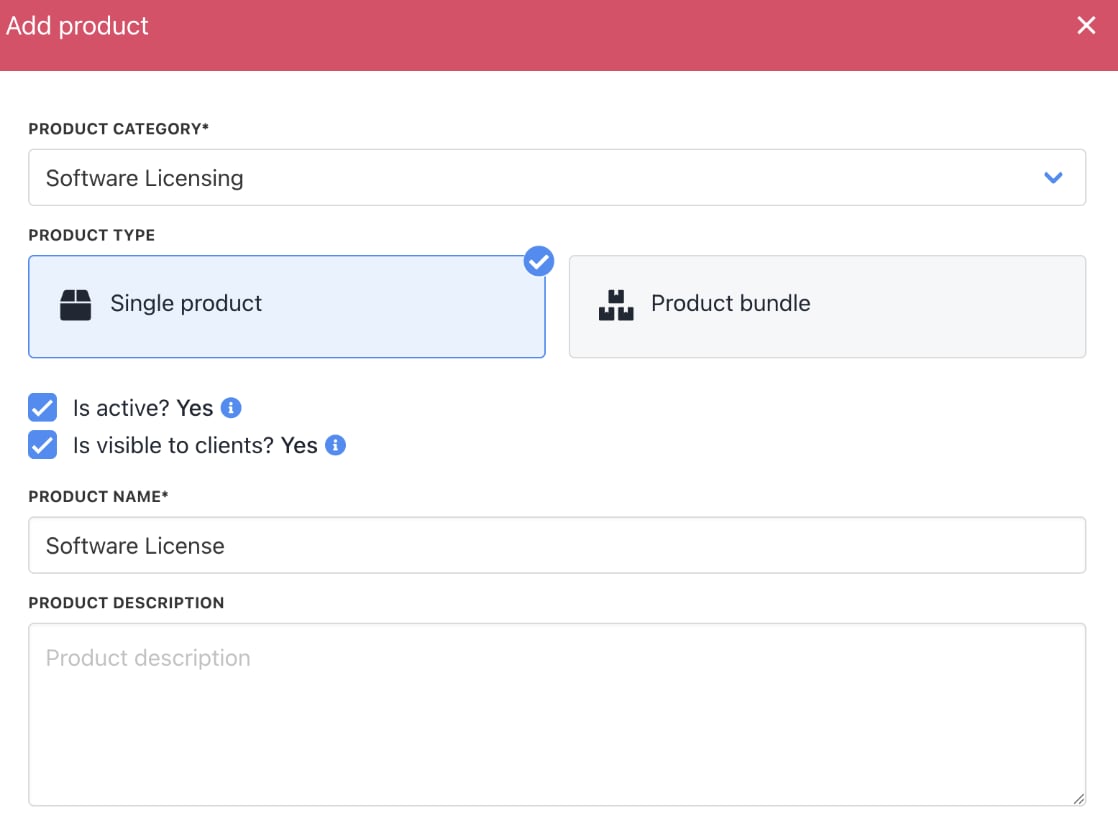 5. On `Provisioning`, set the **Provision Blueprint** to **Software Licenses**.
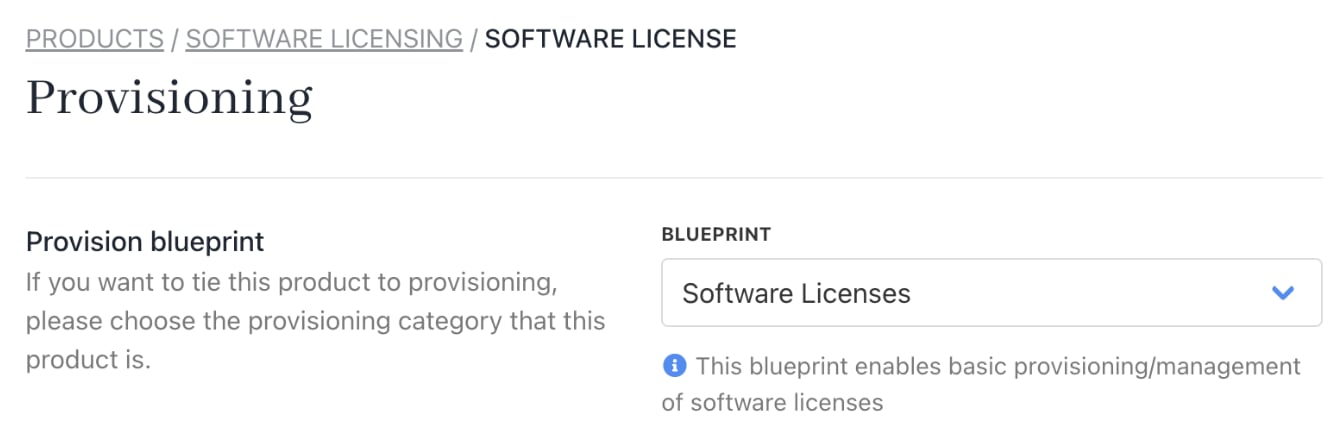 6. Set the **Provision Provider** to **Pax8 M365**.
7. Choose the **Configuration Mode** and **Provider Configuration**.
6. Set the **Provision Provider** to **Pax8 M365**.
7. Choose the **Configuration Mode** and **Provider Configuration**.
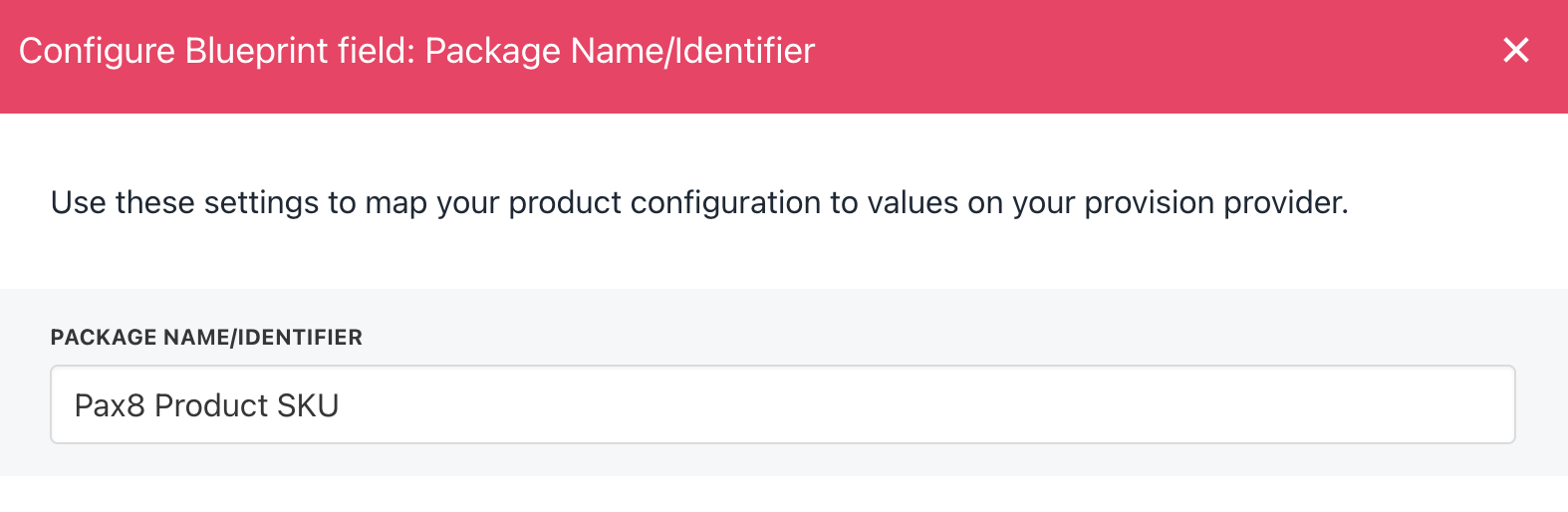
 8. Enter the **Package Identifier**. Use either the licence name (e.g., Pax8 Product SKU) or the licence Product ID (e.g., 55227).

 9. **Save** the product.
## Supported actions
Upmind manages the complete lifecycle of Pax8 Microsoft 365 licenses and subscriptions, including:
* Create – Provision a new licence or subscription.
* Retrieve Usage – View usage data for an active licence or subscription.
* Renew – Reactivate a previously deactivated licence or subscription.
* Suspend – Deactivate (cancel) an active licence or subscription.
* Unsuspend – Restore a suspended licence or subscription.
* Terminate – Permanently cancel a licence or subscription.
This ensures that provisioning, billing alignment, and subscription state changes are handled consistently throughout the lifecycle.
9. **Save** the product.
## Supported actions
Upmind manages the complete lifecycle of Pax8 Microsoft 365 licenses and subscriptions, including:
* Create – Provision a new licence or subscription.
* Retrieve Usage – View usage data for an active licence or subscription.
* Renew – Reactivate a previously deactivated licence or subscription.
* Suspend – Deactivate (cancel) an active licence or subscription.
* Unsuspend – Restore a suspended licence or subscription.
* Terminate – Permanently cancel a licence or subscription.
This ensures that provisioning, billing alignment, and subscription state changes are handled consistently throughout the lifecycle.