> ## Documentation Index
> Fetch the complete documentation index at: https://docs.upmind.com/llms.txt
> Use this file to discover all available pages before exploring further.

# How to Sell ispmanager Licensing

> Configure and sell ispmanager licensing products with Upmind

[<u>ispmanager</u>](https://www.ispmanager.com/) is a Linux-based hosting control panel developed by ISPsystem, providing an interface for managing dedicated servers, VPS, game servers, and shared hosting. It offers detailed server management with automated tools, security updates, and scalability options suitable for hosting providers, developers, and businesses.

## Supported ispmanager licenses

Upmind supports the following ispmanager licenses for sale, which can be configured by name or license ID in the product setup:

| License Name                | License ID |
| --------------------------- | ---------- |
| ispmanager 6 trial          | 55239      |
| ispmanager 6 business trial | 55240      |
| ispmanager 6 lite           | 55227      |
| ispmanager 6 pro            | 55228      |
| ispmanager 6 host           | 55229      |
| ispmanager 6 business       | 55230      |

## Getting ispmanager credentials

The provision configuration requires the Username and Password, both of which are the same credentials you use to log into your ispmanager account.
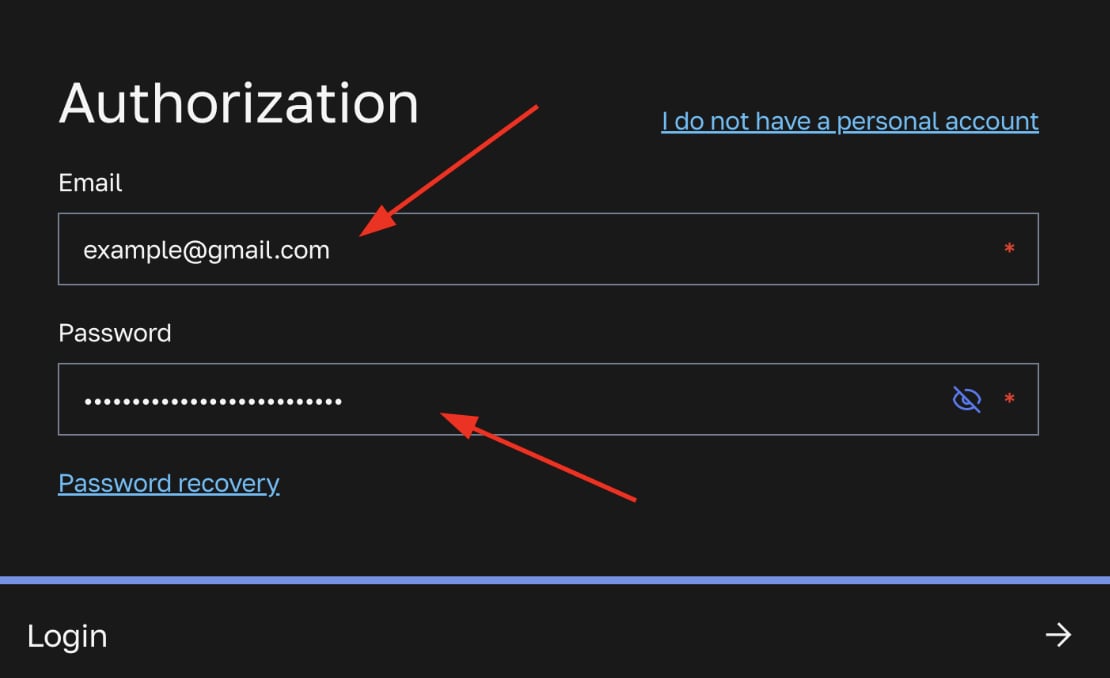
<Frame caption="Username (email) and password">
  <img src="https://mintcdn.com/upmind/Dgjmf3QWYVBR40cE/images/fb/5e7935aa25f4acad.png?fit=max&auto=format&n=Dgjmf3QWYVBR40cE&q=85&s=54b5385a649210554221338de9460597" alt="Username (email) and password" width="1110" height="678" data-path="images/fb/5e7935aa25f4acad.png" />
</Frame>

## Configuring ispmanager provisioning in Upmind

1. In Upmind, go to **Settings** > **Provision Configurations**.
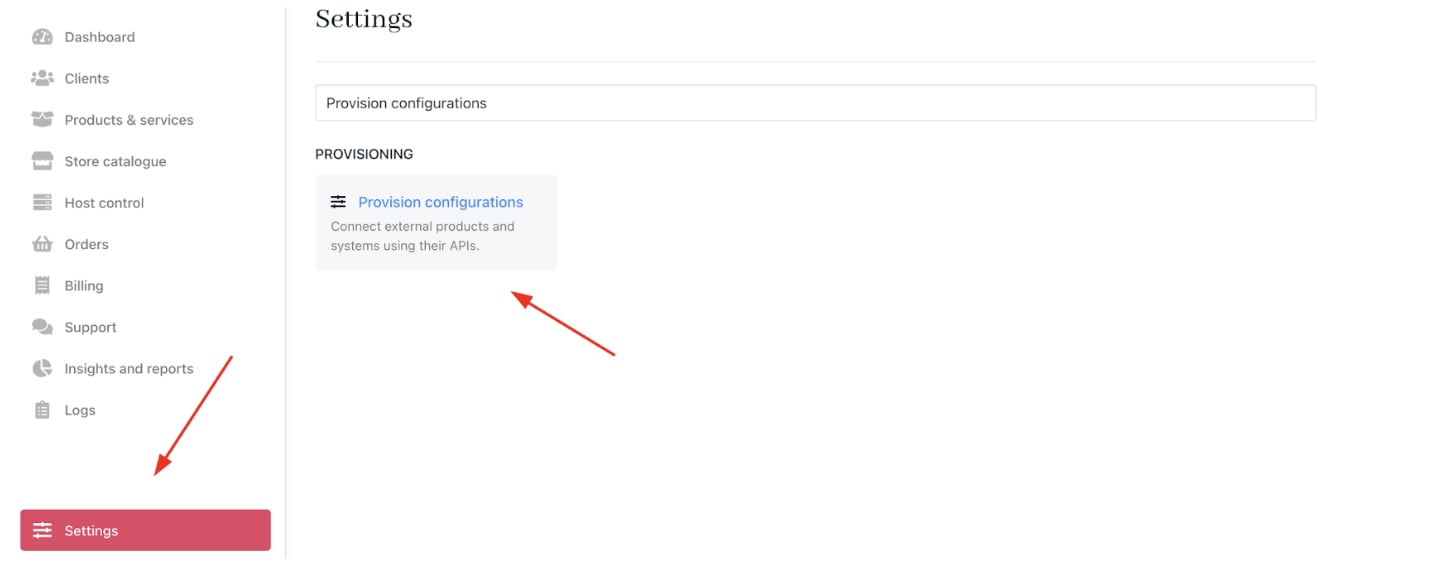
<Frame caption="Settings > Provision configurations">
  <img src="https://mintcdn.com/upmind/VnCXiz5rboywDnvn/images/fb/d8670e79b4859970.png?fit=max&auto=format&n=VnCXiz5rboywDnvn&q=85&s=7bb0e5f38c24ca8ebf2cad3ac5beace7" alt="Settings > Provision configurations" data-og-width="1442" width="1442" data-og-height="572" height="572" data-path="images/fb/d8670e79b4859970.png" data-optimize="true" data-opv="3" srcset="https://mintcdn.com/upmind/VnCXiz5rboywDnvn/images/fb/d8670e79b4859970.png?w=280&fit=max&auto=format&n=VnCXiz5rboywDnvn&q=85&s=51230836115d0e40988da6b480329f8e 280w, https://mintcdn.com/upmind/VnCXiz5rboywDnvn/images/fb/d8670e79b4859970.png?w=560&fit=max&auto=format&n=VnCXiz5rboywDnvn&q=85&s=2436519fc63aa4f12f787a7bc2fd2c5b 560w, https://mintcdn.com/upmind/VnCXiz5rboywDnvn/images/fb/d8670e79b4859970.png?w=840&fit=max&auto=format&n=VnCXiz5rboywDnvn&q=85&s=092d6574ae1df15f6ef58c47a781cf81 840w, https://mintcdn.com/upmind/VnCXiz5rboywDnvn/images/fb/d8670e79b4859970.png?w=1100&fit=max&auto=format&n=VnCXiz5rboywDnvn&q=85&s=8d24389badc5284a66d7b151945181a8 1100w, https://mintcdn.com/upmind/VnCXiz5rboywDnvn/images/fb/d8670e79b4859970.png?w=1650&fit=max&auto=format&n=VnCXiz5rboywDnvn&q=85&s=9da5a15be4c6b1e1b4662dbf846d2475 1650w, https://mintcdn.com/upmind/VnCXiz5rboywDnvn/images/fb/d8670e79b4859970.png?w=2500&fit=max&auto=format&n=VnCXiz5rboywDnvn&q=85&s=15a2863981bb786a33975770672099da 2500w" />
</Frame>

2. Click on **Add New Configuration**.

<Frame caption="Add new configuration">
  <img src="https://mintcdn.com/upmind/2ooSxDpt6PiIGMr-/images/fb/01043aa7f4e3c56c.png?fit=max&auto=format&n=2ooSxDpt6PiIGMr-&q=85&s=1bbcec33d940e747dd31af8b7322ee4c" alt="Add new configuration" width="1446" height="224" data-path="images/fb/01043aa7f4e3c56c.png" />
</Frame>

3. Provide a **Name** (e.g., ispmanager Licensing Provision).

4. Select **Software Licenses** as the product type.

5. Choose **ispmanager** as the provisioning provider.
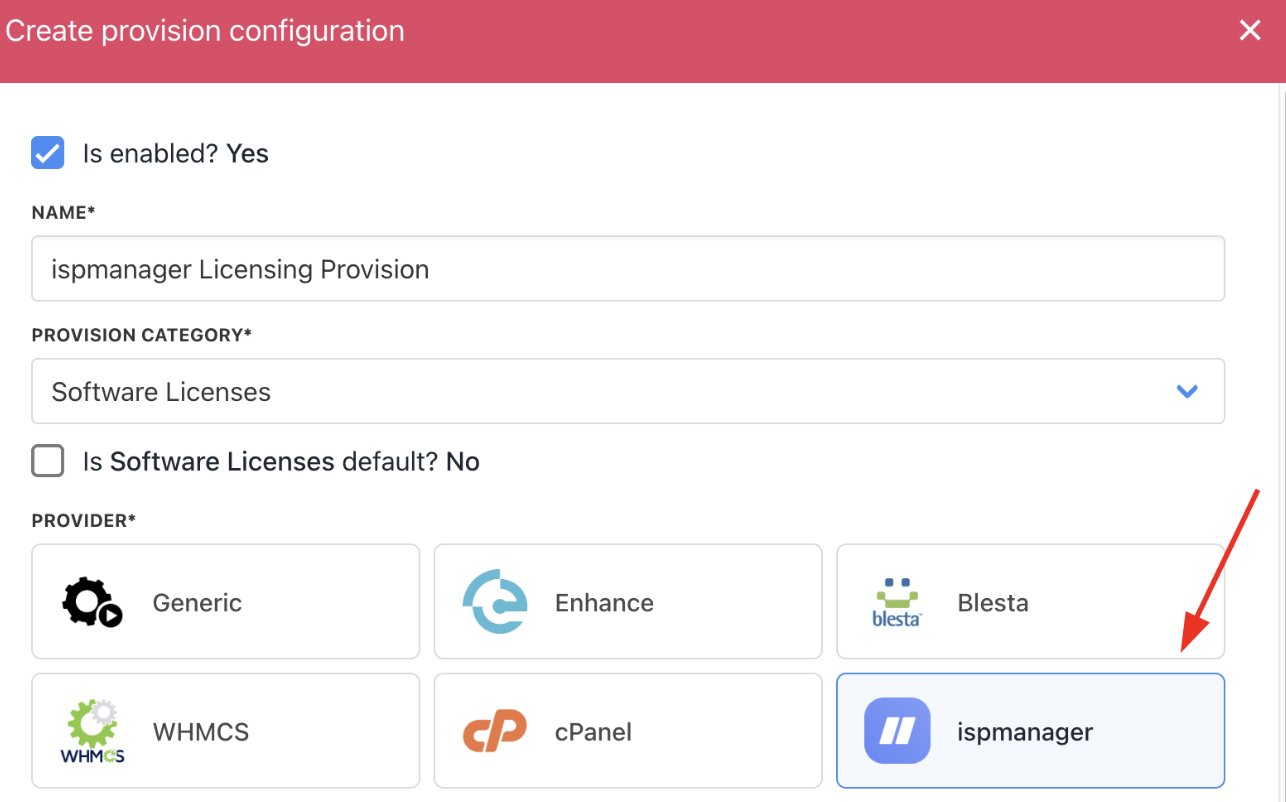
<Frame caption="Choose ispmanager">
  <img src="https://mintcdn.com/upmind/5gi4DQpw4X76kT6T/images/fb/ba0d529963fc4471.png?fit=max&auto=format&n=5gi4DQpw4X76kT6T&q=85&s=9d85f343da0f6335dfcf2be53cb7eaf1" alt="Choose ispmanager" width="1286" height="802" data-path="images/fb/ba0d529963fc4471.png" />
</Frame>

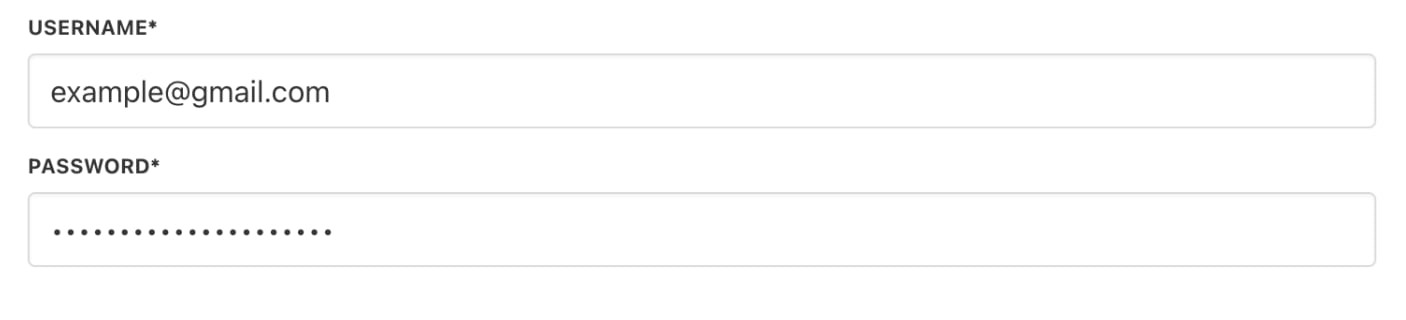
6. Complete the following details:

* Username: The user’s ispmanager account login.

* Password: The password for the ispmanager account.
<Frame caption="Fill in the details">
  <img src="https://mintcdn.com/upmind/wRuKrNY12tQZY8Rr/images/fb/34217a88d21066d4.png?fit=max&auto=format&n=wRuKrNY12tQZY8Rr&q=85&s=de57e6192ff651c32a6ed19002a87d60" alt="Fill in the details" width="1406" height="320" data-path="images/fb/34217a88d21066d4.png" />
</Frame>

7. Click **Create**.

## Creating ispmanager licensing products in Upmind

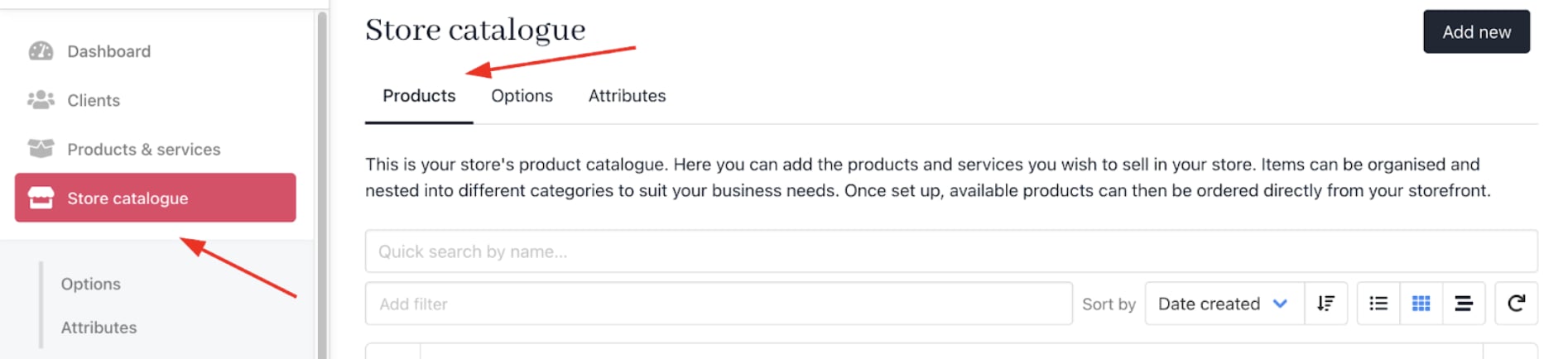
1. Go to **Store Catalogue** > **Products** in Upmind.
<Frame caption="Store Catalogue > Products">
  <img src="https://mintcdn.com/upmind/2ooSxDpt6PiIGMr-/images/fb/0043eb936ae65507.png?fit=max&auto=format&n=2ooSxDpt6PiIGMr-&q=85&s=d5dc5966b6cd723683e8a6ef4a287683" alt="Store Catalogue > Products" data-og-width="1894" width="1894" data-og-height="434" height="434" data-path="images/fb/0043eb936ae65507.png" data-optimize="true" data-opv="3" srcset="https://mintcdn.com/upmind/2ooSxDpt6PiIGMr-/images/fb/0043eb936ae65507.png?w=280&fit=max&auto=format&n=2ooSxDpt6PiIGMr-&q=85&s=730614c5d0bcd49401e46f61696ba726 280w, https://mintcdn.com/upmind/2ooSxDpt6PiIGMr-/images/fb/0043eb936ae65507.png?w=560&fit=max&auto=format&n=2ooSxDpt6PiIGMr-&q=85&s=b232cdbbca02c3c6748d3ff9b466052d 560w, https://mintcdn.com/upmind/2ooSxDpt6PiIGMr-/images/fb/0043eb936ae65507.png?w=840&fit=max&auto=format&n=2ooSxDpt6PiIGMr-&q=85&s=0b5bbac1afced811ea9104cd8a1ff82f 840w, https://mintcdn.com/upmind/2ooSxDpt6PiIGMr-/images/fb/0043eb936ae65507.png?w=1100&fit=max&auto=format&n=2ooSxDpt6PiIGMr-&q=85&s=54d4428b961fe4fa8cd0f9b7cb5a605b 1100w, https://mintcdn.com/upmind/2ooSxDpt6PiIGMr-/images/fb/0043eb936ae65507.png?w=1650&fit=max&auto=format&n=2ooSxDpt6PiIGMr-&q=85&s=133552238c564252e6a4079aa5c0e626 1650w, https://mintcdn.com/upmind/2ooSxDpt6PiIGMr-/images/fb/0043eb936ae65507.png?w=2500&fit=max&auto=format&n=2ooSxDpt6PiIGMr-&q=85&s=04588de2793e4c779570565e192dc8f6 2500w" />
</Frame>

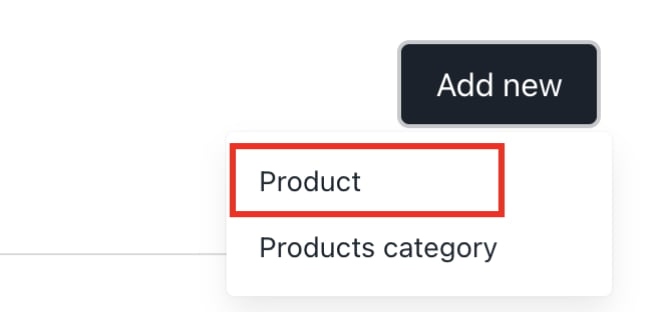
2. Click **Add New**.

<Frame caption="Add new">
  <img src="https://mintcdn.com/upmind/VnCXiz5rboywDnvn/images/fb/d3a84917bff44530.png?fit=max&auto=format&n=VnCXiz5rboywDnvn&q=85&s=80cfef6abed0d4fac041ac32a01174c5" alt="Add new" width="664" height="312" data-path="images/fb/d3a84917bff44530.png" />
</Frame>

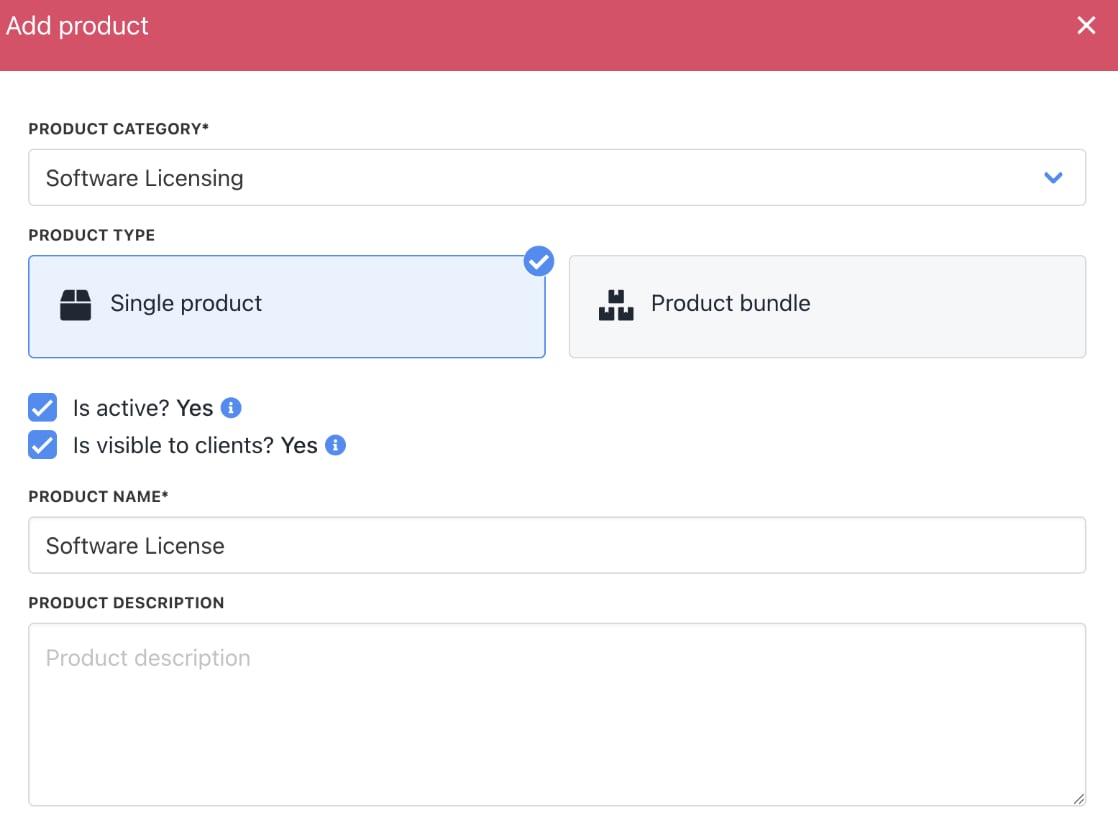
3. Choose the category and fill in the details.

4. Then click **Create**.
<Frame caption="Fill in product details">
  <img src="https://mintcdn.com/upmind/JUoAg6onJmXk_-rR/images/fb/e69855c968fbb6ac.png?fit=max&auto=format&n=JUoAg6onJmXk_-rR&q=85&s=0834daa5b6c3b08e8ca632c79dff6080" alt="Fill in product details" width="1118" height="836" data-path="images/fb/e69855c968fbb6ac.png" />
</Frame>

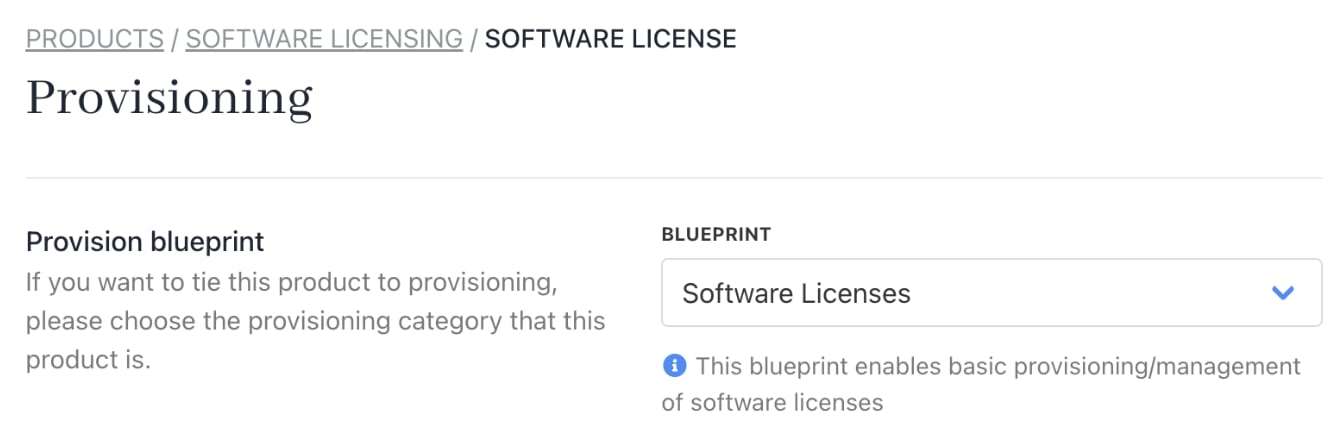
5. On `Provisioning`, set the **Provision Blueprint** to **Software Licenses**.
<Frame caption="Provision blueprint">
  <img src="https://mintcdn.com/upmind/5gi4DQpw4X76kT6T/images/fb/bd418f9544f80cc3.png?fit=max&auto=format&n=5gi4DQpw4X76kT6T&q=85&s=d67f880dd8b0d46425a01dfbc3cf40bd" alt="Provision blueprint" width="1336" height="444" data-path="images/fb/bd418f9544f80cc3.png" />
</Frame>

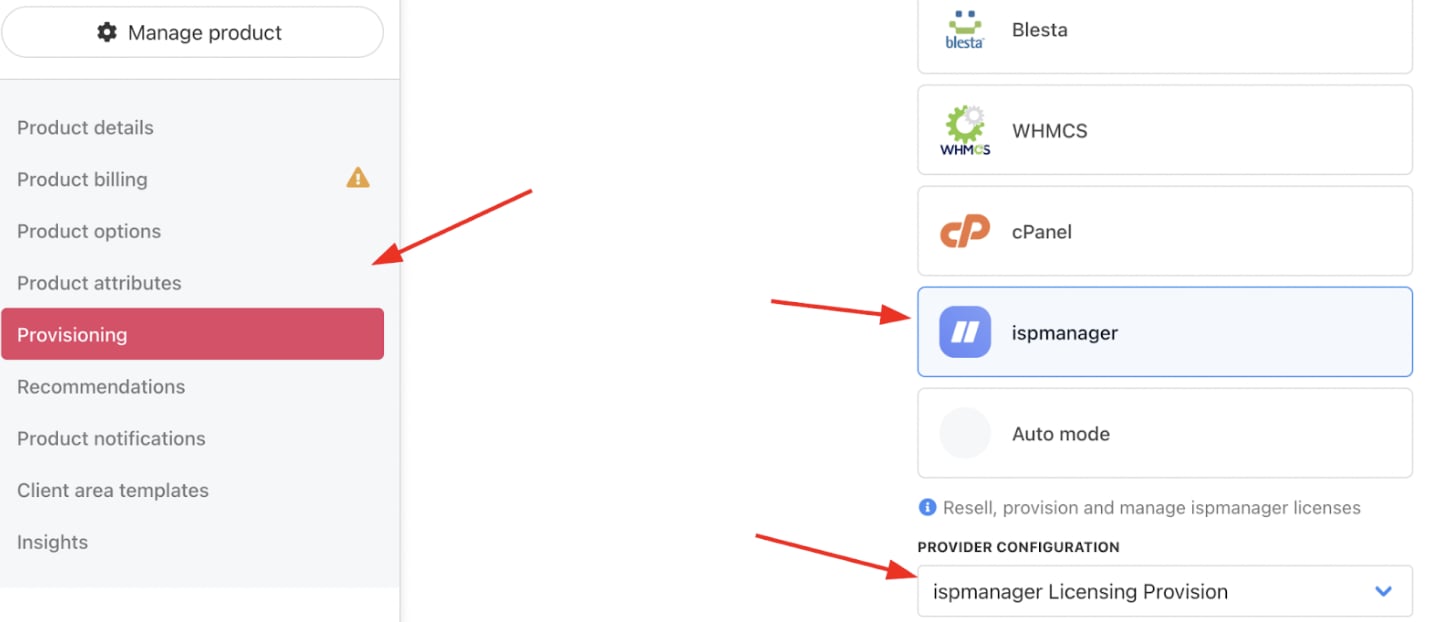
6. Set the **Provision Provider** to **ispmanager**.

7. Choose the **Configuration Mode** and **Provider Configuration**.
<Frame caption="Set provision provider">
  <img src="https://mintcdn.com/upmind/FQ1NhxALxjSHvvWW/images/fb/a8a6edc6b78b1970.png?fit=max&auto=format&n=FQ1NhxALxjSHvvWW&q=85&s=5bd9e0fb4e88df622a054d5e142fda60" alt="Set provision provider" width="1450" height="622" data-path="images/fb/a8a6edc6b78b1970.png" />
</Frame>

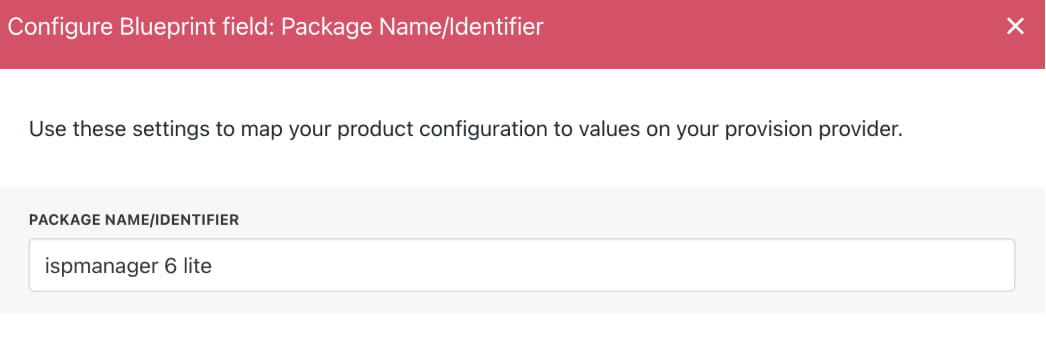
8. Enter the **Package Identifier**. Use either the license name (e.g., ispmanager 6 lite) or the license ID (e.g., 55227).

<Frame caption="Complete other product details">
  <img src="https://mintcdn.com/upmind/2ooSxDpt6PiIGMr-/images/fb/0b9fadf68b6170dc.png?fit=max&auto=format&n=2ooSxDpt6PiIGMr-&q=85&s=ddbb939068ec53aea312c93708fb9455" alt="Complete other product details" width="1424" height="276" data-path="images/fb/0b9fadf68b6170dc.png" />
</Frame>

<Frame caption="Enter package identifier">
  <img src="https://mintcdn.com/upmind/2ooSxDpt6PiIGMr-/images/fb/025834112ff14e89.png?fit=max&auto=format&n=2ooSxDpt6PiIGMr-&q=85&s=d7ad58583802875a855fe0a27d1084fb" alt="Enter package identifier" width="1046" height="344" data-path="images/fb/025834112ff14e89.png" />
</Frame>

9. **Save** the product.