> ## Documentation Index
> Fetch the complete documentation index at: https://docs.upmind.com/llms.txt
> Use this file to discover all available pages before exploring further.
# How to Sell CentosWeb Panel
> Sell CentosWeb Panel hosting products with Upmind.
[CentOS Web Panel](https://centos-webpanel.com/) (CWP) is a free, open-source hosting control panel for managing web servers on CentOS.
## Getting your CentosWeb credentials
To connect CentOS Web Panel to Upmind, you'll need the **Hostname**, **API key**, and **Shared IP address**. Here's how to obtain the credentials in CWP:
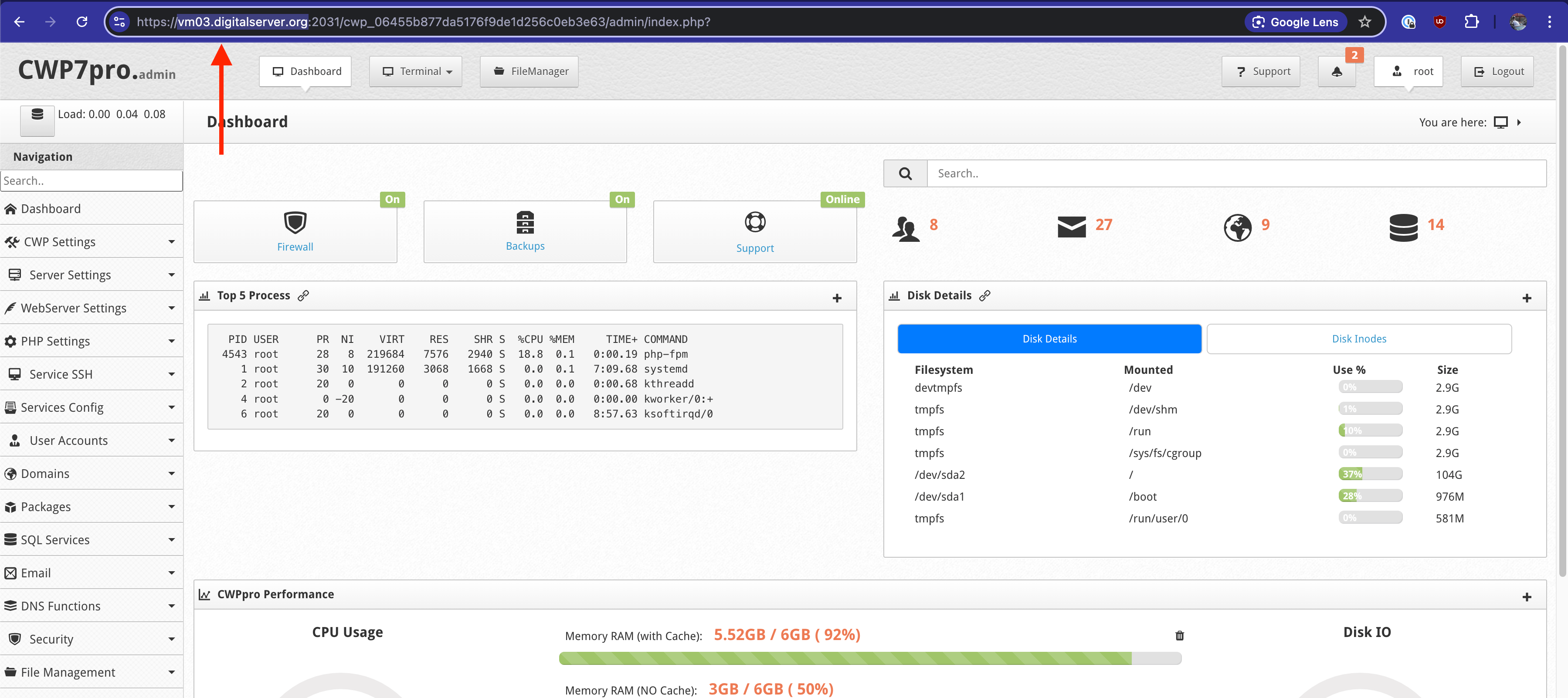
1. **Hostname** - Copy the highlighted part from the URL.
 2. **API Key**
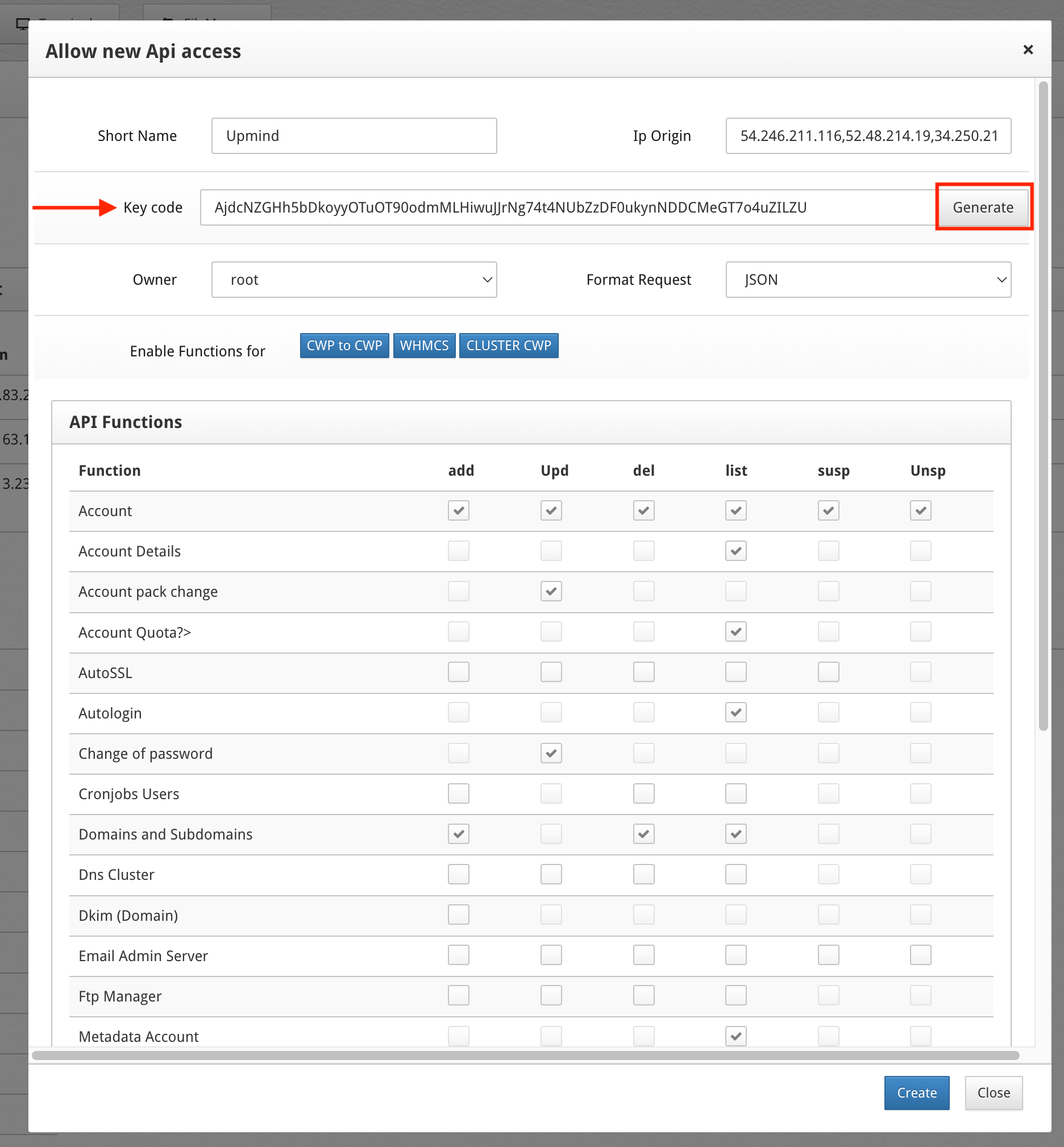
In CWP, go to **CWP Settings** > **API Manager**. Click **Allow new Api access**.
For **IP Origin,** enter [Upmind's outgoing IPs](/legal-and-information/upmind-ip-addresses), separated by commas, i.e. 91.240.229.1, 91.240.229.2, 91.240.229.3.
Next to the **Key code,** click **Generate.** For **Format request**, select **JSON.**
Under **API Functions**, tick all available checkboxes under:
* Account
* Account Details
* Account Pack Change
* Account Quota
* Autologin
* Change of password
* Domains and Subdomains
* Metadata Account
* Packages
* Quota limit
Copy and paste the **Key code** shown in CWP into your Upmind provision configuration.
2. **API Key**
In CWP, go to **CWP Settings** > **API Manager**. Click **Allow new Api access**.
For **IP Origin,** enter [Upmind's outgoing IPs](/legal-and-information/upmind-ip-addresses), separated by commas, i.e. 91.240.229.1, 91.240.229.2, 91.240.229.3.
Next to the **Key code,** click **Generate.** For **Format request**, select **JSON.**
Under **API Functions**, tick all available checkboxes under:
* Account
* Account Details
* Account Pack Change
* Account Quota
* Autologin
* Change of password
* Domains and Subdomains
* Metadata Account
* Packages
* Quota limit
Copy and paste the **Key code** shown in CWP into your Upmind provision configuration.
 3. Shared IP Address
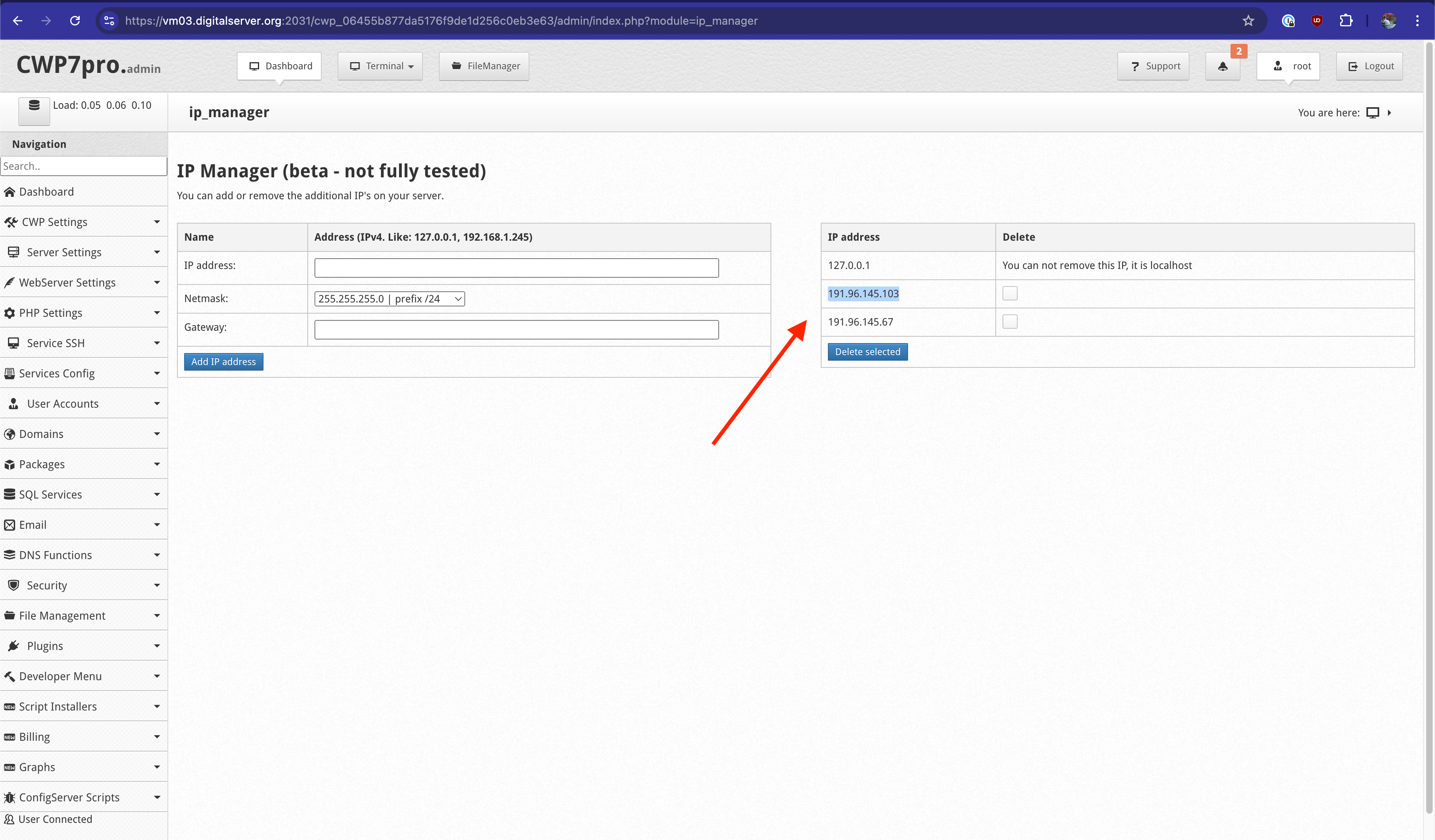
In CWP, go to **CWP Settings** > **IP Manager.**
Copy and paste one of your server's IP addresses to use for newly created hosting accounts.
3. Shared IP Address
In CWP, go to **CWP Settings** > **IP Manager.**
Copy and paste one of your server's IP addresses to use for newly created hosting accounts.
 ## Linking CentosWeb to Upmind
In Upmind, you should add CentosWeb as a provision configuration. You can either do this
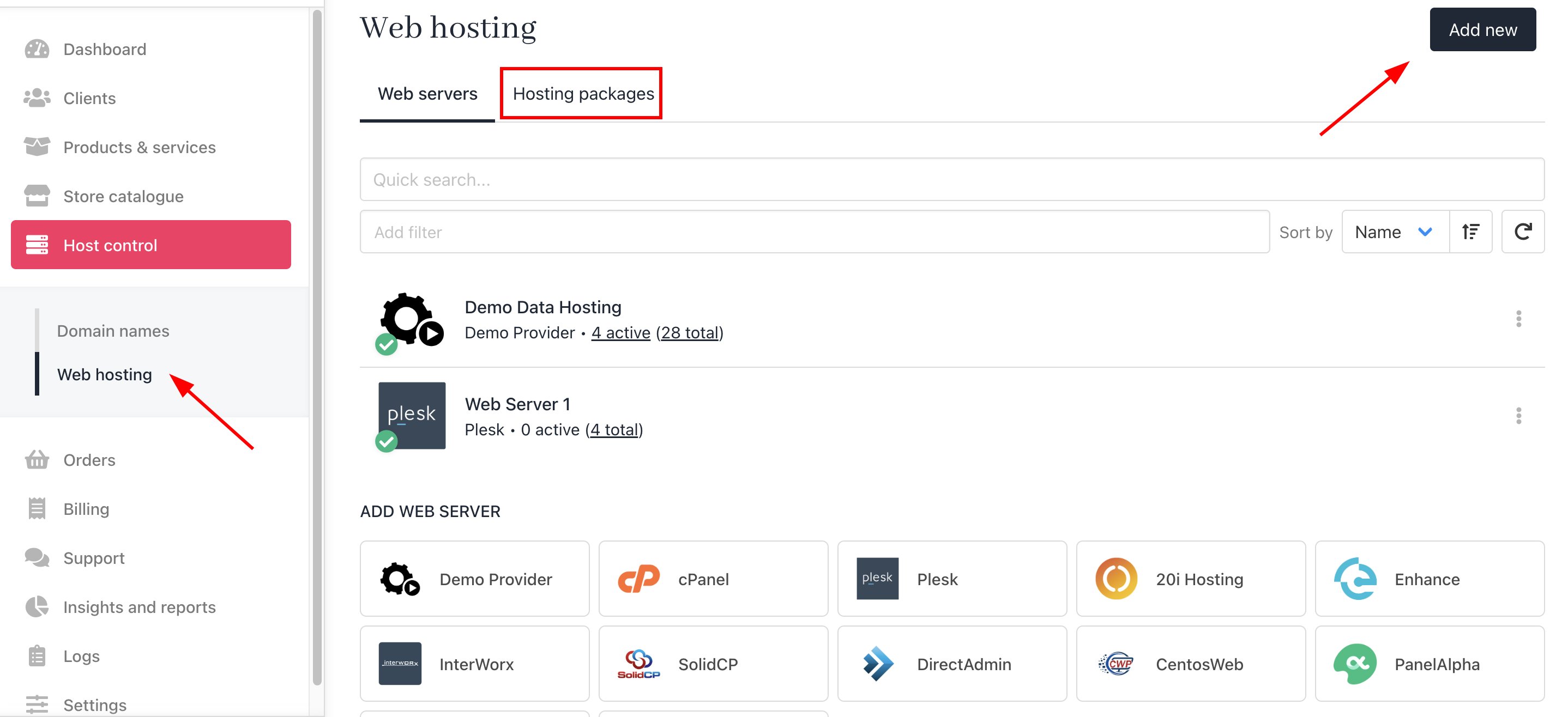
* On the sidebar, click **Host Control** > **Web Servers**> **Add New.** You can also select it from below.
## Linking CentosWeb to Upmind
In Upmind, you should add CentosWeb as a provision configuration. You can either do this
* On the sidebar, click **Host Control** > **Web Servers**> **Add New.** You can also select it from below.
 * On the sidebar, go to **Settings** > **Provision Configurations** > **Add New Configuration.**
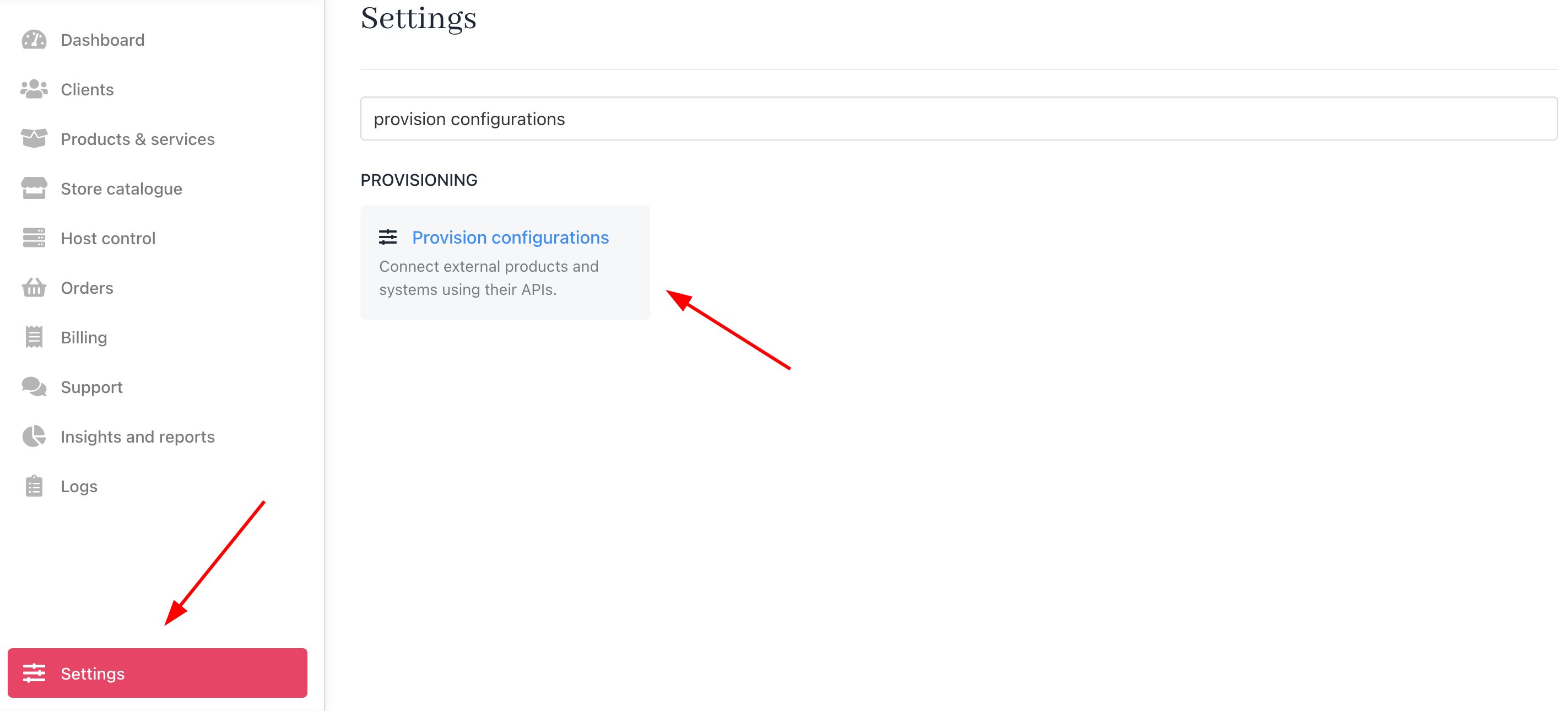 You should fill it out as follows:
1. Enter a server name. You may just want to use the CentosWeb control server name or give it a more familiar name.
2. Under the Provision Category of **Web Hosting**, choose CentosWeb as the hosting panel type.
You should fill it out as follows:
1. Enter a server name. You may just want to use the CentosWeb control server name or give it a more familiar name.
2. Under the Provision Category of **Web Hosting**, choose CentosWeb as the hosting panel type.
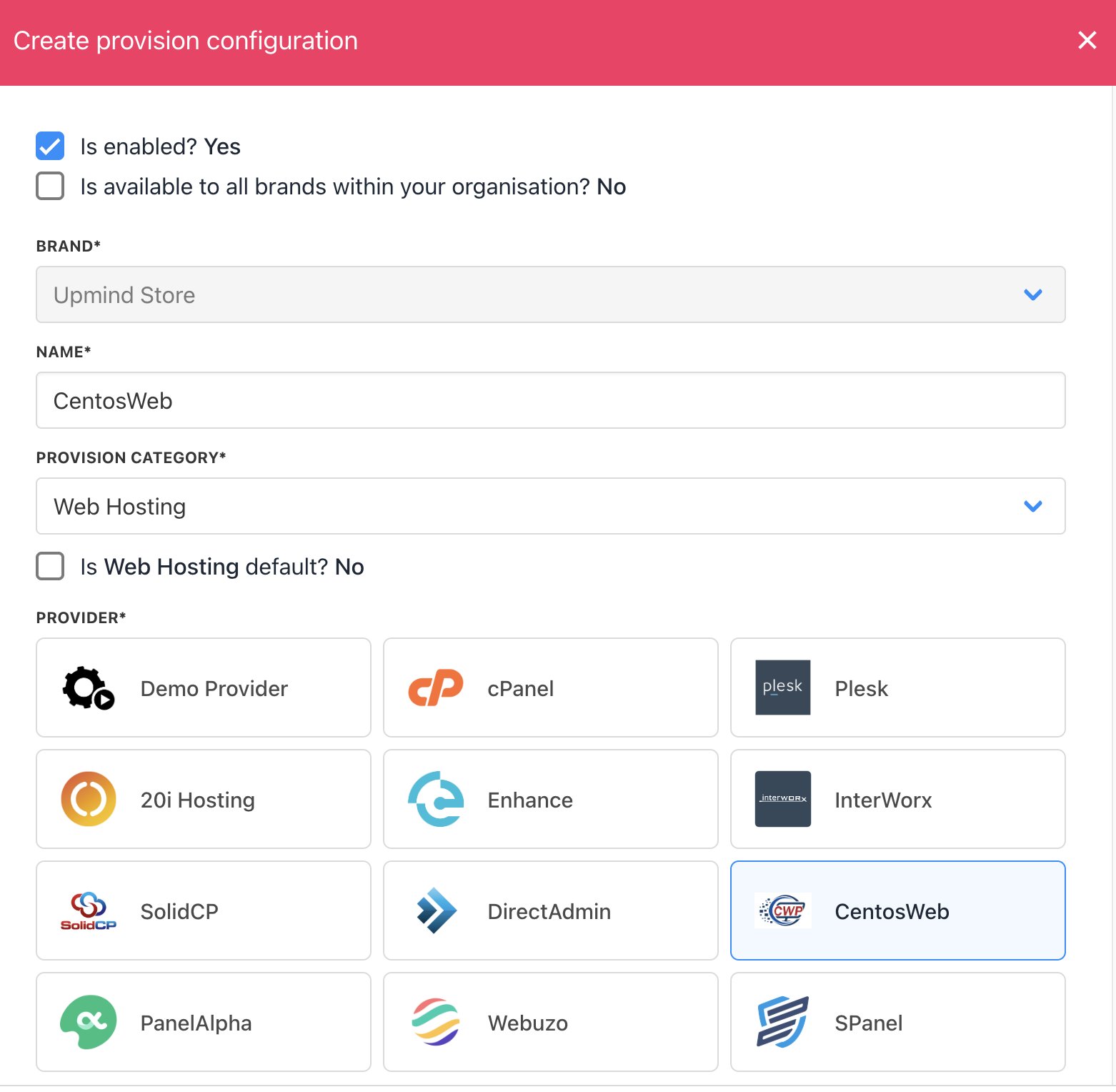 3. Enter your **Hostname**, **API Key,** and **Shared IP Address**.
4. Click **Create**.
3. Enter your **Hostname**, **API Key,** and **Shared IP Address**.
4. Click **Create**.
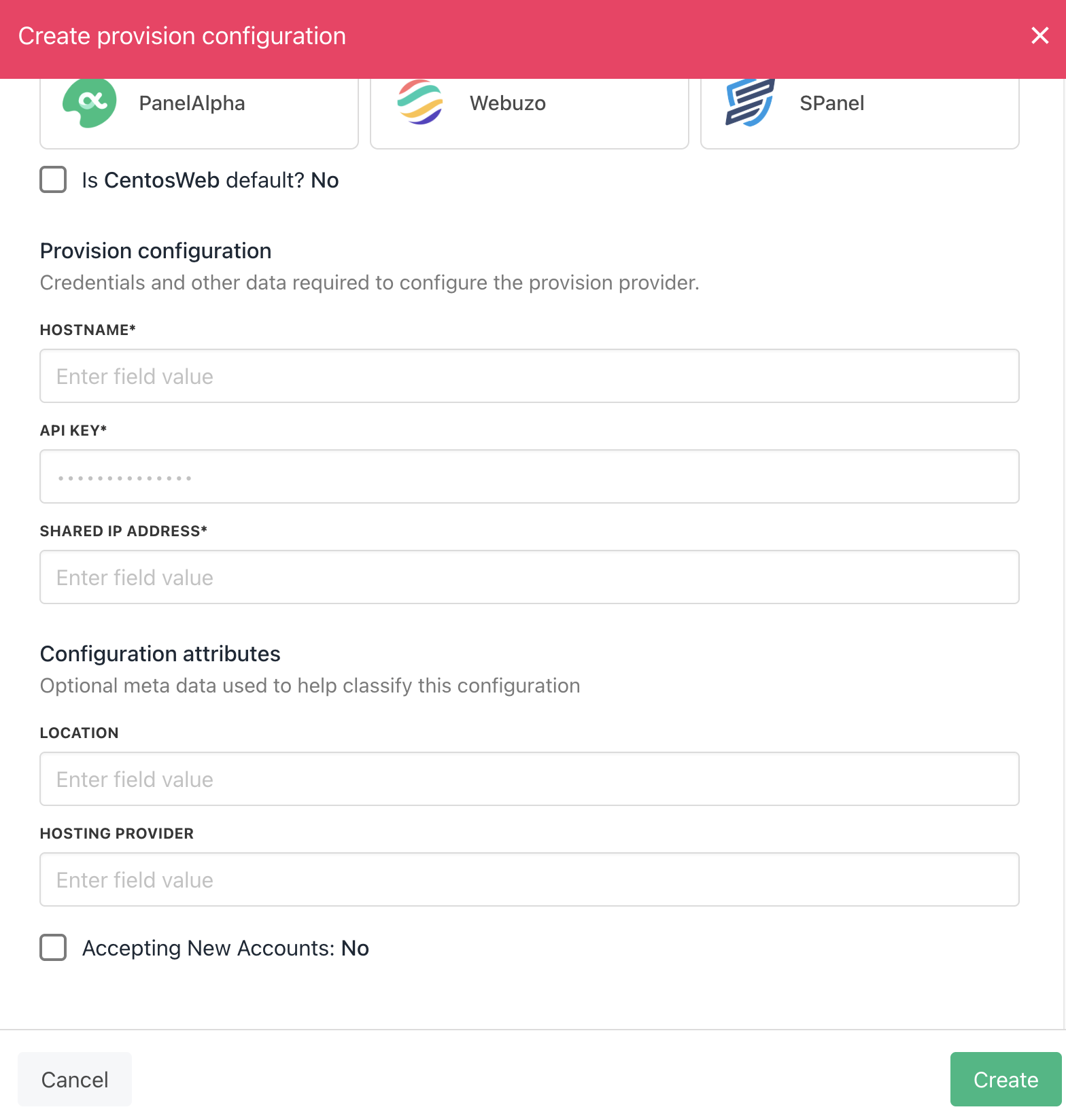 That's it! CentosWeb is added as a web server.
## Create Package
When you [create hosting packages](/for-web-hosts/quick-start-guide-for-hosting-companies-or-resellers) in Upmind, you can now choose CentosWeb as a provision provider. You will be asked for the Package Identifier. It's recommended to use the CentosWeb package name (case sensitive).
### Configure Upmind products
In your Upmind admin area, under **Host control** > **Web hosting,** click on the **Hosting packages** tab and click the **Add new** button to start configuring a new hosting package.
That's it! CentosWeb is added as a web server.
## Create Package
When you [create hosting packages](/for-web-hosts/quick-start-guide-for-hosting-companies-or-resellers) in Upmind, you can now choose CentosWeb as a provision provider. You will be asked for the Package Identifier. It's recommended to use the CentosWeb package name (case sensitive).
### Configure Upmind products
In your Upmind admin area, under **Host control** > **Web hosting,** click on the **Hosting packages** tab and click the **Add new** button to start configuring a new hosting package.
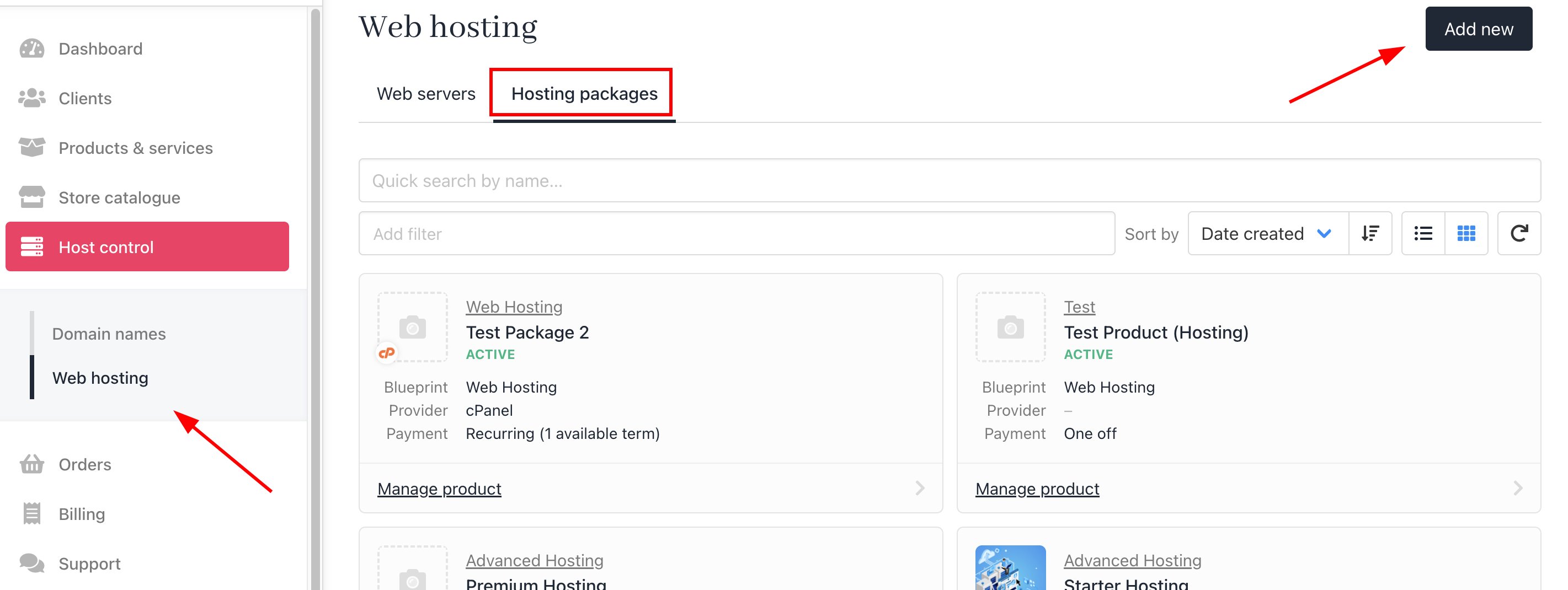
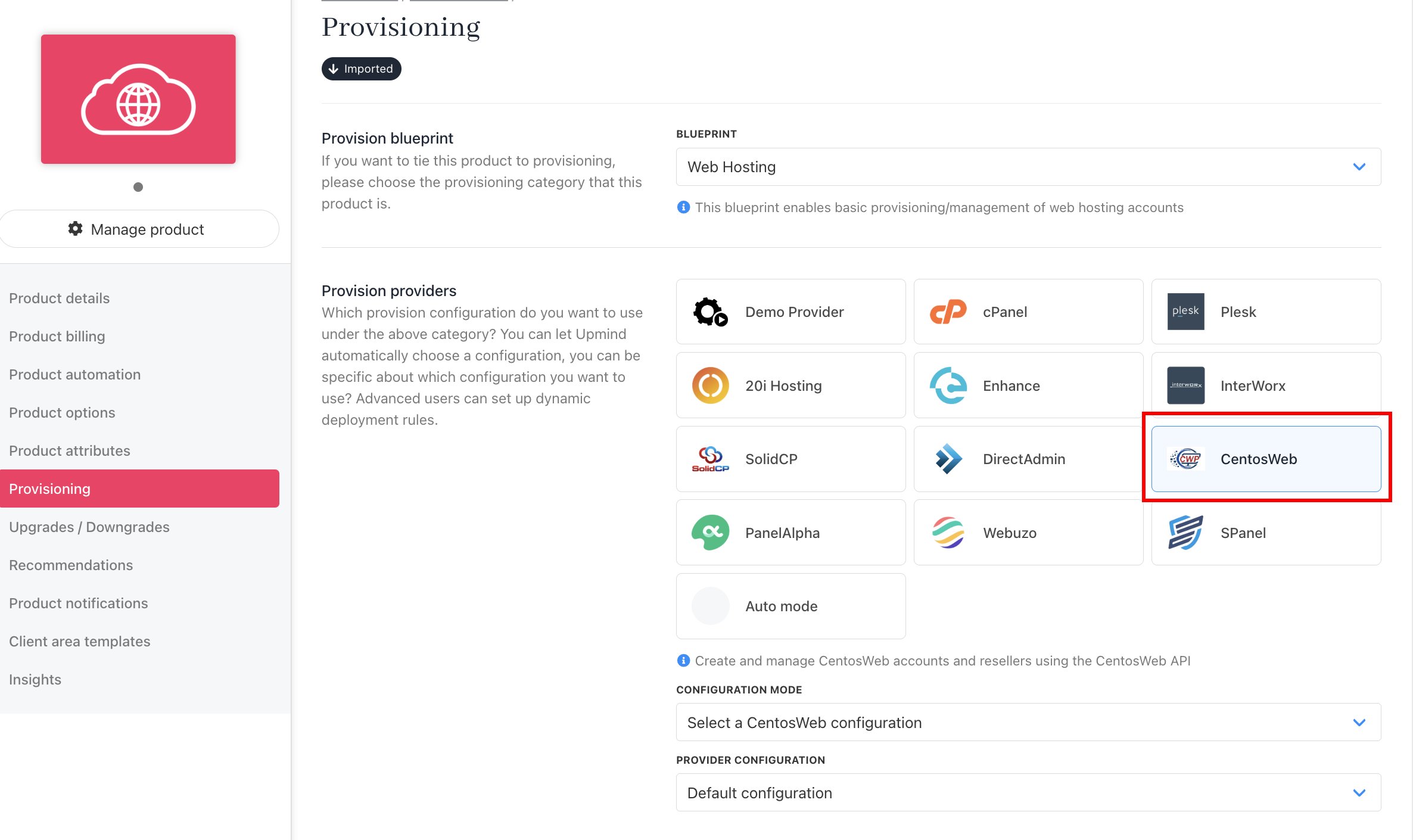
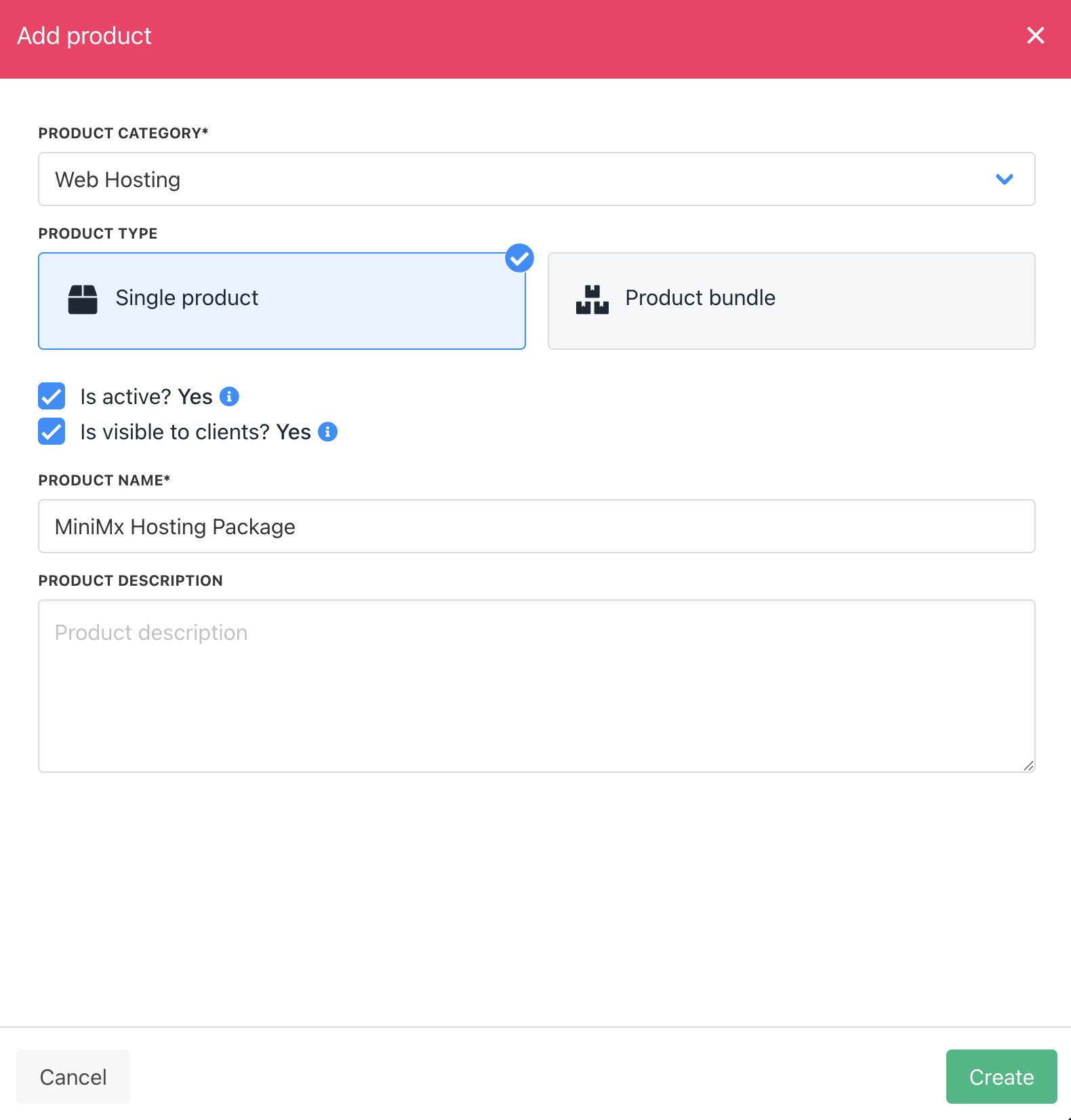 Now go to the product's Provisioning page and set the **Provision provider** to CentosWeb, and set the **Package Identifier** provision field to match your CentosWeb package **name** or **ID**.
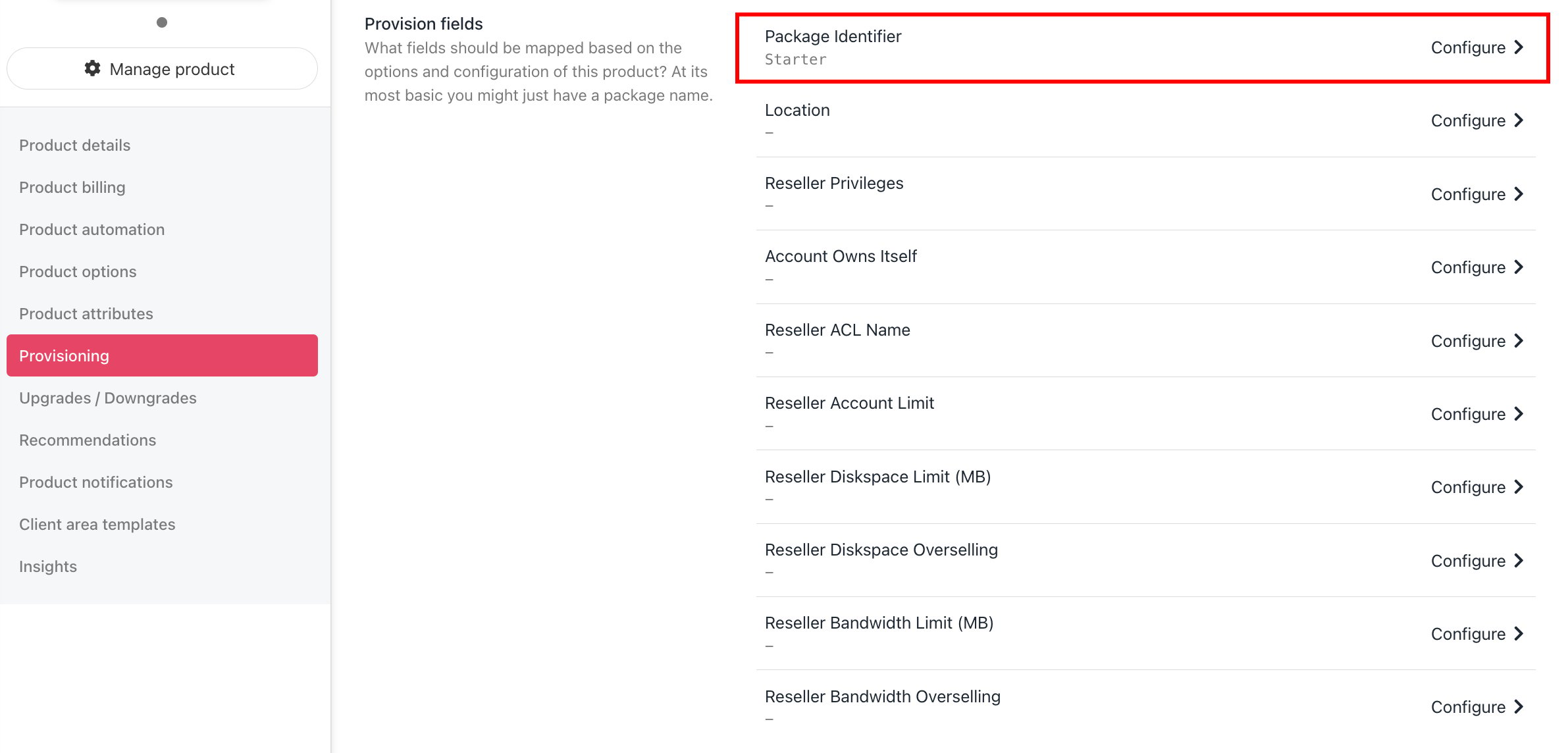
 In CWP, go to Packages > Packages. Select the name of the package you wish to use for your product.
When creating a hosting product in Upmind, go to the Provisioning tab. In the Provision Fields section, click on **Package Identifier**, enter the CWP package name, and then click **Save**.
In CWP, go to Packages > Packages. Select the name of the package you wish to use for your product.
When creating a hosting product in Upmind, go to the Provisioning tab. In the Provision Fields section, click on **Package Identifier**, enter the CWP package name, and then click **Save**.
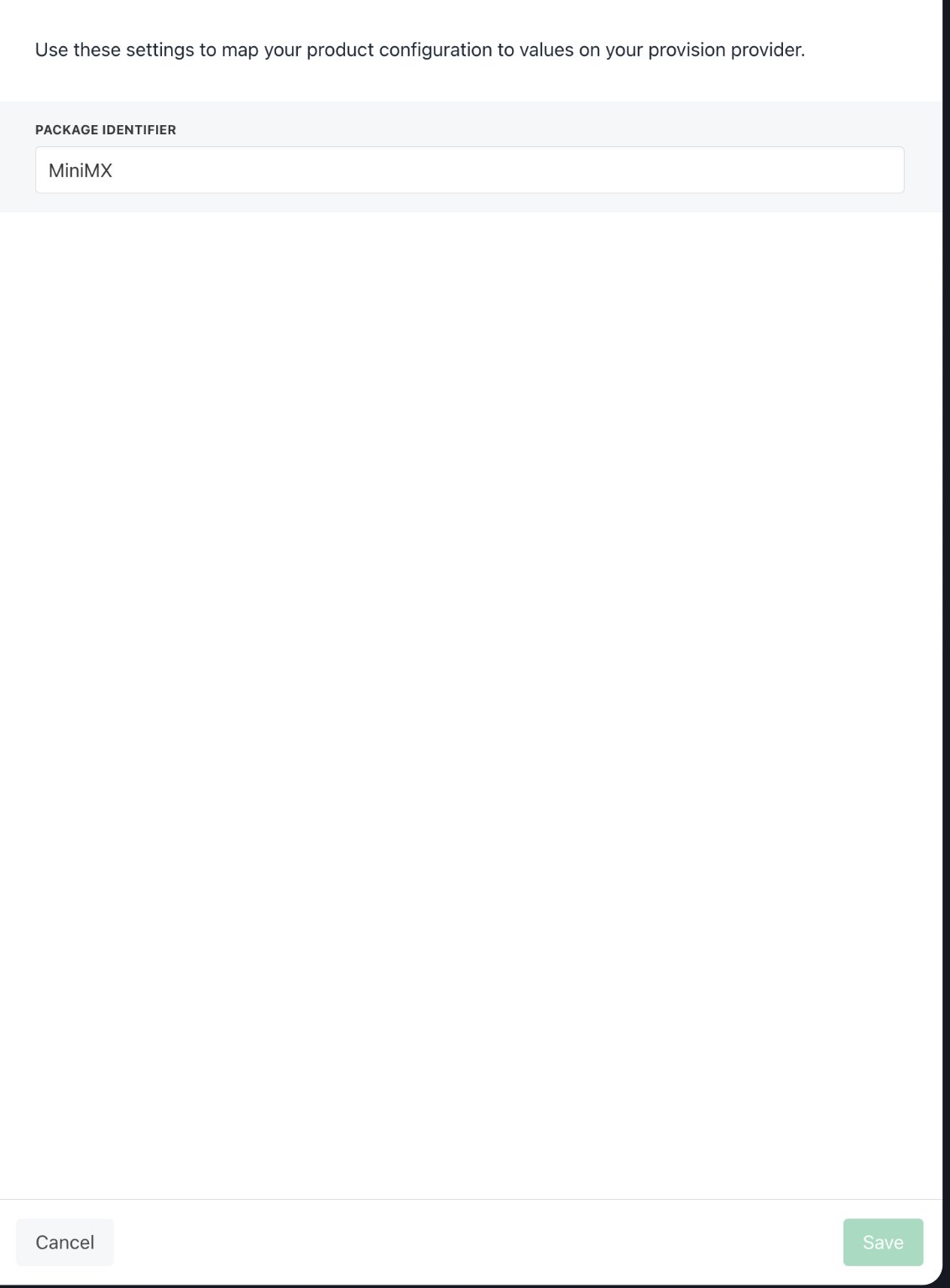 At this point, your CentosWeb product provisioning is all set up and ready to go. For more information on setting up and selling hosting products in Upmind, refer to our first step and [Web Hosting Quick Start](/for-web-hosts/quick-start-guide-for-hosting-companies-or-resellers) guides.