> ## Documentation Index
> Fetch the complete documentation index at: https://docs.upmind.com/llms.txt
> Use this file to discover all available pages before exploring further.

# How Can I Offer Multiple WHM/cPanel Reseller Accounts in One Upmind Instance

> Use provision configurations to do this.

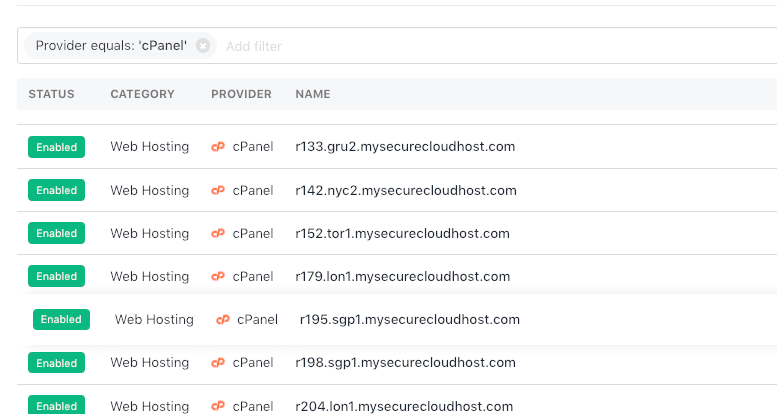
You can add as many cPanel/WHM reseller accounts as you like to Upmind. The same is true of different hosting panels such as DirectAdmin or Enhance. These cPanel/WHM accounts can be from one provider or from multiple hosting providers.

In Upmind, we call these **Provision configurations**. You can set each provision configuration up under **Settings** > **Provision Configurations**.
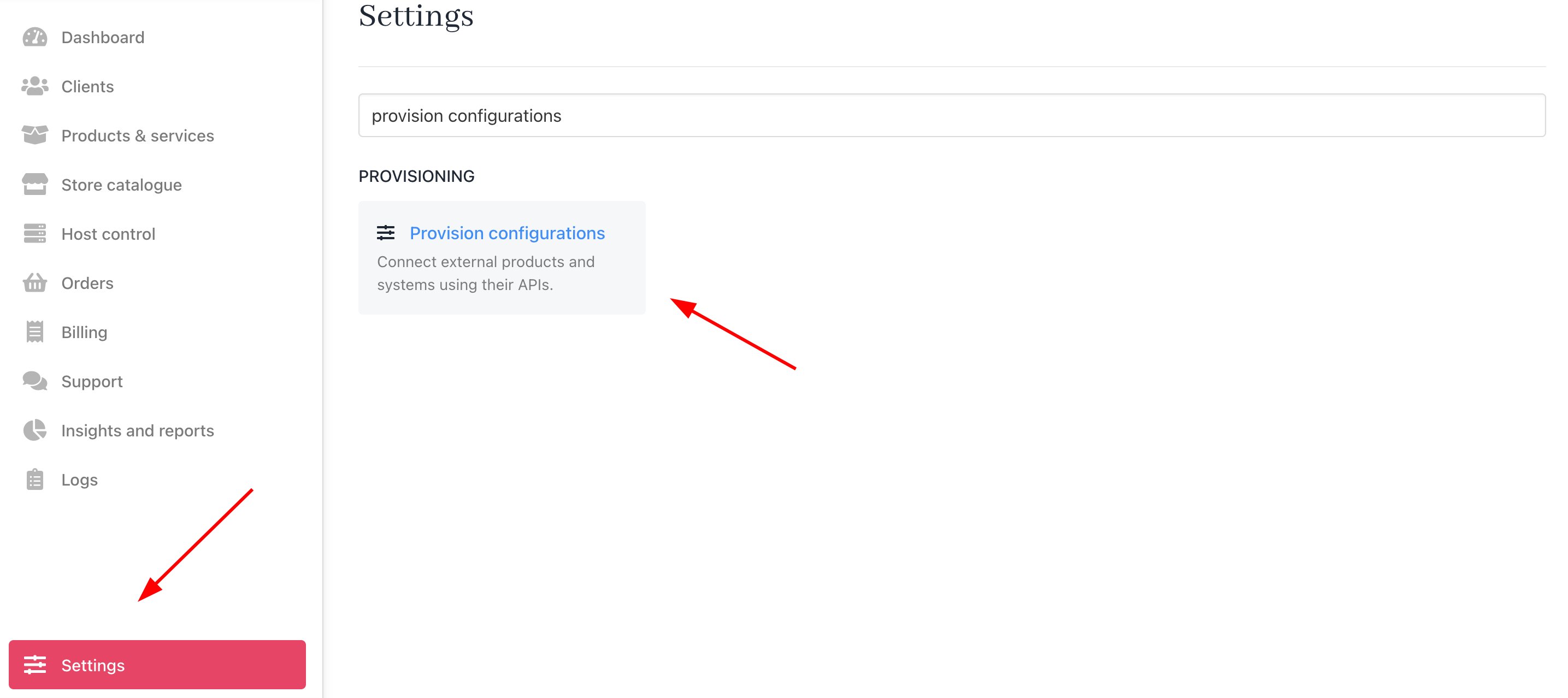
<Frame caption="Settings > Provision Configurations">
  <img src="https://mintcdn.com/upmind/ObllJJl59DabnmMn/images/fb/cbe4c04cbe296c4d.png?fit=max&auto=format&n=ObllJJl59DabnmMn&q=85&s=e086fdf90dc544d29973cd7ee6af3ca0" alt="Settings > Provision Configurations" data-og-width="2870" width="2870" data-og-height="1278" height="1278" data-path="images/fb/cbe4c04cbe296c4d.png" data-optimize="true" data-opv="3" srcset="https://mintcdn.com/upmind/ObllJJl59DabnmMn/images/fb/cbe4c04cbe296c4d.png?w=280&fit=max&auto=format&n=ObllJJl59DabnmMn&q=85&s=ebdea0830b894fa986c6b1ad37dd575c 280w, https://mintcdn.com/upmind/ObllJJl59DabnmMn/images/fb/cbe4c04cbe296c4d.png?w=560&fit=max&auto=format&n=ObllJJl59DabnmMn&q=85&s=cffb8a8ef655c2030c58285ce2b272ee 560w, https://mintcdn.com/upmind/ObllJJl59DabnmMn/images/fb/cbe4c04cbe296c4d.png?w=840&fit=max&auto=format&n=ObllJJl59DabnmMn&q=85&s=fc26c7f48ec1afa660b00bfebcbd9d3f 840w, https://mintcdn.com/upmind/ObllJJl59DabnmMn/images/fb/cbe4c04cbe296c4d.png?w=1100&fit=max&auto=format&n=ObllJJl59DabnmMn&q=85&s=232cfd031f20e3b7b034ce17161c0605 1100w, https://mintcdn.com/upmind/ObllJJl59DabnmMn/images/fb/cbe4c04cbe296c4d.png?w=1650&fit=max&auto=format&n=ObllJJl59DabnmMn&q=85&s=f4c8ea0c4de8433bd5c2918d9cdaeb01 1650w, https://mintcdn.com/upmind/ObllJJl59DabnmMn/images/fb/cbe4c04cbe296c4d.png?w=2500&fit=max&auto=format&n=ObllJJl59DabnmMn&q=85&s=9df0ab8ff3a783028a1475e52b4239d1 2500w" />
</Frame>

<Frame caption="Multiple WHM/cPanel reseller accounts">
  <img src="https://mintcdn.com/upmind/kAlrCUxI2nwYz4_i/images/fb/1cdec6fc58d92f76.png?fit=max&auto=format&n=kAlrCUxI2nwYz4_i&q=85&s=b1ab2a8a98f4b0e2b034d50dbe2aebb6" alt="Multiple WHM/cPanel reseller accounts" width="777" height="414" data-path="images/fb/1cdec6fc58d92f76.png" />
</Frame>

You click the **Add new configuration** button to add a new cPanel server. This opens up a modal where you can add the cPanel connection details.

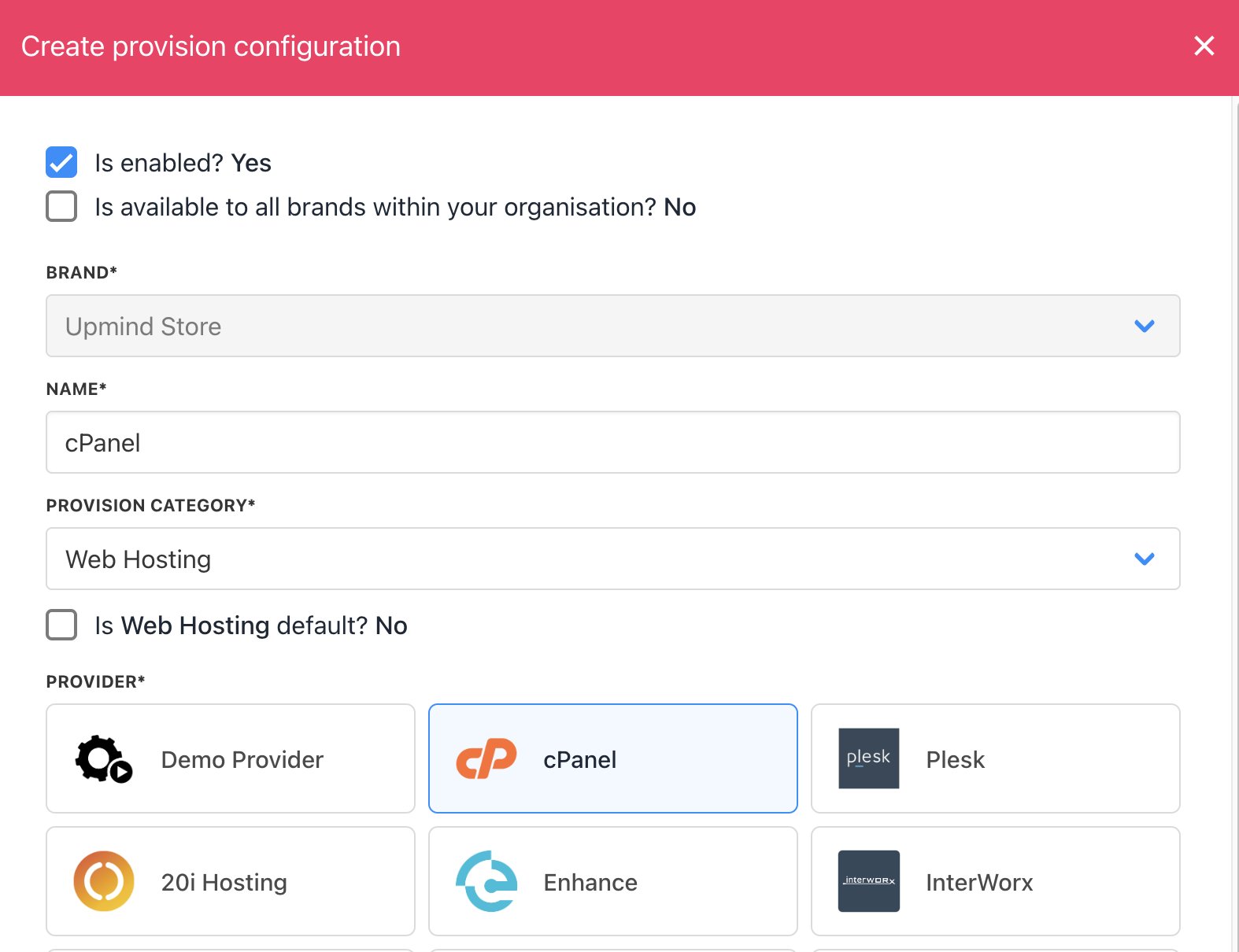
<Frame caption="Add new configuration">
  <img src="https://mintcdn.com/upmind/ObllJJl59DabnmMn/images/fb/caee31b9bfb5a8e6.png?fit=max&auto=format&n=ObllJJl59DabnmMn&q=85&s=2a5324b825dadee705c5660a37e1fd06" alt="Add new configuration" width="2222" height="420" data-path="images/fb/caee31b9bfb5a8e6.png" />
</Frame>

<Frame caption="Add cPanel connection details">
  <img src="https://mintcdn.com/upmind/pcUdSuxUJ6LgBXnd/images/fb/a430c49e4f265fa5.png?fit=max&auto=format&n=pcUdSuxUJ6LgBXnd&q=85&s=28be688e96a445e6824657a4c947b00c" alt="Add cPanel connection details" width="1574" height="1210" data-path="images/fb/a430c49e4f265fa5.png" />
</Frame>

If you have `root` access to the server, then you can enter the root credentials (Set up an API key in WHM). If you just have reseller WHM level access, enter those credentials instead.

## Enabling/disabling servers

You can enable or disable servers by ticking the **Is enabled** box. This will not stop existing sites from using these servers, but will prevent the servers from being shown in selectable lists.

<Frame caption="Is enabled">
  <img src="https://mintcdn.com/upmind/ObllJJl59DabnmMn/images/fb/c82b12c3809de26e.png?fit=max&auto=format&n=ObllJJl59DabnmMn&q=85&s=32d534e44a31e8581a046f207cbe6794" alt="Is enabled" width="1556" height="306" data-path="images/fb/c82b12c3809de26e.png" />
</Frame>

You can untick or tick **Accepting New Accounts** to allow automatic deployment to this server.
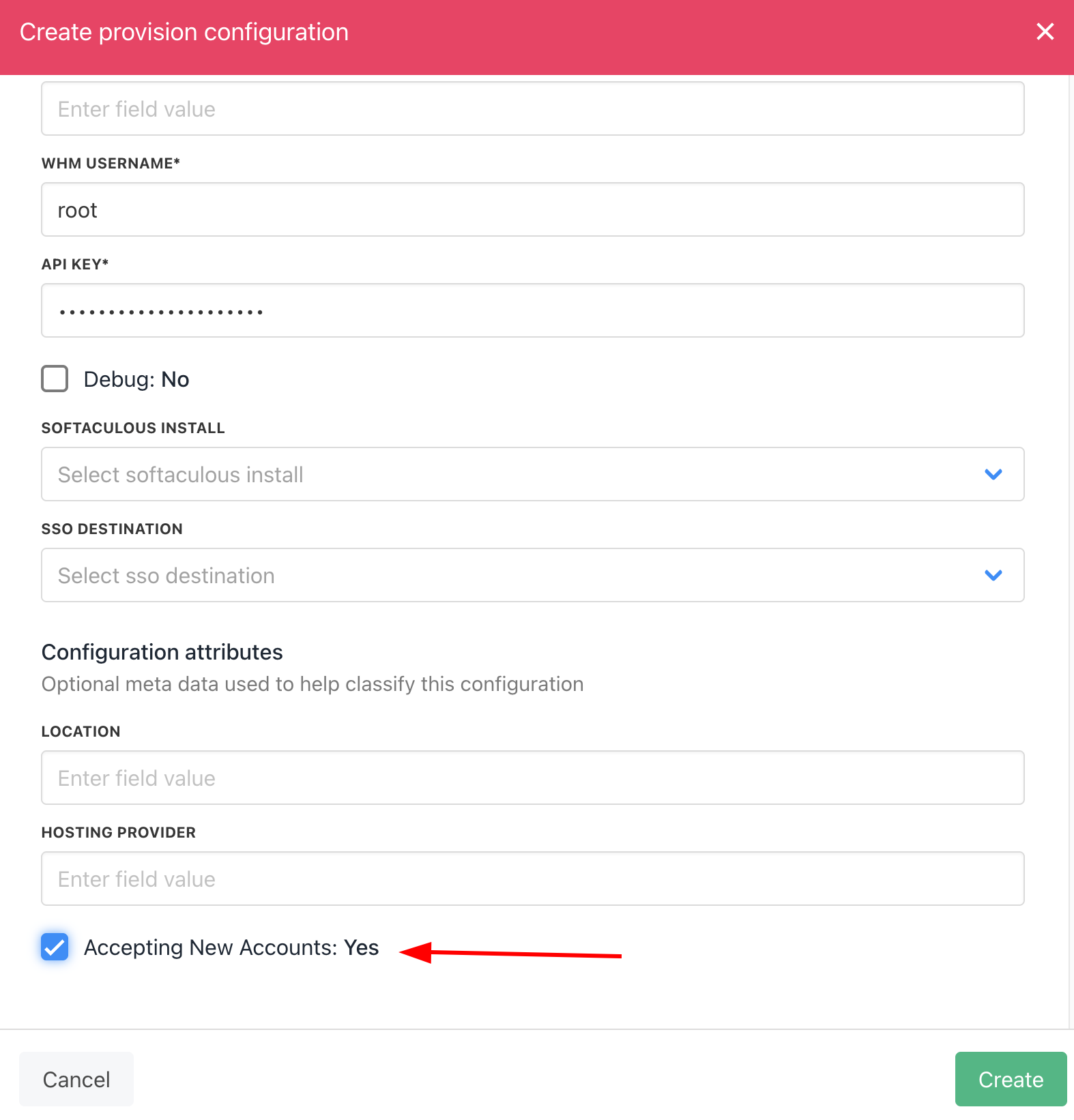
<Frame caption="Accepting New Accounts">
  <img src="https://mintcdn.com/upmind/2ooSxDpt6PiIGMr-/images/fb/066b97d89701dc96.png?fit=max&auto=format&n=2ooSxDpt6PiIGMr-&q=85&s=f4bf507d4dc1160278833a79f460886b" alt="Accepting New Accounts" width="1574" height="1642" data-path="images/fb/066b97d89701dc96.png" />
</Frame>
