> ## Documentation Index
> Fetch the complete documentation index at: https://docs.upmind.com/llms.txt
> Use this file to discover all available pages before exploring further.

# How to Link UG Registry with Upmind

> Integrate UG Registry domain registrar with Upmind.

The [UG Registry](https://www.registry.co.ug/) is responsible for managing and administering the .ug country code top-level domain (ccTLD) for Uganda. They handle the registration process and ensure that all .ug domains are properly maintained and accessible.

You can create your account through the link [here](https://registry.co.ug/auth/sign_up).

## Details needed

To link your UG Registry account to Upmind, you will need an API Key. Follow these steps:

1. Log in to your UG Registry account.

2. Navigate to **System Audits** > **API Key (V2).**
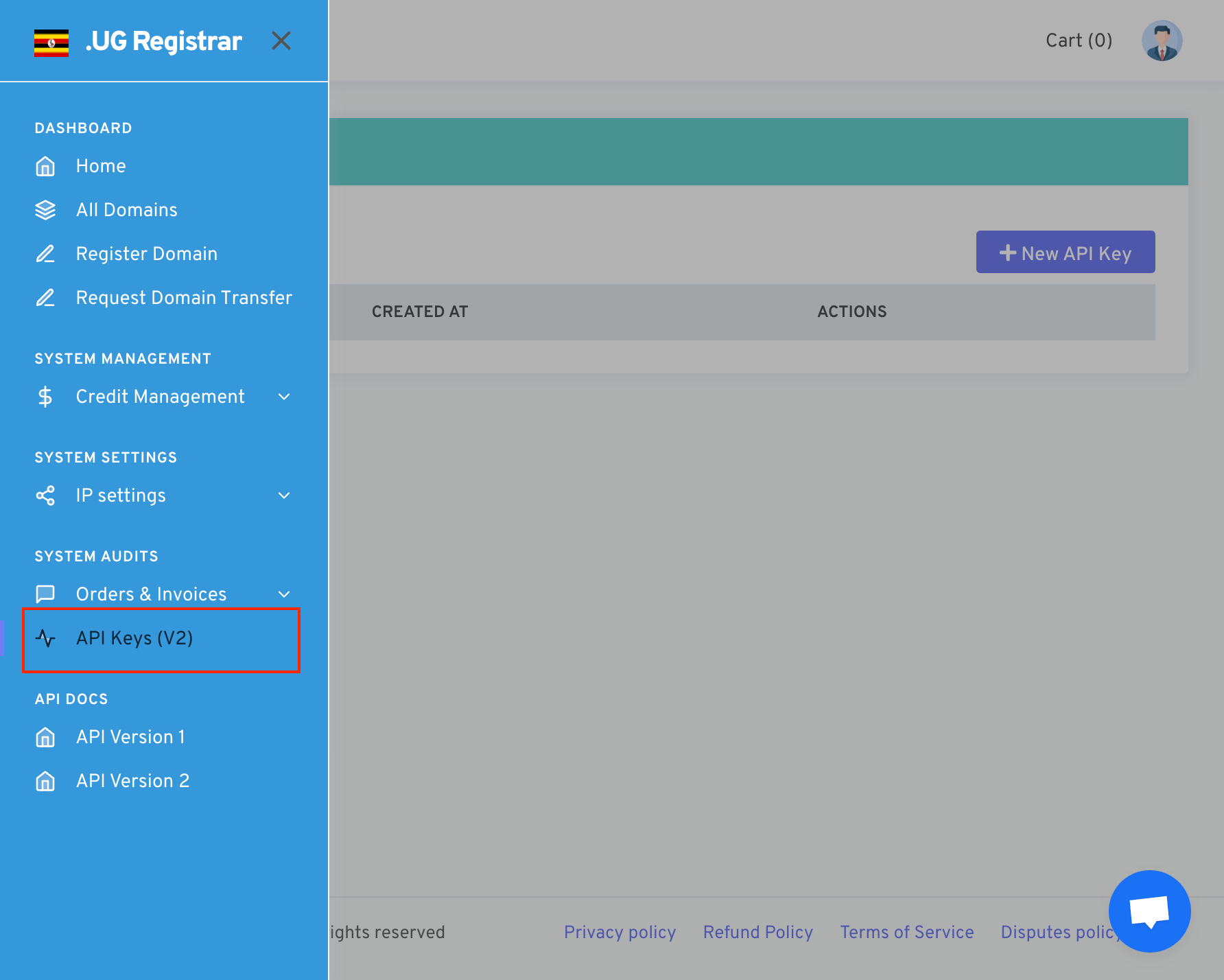
<Frame caption="System Audits > API Key (V2)">
  <img src="https://mintcdn.com/upmind/wRuKrNY12tQZY8Rr/images/fb/38b83b24b98e1928.png?fit=max&auto=format&n=wRuKrNY12tQZY8Rr&q=85&s=6f93e9ad4e90f89722bfe01a70411511" alt="System Audits > API Key (V2)" data-og-width="1784" width="1784" data-og-height="1428" height="1428" data-path="images/fb/38b83b24b98e1928.png" data-optimize="true" data-opv="3" srcset="https://mintcdn.com/upmind/wRuKrNY12tQZY8Rr/images/fb/38b83b24b98e1928.png?w=280&fit=max&auto=format&n=wRuKrNY12tQZY8Rr&q=85&s=33244e441ed6ce7a9fb184e7fb2634bc 280w, https://mintcdn.com/upmind/wRuKrNY12tQZY8Rr/images/fb/38b83b24b98e1928.png?w=560&fit=max&auto=format&n=wRuKrNY12tQZY8Rr&q=85&s=608aa913714cf2671bc989f639e49d1e 560w, https://mintcdn.com/upmind/wRuKrNY12tQZY8Rr/images/fb/38b83b24b98e1928.png?w=840&fit=max&auto=format&n=wRuKrNY12tQZY8Rr&q=85&s=8e0500284156e8e18106e4f4b7e30f1b 840w, https://mintcdn.com/upmind/wRuKrNY12tQZY8Rr/images/fb/38b83b24b98e1928.png?w=1100&fit=max&auto=format&n=wRuKrNY12tQZY8Rr&q=85&s=a1553e0e154afc0f7897955c09a19356 1100w, https://mintcdn.com/upmind/wRuKrNY12tQZY8Rr/images/fb/38b83b24b98e1928.png?w=1650&fit=max&auto=format&n=wRuKrNY12tQZY8Rr&q=85&s=8e6201487695398579cfaba77d6083e8 1650w, https://mintcdn.com/upmind/wRuKrNY12tQZY8Rr/images/fb/38b83b24b98e1928.png?w=2500&fit=max&auto=format&n=wRuKrNY12tQZY8Rr&q=85&s=d29a01abeb7535ab8a63c1ab7c0bdb17 2500w" />
</Frame>

3. Click on **New API Key**.

4. Choose a name to identify your API Key.
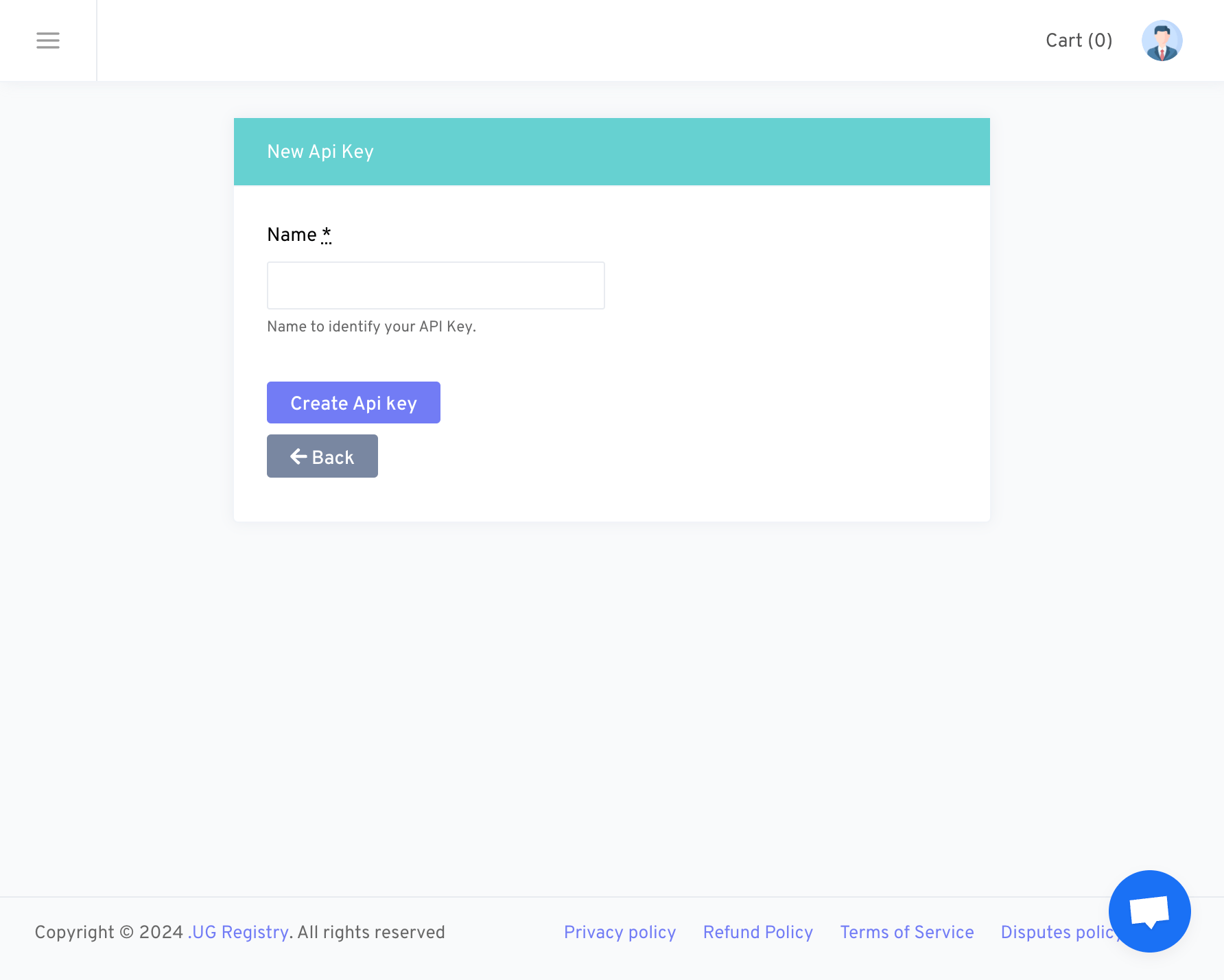
<Frame caption="New API Key">
  <img src="https://mintcdn.com/upmind/ObllJJl59DabnmMn/images/fb/d02ab5f813cdd090.png?fit=max&auto=format&n=ObllJJl59DabnmMn&q=85&s=e9ce08d82ab6ca67e5ea8c510fce9c65" alt="New API Key" width="1784" height="1428" data-path="images/fb/d02ab5f813cdd090.png" />
</Frame>

5. Make sure to copy and save the **API Key** to a secure location, such as a Notepad.
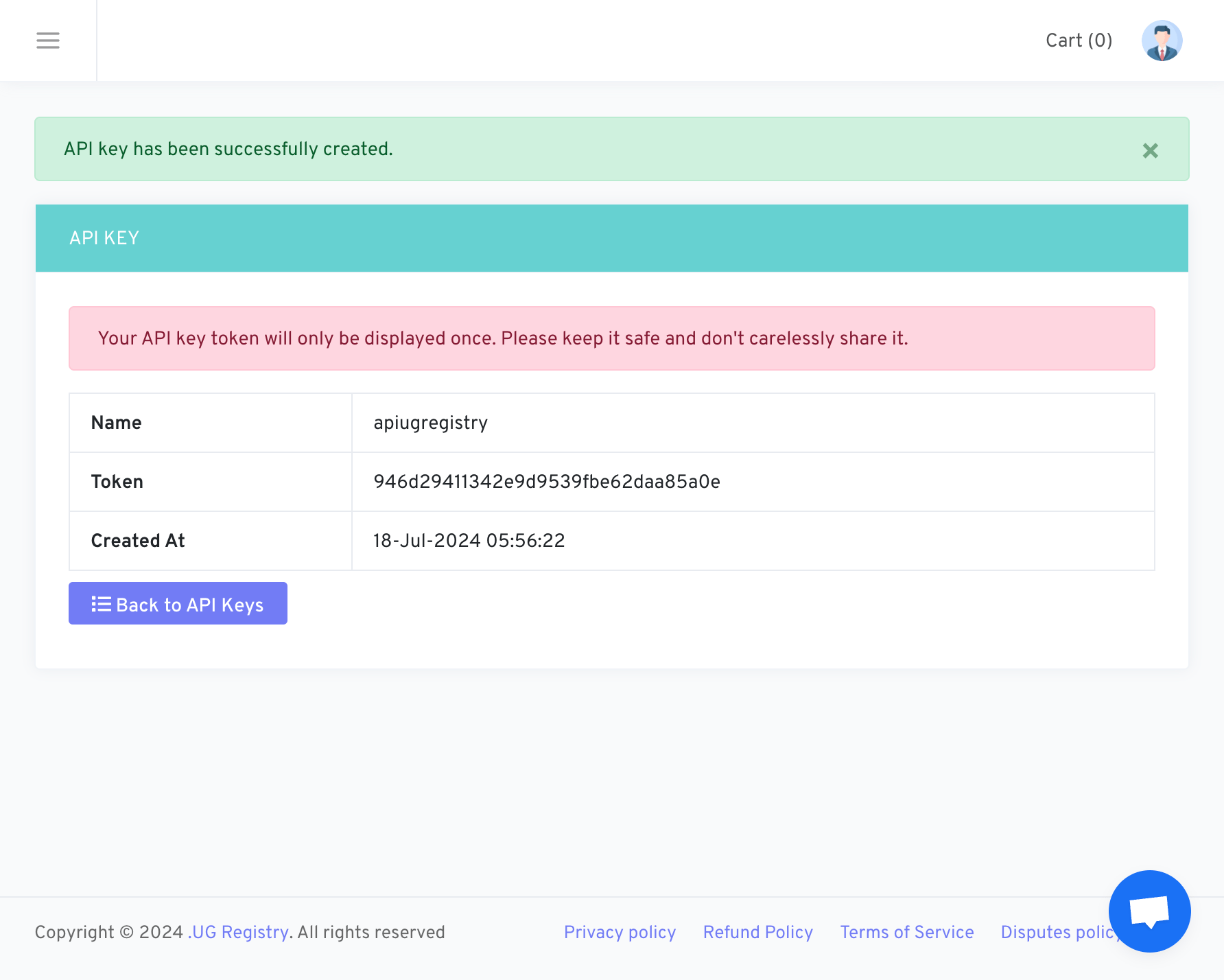
<Frame caption="Example if the API key has already been created.">
  <img src="https://mintcdn.com/upmind/ZsIo0APxdVb_gFS-/images/fb/268fecccb84631e9.png?fit=max&auto=format&n=ZsIo0APxdVb_gFS-&q=85&s=ea189f4cc78ff8f283e3e5a493c99072" alt="Here's an example if the API key has already been created." width="1784" height="1428" data-path="images/fb/268fecccb84631e9.png" />
</Frame>

## Linking UG Registry to Upmind

1. In Upmind, navigate to **Host Control** > **Domain names** > **Registrars**.

2. **Click** on **UG Registry.**
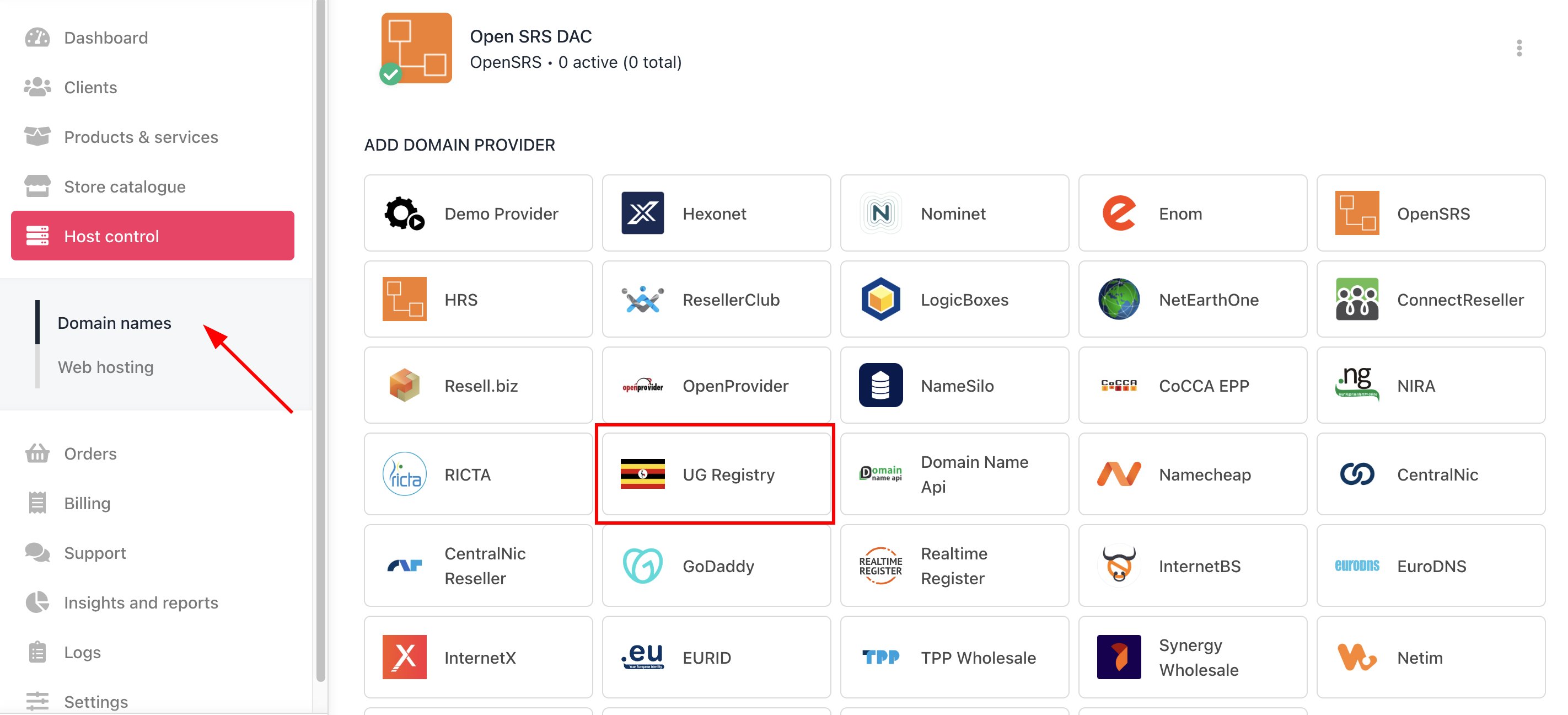
<Frame caption="Host Control > Domain names > Registrars">
  <img src="https://mintcdn.com/upmind/z5ofg3t7by4uN44v/images/fb/f2dc227ecda8de6e.png?fit=max&auto=format&n=z5ofg3t7by4uN44v&q=85&s=7ffba240be9f1a470dc4a0e1b36746fa" alt="Host Control > Domain names > Registrars" data-og-width="2844" width="2844" data-og-height="1296" height="1296" data-path="images/fb/f2dc227ecda8de6e.png" data-optimize="true" data-opv="3" srcset="https://mintcdn.com/upmind/z5ofg3t7by4uN44v/images/fb/f2dc227ecda8de6e.png?w=280&fit=max&auto=format&n=z5ofg3t7by4uN44v&q=85&s=93da9dff51204b860fdb4efdc66a553d 280w, https://mintcdn.com/upmind/z5ofg3t7by4uN44v/images/fb/f2dc227ecda8de6e.png?w=560&fit=max&auto=format&n=z5ofg3t7by4uN44v&q=85&s=e38326cbc5112e8e56ee7c40e43d8c1d 560w, https://mintcdn.com/upmind/z5ofg3t7by4uN44v/images/fb/f2dc227ecda8de6e.png?w=840&fit=max&auto=format&n=z5ofg3t7by4uN44v&q=85&s=f21817356a47877f411469fd4e3bbe2b 840w, https://mintcdn.com/upmind/z5ofg3t7by4uN44v/images/fb/f2dc227ecda8de6e.png?w=1100&fit=max&auto=format&n=z5ofg3t7by4uN44v&q=85&s=702c02d41c1335fe8a3a35f745764681 1100w, https://mintcdn.com/upmind/z5ofg3t7by4uN44v/images/fb/f2dc227ecda8de6e.png?w=1650&fit=max&auto=format&n=z5ofg3t7by4uN44v&q=85&s=c0e096723ded4b111bb9b497c223a4e2 1650w, https://mintcdn.com/upmind/z5ofg3t7by4uN44v/images/fb/f2dc227ecda8de6e.png?w=2500&fit=max&auto=format&n=z5ofg3t7by4uN44v&q=85&s=d4f5c6649fad711a7e7817e2a348eeeb 2500w" />
</Frame>

3. Enter a **Name**. This identifier is not visible to clients. We recommend entering the name **UG Registry** unless you have two separate accounts that you want to label differently.
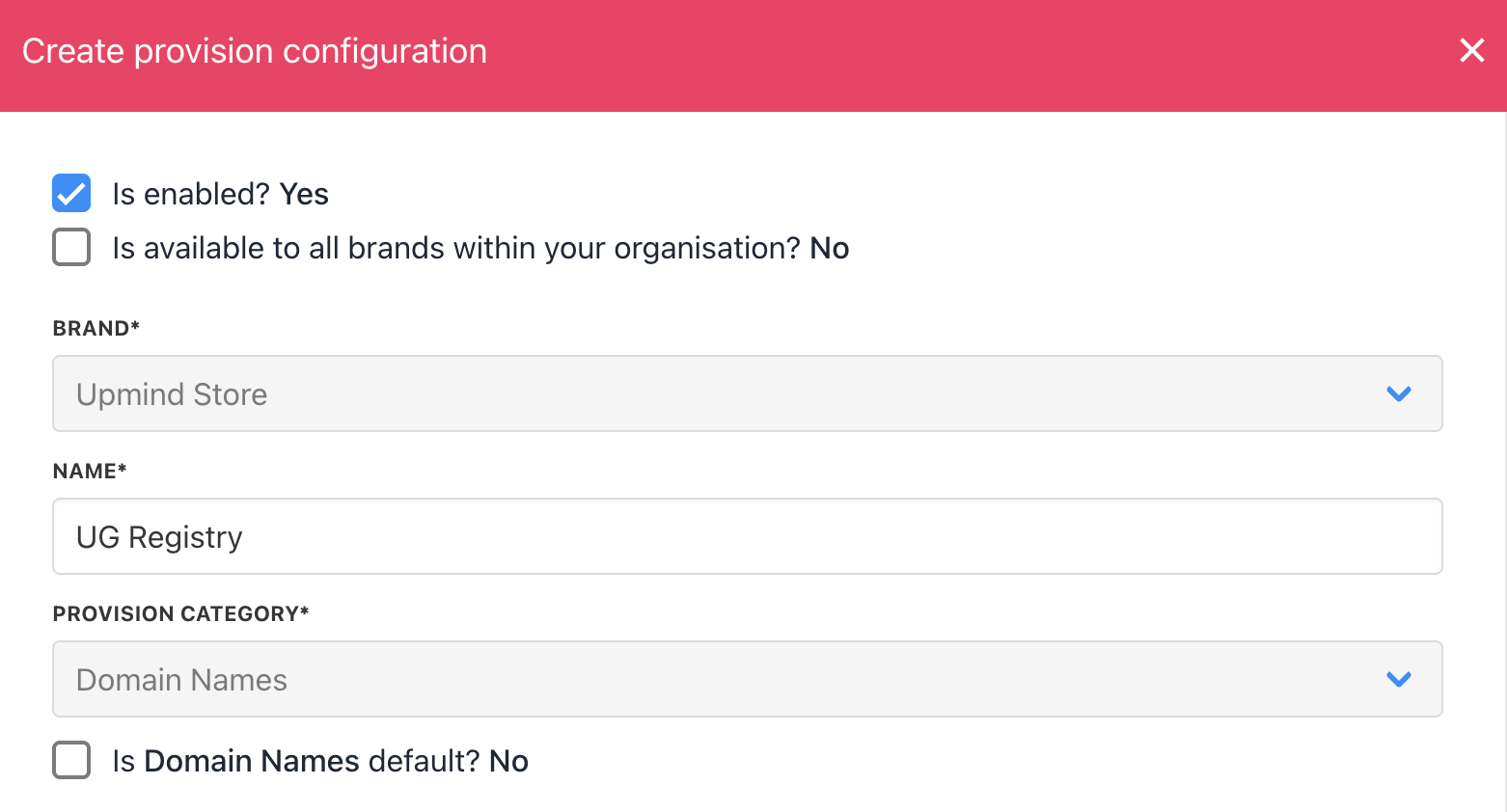
<Frame caption="Enter name">
  <img src="https://mintcdn.com/upmind/kXD0Ya8PpcxxNm6Q/images/fb/3e5cb103431dbd8d.png?fit=max&auto=format&n=kXD0Ya8PpcxxNm6Q&q=85&s=dc7bb123bc234b323cc671d049472af4" alt="Enter name" width="1562" height="842" data-path="images/fb/3e5cb103431dbd8d.png" />
</Frame>

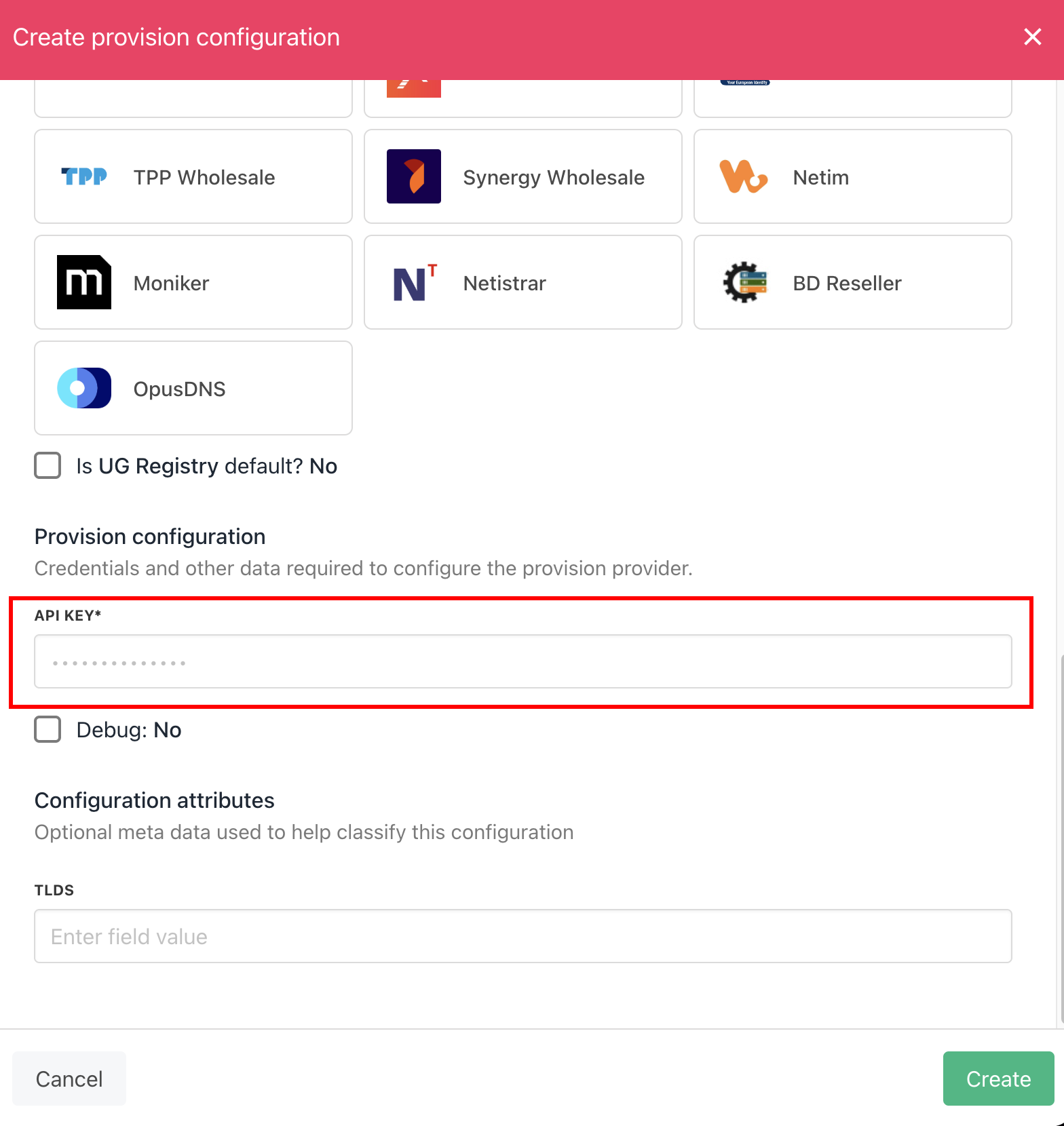
4. Enter your **API Key**.

<Frame caption="Enter details">
  <img src="https://mintcdn.com/upmind/JUoAg6onJmXk_-rR/images/fb/de60957fab12942d.png?fit=max&auto=format&n=JUoAg6onJmXk_-rR&q=85&s=bdb4d2745faab56b85767e16bf5b7bb5" alt="Enter details" width="1568" height="1660" data-path="images/fb/de60957fab12942d.png" />
</Frame>

5. Click the Create button.

6. Verify the information on the [<u>Domain Settings</u>](/for-web-hosts/domain-names/how-to-input-domain-settings) page.