> ## Documentation Index
> Fetch the complete documentation index at: https://docs.upmind.com/llms.txt
> Use this file to discover all available pages before exploring further.
# How to Link TPP Wholesale with Upmind
> Integrate TPP Wholesale domain registrar with Upmind.
TPP Wholesale is an Australian-based domain name registrar and web hosting services provider. You can sign up for a TPP Wholesale account [here](https://www.tppwholesale.com.au/join-us/).
## Details needed
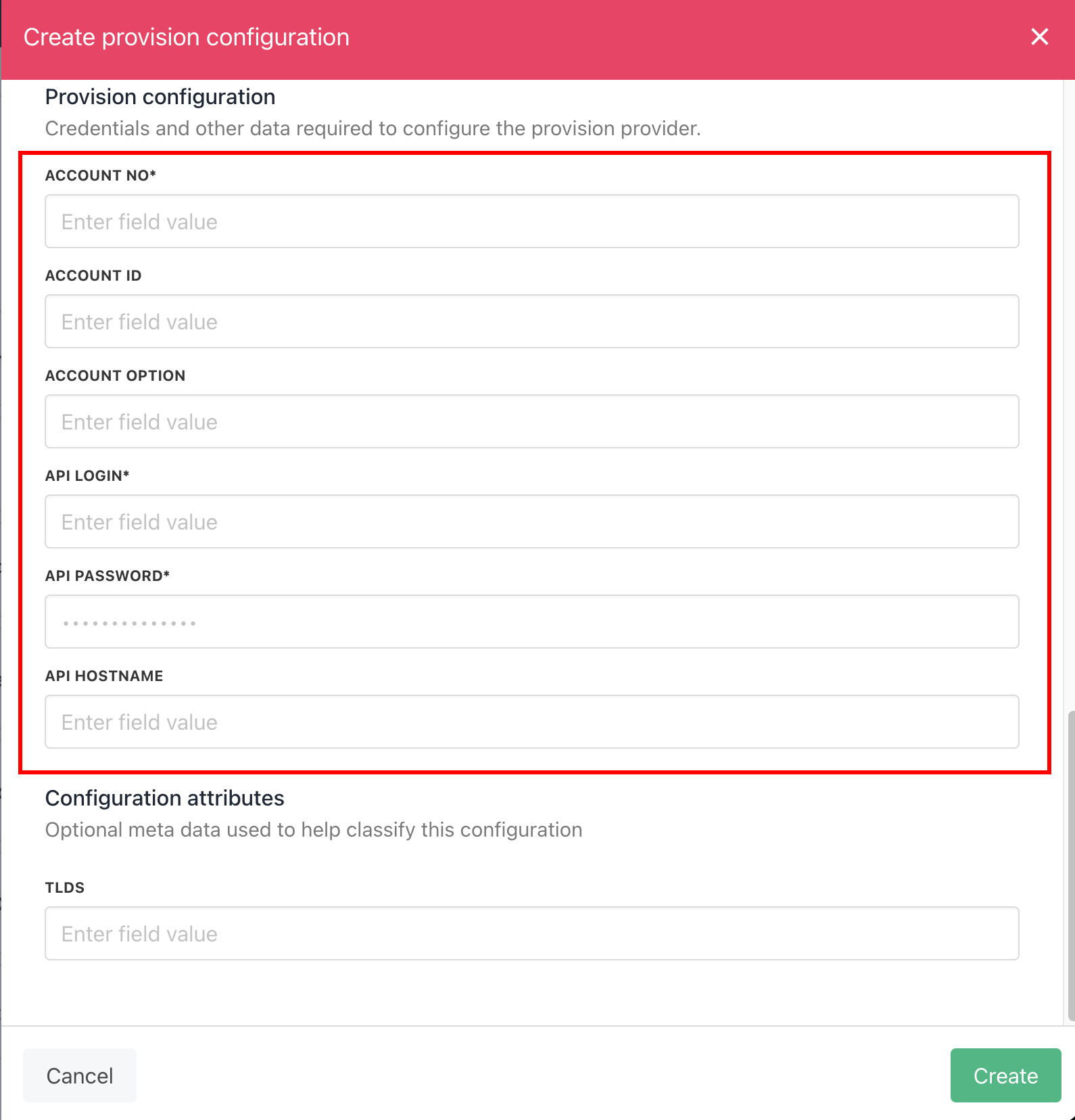
To link your TPP Wholesale account to Upmind, you’ll need the following credentials:
1. Account No.
2. API Login.
3. API Password.
Optional:
* **Account ID**: The account reference for a Console account or the account ID for an externally created account.
* **Account Option**: Determines which Console account the domain will be created under.
* **API Hostname**: Found in the Reseller Portal under API Preferences. If left blank, we default to `theconsole.tppwholesale.com.au`.
For guidance on where to find the required credentials (Account No, API Login, API Password, API Hostname-optional), refer to **Page 8 – Section 1.0: Authentication.**
For other credentials (Account ID, Account Option), refer to **Page 12 – Section 2.4 Domain Order Transfer Request.**
Both of these can be found on the [TPP Wholesale Domain & Resource Hosting API Specifications PDF.](https://www.tppwholesale.com.au/wp-content/uploads/2023/10/2.7.4_TPPW_HTTP_API_Domain_Specs.pdf)
## Linking TPP Wholesale to Upmind
1. In Upmind, navigate to **Host Control** > **Domain names** > **Registrars**.
2. **Click** on **TPP Wholesale.**
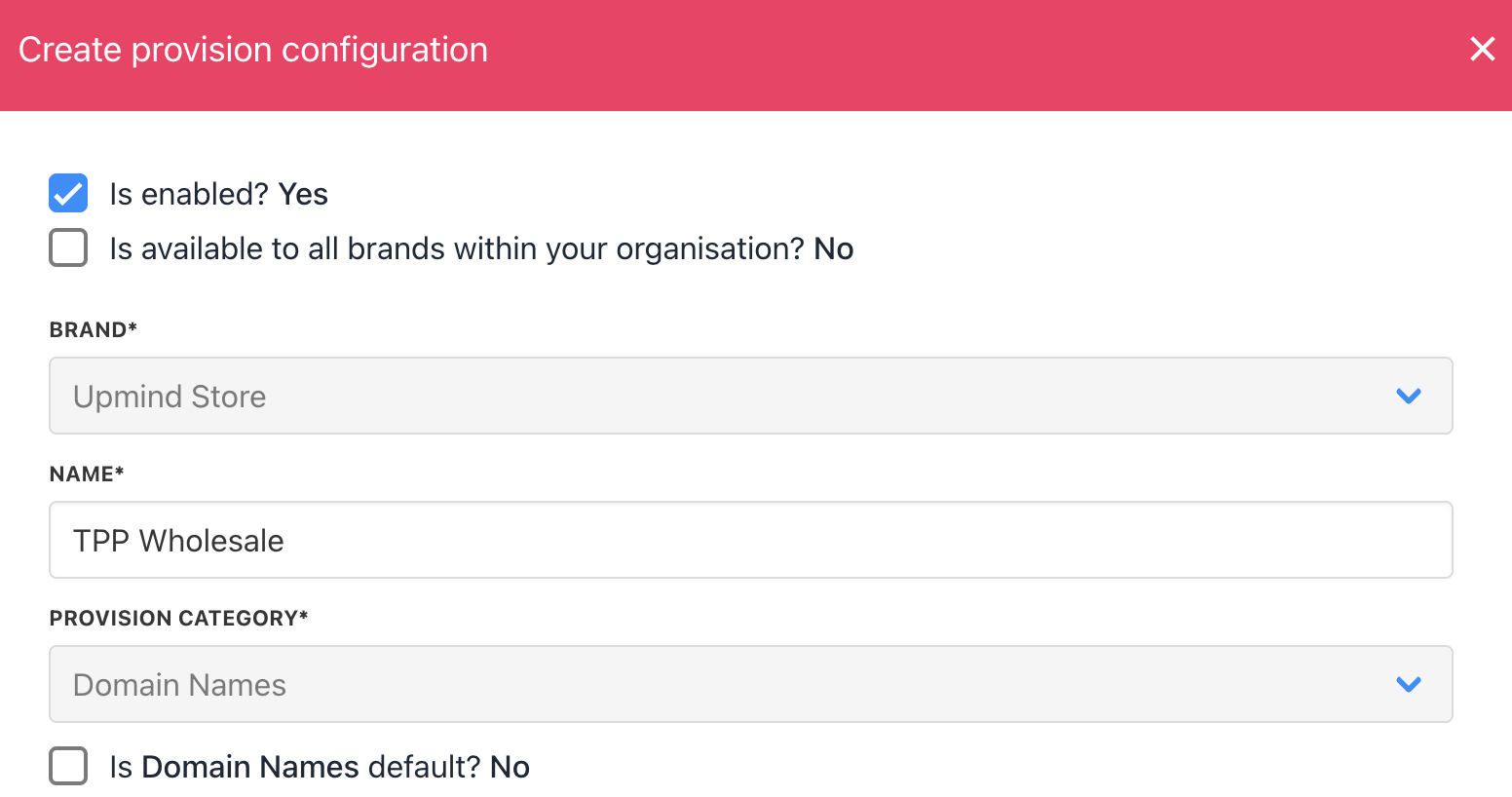
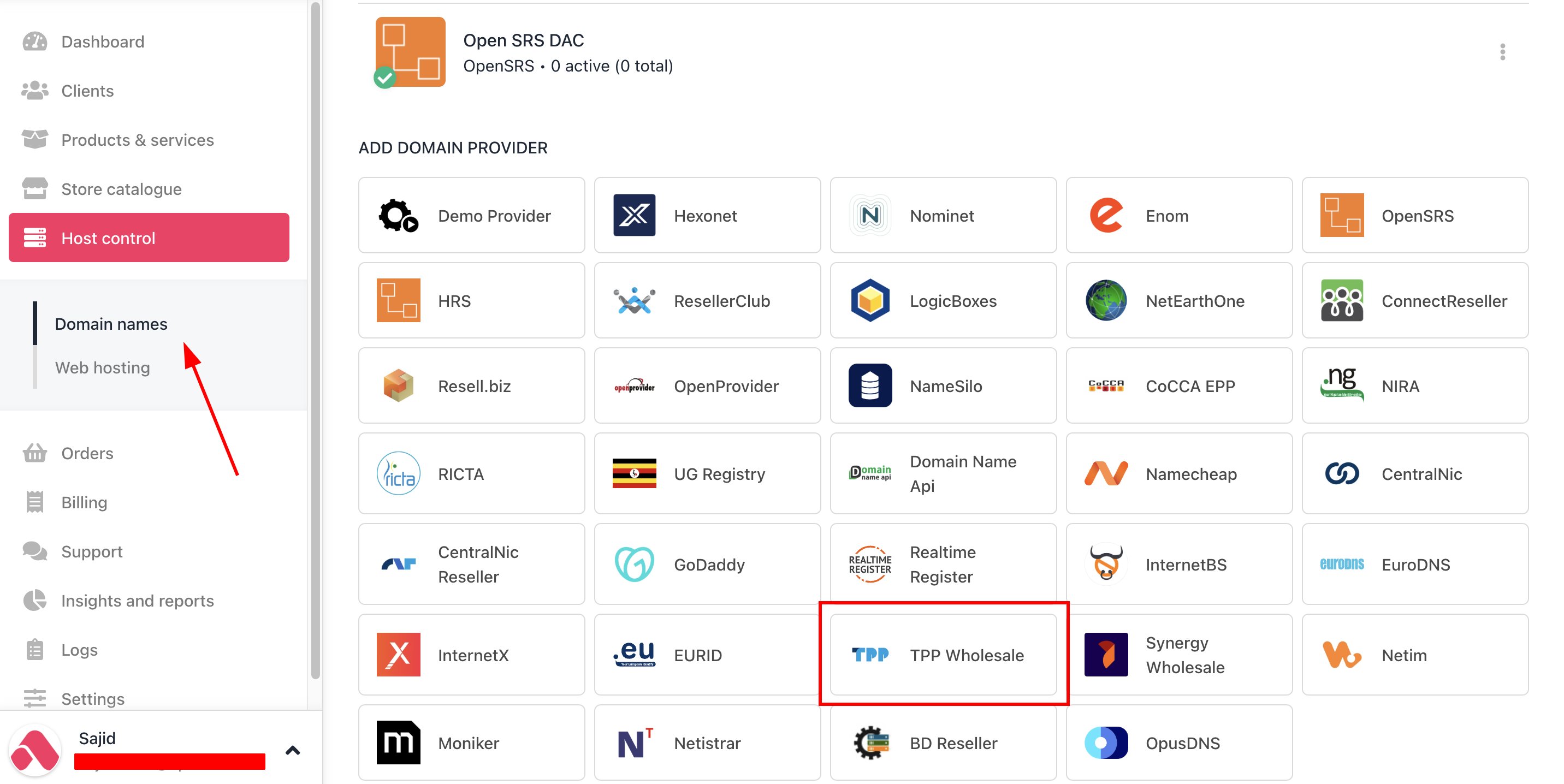 3. Enter a **Name**. This identifier is not visible to clients. We recommend entering the name **TPP Wholesale** unless you have two separate accounts that you want to label differently.
 4. Fill in the required credentials.
 5. Click Create.
6. Verify the information on the [Domain Settings](/for-web-hosts/domain-names/how-to-input-domain-settings) page.
5. Click Create.
6. Verify the information on the [Domain Settings](/for-web-hosts/domain-names/how-to-input-domain-settings) page.