> ## Documentation Index
> Fetch the complete documentation index at: https://docs.upmind.com/llms.txt
> Use this file to discover all available pages before exploring further.
# How to Link OpenSRS with Upmind
> Integrate OpenSRS domain registrar with Upmind.
[OpenSRS](https://opensrs.com/) is a global domain name registrar that is owned by Tucows. You can sign up for a reseller account on their [website](https://opensrs.com/join).
## Details needed
To link your account to Upmind, you will need:
* An OpenSRS account (username and password).
* OpenSRS API key.
## Linking to OpenSRS
1. In Upmind, navigate to **Host Control** > **Domain names** > **Registrars**.
2. Click on **OpenSRS**.
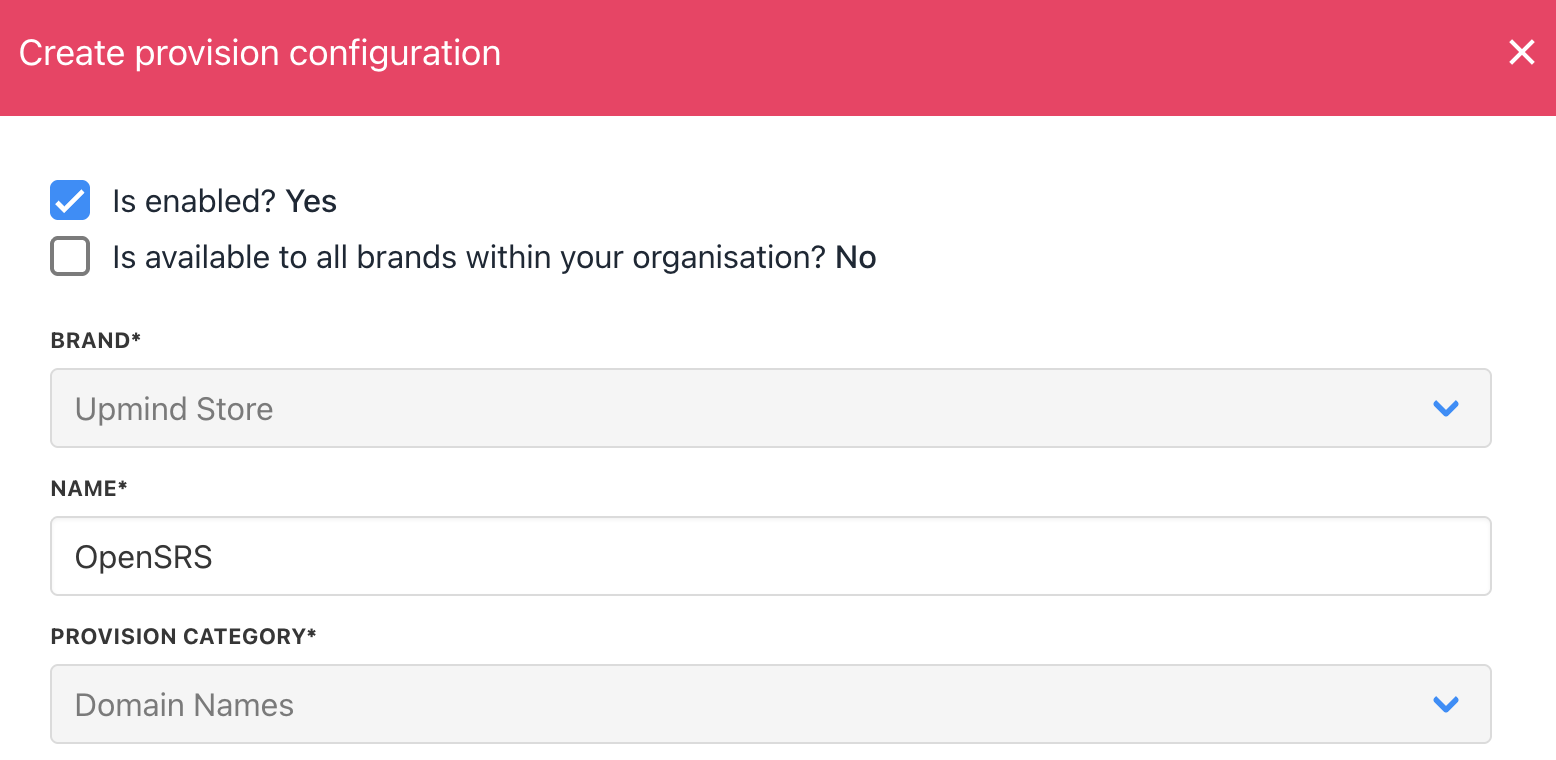
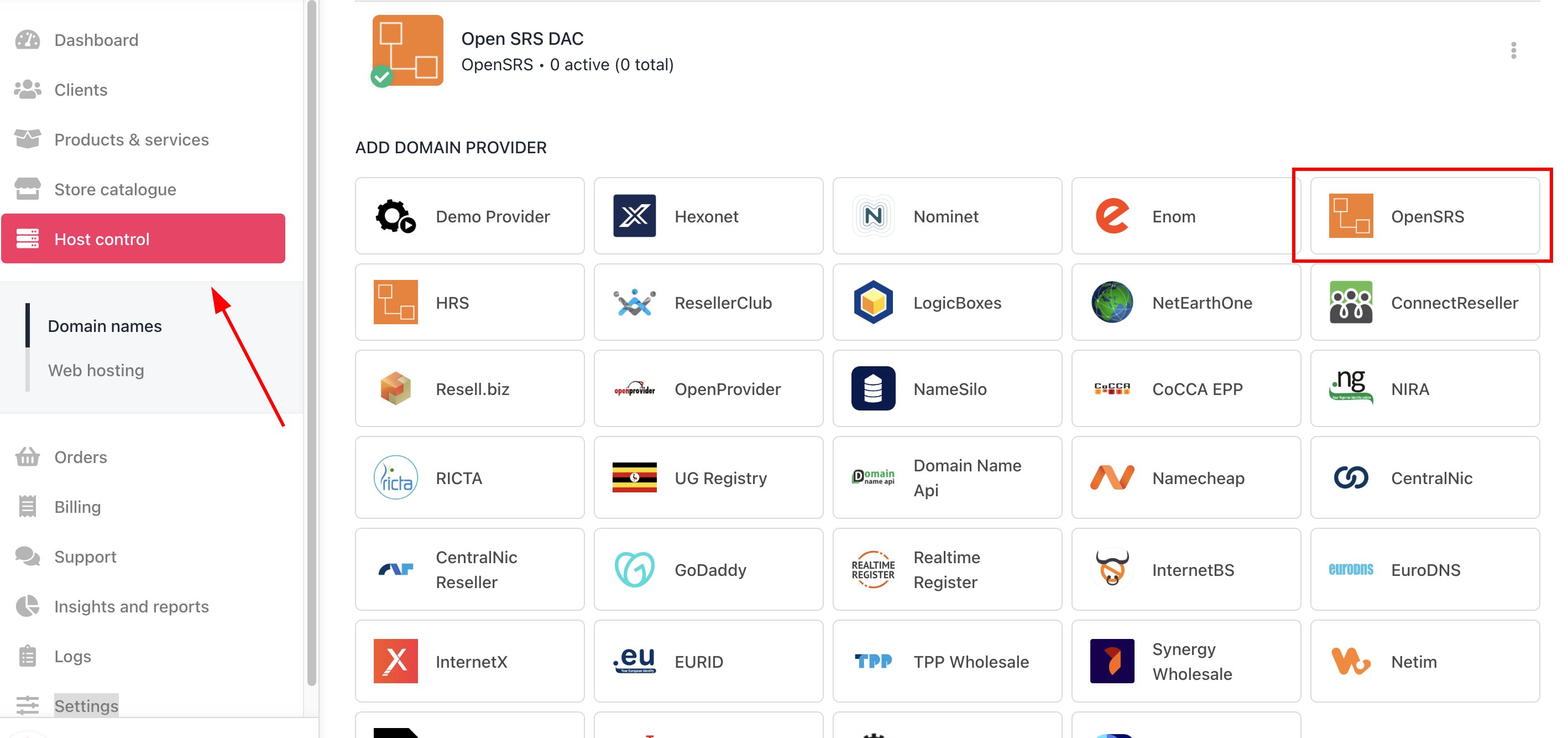 3. Enter a **Name**. We recommend **OpenSRS** unless you have two separate accounts that you want to distinguish between (e.g., OpenSRS V1 and OpenSRS V2).
 4. Enter your OpenSRS account **username** and your **API key**.
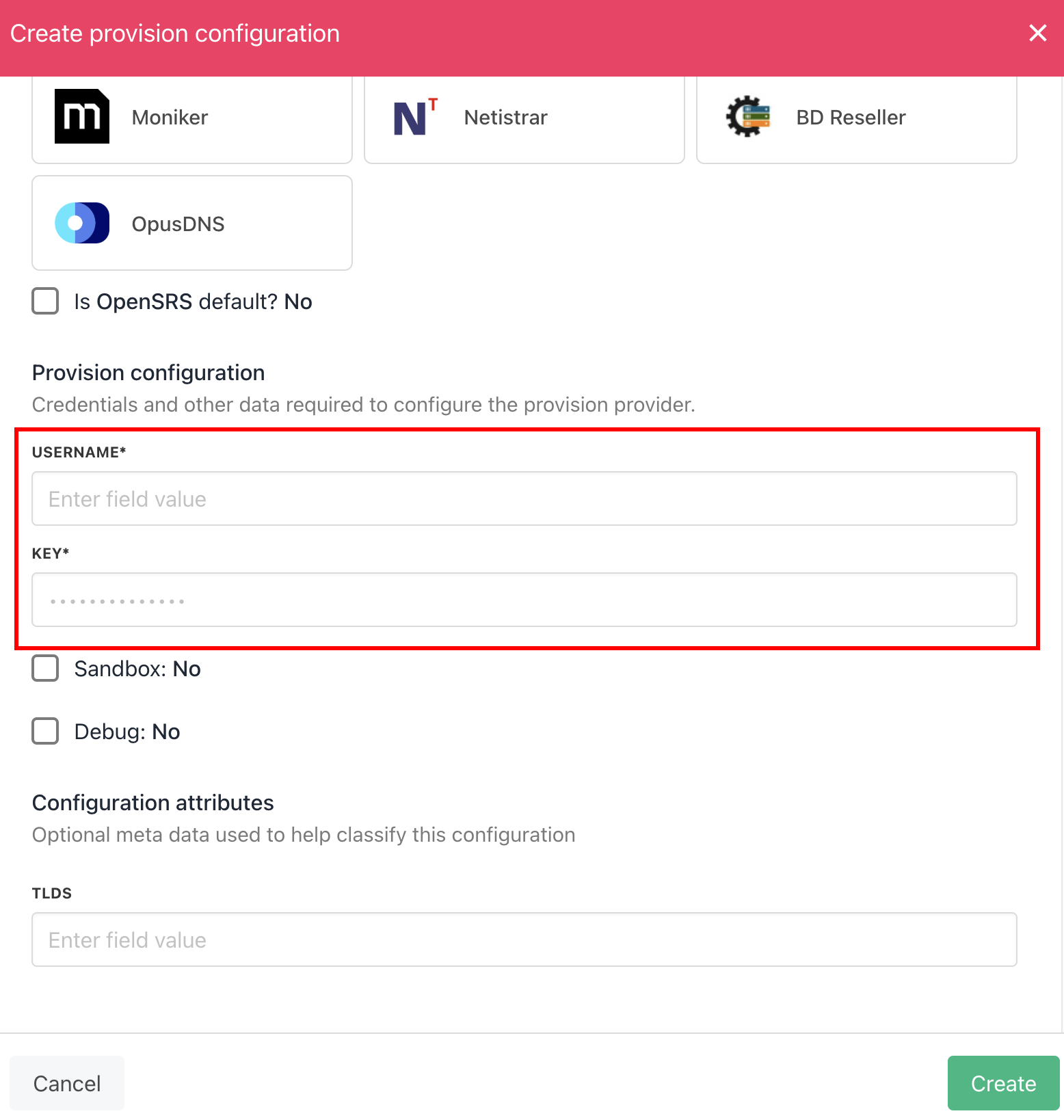 5. Click **Create**.
6. Verify the information on the [Domain Settings](/for-web-hosts/domain-names/how-to-input-domain-settings) page.
That is it! Your account is now linked.
## Whitelisting Upmind IP addresses
You should also whitelist [Upmind's outgoing IP addresses](/legal-and-information/upmind-ip-addresses) for API access to your OpenSRS account.
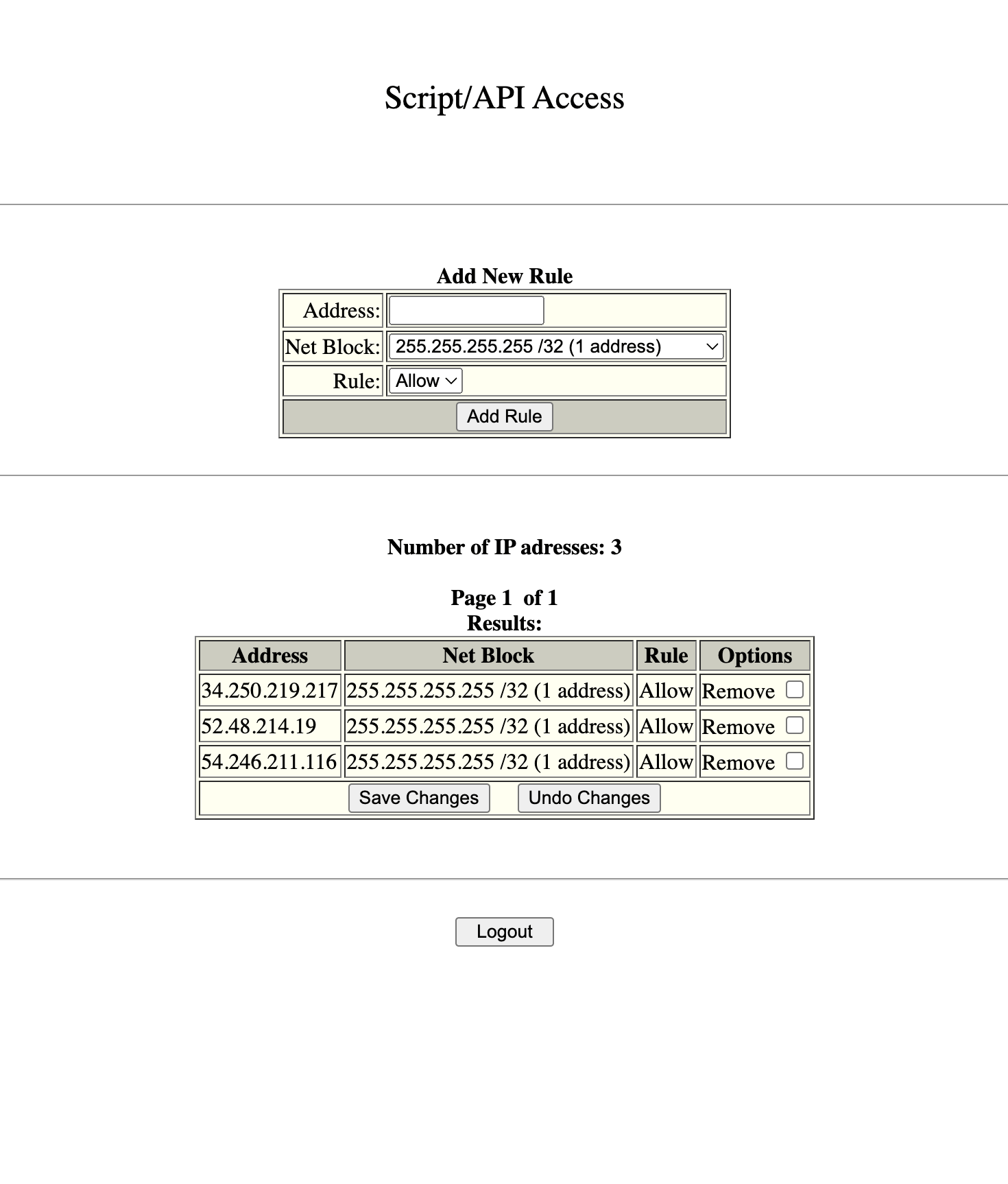
1. From your OpenSRS account dashboard, scroll to the bottom section and go to the **Add IPs for Script/API Access** page.
5. Click **Create**.
6. Verify the information on the [Domain Settings](/for-web-hosts/domain-names/how-to-input-domain-settings) page.
That is it! Your account is now linked.
## Whitelisting Upmind IP addresses
You should also whitelist [Upmind's outgoing IP addresses](/legal-and-information/upmind-ip-addresses) for API access to your OpenSRS account.
1. From your OpenSRS account dashboard, scroll to the bottom section and go to the **Add IPs for Script/API Access** page.
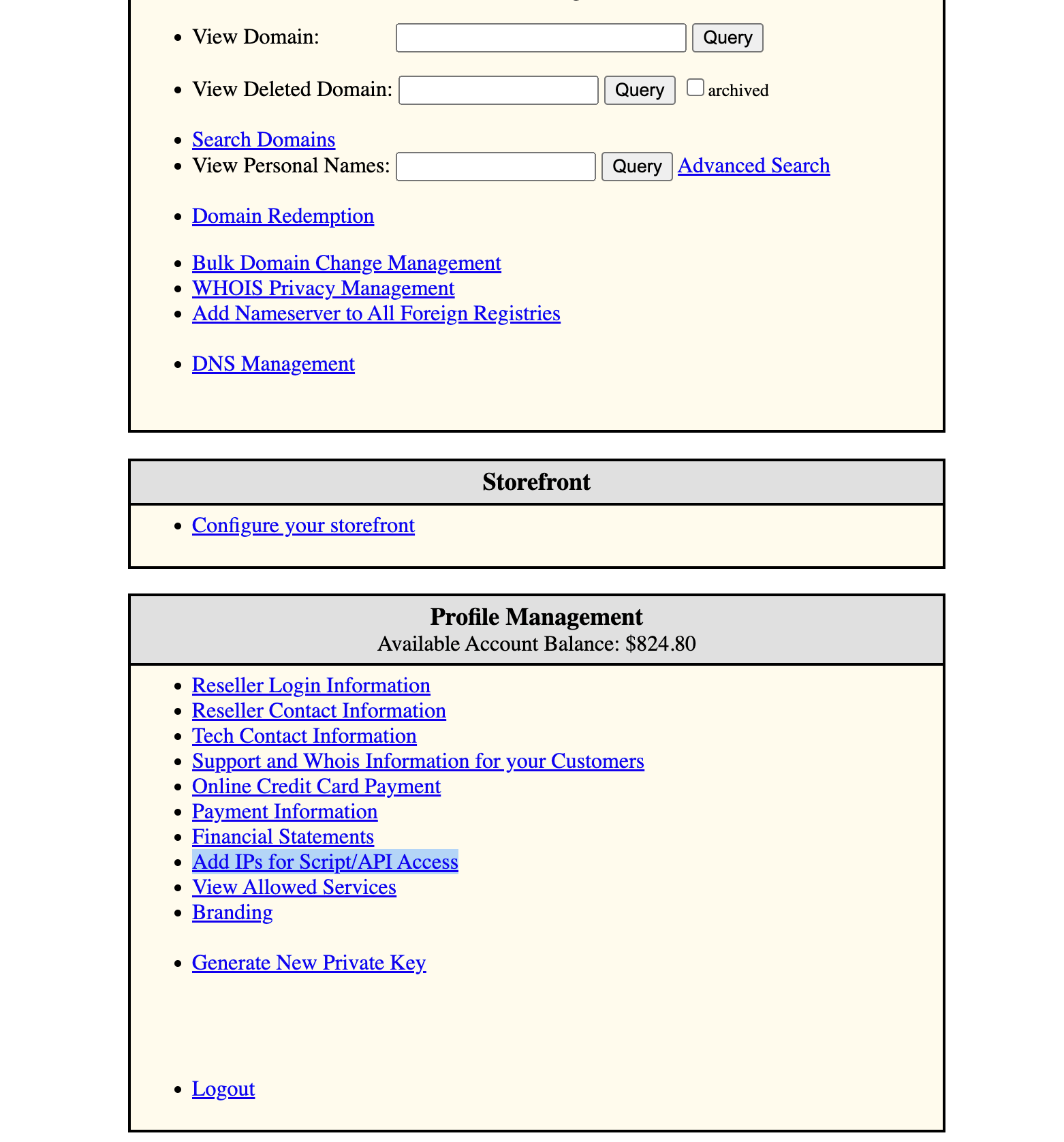 2. Add each of Upmind's outgoing IP addresses using the default net block mask, with the rule set to allow, then wait an hour for the changes to be applied.
 **Get Verification Status** and **Resend Verification Email** provision actions are supported for OpenSRS for ICANN and AU eligibility notices.
Users can now verify their identity with the registry without the manual help of domain registrars from their interface, making it more secure.
**Get Verification Status** and **Resend Verification Email** provision actions are supported for OpenSRS for ICANN and AU eligibility notices.
Users can now verify their identity with the registry without the manual help of domain registrars from their interface, making it more secure.