> ## Documentation Index
> Fetch the complete documentation index at: https://docs.upmind.com/llms.txt
> Use this file to discover all available pages before exploring further.

# How to Link NetEarthOne with Upmind

> Integrate NetEarthOne domain registrar with Upmind.

NetEarthOne is a domain registrar based on the LogicBoxes platform. You can link NetEarthOne with Upmind in order to sell and manage domain names.

## Details needed

You will need to obtain the following information in your NetEarthOne account.

1. Your **Reseller ID**. You can get this on the top right under your profile.
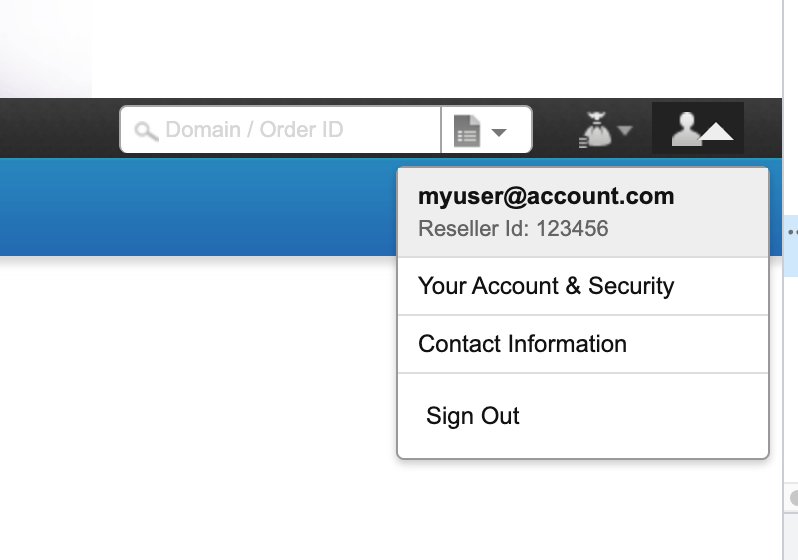
<Frame caption="Get Reseller ID">
  <img src="https://mintcdn.com/upmind/h8h5zREaX7k8Y-3x/images/fb/155230b56fff7a8b.png?fit=max&auto=format&n=h8h5zREaX7k8Y-3x&q=85&s=5fed255b79af45797814d7d68fa98e34" alt="Get Reseller ID" width="798" height="560" data-path="images/fb/155230b56fff7a8b.png" />
</Frame>

2. Your **API key**. You can get this from **Settings** > **API.**

3. You will also need to whitelist the following IP addresses

* 91.240.229.1

* 91.240.229.2

* 91.240.229.3
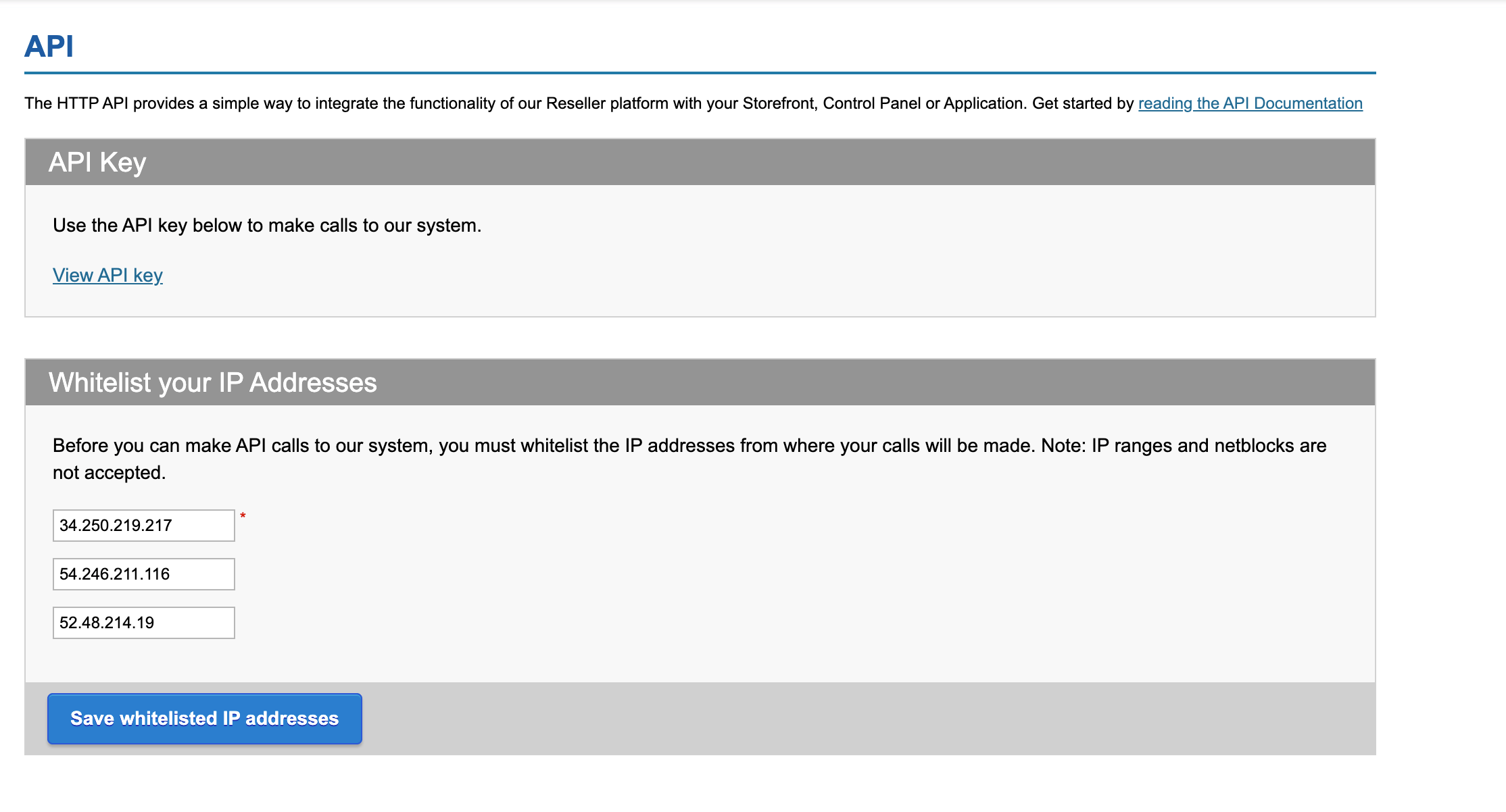
<Frame caption="Get API key">
  <img src="https://mintcdn.com/upmind/uxzVUXAKtJ2bRWCI/images/fb/7015dea4248f2598.png?fit=max&auto=format&n=uxzVUXAKtJ2bRWCI&q=85&s=47e3de208247934e4703b8cf1f32eb36" alt="Get API key" width="2228" height="1202" data-path="images/fb/7015dea4248f2598.png" />
</Frame>

## Connecting to Upmind

1. In Upmind, navigate to **Host Control** > **Domain names** > **Registrars**.

2. Select **NetEarthOne** from the list of providers.
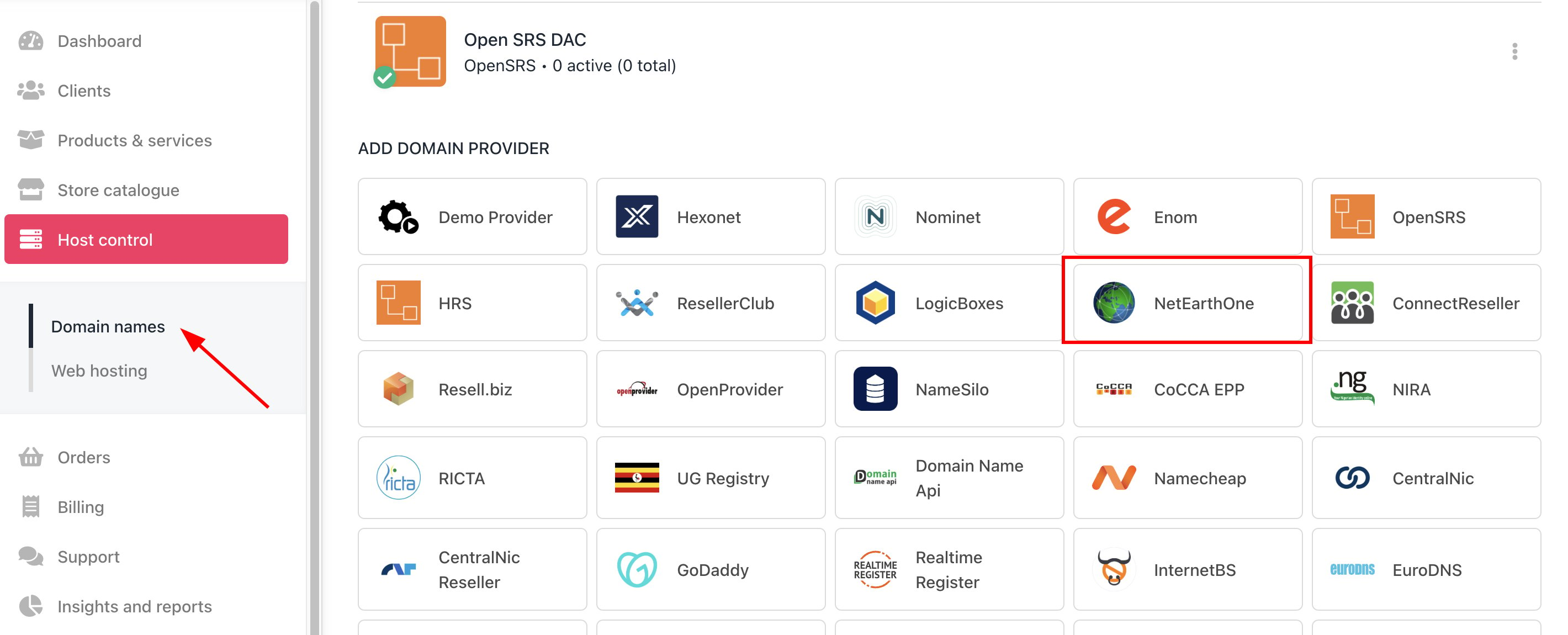
<Frame caption="Host Control > Domain names > Registrars">
  <img src="https://mintcdn.com/upmind/c5sDUwEs8YpzGbjA/images/fb/993cfce4bf92a472.png?fit=max&auto=format&n=c5sDUwEs8YpzGbjA&q=85&s=f15e2a27c6e9301c8522921be79649ee" alt="Host Control > Domain names > Registrars" data-og-width="2840" width="2840" data-og-height="1150" height="1150" data-path="images/fb/993cfce4bf92a472.png" data-optimize="true" data-opv="3" srcset="https://mintcdn.com/upmind/c5sDUwEs8YpzGbjA/images/fb/993cfce4bf92a472.png?w=280&fit=max&auto=format&n=c5sDUwEs8YpzGbjA&q=85&s=08be865b639c07f6ca14c1bf8860cf71 280w, https://mintcdn.com/upmind/c5sDUwEs8YpzGbjA/images/fb/993cfce4bf92a472.png?w=560&fit=max&auto=format&n=c5sDUwEs8YpzGbjA&q=85&s=3dea3dd0f71f16fe4c2da63919b32c63 560w, https://mintcdn.com/upmind/c5sDUwEs8YpzGbjA/images/fb/993cfce4bf92a472.png?w=840&fit=max&auto=format&n=c5sDUwEs8YpzGbjA&q=85&s=bb6c522bd2c31770be49b092fd0b6324 840w, https://mintcdn.com/upmind/c5sDUwEs8YpzGbjA/images/fb/993cfce4bf92a472.png?w=1100&fit=max&auto=format&n=c5sDUwEs8YpzGbjA&q=85&s=27eadd5aebd816e768523290b9e74568 1100w, https://mintcdn.com/upmind/c5sDUwEs8YpzGbjA/images/fb/993cfce4bf92a472.png?w=1650&fit=max&auto=format&n=c5sDUwEs8YpzGbjA&q=85&s=34773309e1624d0be4fe3fc1b0ebec56 1650w, https://mintcdn.com/upmind/c5sDUwEs8YpzGbjA/images/fb/993cfce4bf92a472.png?w=2500&fit=max&auto=format&n=c5sDUwEs8YpzGbjA&q=85&s=e81f46f93f9c987a0cee3f4b1b5a9de4 2500w" />
</Frame>

3. Enter a **Name**. We recommend NetEarthOne.
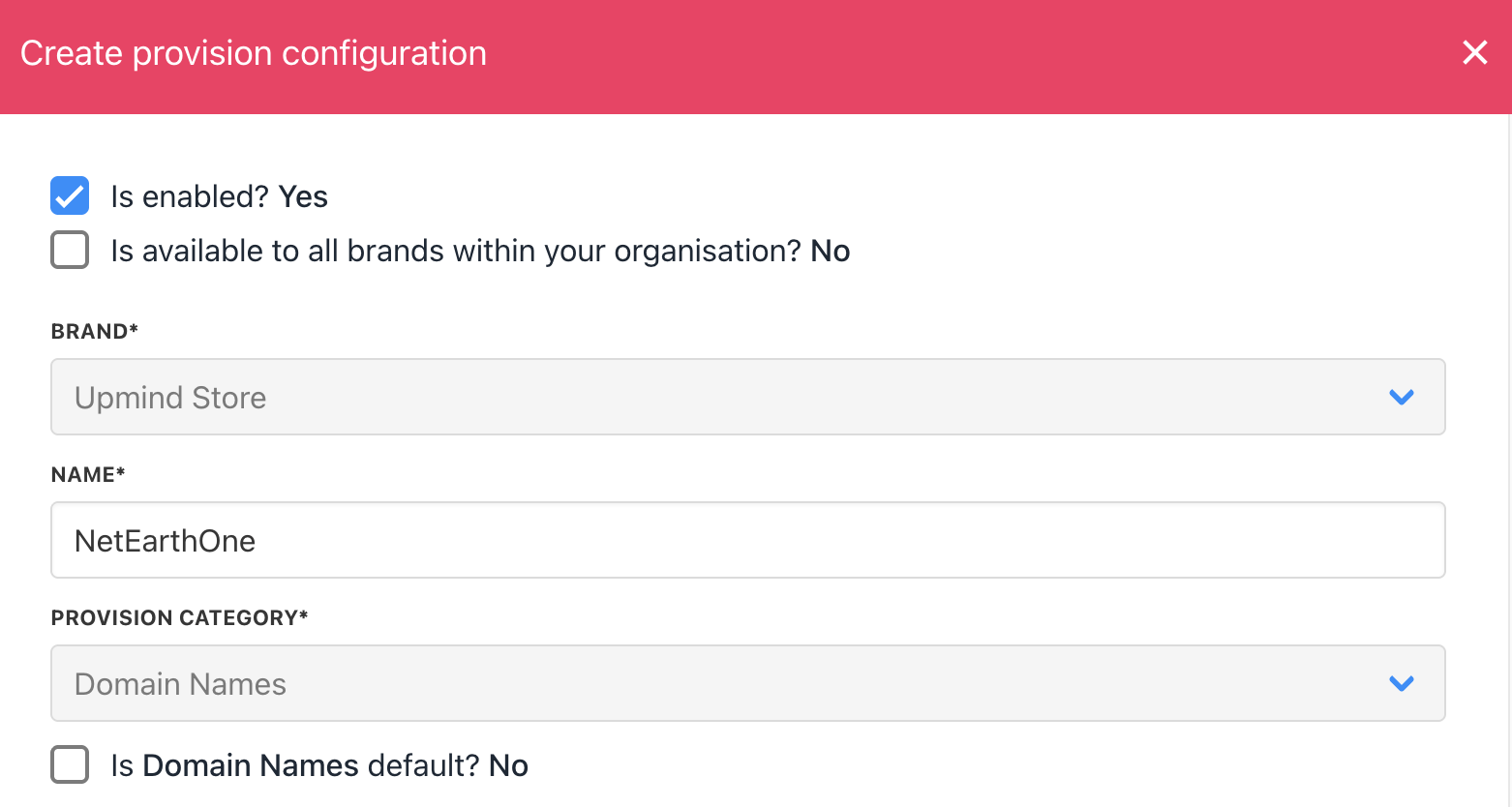
<Frame caption="Enter name">
  <img src="https://mintcdn.com/upmind/pcUdSuxUJ6LgBXnd/images/fb/9efa7cc3d91a8ce9.png?fit=max&auto=format&n=pcUdSuxUJ6LgBXnd&q=85&s=c7180e9db6d284df9c9cb87e5ab1633b" alt="Enter name" width="1562" height="834" data-path="images/fb/9efa7cc3d91a8ce9.png" />
</Frame>

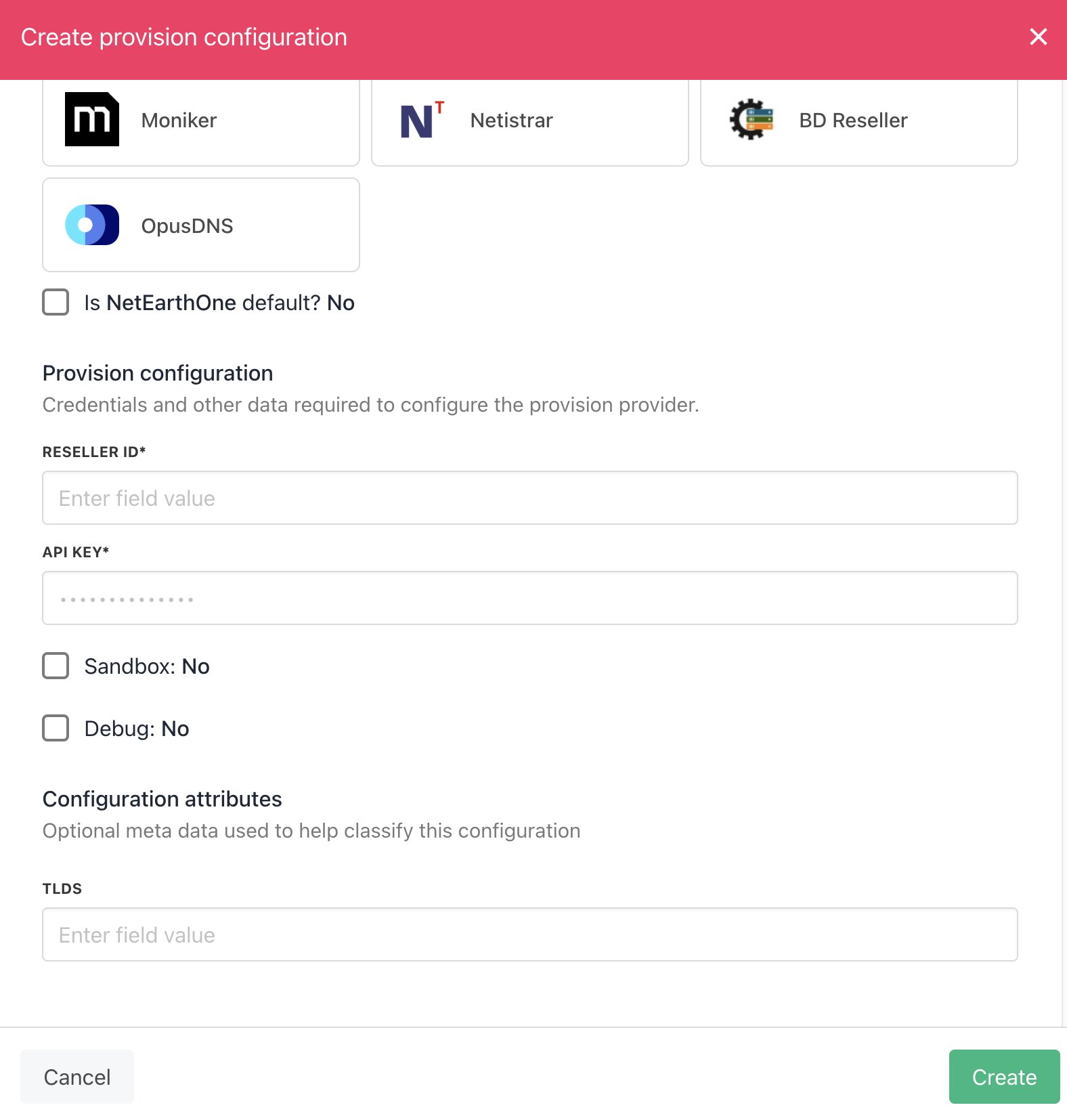
4. You will need to enter your **Reseller ID** and **API Key**.
<Frame caption="Enter details">
  <img src="https://mintcdn.com/upmind/uxzVUXAKtJ2bRWCI/images/fb/6c1aa61d882ddbe1.png?fit=max&auto=format&n=uxzVUXAKtJ2bRWCI&q=85&s=d00be0e1378895771a47b1751c6ae766" alt="Enter details" width="1576" height="1654" data-path="images/fb/6c1aa61d882ddbe1.png" />
</Frame>

5. Hit **Create**. Then you should be fully connected.

6. Verify the information on the [<u>Domain Settings</u>](/for-web-hosts/domain-names/how-to-input-domain-settings) page.

That is it! Your account is now linked.
