> ## Documentation Index
> Fetch the complete documentation index at: https://docs.upmind.com/llms.txt
> Use this file to discover all available pages before exploring further.
# How to Link Moniker to Upmind
> Integrate Moniker domain registrar with Upmind.
Moniker is a Europe-based domain registrar that supports global domain registrations. You can create an account directly on their [website](https://www.moniker.com).
## Details needed
To link your account to Upmind, you will need:
* Moniker username (this is your **API Key**).
* Moniker password.
- The Moniker API cannot be accessed using your regular account username and password.
- You must generate an API key in your Moniker account. By default, when a new API key is issued, the password is set to your account password.
- 2FA is not required for API access.
If you experience any issues generating your API key, please contact Moniker Support directly.
## Linking to Moniker
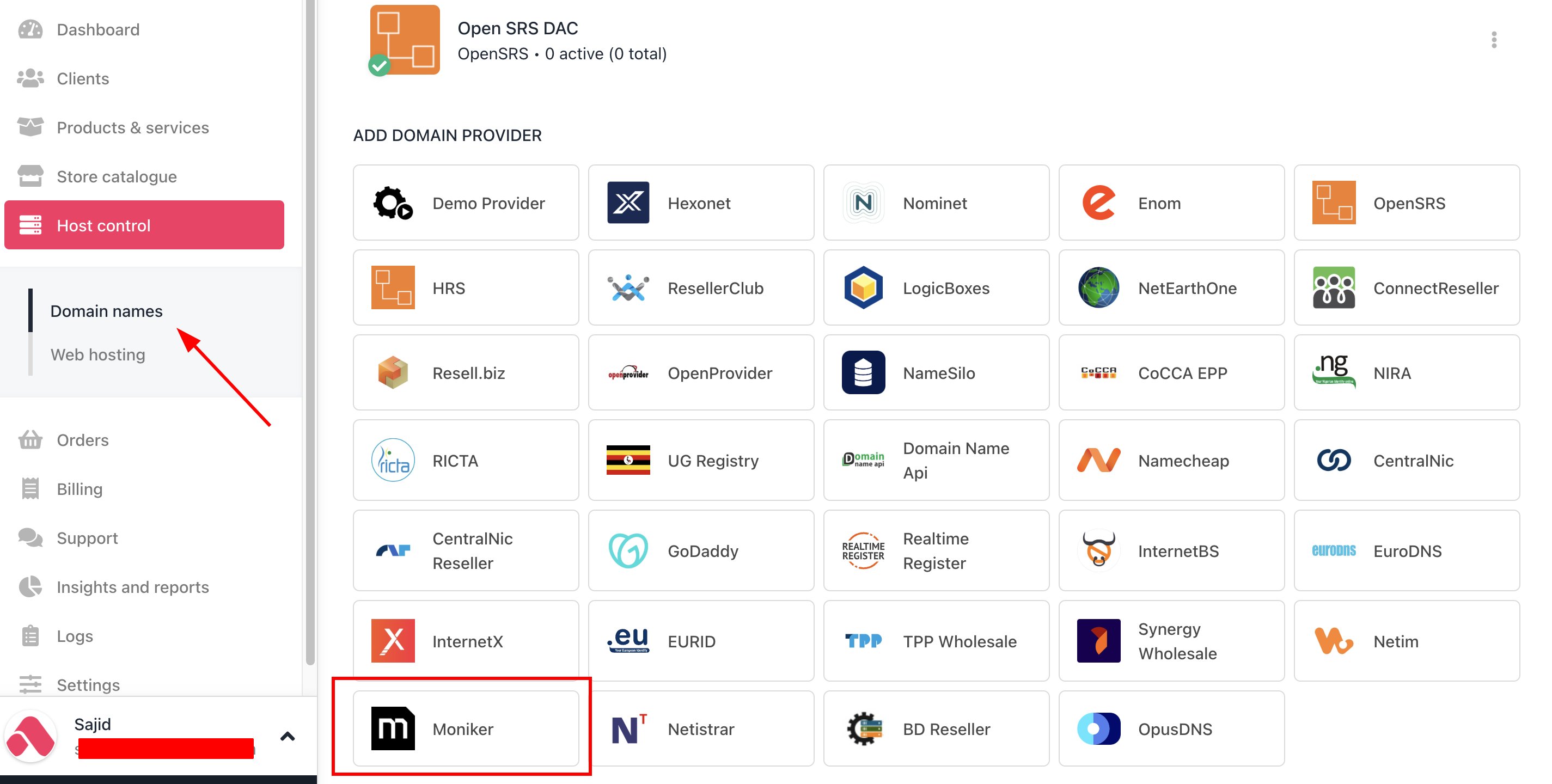
1. In Upmind, navigate to **Host Control** > **Domain names** > **Registrars**.
2. Click on **Moniker.**
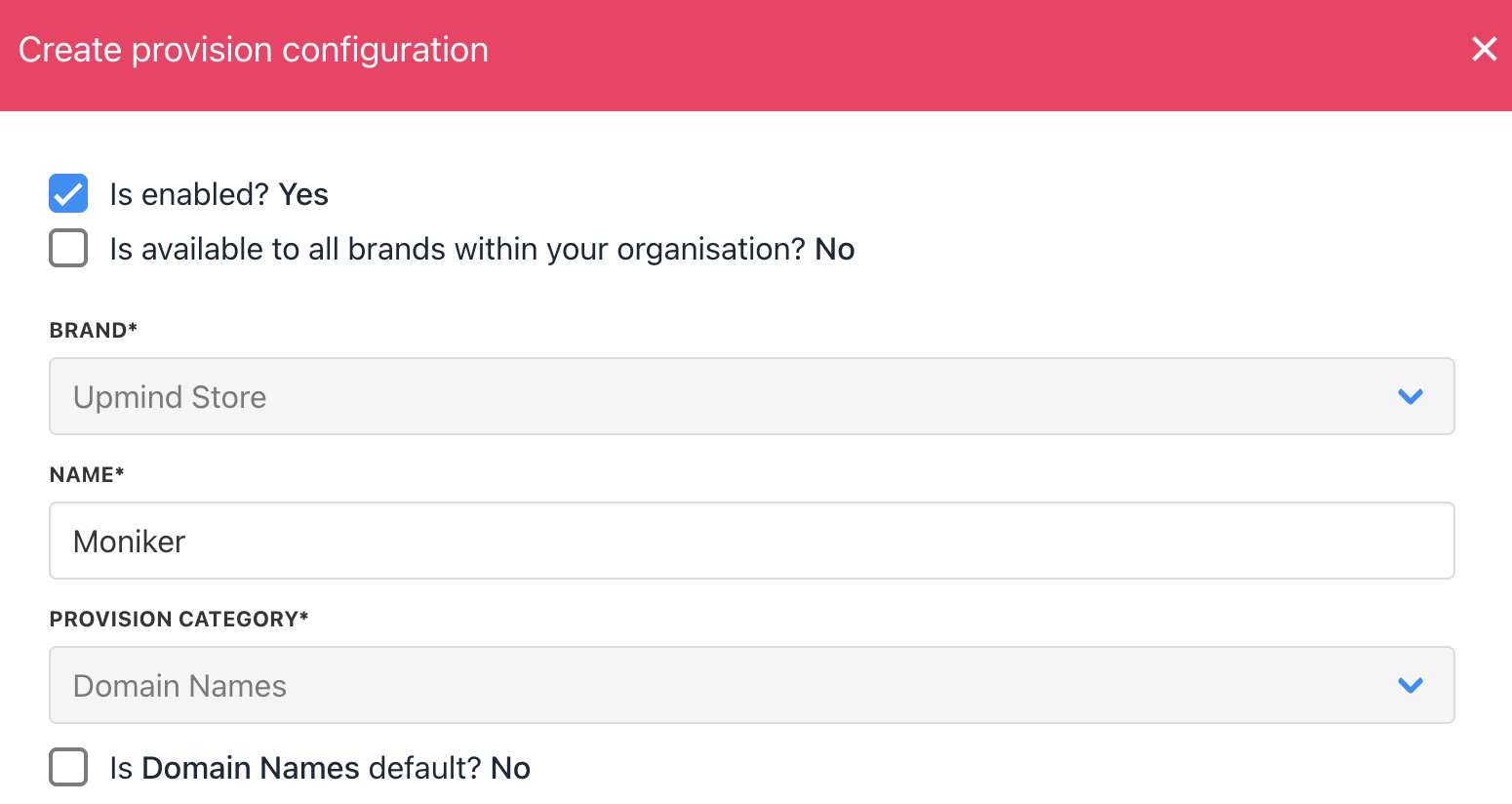
 3. Enter a **Name**. This identifier is not visible to clients. We recommend entering the name **Moniker** unless you have two separate accounts that you want to label differently (e.g., Moniker V1 and Moniker V2).
 4. Enter your Moniker account **username** and **password**.
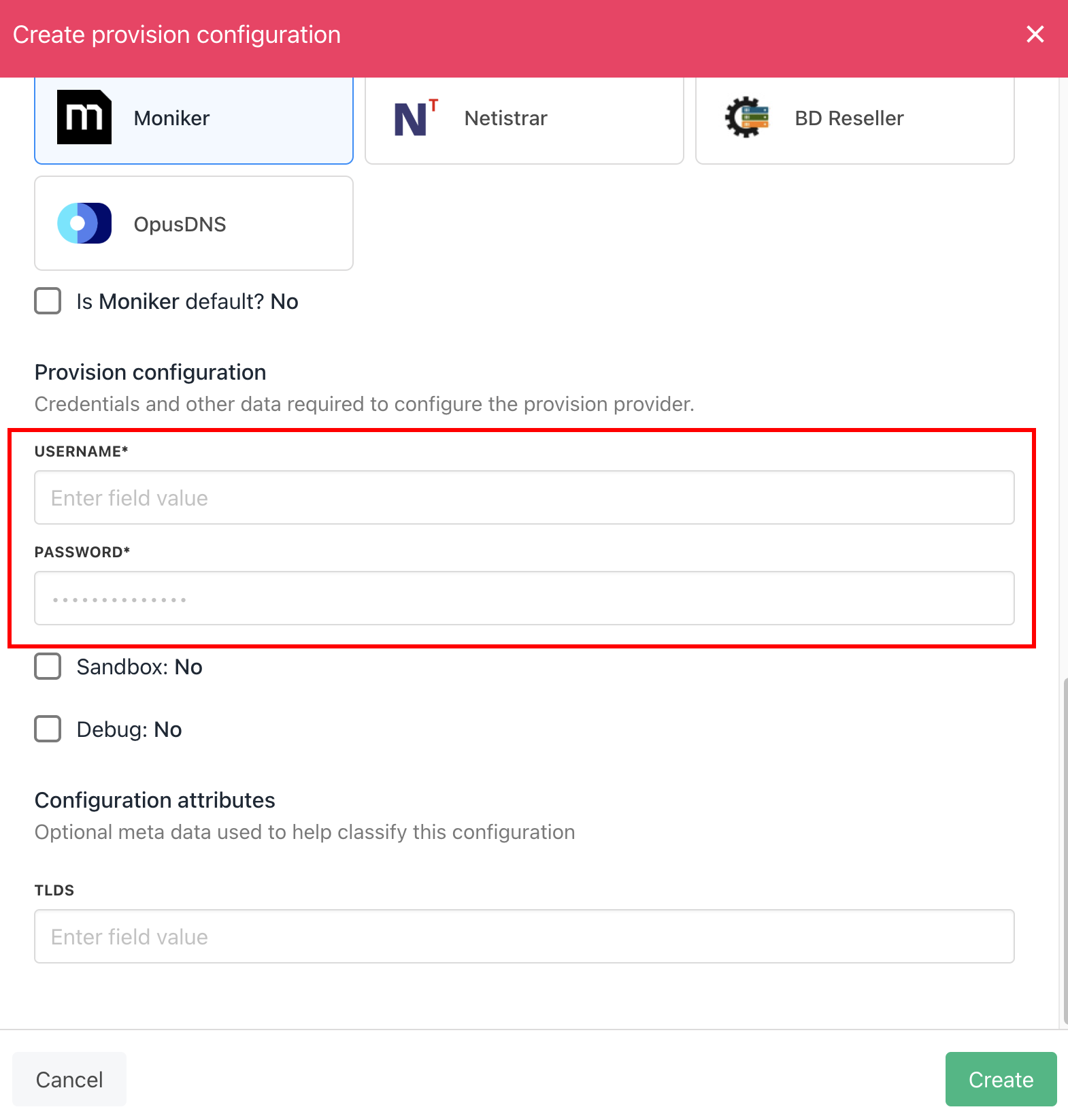 5. Click **Create**.
6. Verify the information on the [Domain Settings](/for-web-hosts/domain-names/how-to-input-domain-settings) page.
That is it! Your account is now linked.
## Whitelisting Upmind IP Addresses
You should also whitelist [Upmind's outgoing IP addresses](/legal-and-information/upmind-ip-addresses) for API access to your Moniker account.
5. Click **Create**.
6. Verify the information on the [Domain Settings](/for-web-hosts/domain-names/how-to-input-domain-settings) page.
That is it! Your account is now linked.
## Whitelisting Upmind IP Addresses
You should also whitelist [Upmind's outgoing IP addresses](/legal-and-information/upmind-ip-addresses) for API access to your Moniker account.