> ## Documentation Index
> Fetch the complete documentation index at: https://docs.upmind.com/llms.txt
> Use this file to discover all available pages before exploring further.
# How to Link InternetBS with Upmind
> Integrate InternetBS domain registrar with Upmind.
Internet.bs is a domain registrar known for its user-friendly platform and competitive pricing. They offer a wide range of domain extensions, along with additional services like web hosting, email hosting, and SSL certificates.
Sign up on their website [here](https://internetbs.net/en/index.html).
## Details needed
To link your InternetBS account to Upmind, you will need an API Key and password from your InternetBS account.
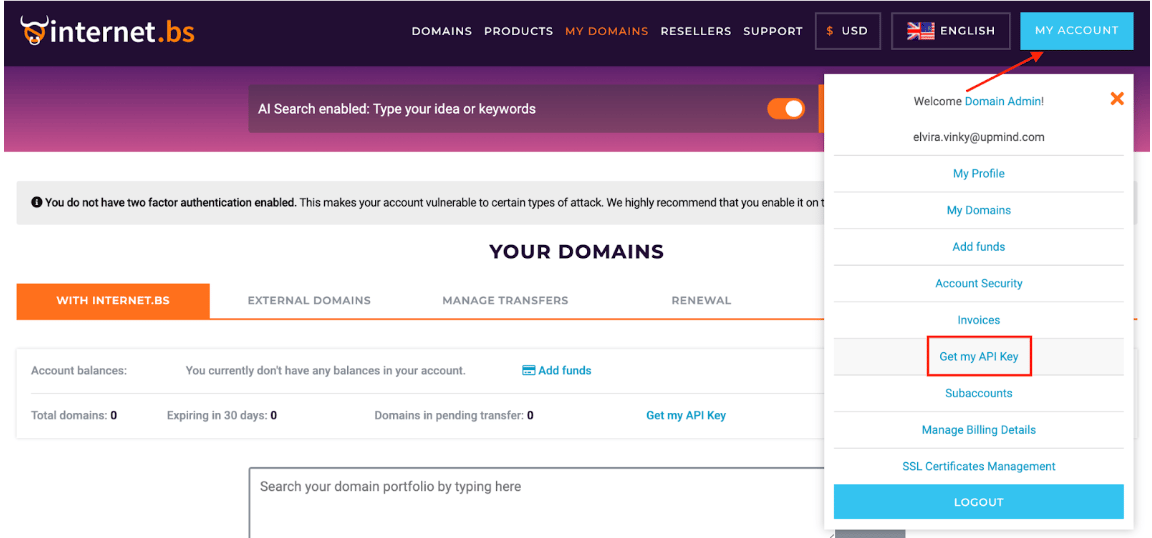
To generate the API Key, log in to your InternetBS account, click on **My Account**, and select **Get my API Key**.
 ## Linking InternetBS to Upmind
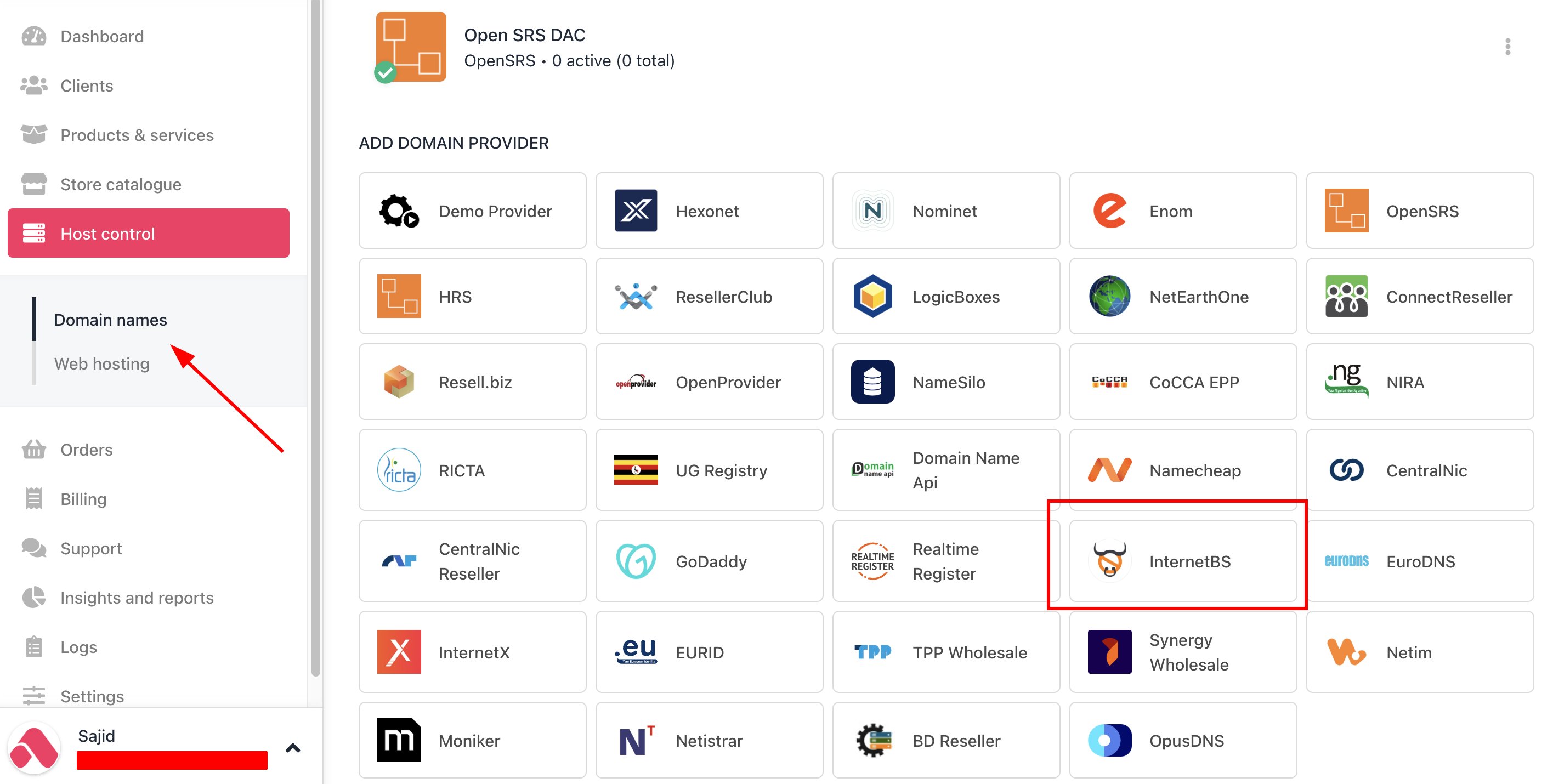
1. In Upmind, navigate to **Host Control** > **Domain names** > **Registrars**.
2. **Click** on **InternetBS.**
## Linking InternetBS to Upmind
1. In Upmind, navigate to **Host Control** > **Domain names** > **Registrars**.
2. **Click** on **InternetBS.**
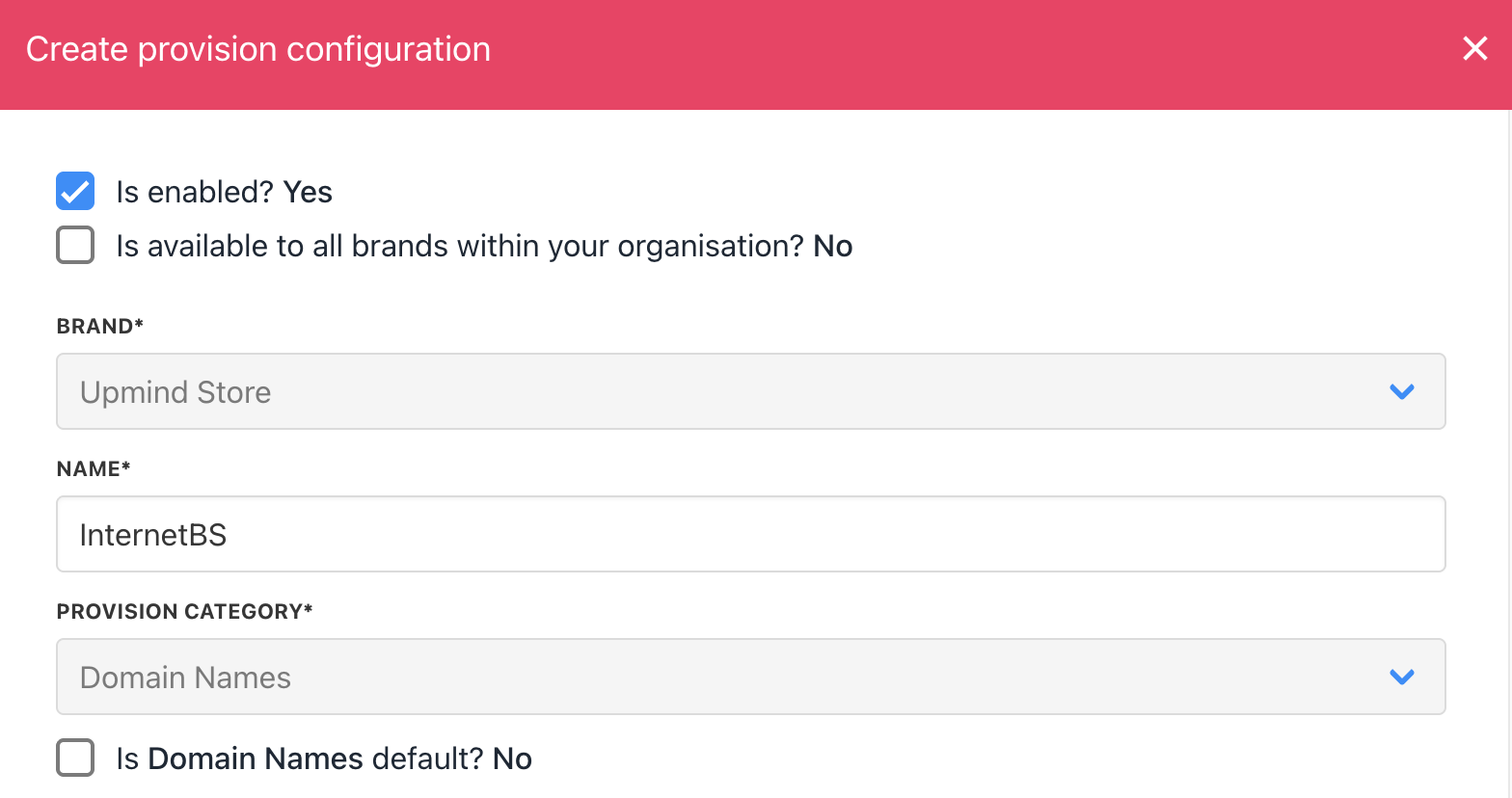
 3. Enter a **Name**. This identifier is not visible to clients. We recommend entering the name InternetBS unless you have two separate accounts that you want to label differently.
 4. Enter your **API Key** and InternetBS’s **password**.
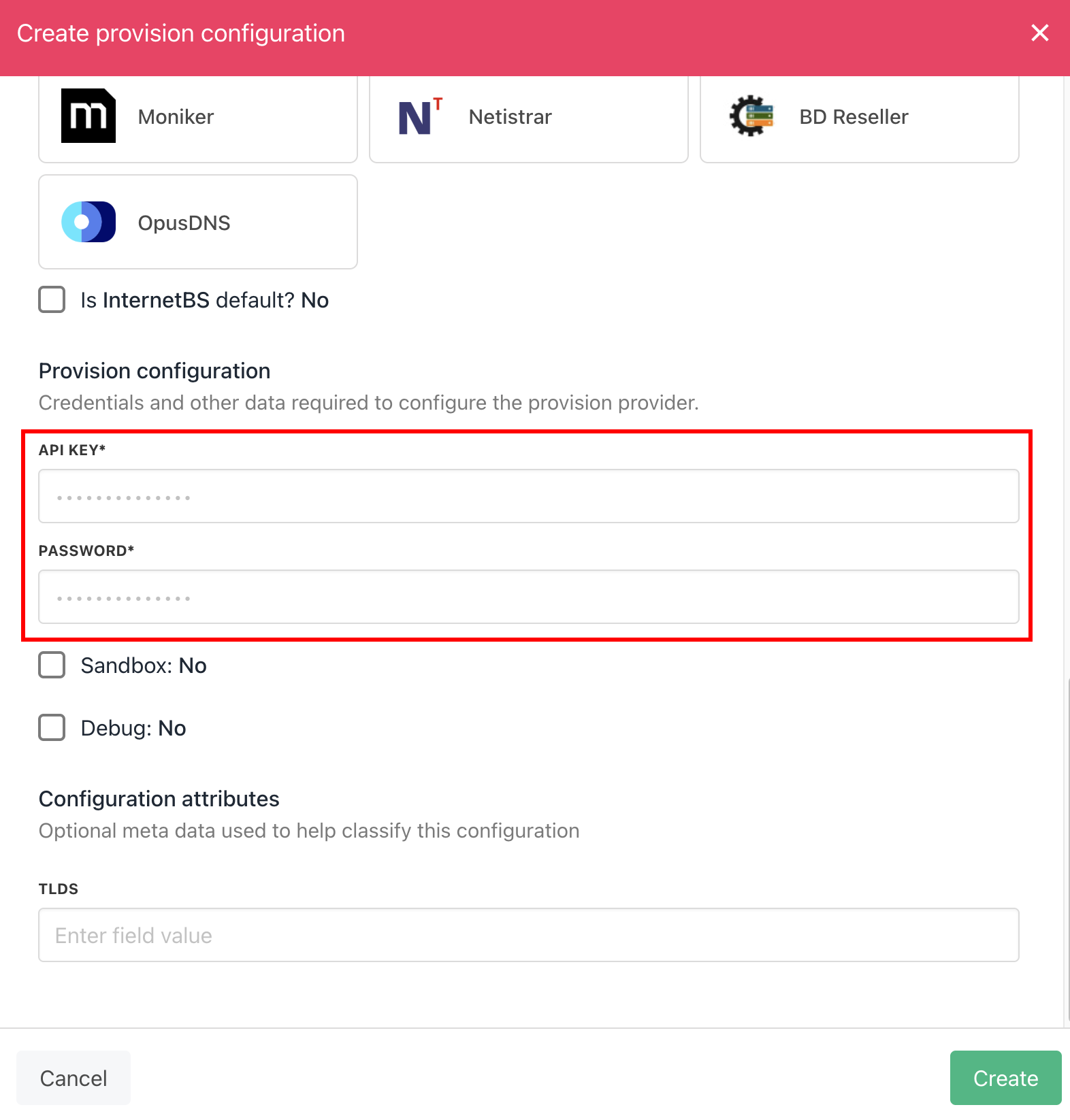 5. Click the **Create** button.
6. Verify the information on the [Domain Settings](/for-web-hosts/domain-names/how-to-input-domain-settings) page.
5. Click the **Create** button.
6. Verify the information on the [Domain Settings](/for-web-hosts/domain-names/how-to-input-domain-settings) page.