> ## Documentation Index
> Fetch the complete documentation index at: https://docs.upmind.com/llms.txt
> Use this file to discover all available pages before exploring further.
# How to Link Hexonet with Upmind
> Integrate Hexonet domain registrar with Upmind.
[Hexonet](https://www.hexonet.net/) is a domain registrar that wholesales domain names. You can easily link Hexonet with Upmind in order to sell domain names.
You will need a Hexonet account.
## Linking to Hexonet
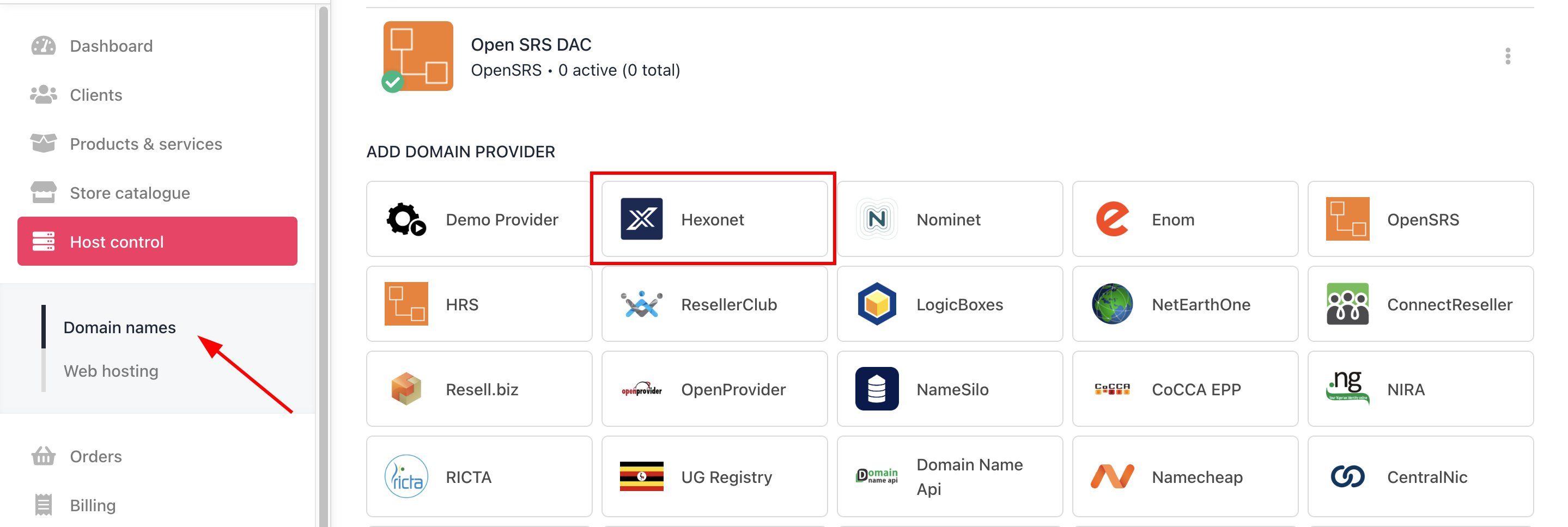
1. In Upmind, navigate to **Host Control** > **Domain names** > **Registrars**.
2. Click on **Hexonet**.
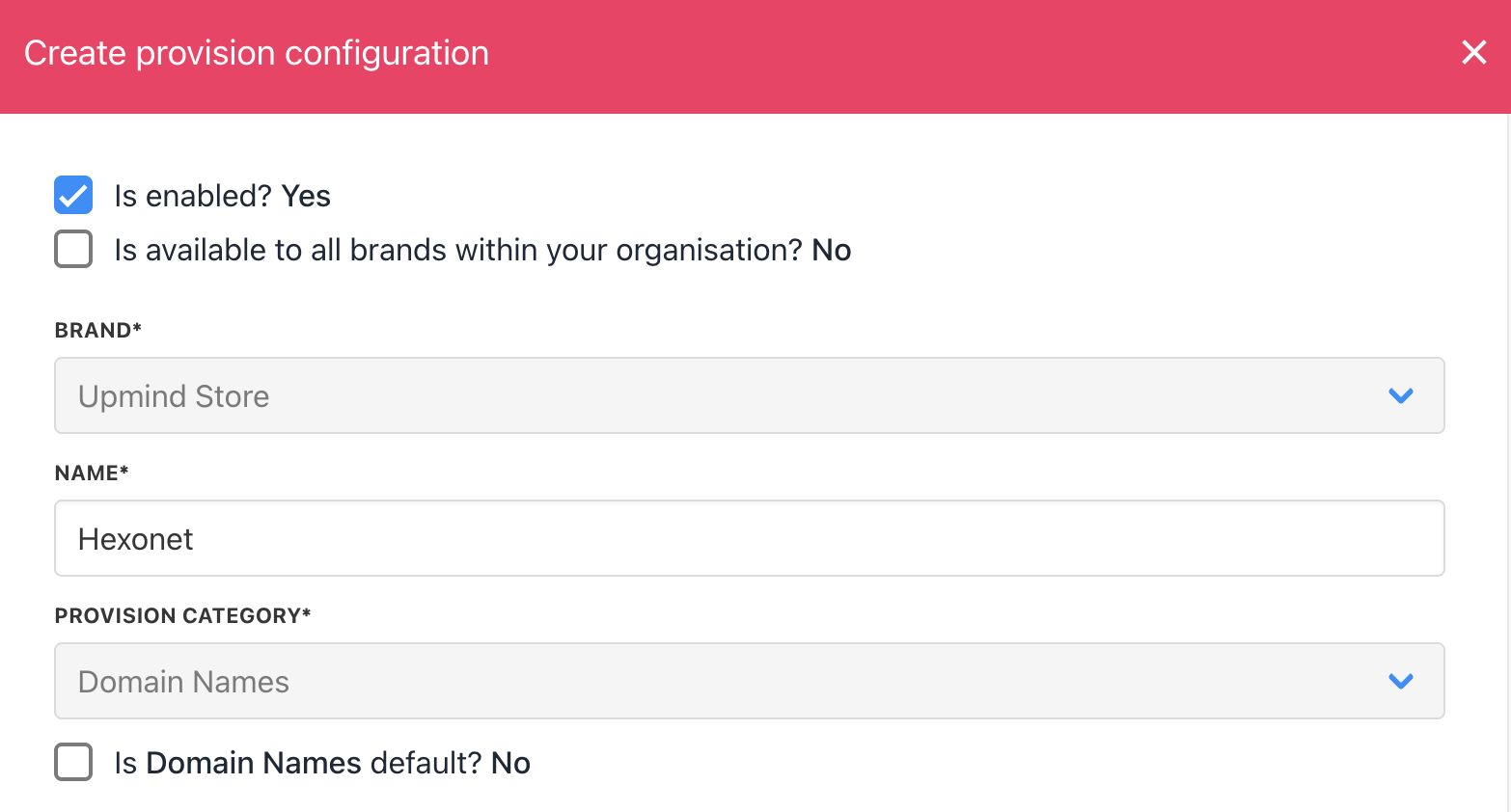
 3. Enter a **Name**. We recommend **Hexonet**.
 4. You will be prompted to enter a **username** and **password**.
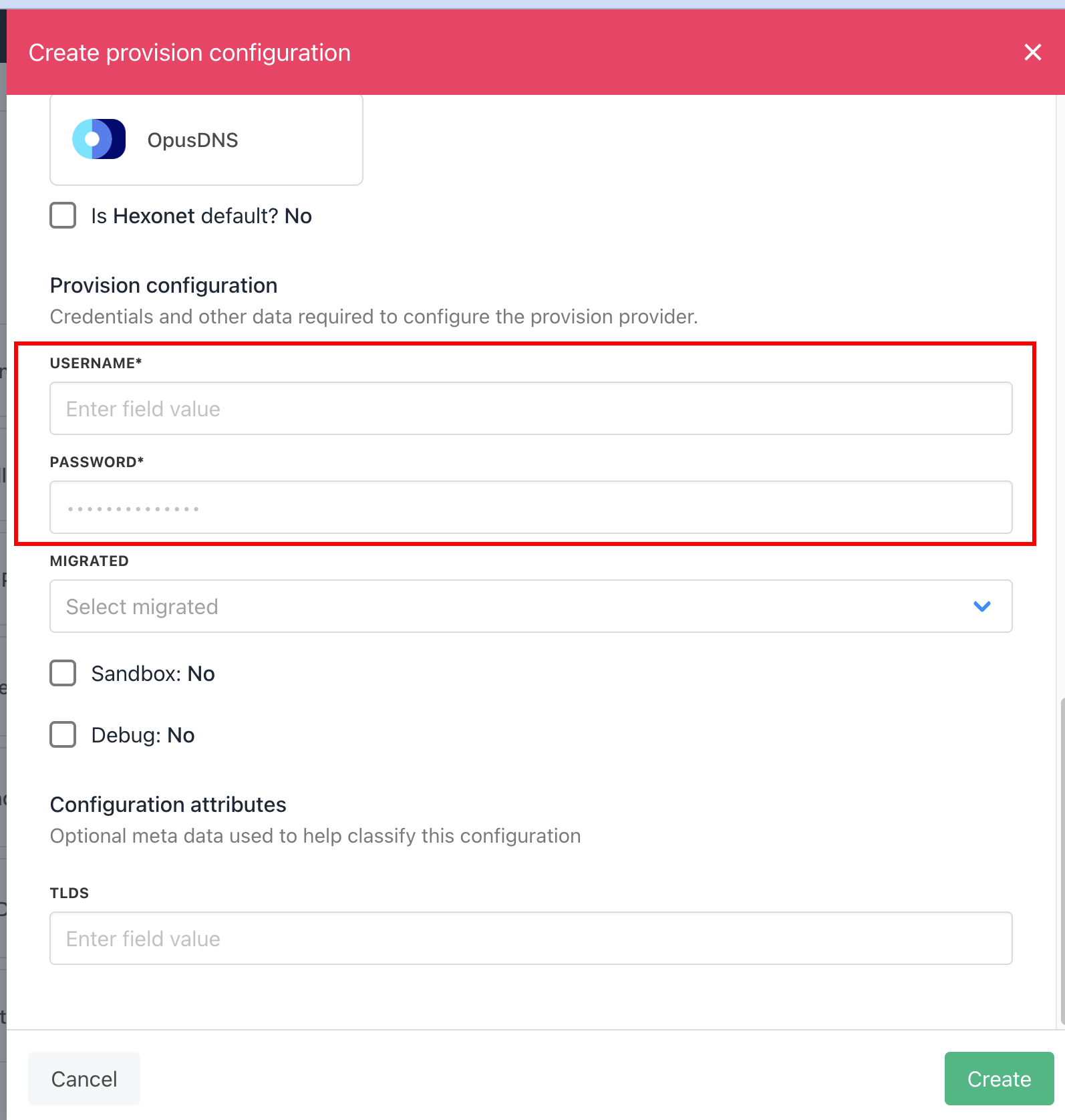 5. Click **Save**.
6. Verify the information on the [Domain Settings](/for-web-hosts/domain-names/how-to-input-domain-settings) page.
If you want to use your main Hexonet user, you need to disable 2FA.
## Creating sub users in Hexonet
If you want to keep 2FA on your Hexonet account, you will need to create a sub user.
1. Log into your Hexonet account, go to **Settings** > **Shared Access**, then click **+ New Role User**.
2. Fill in the **Role ID** and password, and ensure **Default Access** is set to `ALLOW` and **Status** is set to `ACTIVE`, then click **Next**.
5. Click **Save**.
6. Verify the information on the [Domain Settings](/for-web-hosts/domain-names/how-to-input-domain-settings) page.
If you want to use your main Hexonet user, you need to disable 2FA.
## Creating sub users in Hexonet
If you want to keep 2FA on your Hexonet account, you will need to create a sub user.
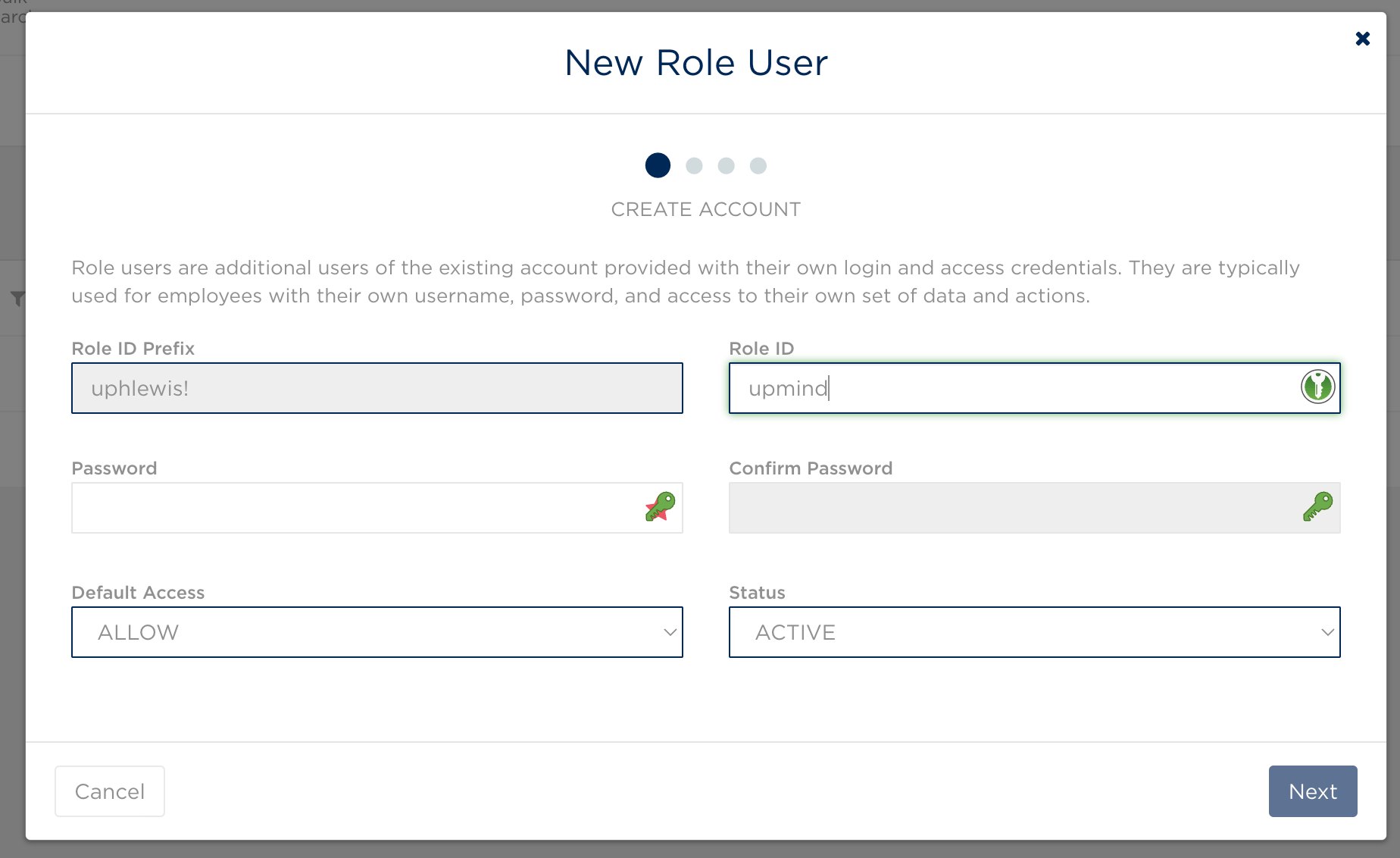
1. Log into your Hexonet account, go to **Settings** > **Shared Access**, then click **+ New Role User**.
2. Fill in the **Role ID** and password, and ensure **Default Access** is set to `ALLOW` and **Status** is set to `ACTIVE`, then click **Next**.
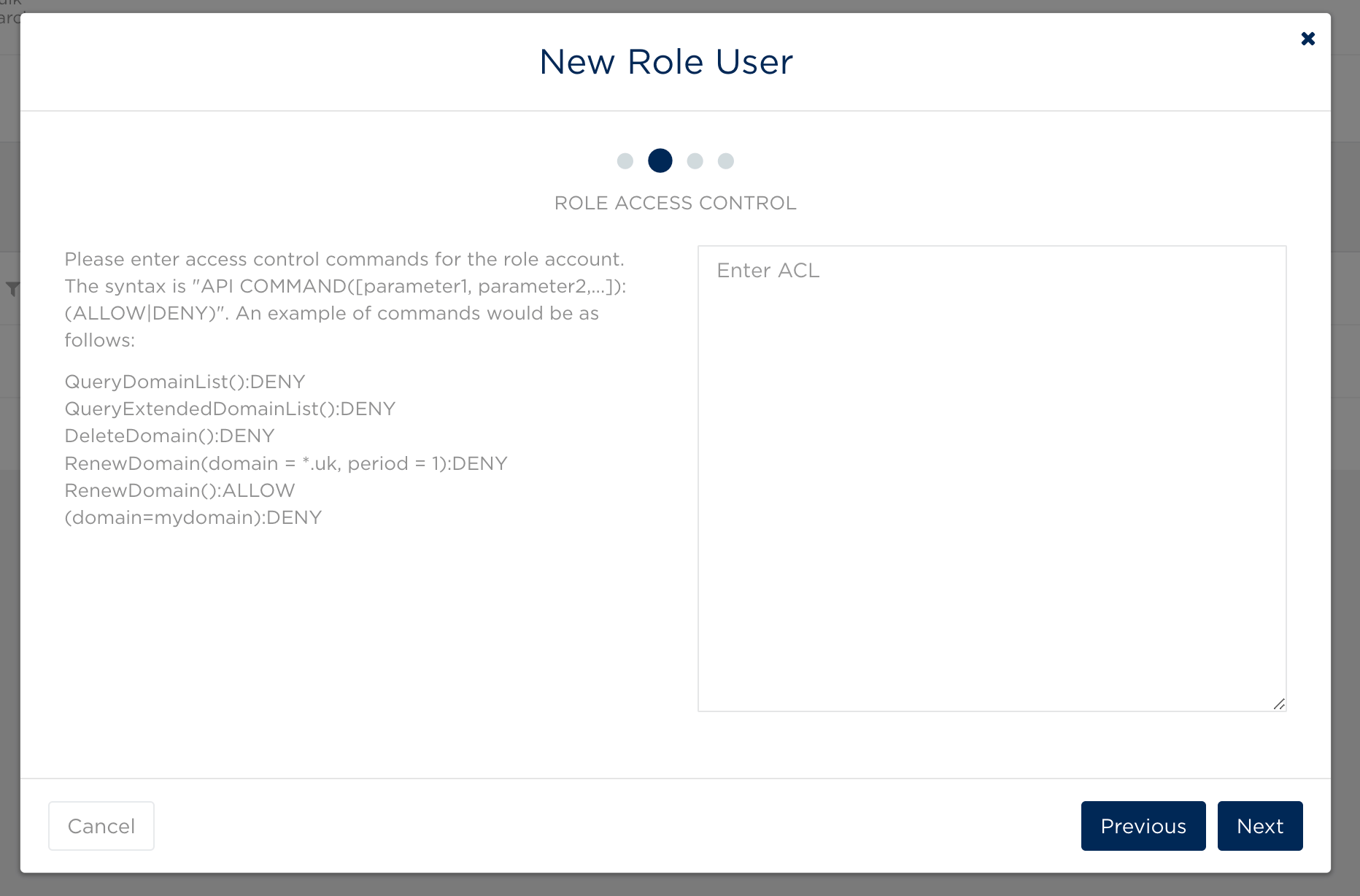
 3. Leave the ACL blank and click **Next** again.
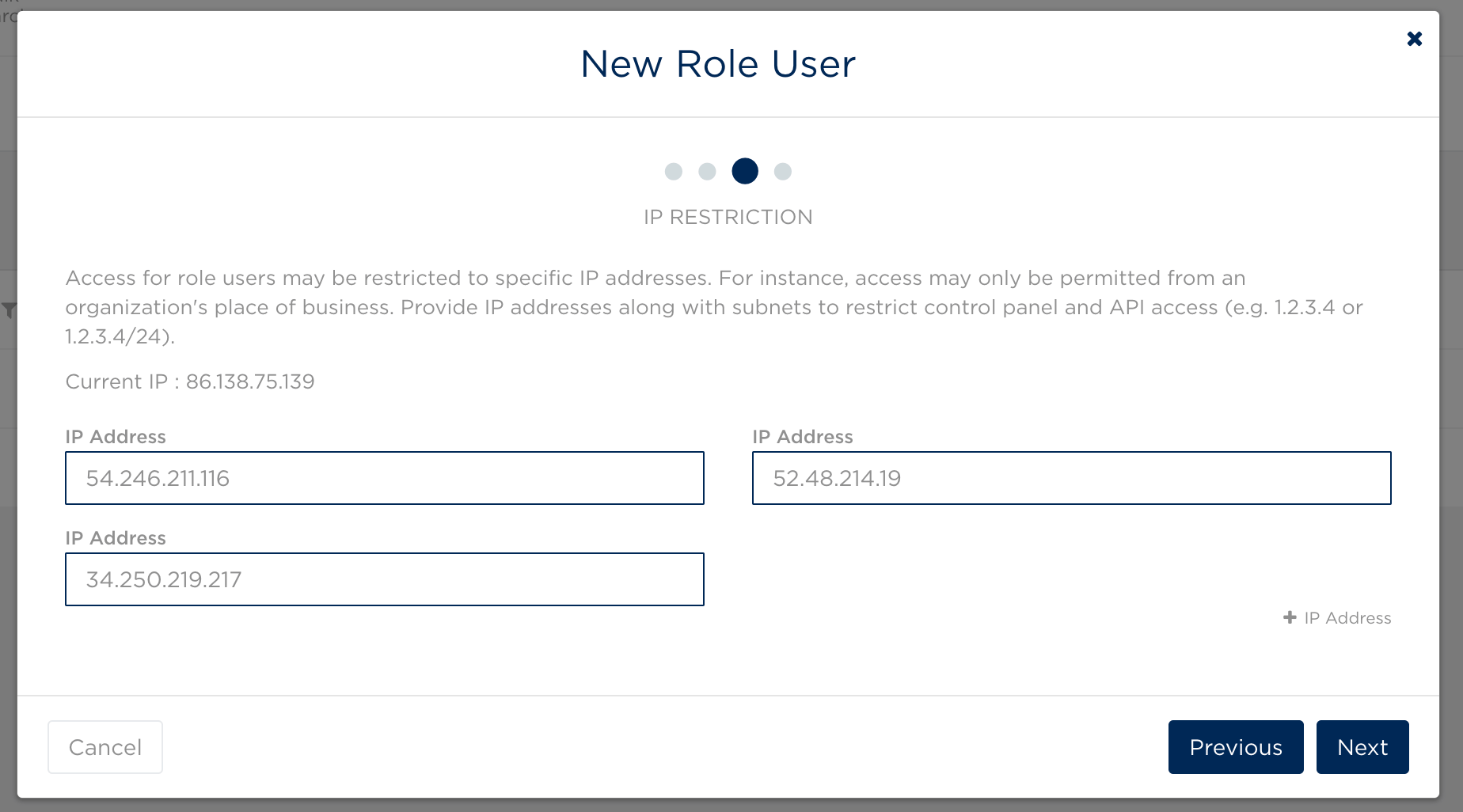
 4. Fill in Upmind's outgoing IP addresses to restrict this user to only being accessed by the Upmind system. These are the [Upmind IP Addresses](/legal-and-information/upmind-ip-addresses).
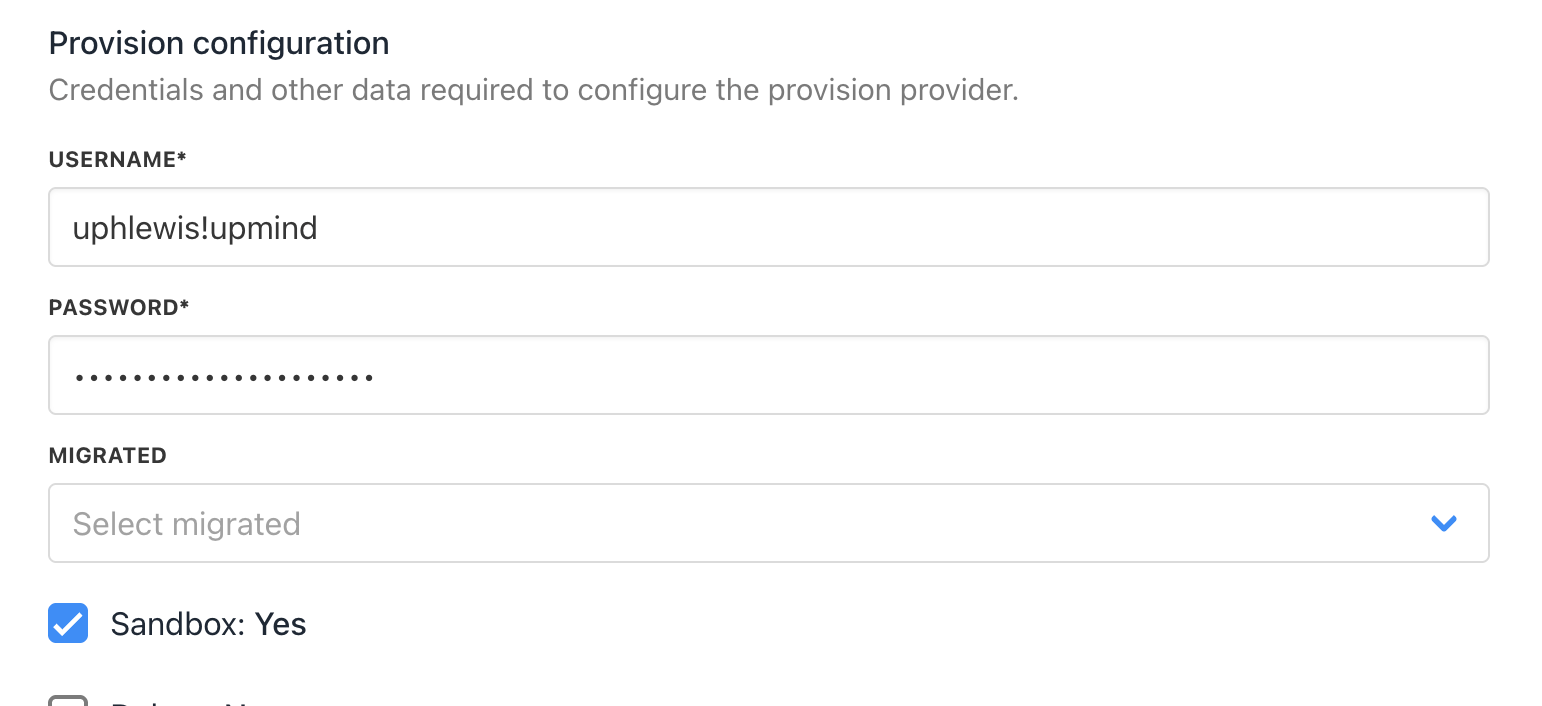
 5. In Upmind, when configuring Hexonet, the username will be the **Role ID** of your main account, joined by an exclamation mark (!) with the **Role ID** of the sub user you just created, so in the below case, the username would be `uphlewis!upmind`.