> ## Documentation Index
> Fetch the complete documentation index at: https://docs.upmind.com/llms.txt
> Use this file to discover all available pages before exploring further.
# How to Link ConnectReseller with Upmind
> Integrate ConnectReseller domain registrar with Upmind.
[ConnectReseller](https://www.connectreseller.com/) is a global domain registrar owned by the parent company OwnRegistrar. You can sign up for a reseller account on their [website](https://india.connectreseller.com/signup).
## Details needed
To link your account to Upmind, you will need:
* API key
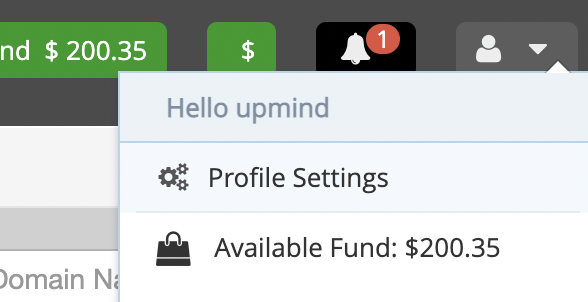
1. To fetch this log into ConnectReseller, go to **Profile Settings.**
 2. You can then click **View API key**.
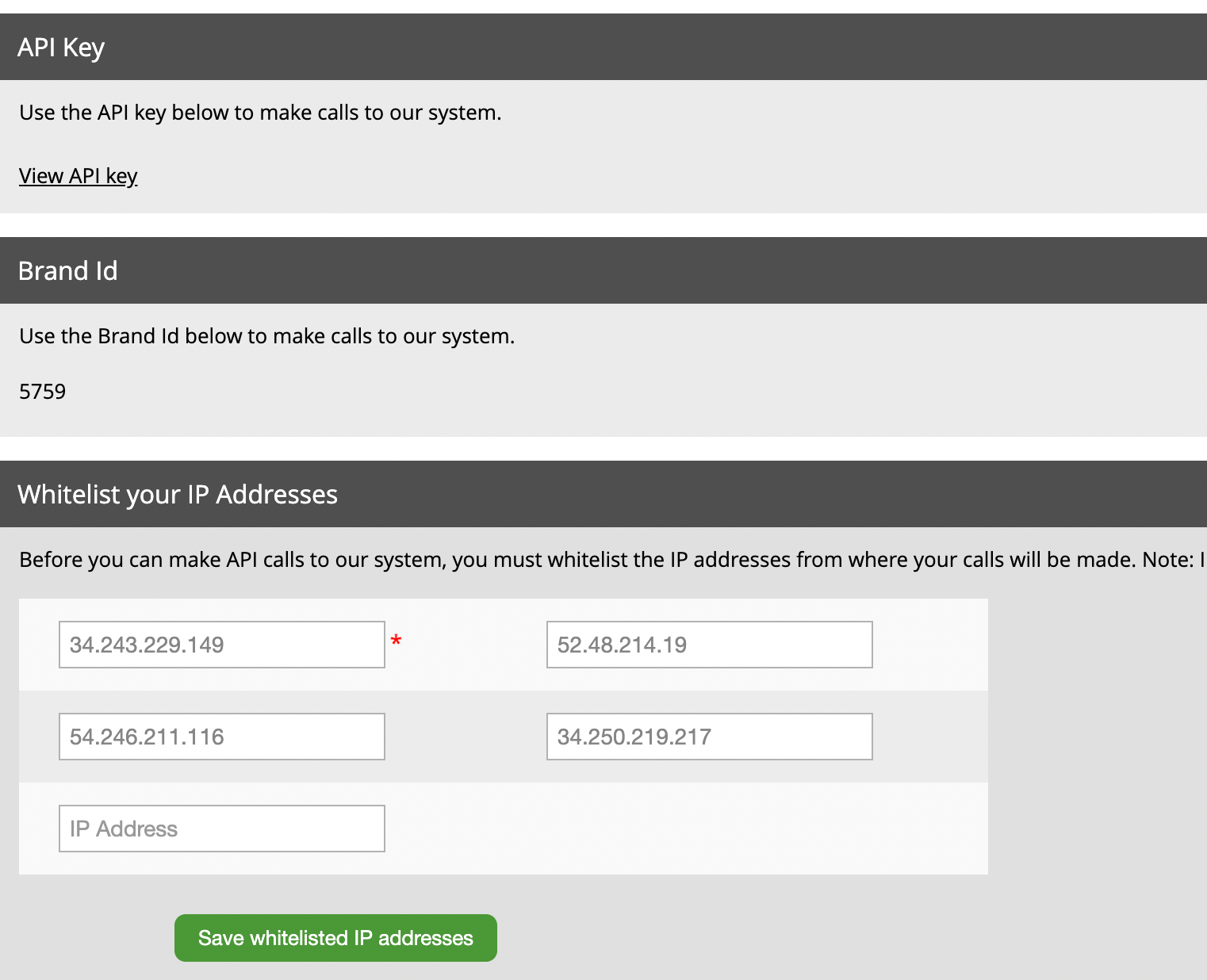 You will need to add our [Upmind IP Addresses](/legal-and-information/upmind-ip-addresses) to the IP allow list.
## Linking to ConnectReseller
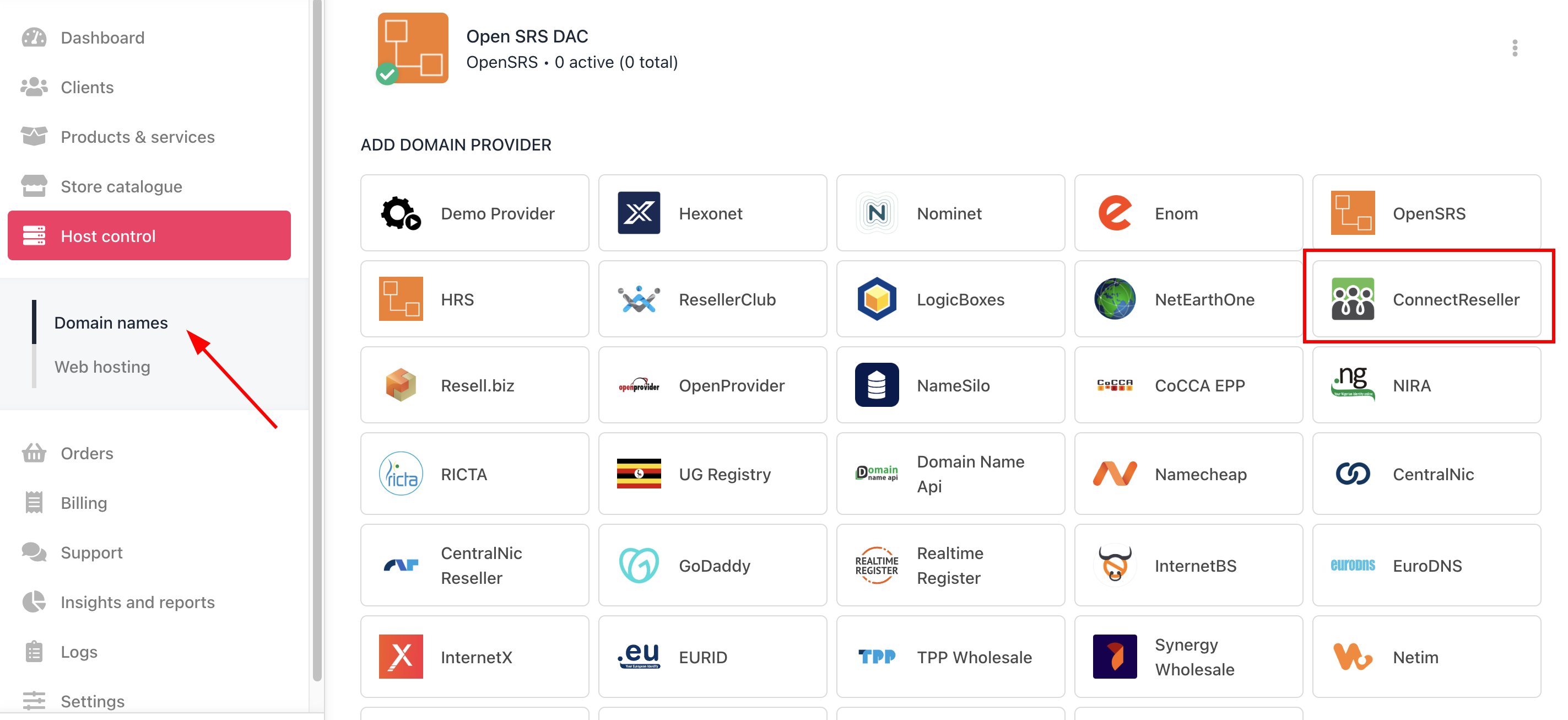
1. In Upmind, navigate to **Host Control** > **Domain names** > **Registrars**.
2. Click on **ConnectReseller**.
You will need to add our [Upmind IP Addresses](/legal-and-information/upmind-ip-addresses) to the IP allow list.
## Linking to ConnectReseller
1. In Upmind, navigate to **Host Control** > **Domain names** > **Registrars**.
2. Click on **ConnectReseller**.
 3. Enter a **Name**. This identifier is not visible to clients. We recommend entering the name **ConnectReseller** unless you have two separate accounts that you want to label differently (e.g., ConnectReseller V1 and ConnectReseller V2).
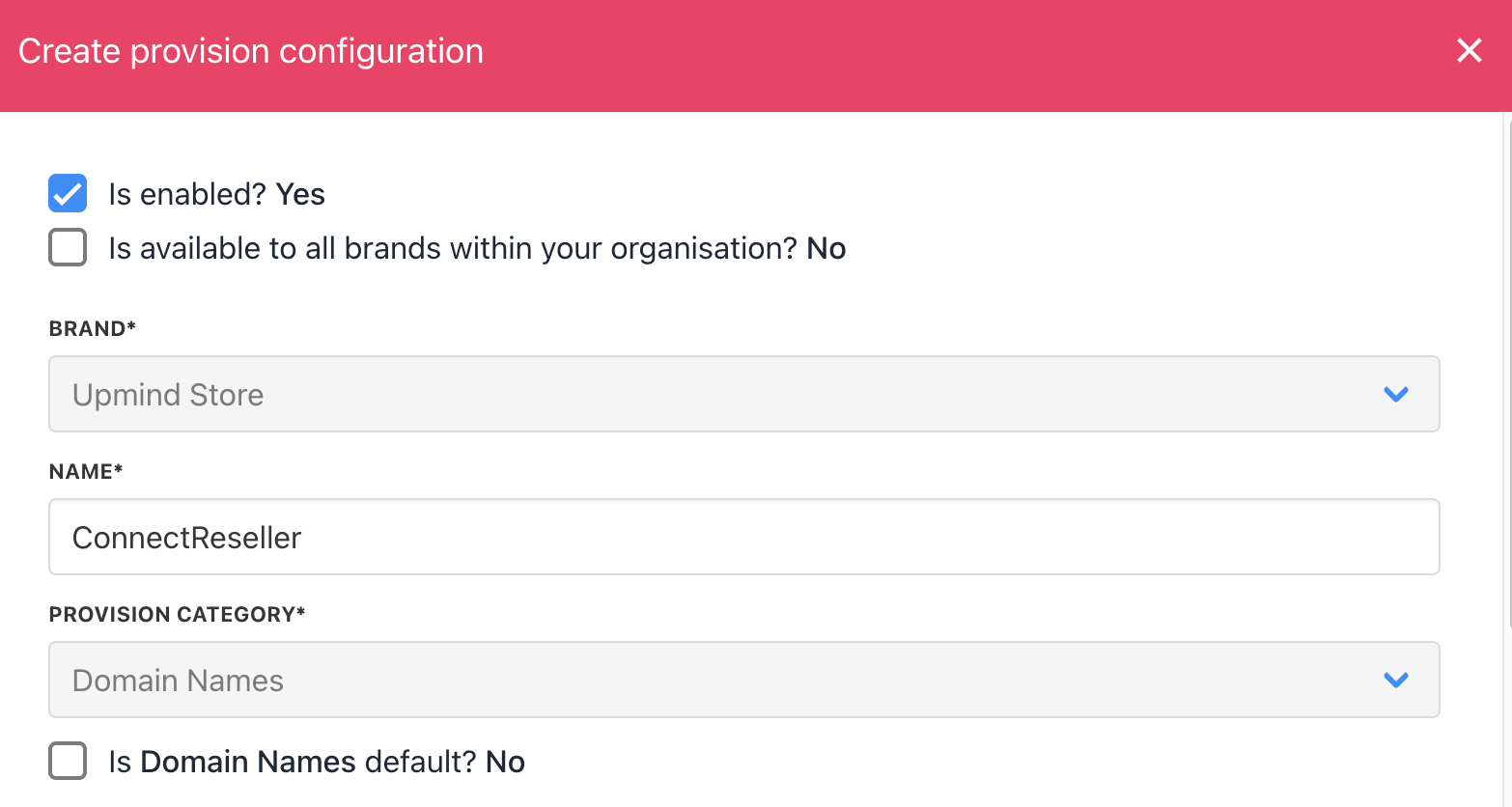 4. Enter your **API key**.
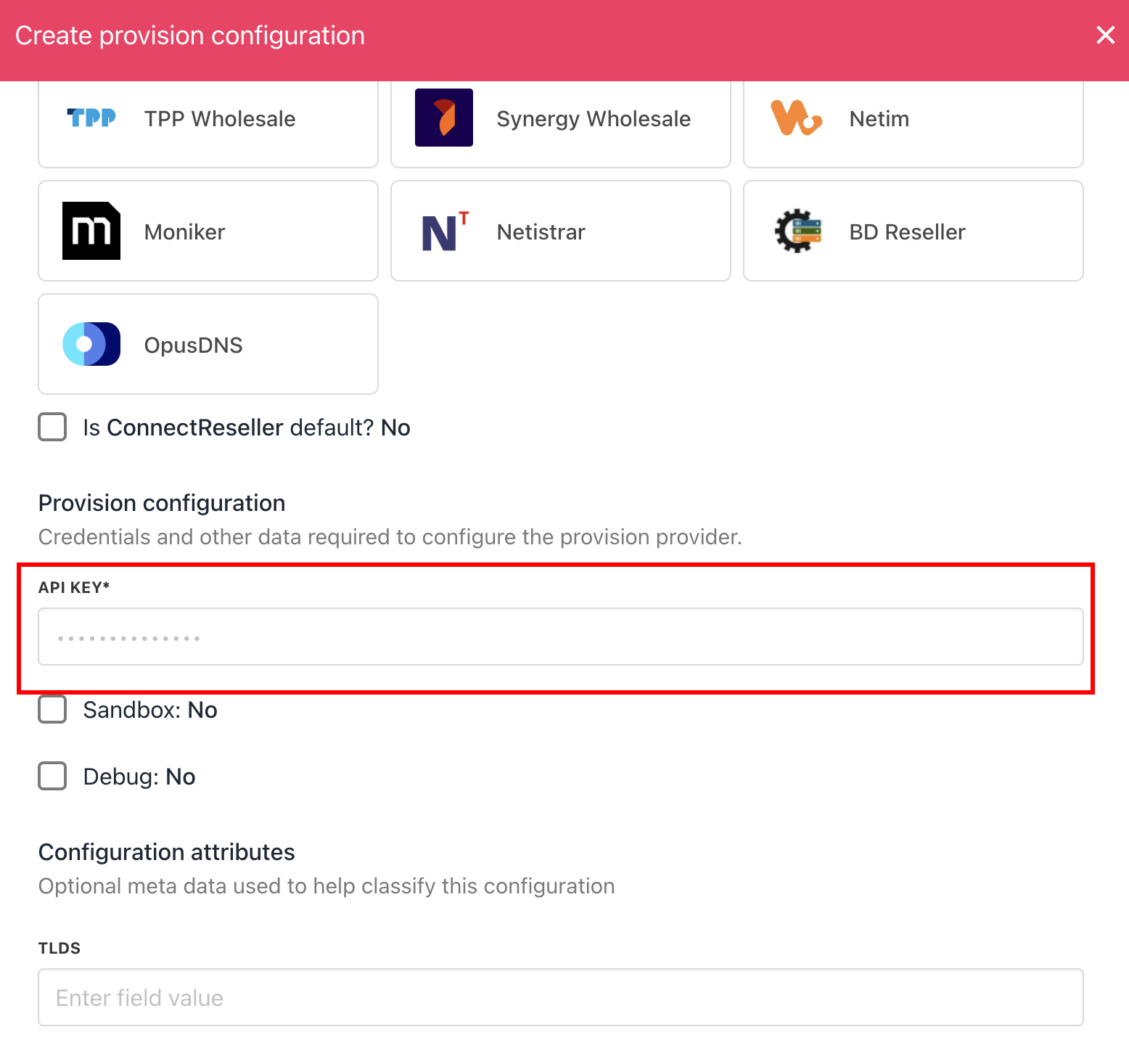 5. Click **Create**.
6. Verify the information on the [Domain Settings](/for-web-hosts/domain-names/how-to-input-domain-settings) page.
That is it! Your account is now linked.
## Domain updates
ConnectReseller implementation does not support polling. This means we do not get automatic updates on domain transfers, expiries, etc.
We therefore run a GetInfo command every 7 days for each domain and update our information on the response.
5. Click **Create**.
6. Verify the information on the [Domain Settings](/for-web-hosts/domain-names/how-to-input-domain-settings) page.
That is it! Your account is now linked.
## Domain updates
ConnectReseller implementation does not support polling. This means we do not get automatic updates on domain transfers, expiries, etc.
We therefore run a GetInfo command every 7 days for each domain and update our information on the response.