> ## Documentation Index
> Fetch the complete documentation index at: https://docs.upmind.com/llms.txt
> Use this file to discover all available pages before exploring further.
# How to Link BD Reseller to Upmind
> Integrate BD Reseller domain registrar with Upmind.
BD Reseller in Upmind uses BTCL (Bangladesh Telecommunications Company Limited) as the underlying domain registry provider.
To create an account, you can register directly via the following link [here](https://bdia.btcl.com.bd/).
## Details needed
To link your account to Upmind, you will need:
* Username.
* Password.
## Linking to BD Reseller
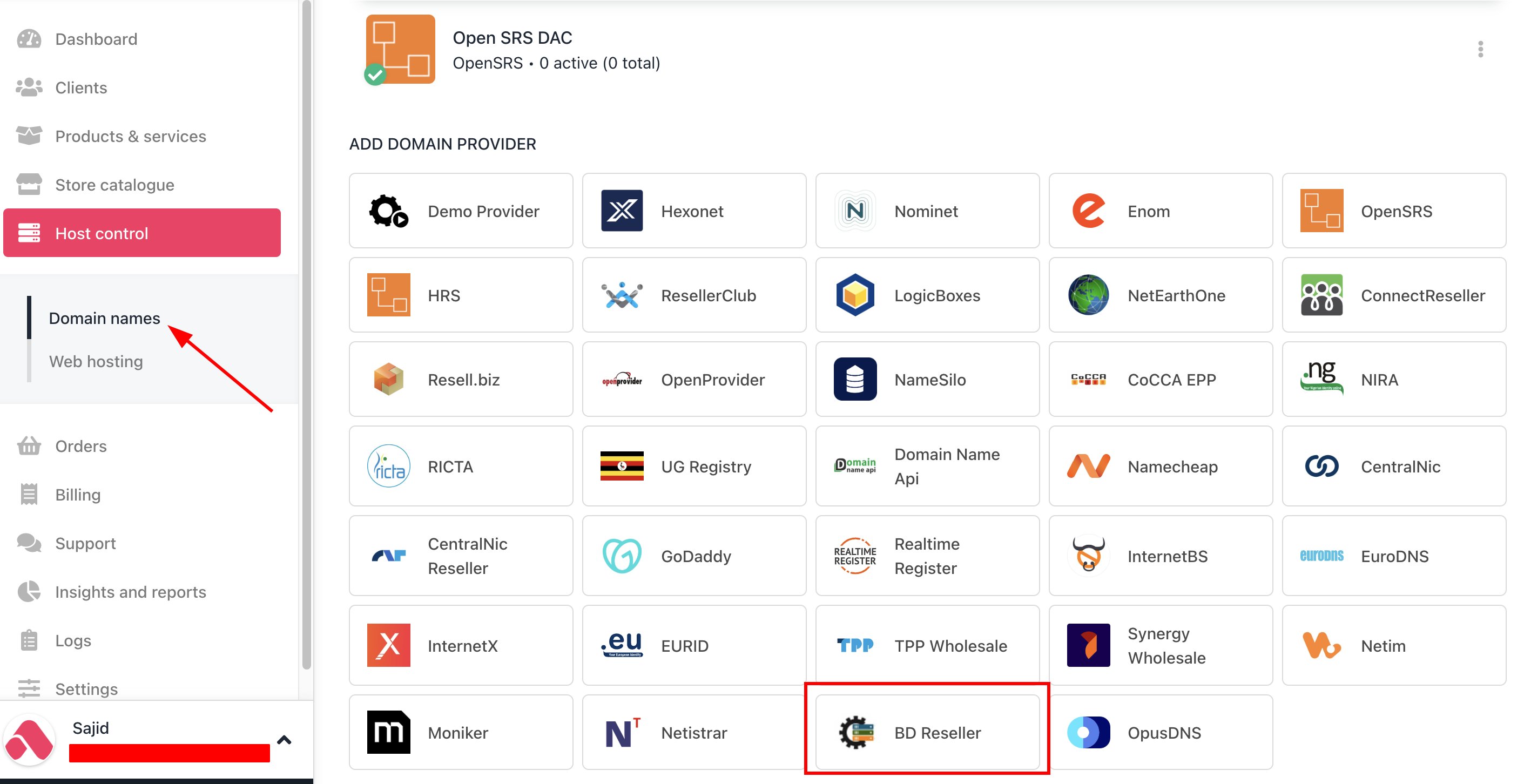
1. In Upmind, navigate to **Host Control** > **Domain names** > **Registrars**.
2. Click on **BD Reseller.**
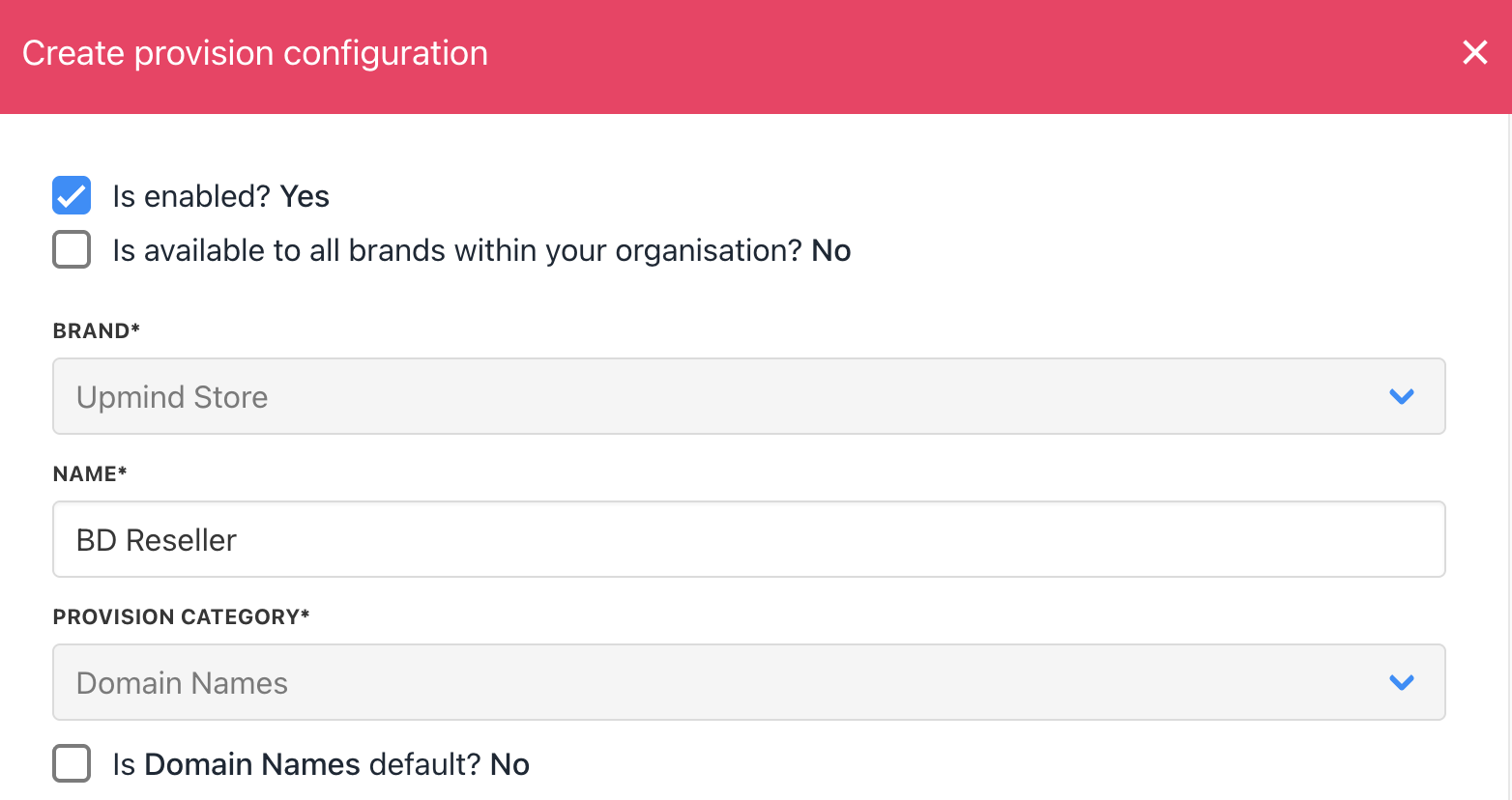
 3. Enter a **Name**. This identifier is not visible to clients. We recommend entering the name **BD Reseller** unless you have two separate accounts that you want to label differently (e.g., BD Reseller V1 and BD Reseller V2).
 4. Enter the **Username** & **Password** of your BD Reseller account.
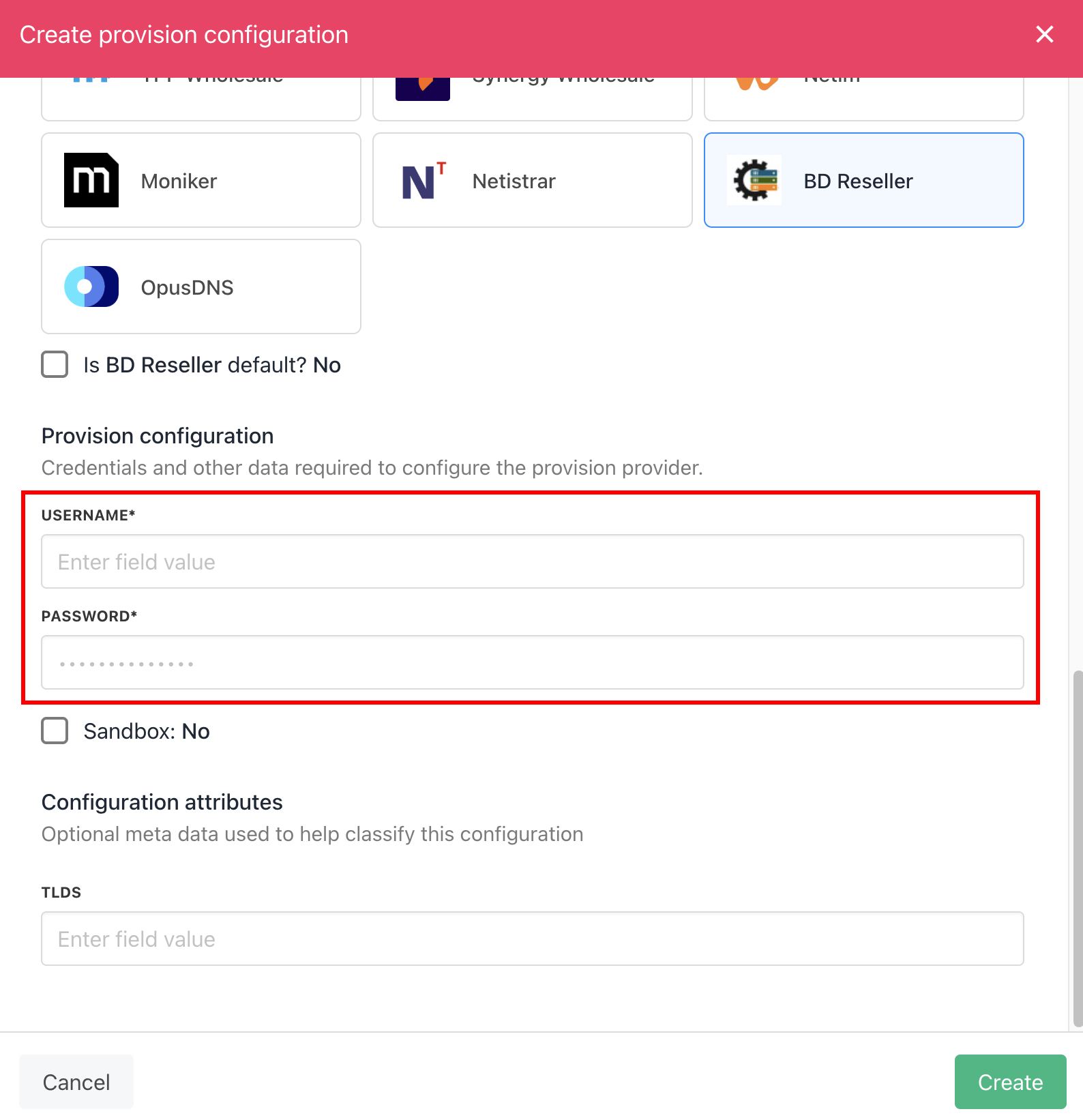 5. Click **Create**.
6. Verify the information on the [Domain Settings](/for-web-hosts/domain-names/how-to-input-domain-settings) page.
That’s it! Your account is now linked. You can now create a TLD available for sale by following this guide on [how to create TLDs](/for-web-hosts/domain-names/how-to-add-a-tld).
5. Click **Create**.
6. Verify the information on the [Domain Settings](/for-web-hosts/domain-names/how-to-input-domain-settings) page.
That’s it! Your account is now linked. You can now create a TLD available for sale by following this guide on [how to create TLDs](/for-web-hosts/domain-names/how-to-add-a-tld).