> ## Documentation Index
> Fetch the complete documentation index at: https://docs.upmind.com/llms.txt
> Use this file to discover all available pages before exploring further.
# How to Add a TLD
> Add TLD products to your hosting business.
Before you start, make sure you complete these steps:
* Add one or more domain providers to your account (see [Registrar Guides](/for-web-hosts/domain-names/how-to-sell-domain-names) to review configuration instructions for individual registries or registrars)
* Read the [recommended billing settings](/for-web-hosts/domain-names/recommended-tld-billing-settings).
* Fill in the fields on the **Domain names** > [Settings page](/for-web-hosts/domain-names/how-to-input-domain-settings).
## What is a TLD
TLD stands for **Top Level Domains**. It refers to the extension at the end of a domain (e.g., .com, .net, .ninja).
Each TLD may have separate rules and registration conditions and is provided by a number of different registries.
You usually sell domains (if you are not ICANN accredited) through a domain wholesaler such as OpenSRS, Hexonet, or Enom. However, you may also go directly to the registry, such as Nominet or CentralNIC.
Each registry and/or wholesaler may offer different prices for each domain, and so Upmind offers an advanced level of configuration options when selling domains.
## Which domain registrar to use?
Upmind is provider agnostic. We have integrations for the following. We include sign-up links to their website. As we add more registrars, they will be added to the list below.
| **Domain Provider** | **Sign up Link** | **Configuration Requirements** |
| :------------------------------ | :----------------------------------------------------------------------------------------------------------------------------------------------------------------------------------------------------------------------------------------------------------------- | :----------------------------- |
| Enom | [https://cp.enom.com/resellers/signup/default.aspx](https://cp.enom.com/resellers/signup/default.aspx) | Username and API Token |
| Hexonet | [https://www.hexonet.net/resellers/](https://www.hexonet.net/resellers/) | Username and Password |
| OpenSRS | [https://opensrs.com/join/](https://opensrs.com/join/) | Username and API Key |
| Nominet | [https://registrars.nominet.uk/uk-namespace/registration-and-domain-management/new-registrars/becoming-a-uk-namespace-registrar/](https://registrars.nominet.uk/uk-namespace/registration-and-domain-management/new-registrars/becoming-a-uk-namespace-registrar/) | IPSTAG and Password |
| ResellerClub | [https://www.resellerclub.com/domain-reseller/signup-now](https://www.resellerclub.com/domain-reseller/signup-now) | Reseller ID and API Key |
| NetEarthOne | [https://netearthone.com/signup/reseller.php](https://netearthone.com/signup/reseller.php) | Reseller ID and API Key |
| ConnectReseller | [https://india.connectreseller.com/signup](https://india.connectreseller.com/signup) | API Key |
| [Resell.biz](http://Resell.biz) | [https://www.resell.biz/domain-reseller/](https://www.resell.biz/domain-reseller/) | Reseller ID and API Key |
| OpenProvider | [https://www.openprovider.com/resellers/reseller-control-panel](https://www.openprovider.com/resellers/reseller-control-panel) | Username and Password |
| NameSilo | [https://www.namesilo.com/reseller](https://www.namesilo.com/reseller) | API Key |
| Domain Name API | [https://www.domainnameapi.com/become-a-reseller](https://www.domainnameapi.com/become-a-reseller) | Username and Password |
| Namecheap | [https://www.namecheap.com/myaccount/signup/](https://www.namecheap.com/myaccount/signup/) | Username and API Token |
| CentralNic Reseller | [https://www.centralnicreseller.com/sign-up/](https://www.centralnicreseller.com/sign-up/) | Username and Password |
| GoDaddy | [https://www.godaddy.com/en-sg/help/create-a-godaddy-account-16618](https://www.godaddy.com/en-sg/help/create-a-godaddy-account-16618) | API Key and API Secret |
| Realtime Register | [https://realtimeregister.com/signup/](https://realtimeregister.com/signup/) | Customer and API Key |
| InternetBS | [https://internetbs.net/en/index.html](https://internetbs.net/en/index.html) | API Key and Password |
| EuroDNS | [https://www.eurodns.com/](https://www.eurodns.com/) | Username and Password |
| InternetX | [https://www.internetx.com/en/](https://www.internetx.com/en/) | Username and Password |
You can [integrate with multiple domain registrars](https://docs.upmind.com/for-web-hosts/domain-names/using-multiple-registrars). You can also integrate with the same registrar multiple times (for instance if you have two separate Enom accounts).
## Creating a TLD product
1. Log in to your admin account.
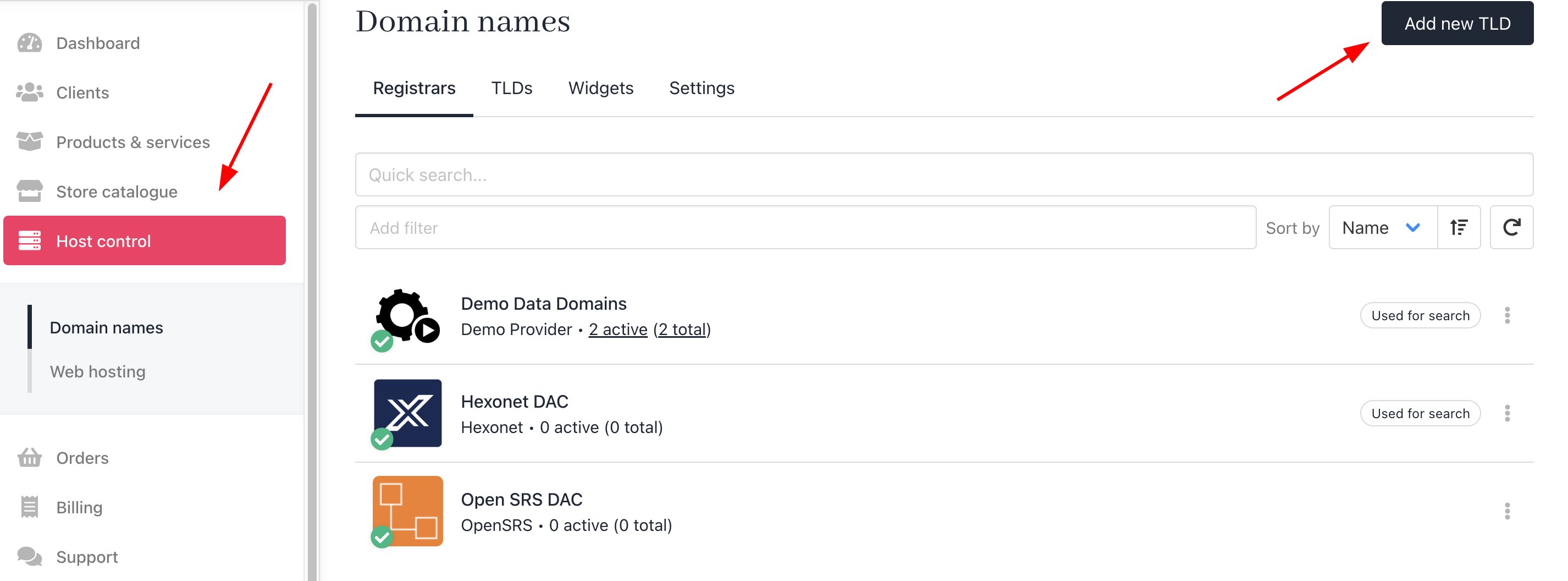
2. Click **Host control** on the side menu.
3. Click the **Add new TLD** button. A side panel opens.
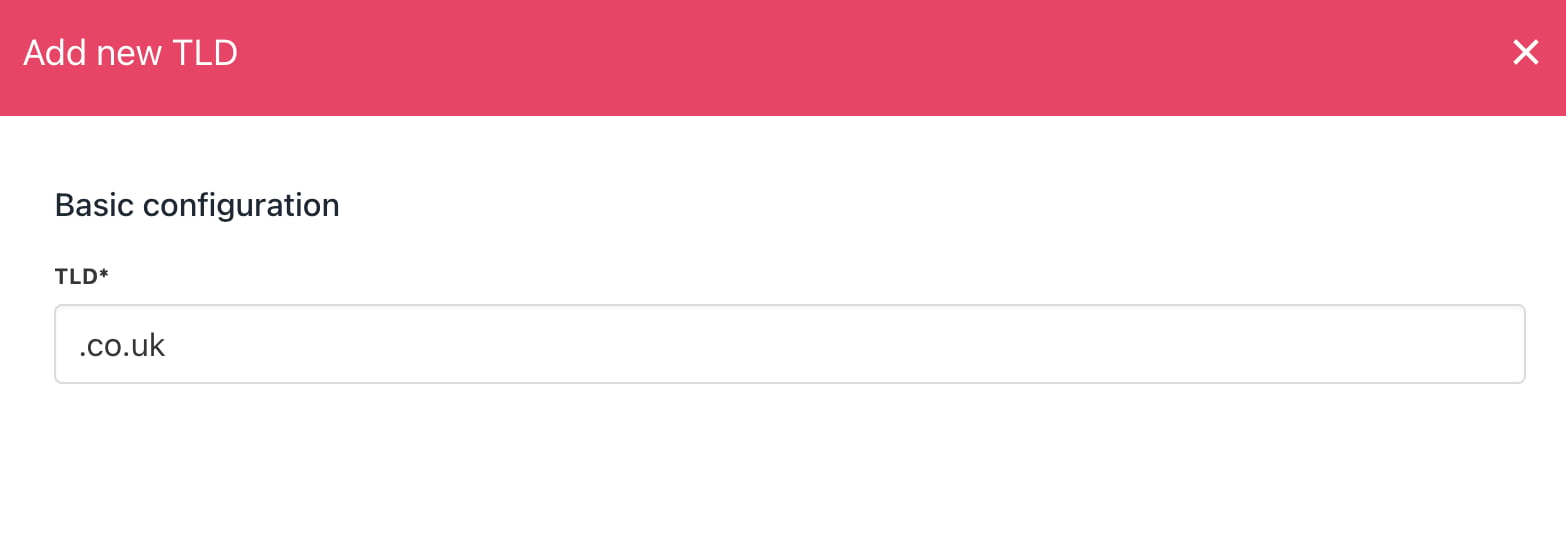
 4. On the side panel, enter the TLD you want to add to your offerings and click **Next**.
 ## Configuring the product
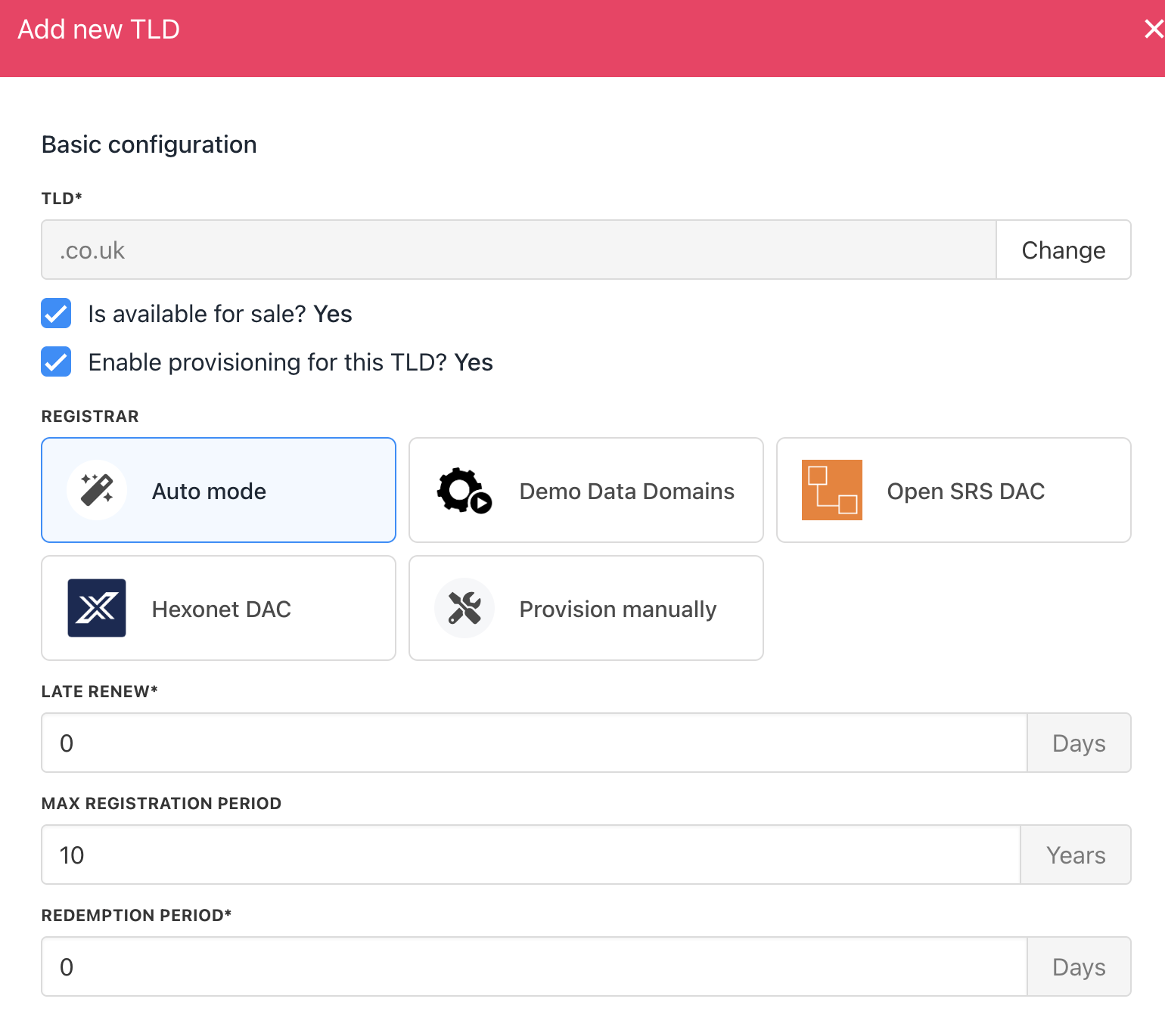
On the configuration panel, select the domain provider for this TLD.
Next, review the default settings for three fields and customise as required.
* **Late renew:** A grace period to renew an expired TLD.
* **Max registration period:** Ten years is the industry standard, but you can change this setting.
* **Redemption period:** This is the period following the late renew period. If the domain name is not purchased during the redemption period, it typically returns to the public and is available for registration.
## Configuring the product
On the configuration panel, select the domain provider for this TLD.
Next, review the default settings for three fields and customise as required.
* **Late renew:** A grace period to renew an expired TLD.
* **Max registration period:** Ten years is the industry standard, but you can change this setting.
* **Redemption period:** This is the period following the late renew period. If the domain name is not purchased during the redemption period, it typically returns to the public and is available for registration.
 Late renew periods and redemption periods can vary by registrar and registry. Ask your registry/registrar about the periods for each TLD product you offer.
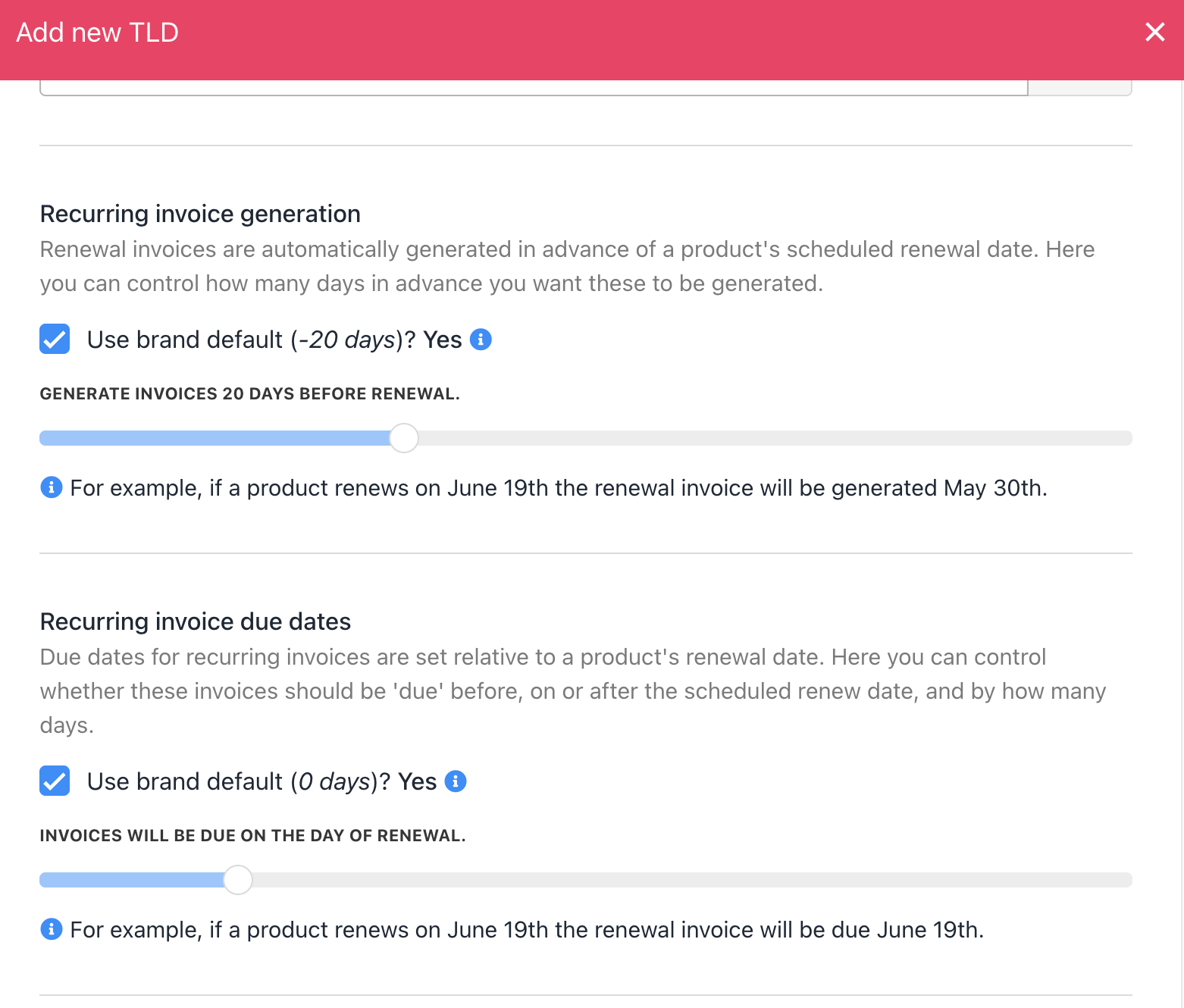
### Recurring invoice generation
These are advanced settings. We suggest leaving the defaults.
Late renew periods and redemption periods can vary by registrar and registry. Ask your registry/registrar about the periods for each TLD product you offer.
### Recurring invoice generation
These are advanced settings. We suggest leaving the defaults.
 ### Pricing configuration
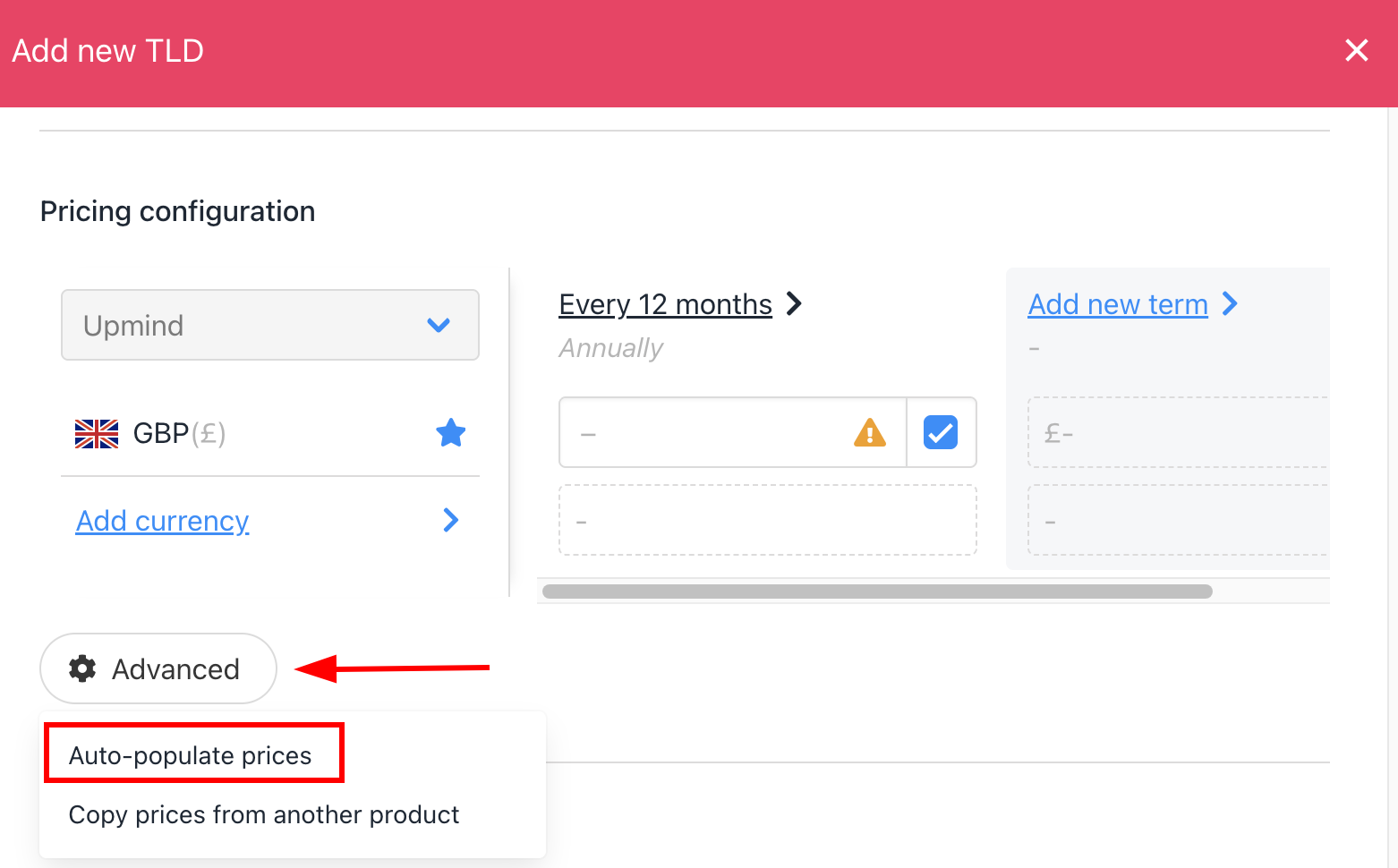
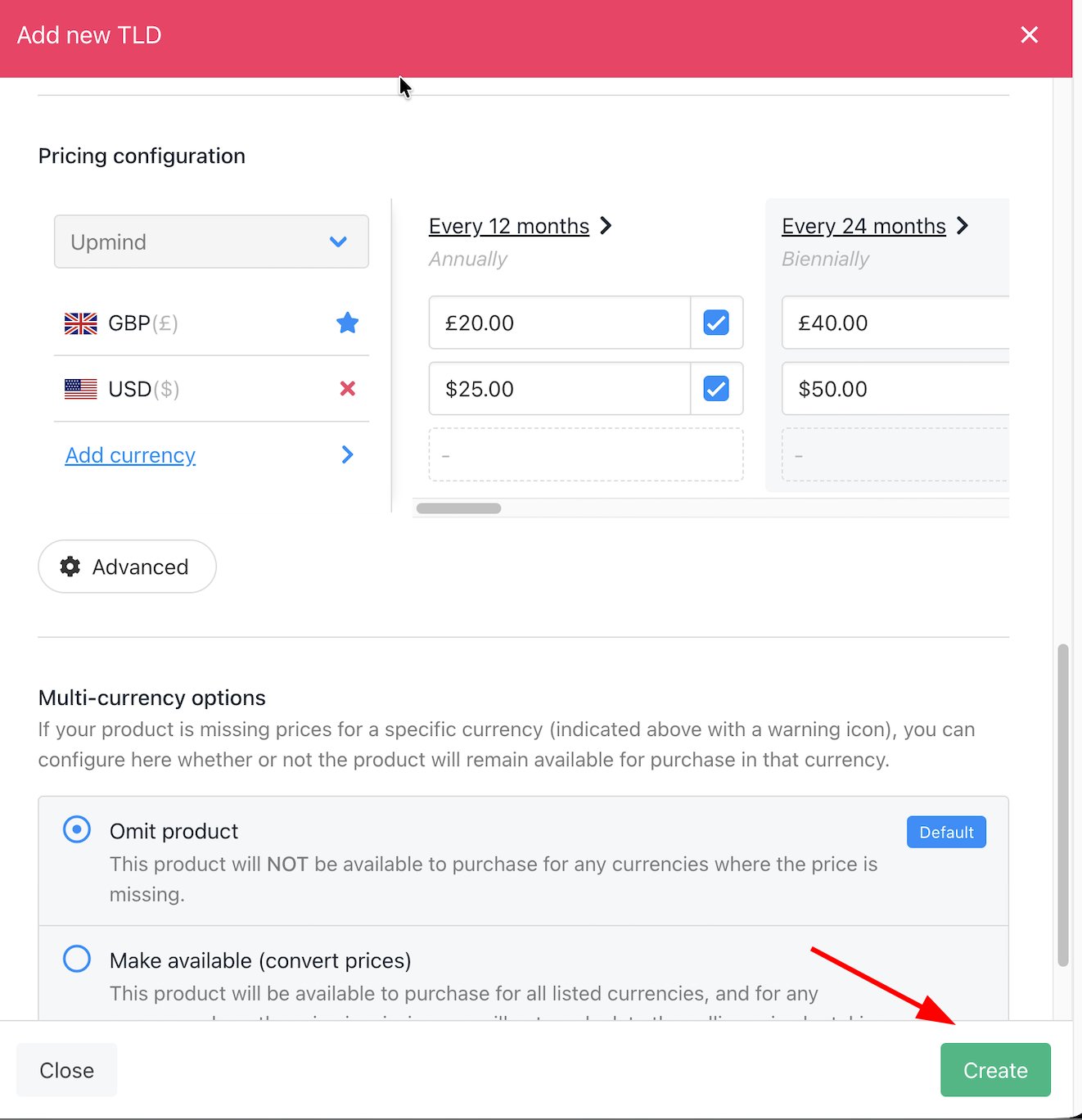
Enter a price for the TLD. You can add pricing for a single year or enter figures for the maximum registration period (optional but recommended).
1. Scroll down to the **Pricing configuration** heading.
2. Click the Advanced button.
3. Select Auto-populate prices.
### Pricing configuration
Enter a price for the TLD. You can add pricing for a single year or enter figures for the maximum registration period (optional but recommended).
1. Scroll down to the **Pricing configuration** heading.
2. Click the Advanced button.
3. Select Auto-populate prices.
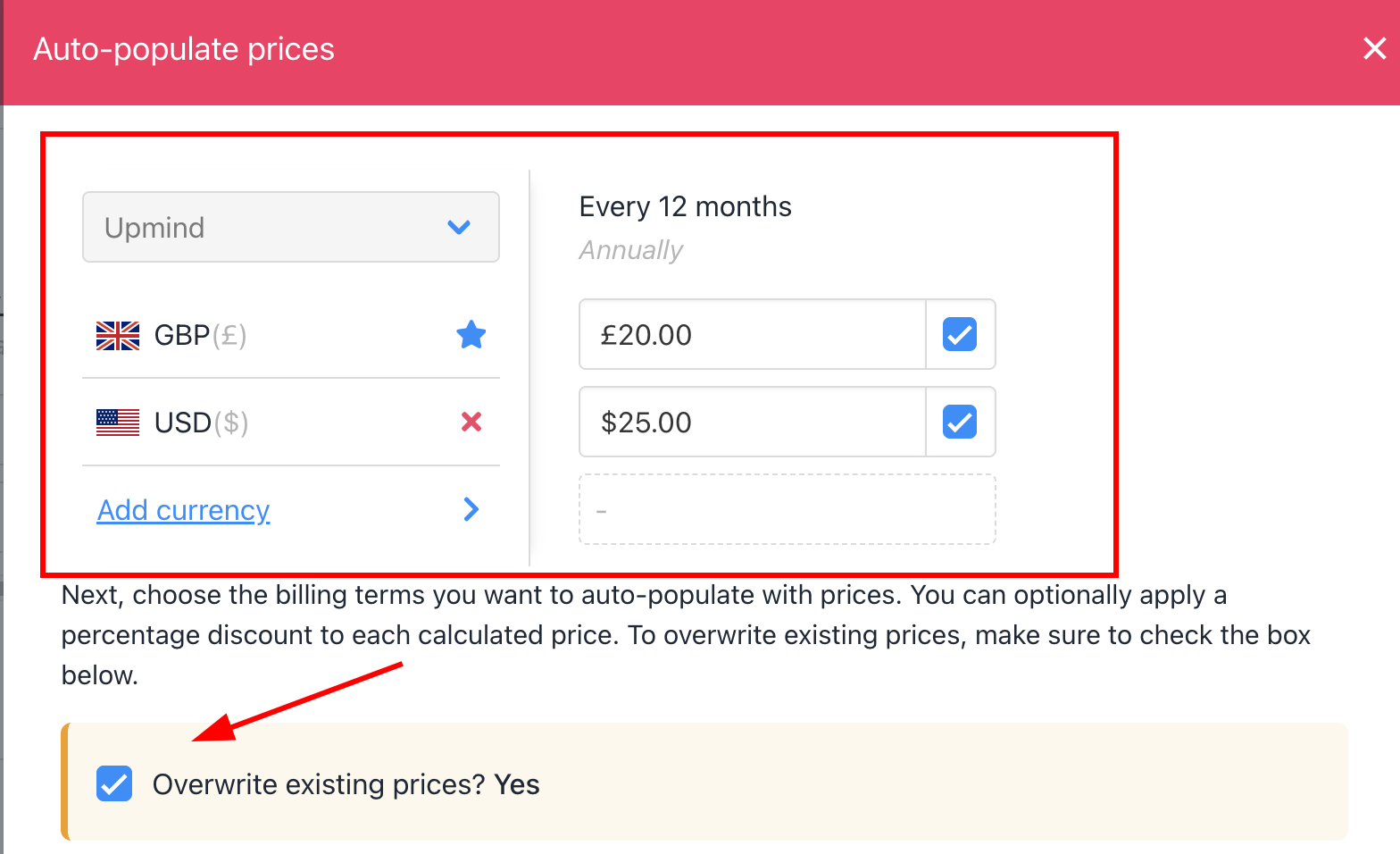
 On the next panel:
1. Check the Overwrite box.
2. Add a price for the default currency.
3. Click **Add currency** (optional).
On the next panel:
1. Check the Overwrite box.
2. Add a price for the default currency.
3. Click **Add currency** (optional).
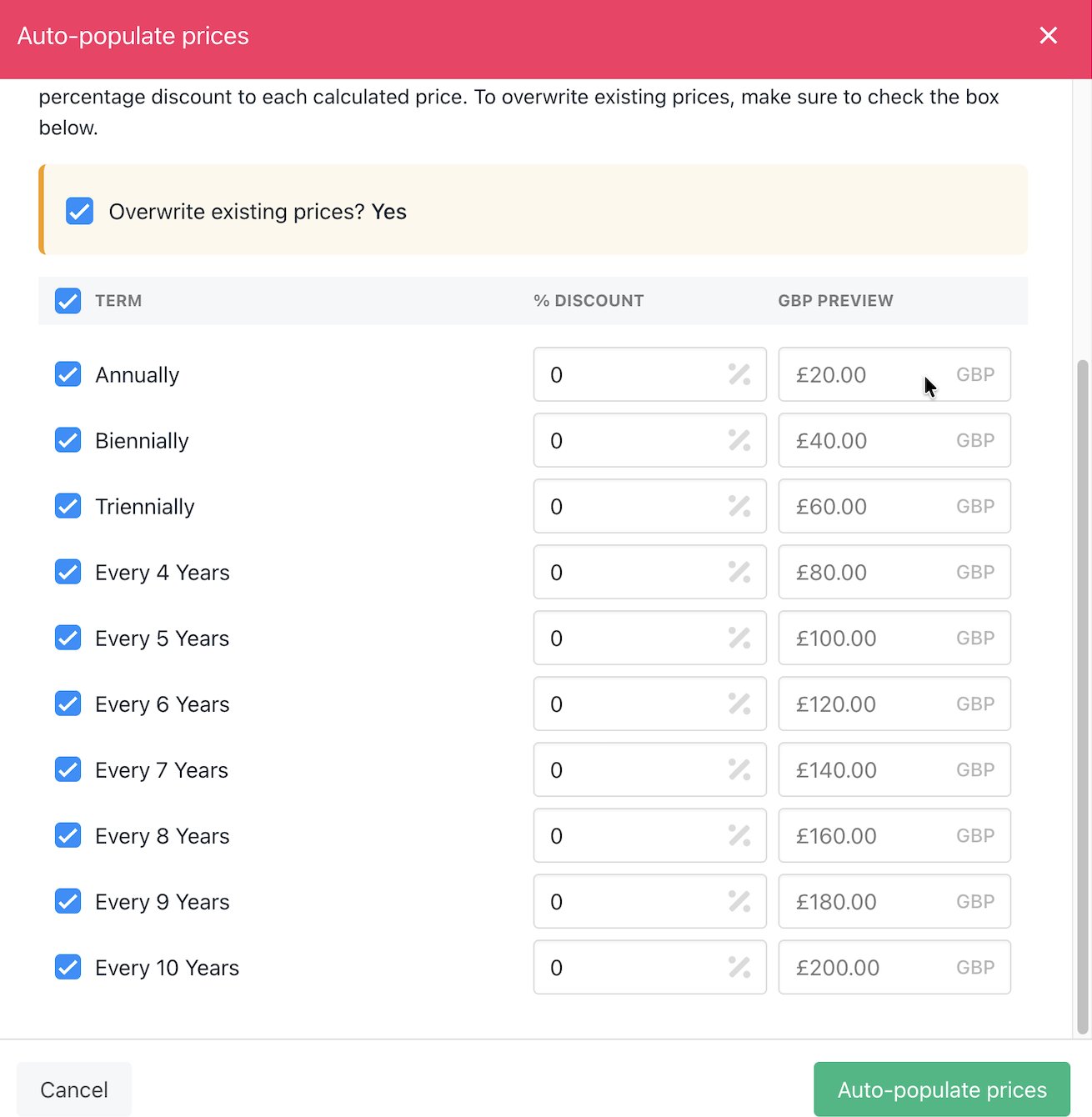
 4. Scroll down to review prices for each term and currency.
5. Click the **Auto-populate prices** button at the bottom of the page.
6. Click **Create**.
4. Scroll down to review prices for each term and currency.
5. Click the **Auto-populate prices** button at the bottom of the page.
6. Click **Create**.
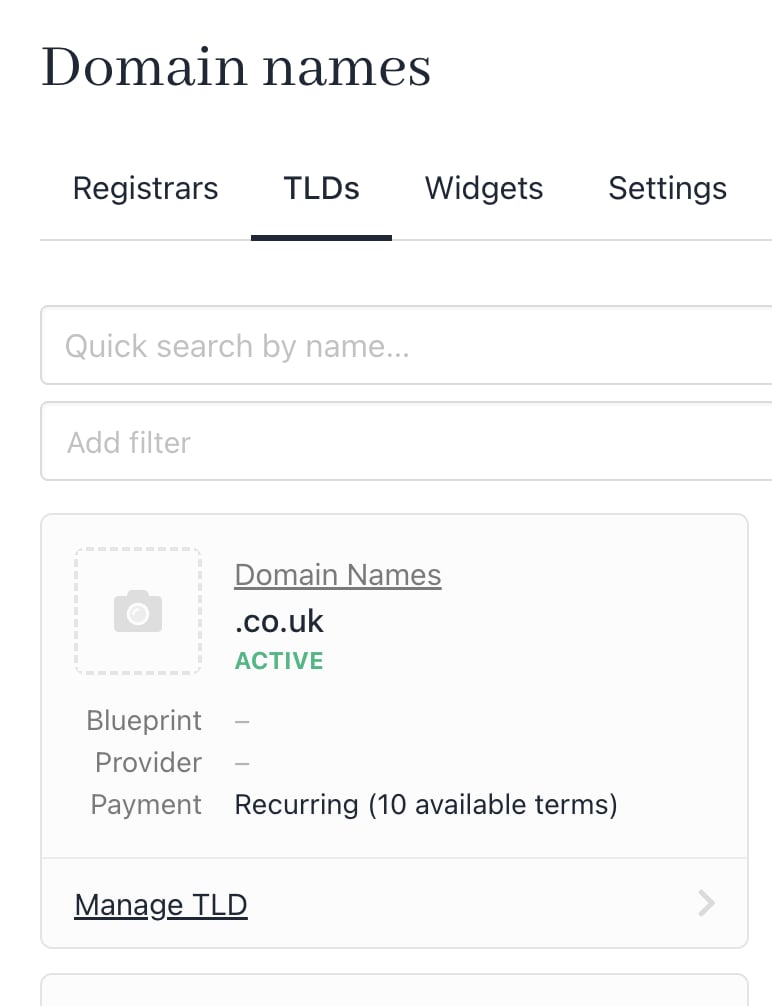
 Upmind adds the domain name product to your TLDs page.
 ## What the client sees
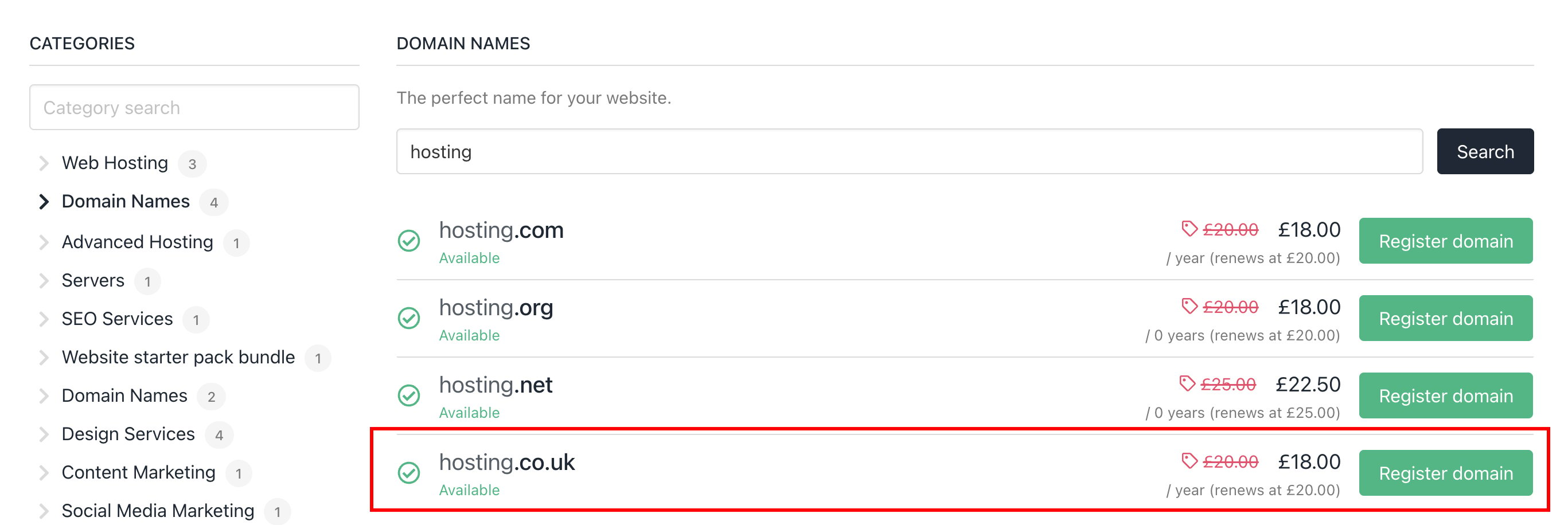
To test the integration, we open our sample Upmind store. On the left side of the screen, the **Domain Names** category automatically displays and shows one product.
We enter a domain name in the search bar. The site displays all the available options along with the new TLD that we just created.
## What the client sees
To test the integration, we open our sample Upmind store. On the left side of the screen, the **Domain Names** category automatically displays and shows one product.
We enter a domain name in the search bar. The site displays all the available options along with the new TLD that we just created.
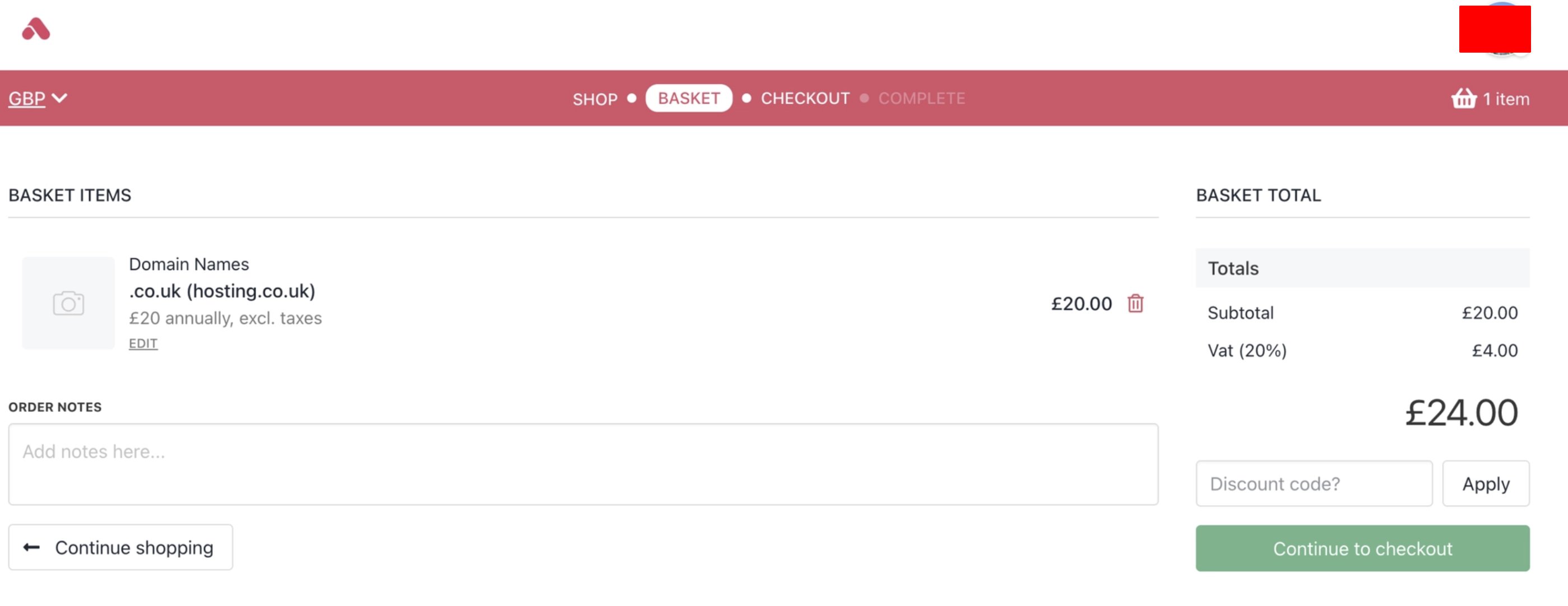
 If the client clicks the **Register domain** button, a new page displays price options for different registration periods and a form to complete.
After the client completes the form, the transaction moves the client from the basket to the checkout.
If the client clicks the **Register domain** button, a new page displays price options for different registration periods and a form to complete.
After the client completes the form, the transaction moves the client from the basket to the checkout.
 After the transaction completes, the client can manage their domain. They should:
1. Click the **Products & Services** menu tab and select a domain.
After the transaction completes, the client can manage their domain. They should:
1. Click the **Products & Services** menu tab and select a domain.
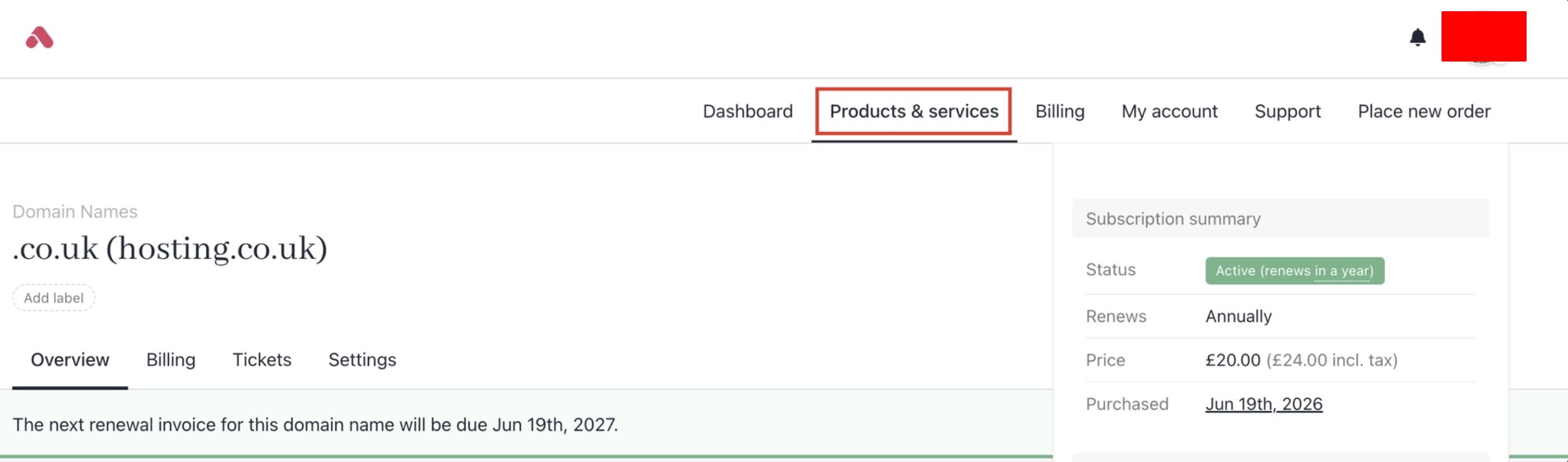 2. Then scroll down to the Manage section.
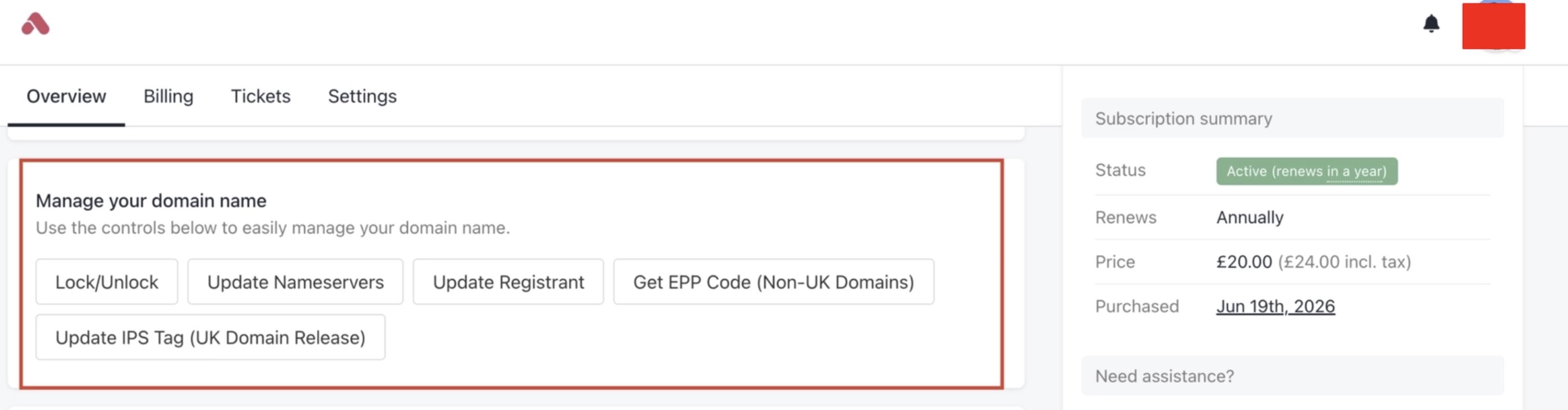 Here, a client can update their account (e.g., nameservers or registrant information). They can also lock the domain.
## What the admin sees
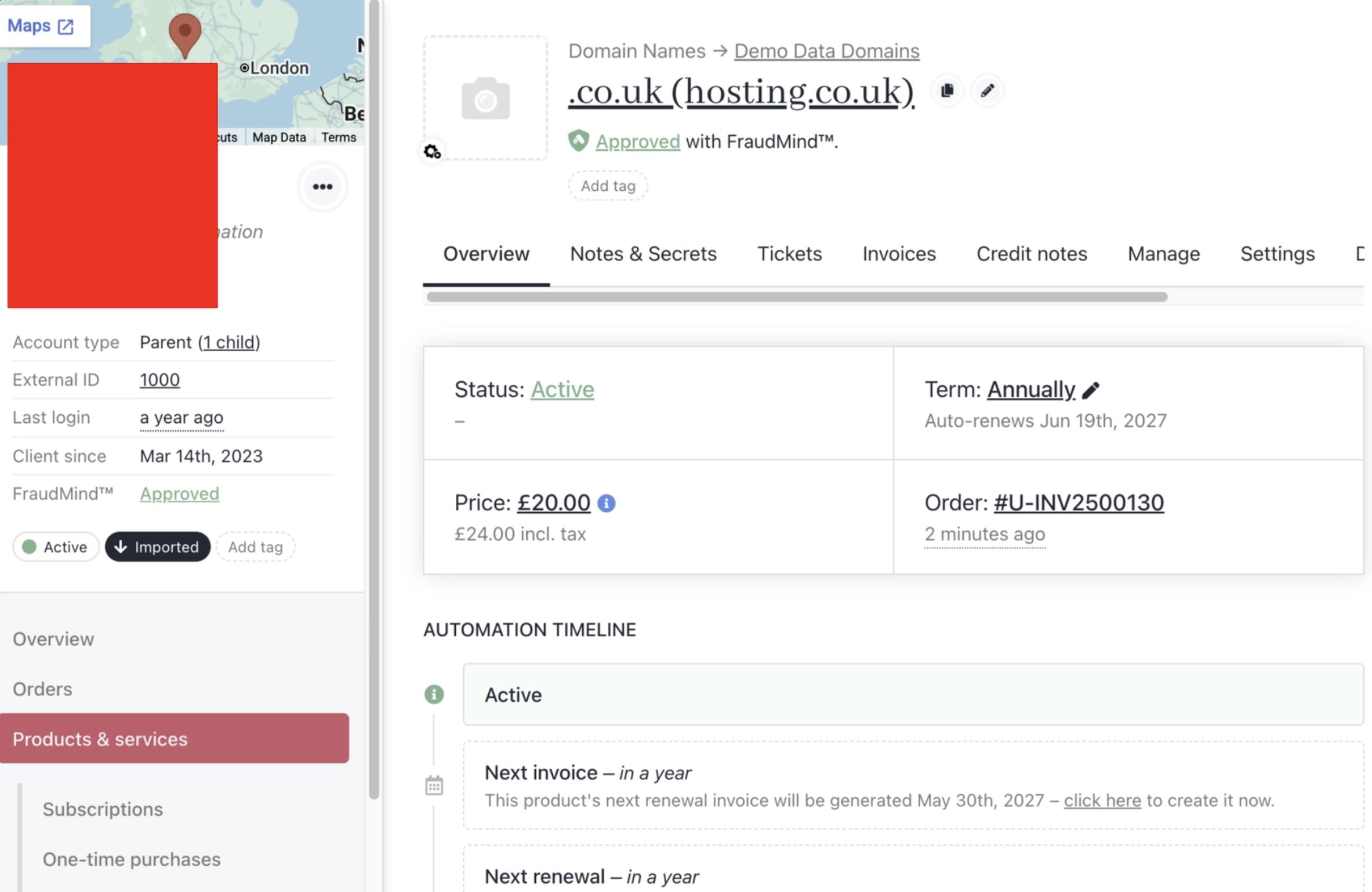
Like any product, admins can see TLD purchases on the Upmind dashboard.
1. On the side menu, click **Products & services**.
2. Click a product tile. The product page displays.
Here, a client can update their account (e.g., nameservers or registrant information). They can also lock the domain.
## What the admin sees
Like any product, admins can see TLD purchases on the Upmind dashboard.
1. On the side menu, click **Products & services**.
2. Click a product tile. The product page displays.