> ## Documentation Index
> Fetch the complete documentation index at: https://docs.upmind.com/llms.txt
> Use this file to discover all available pages before exploring further.
# How to add a Domain Availability Checker widget to your website
> Add a Domain Availability Checker widget to your website so people can find out about their preferred domain availability instantly.
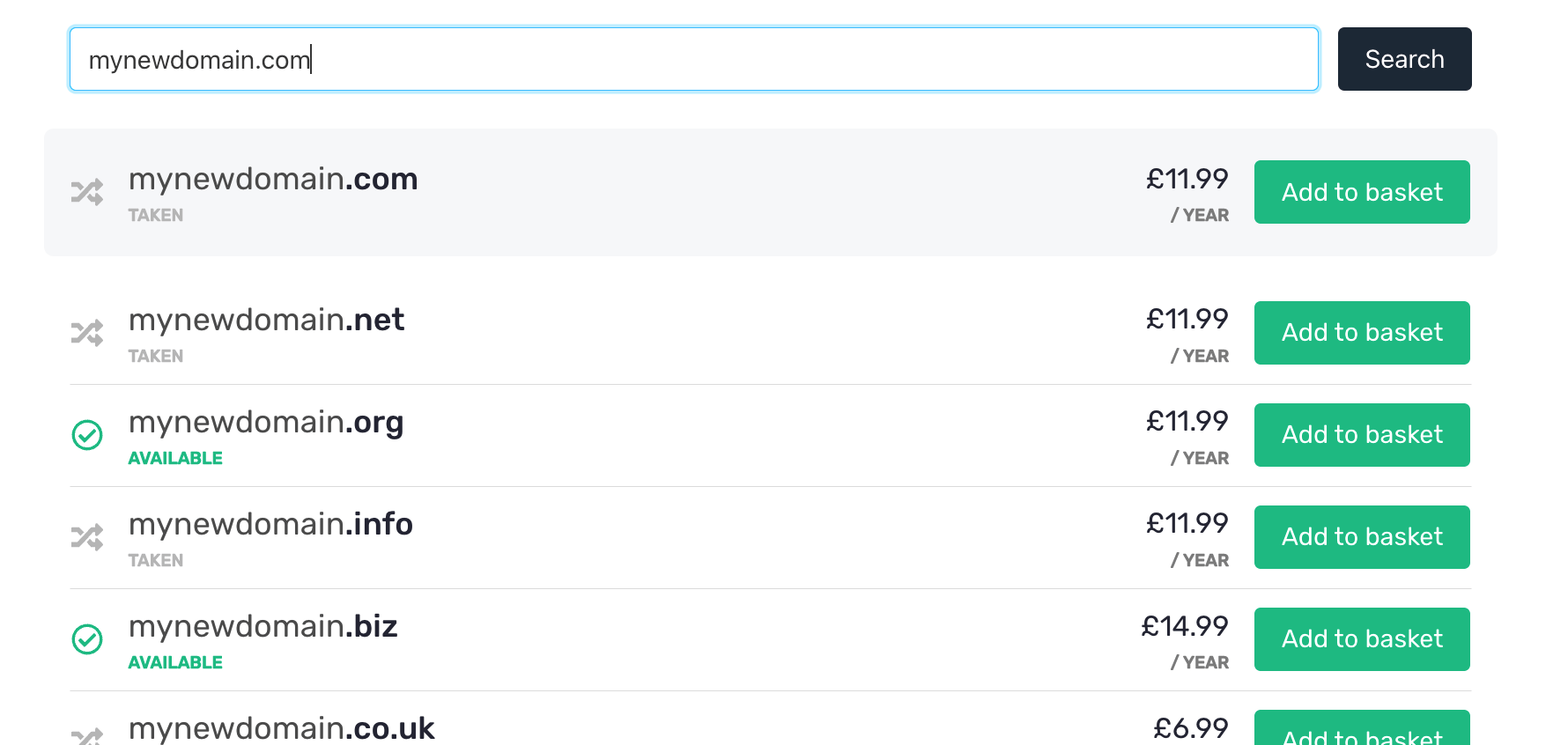
A domain search allows your clients to search for available domains on your website and then be linked through to your order form.
Upmind gives you a code snippet you can embed on your website.
**It would look like this:**
 ## The code snippet
To generate your code snippet, go to **Host Control** > **Domain names** > **Widgets**.
## The code snippet
To generate your code snippet, go to **Host Control** > **Domain names** > **Widgets**.
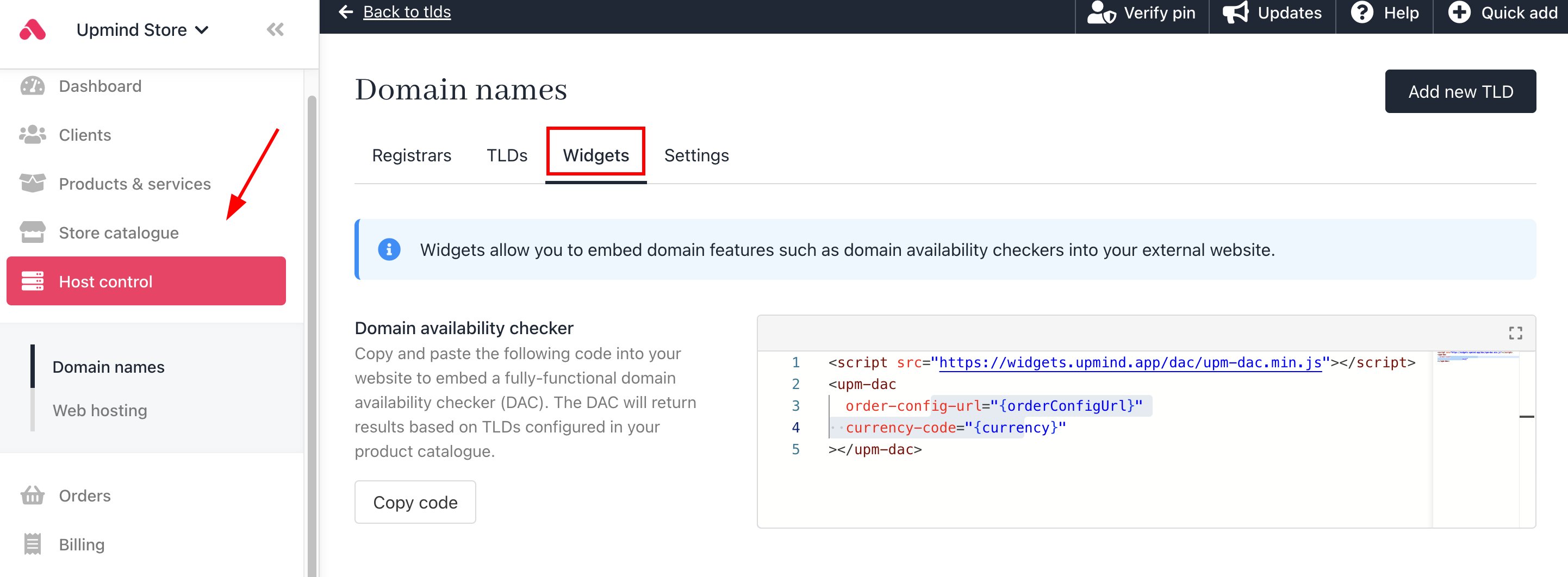 **The HTML code is as follows:**
```
```
* Replace \{orderConfigUrl} with your shop URL example, your store URL is: my.upmind.com/order/product, with "https\://" added in front of your website name. **(See HTML code example below)**
* Replace the \{currency} with your currency code (e.g., USD)
This is an example of what the final snippet should look like, depending on your orderConfigUrl and currency:
```
```
## Associate your website domain with Upmind
To make the domain checker work, you need to add your domain to the list of domains under **Settings** > **Domains**. You do not need to change your DNS records.
If your domain is not added to the domains list, then the domain search will not function.
## Enable/disable Domain Availability Checker
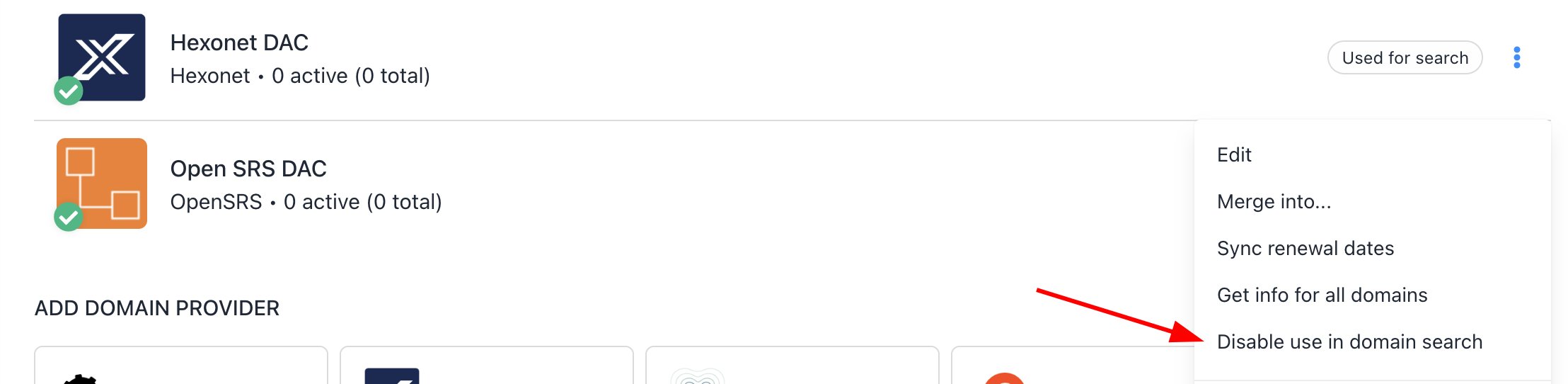
You can enable or disable the domain availability checker.
1. Go to **Host Control** > **Domain Names** > **Registrars**.
2. Select **Enable use in domain search**.
**The HTML code is as follows:**
```
```
* Replace \{orderConfigUrl} with your shop URL example, your store URL is: my.upmind.com/order/product, with "https\://" added in front of your website name. **(See HTML code example below)**
* Replace the \{currency} with your currency code (e.g., USD)
This is an example of what the final snippet should look like, depending on your orderConfigUrl and currency:
```
```
## Associate your website domain with Upmind
To make the domain checker work, you need to add your domain to the list of domains under **Settings** > **Domains**. You do not need to change your DNS records.
If your domain is not added to the domains list, then the domain search will not function.
## Enable/disable Domain Availability Checker
You can enable or disable the domain availability checker.
1. Go to **Host Control** > **Domain Names** > **Registrars**.
2. Select **Enable use in domain search**.
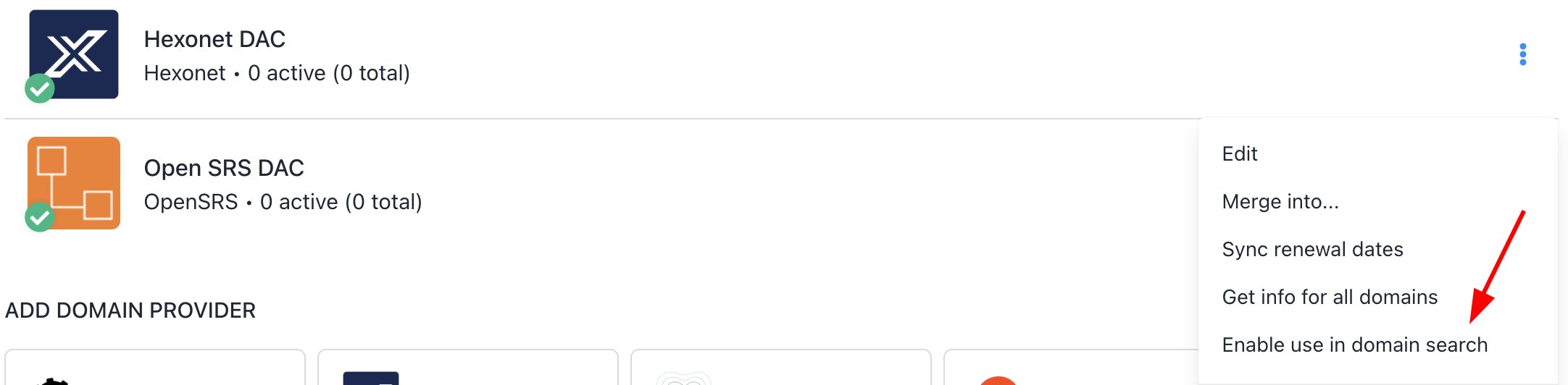 3. A visual indicator will show whether domain availability checking is enabled or not.
 4. You can choose to disable it again.