> ## Documentation Index
> Fetch the complete documentation index at: https://docs.upmind.com/llms.txt
> Use this file to discover all available pages before exploring further.
# Upmind API Guide: Generating API Tokens
> How to generate API tokens for all your needs while using a perfect flow of your business.
Upmind is API-first, meaning every feature in the system is accessible through its API. This guide will walk you through generating an API token in the Upmind admin area. With this token, you can securely connect Upmind to your custom applications or services.
## How to create an API token in Upmind
1. Log in to your Upmind admin area.
2. Go to **Settings** > **API Tokens**.
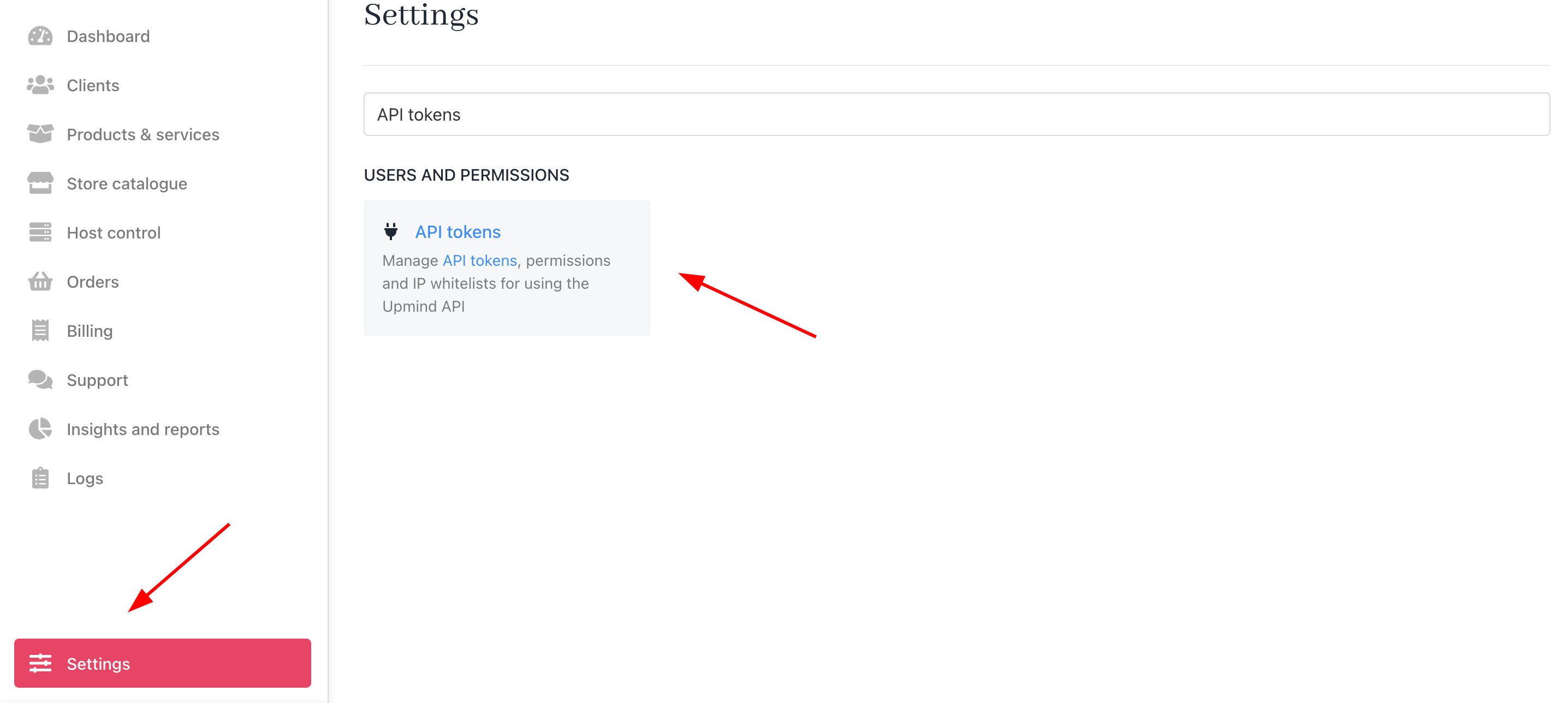 3. Click **Create API Token** to create a new token. In the pop-up window:
* Enter a descriptive name for your token.
* Add an IP Whitelist for security.
* Set up user permissions as needed.
3. Click **Create API Token** to create a new token. In the pop-up window:
* Enter a descriptive name for your token.
* Add an IP Whitelist for security.
* Set up user permissions as needed.

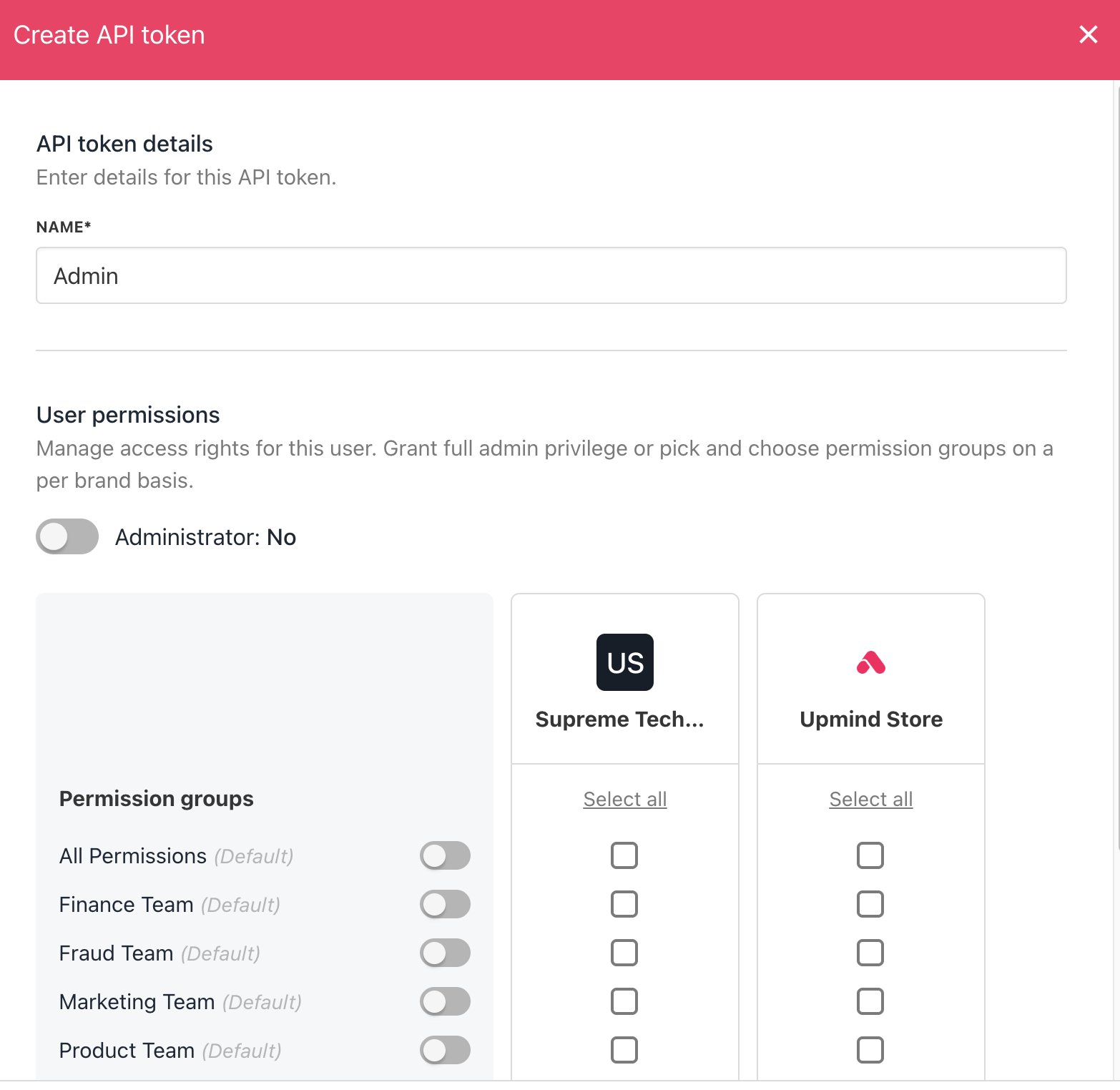
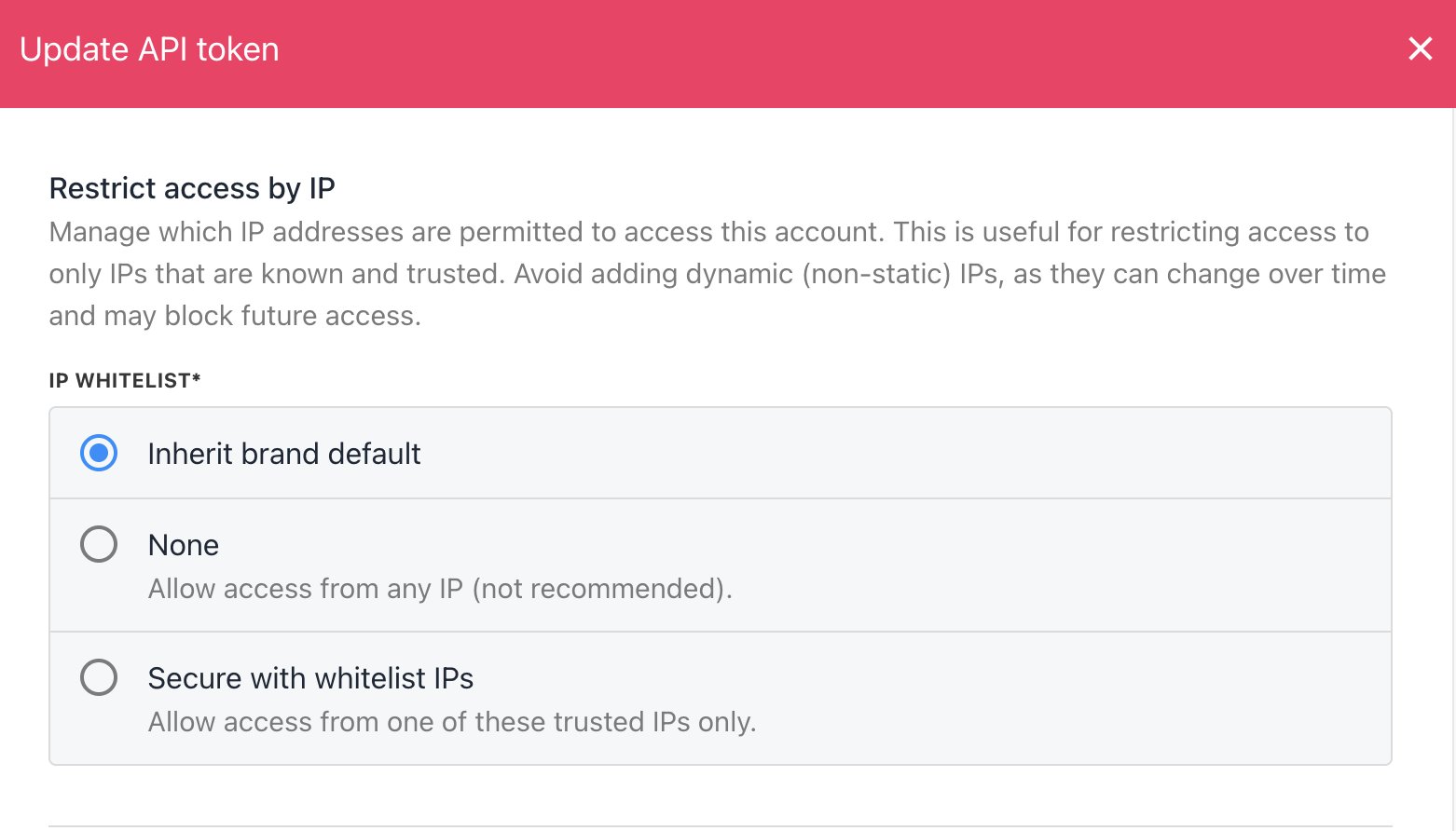 4. Click **Save** to generate the API token.
## Managing API tokens
In the API Tokens section, you can:
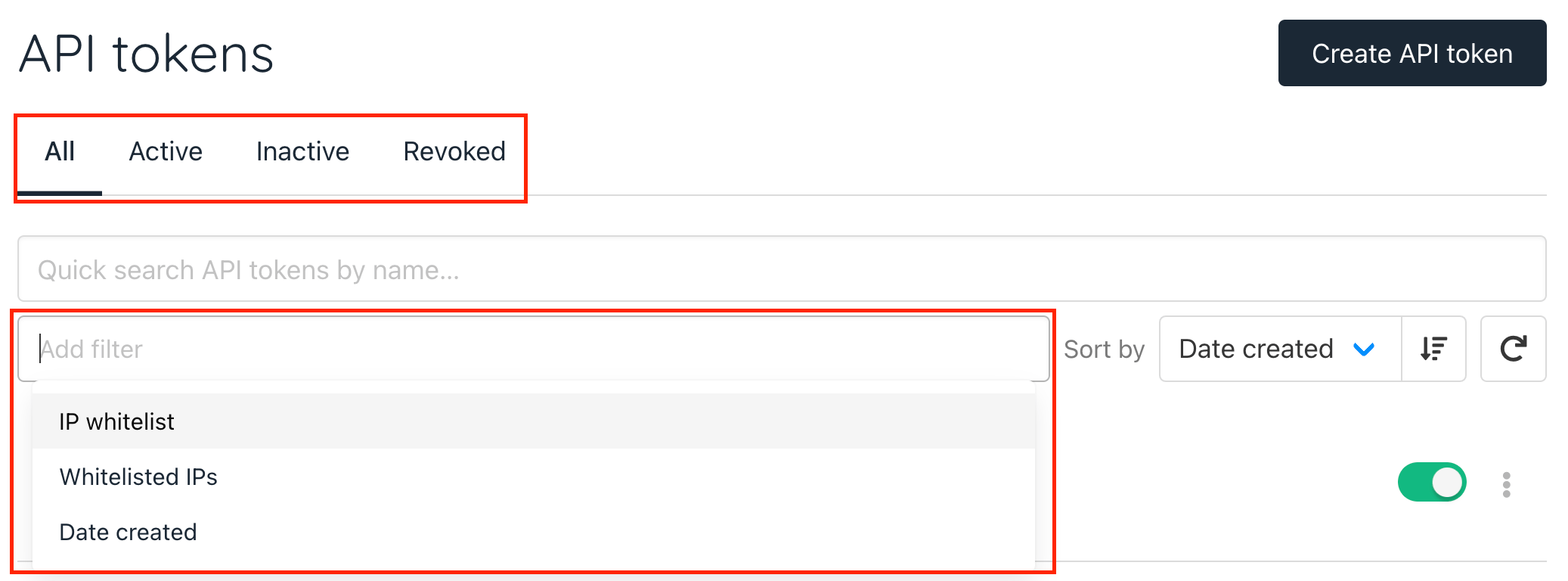
* Filter tokens by status (active, inactive, revoked).
* Filter by IP whitelist, Whitelisted IPs, and Date created.
4. Click **Save** to generate the API token.
## Managing API tokens
In the API Tokens section, you can:
* Filter tokens by status (active, inactive, revoked).
* Filter by IP whitelist, Whitelisted IPs, and Date created.
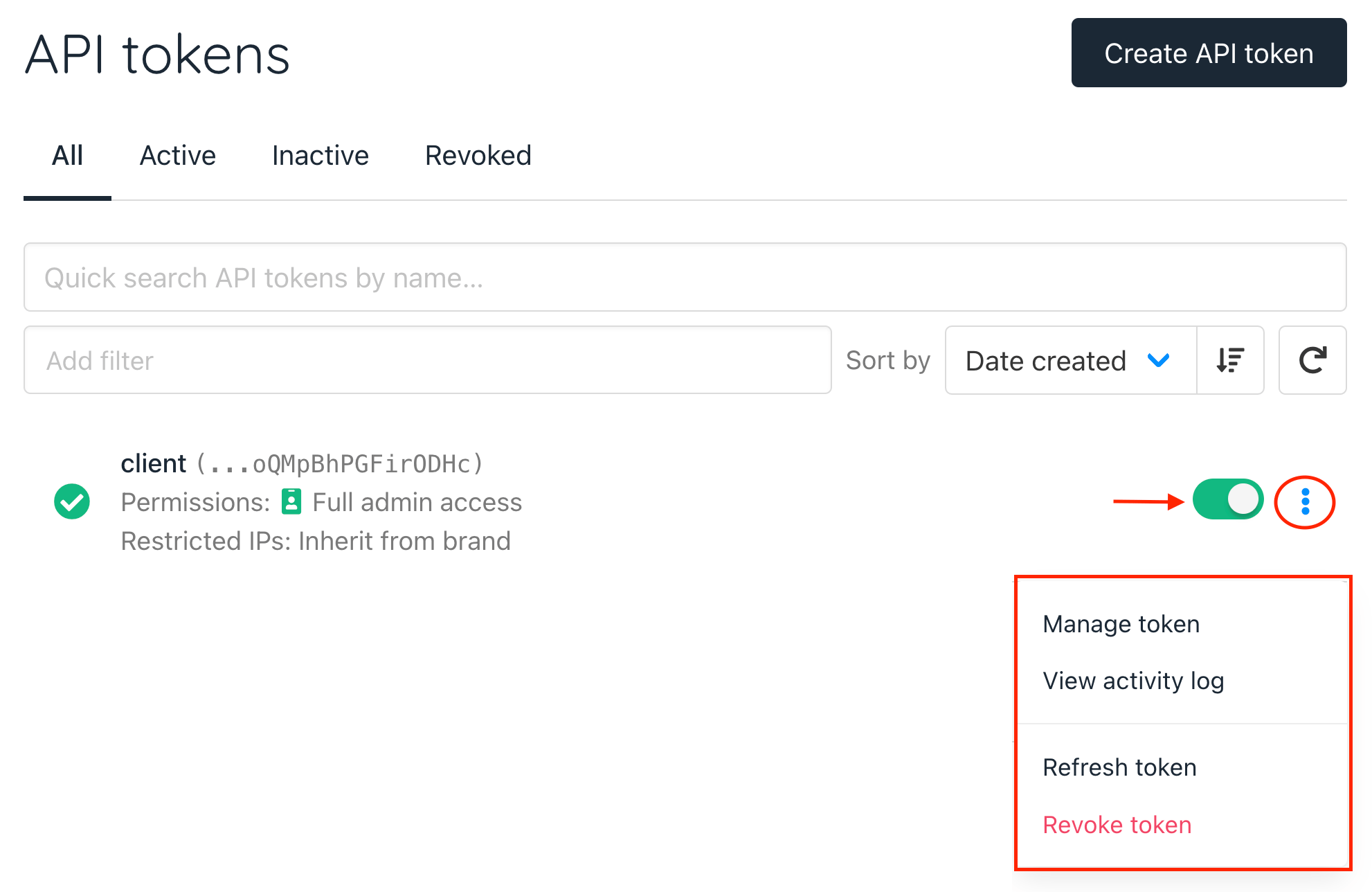
 * For each generated API token, you can:
* Toggle off to deactivate the token.
* Manage token settings.
* View the activity log.
* Refresh the token for security purposes.
* Revoke the token when it is no longer needed.
* For each generated API token, you can:
* Toggle off to deactivate the token.
* Manage token settings.
* View the activity log.
* Refresh the token for security purposes.
* Revoke the token when it is no longer needed.
 ## Using the API and SDK
For further details on utilising Upmind SDK, please check our [GitHub repository](https://github.com/upmind/sdk-php?tab=readme-ov-file#usage).
When the flag `without_notifications` is passed in the request as **True**, it will stop notifications only, not webhooks.
Our comprehensive [API documentation](https://demoapi.upmind.io/doc/) includes all available endpoints and functionalities.
## Using the API and SDK
For further details on utilising Upmind SDK, please check our [GitHub repository](https://github.com/upmind/sdk-php?tab=readme-ov-file#usage).
When the flag `without_notifications` is passed in the request as **True**, it will stop notifications only, not webhooks.
Our comprehensive [API documentation](https://demoapi.upmind.io/doc/) includes all available endpoints and functionalities.