> ## Documentation Index
> Fetch the complete documentation index at: https://docs.upmind.com/llms.txt
> Use this file to discover all available pages before exploring further.
# Customising Behaviour
> Customising behaviour enables you to change the admin area or client area based on the experience and the modifications required.
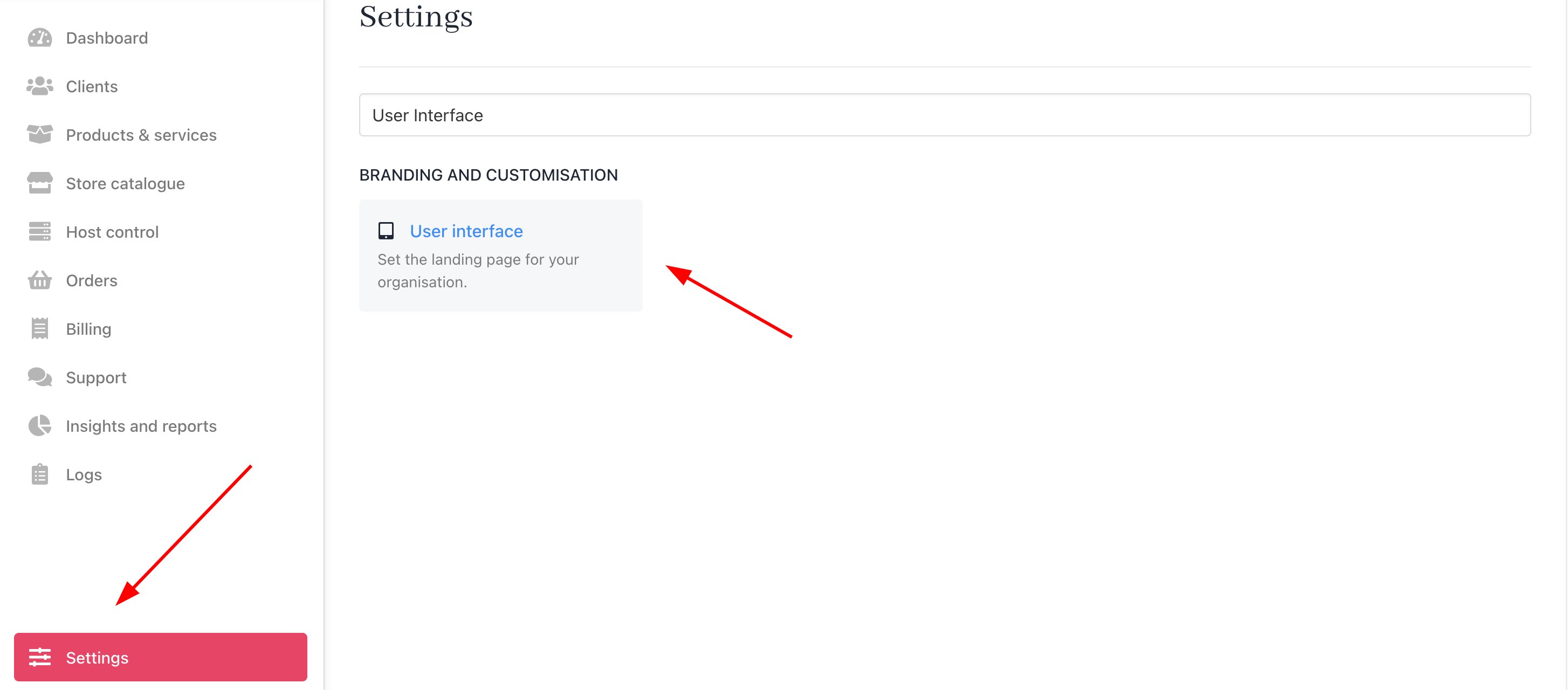
A number of customisations can be made to how your clients experience the client panel. These are handled in **Settings >** **User Interface** as follows.
 ## Changing default behaviour on login
You can select the following options when a client logs in to the dashboard.
## Changing default behaviour on login
You can select the following options when a client logs in to the dashboard.
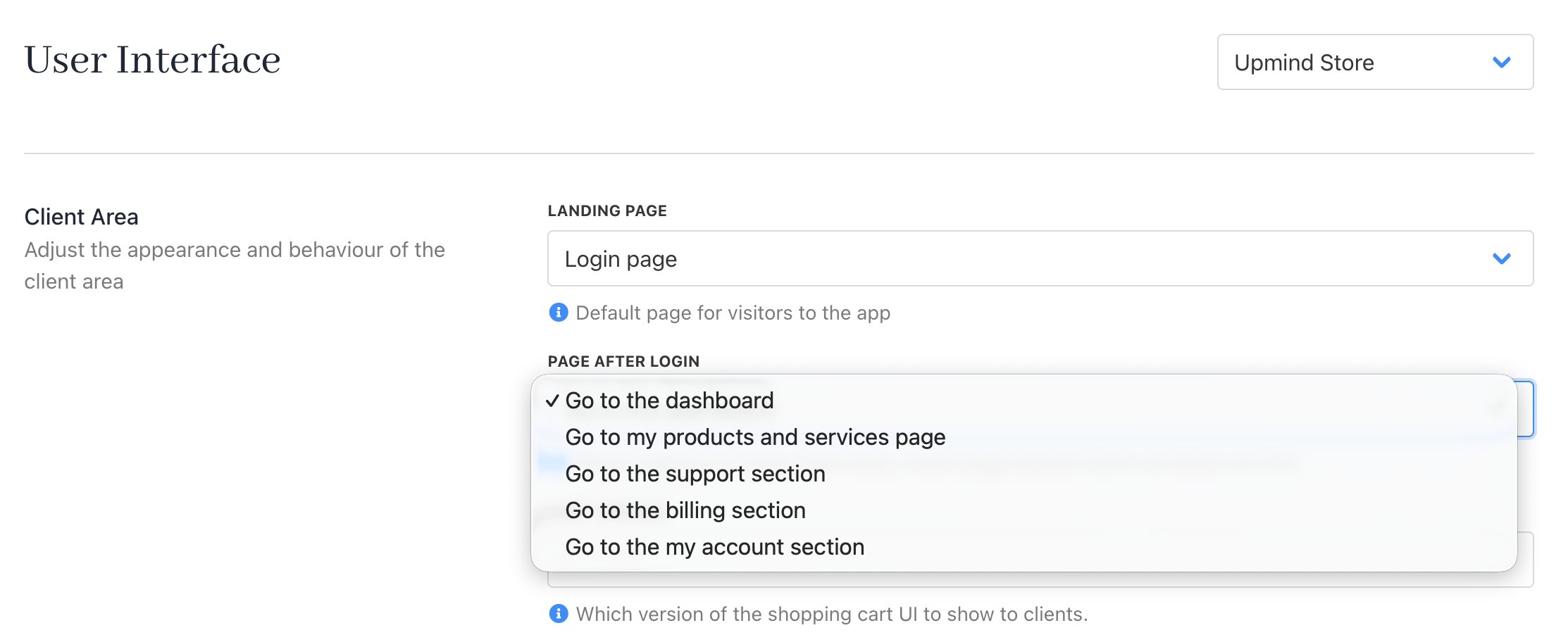 | **Destination** | **Description** |
| ------------------------------------ | ----------------------------------------------------------------------------------------------------------- |
| Go to the dashboard | Loads the client dashboard |
| Go to the products and services page | Loads the products and services page. If the client only has one product, it goes to that product directly. |
| Go to the support section | Loads the support section |
| Go to the billing section | Loads the billing section |
| Go to the my account page | Loads the my account page |
| **Destination** | **Description** |
| ------------------------------------ | ----------------------------------------------------------------------------------------------------------- |
| Go to the dashboard | Loads the client dashboard |
| Go to the products and services page | Loads the products and services page. If the client only has one product, it goes to that product directly. |
| Go to the support section | Loads the support section |
| Go to the billing section | Loads the billing section |
| Go to the my account page | Loads the my account page |