> ## Documentation Index
> Fetch the complete documentation index at: https://docs.upmind.com/llms.txt
> Use this file to discover all available pages before exploring further.

# Adding JS / Live Chat Widget

> Helps you manage all the queries on your hands and makes things easier.

You may want to add custom JavaScript widgets or other elements to your client area. Google Tag Manager makes it easy to manage the JavaScript code displayed to your users and set conditions for when that code is loaded or triggered. Here's how you do it:

1. You should have a **Google Tag Manager** account, which you can create for free at [https://tagmanager.google.com/](https://tagmanager.google.com/)
2. In Upmind, you must add your **Google Tag Manager** account under **Settings** > **Analytics & Tracking**.
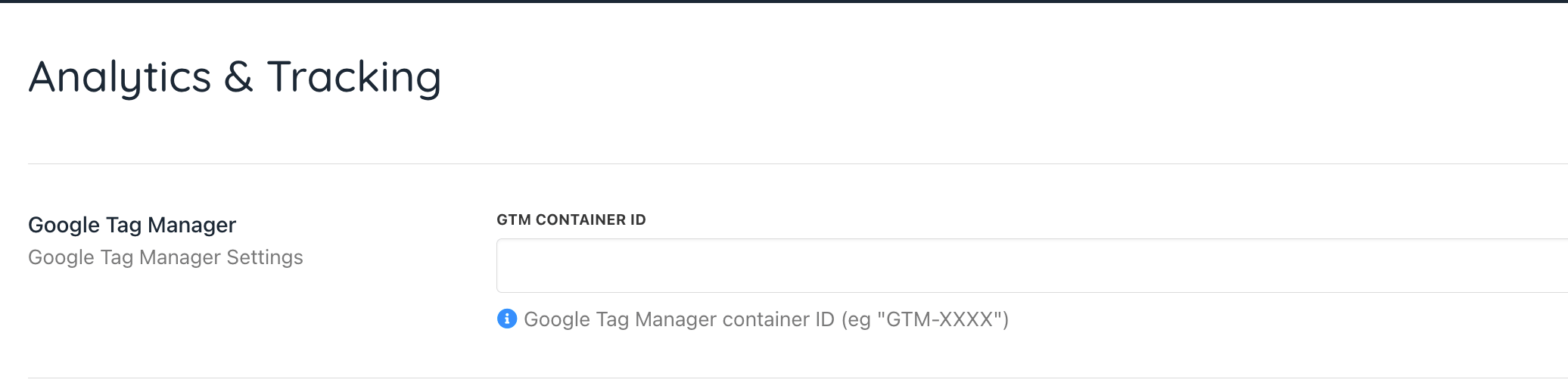
<Frame caption="Settings > Analytics & Tracking">
  <img src="https://mintcdn.com/upmind/ZsIo0APxdVb_gFS-/images/fb/2d9eb7e8b06b07b3.png?fit=max&auto=format&n=ZsIo0APxdVb_gFS-&q=85&s=2dd7b64ceb635492213e3748c3d2bab3" alt="Settings > Analytics & Tracking" className="mx-auto" style={{ width:"97%" }} data-og-width="2072" width="2072" data-og-height="514" height="514" data-path="images/fb/2d9eb7e8b06b07b3.png" data-optimize="true" data-opv="3" srcset="https://mintcdn.com/upmind/ZsIo0APxdVb_gFS-/images/fb/2d9eb7e8b06b07b3.png?w=280&fit=max&auto=format&n=ZsIo0APxdVb_gFS-&q=85&s=188c0f8bed2d09036718be3d0e3c856c 280w, https://mintcdn.com/upmind/ZsIo0APxdVb_gFS-/images/fb/2d9eb7e8b06b07b3.png?w=560&fit=max&auto=format&n=ZsIo0APxdVb_gFS-&q=85&s=fbd6ae99194fb1c437f74f50a5530239 560w, https://mintcdn.com/upmind/ZsIo0APxdVb_gFS-/images/fb/2d9eb7e8b06b07b3.png?w=840&fit=max&auto=format&n=ZsIo0APxdVb_gFS-&q=85&s=df786c5bc7d7d9c2325d093a7a2dc739 840w, https://mintcdn.com/upmind/ZsIo0APxdVb_gFS-/images/fb/2d9eb7e8b06b07b3.png?w=1100&fit=max&auto=format&n=ZsIo0APxdVb_gFS-&q=85&s=b7ab3224c6039ed0e51ed040e9fbca4e 1100w, https://mintcdn.com/upmind/ZsIo0APxdVb_gFS-/images/fb/2d9eb7e8b06b07b3.png?w=1650&fit=max&auto=format&n=ZsIo0APxdVb_gFS-&q=85&s=cb697b0d2b3d22b05d402e10af29fa8c 1650w, https://mintcdn.com/upmind/ZsIo0APxdVb_gFS-/images/fb/2d9eb7e8b06b07b3.png?w=2500&fit=max&auto=format&n=ZsIo0APxdVb_gFS-&q=85&s=2a82485199fbf701b2d20d6bab0f7b26 2500w" />
</Frame>

3. Then go into **Tag Manager**. Add a new tag for every page view. Under **Tag Configuration**, select **Custom HTML** and add your custom JavaScript. Set the triggering to **All Pages**.
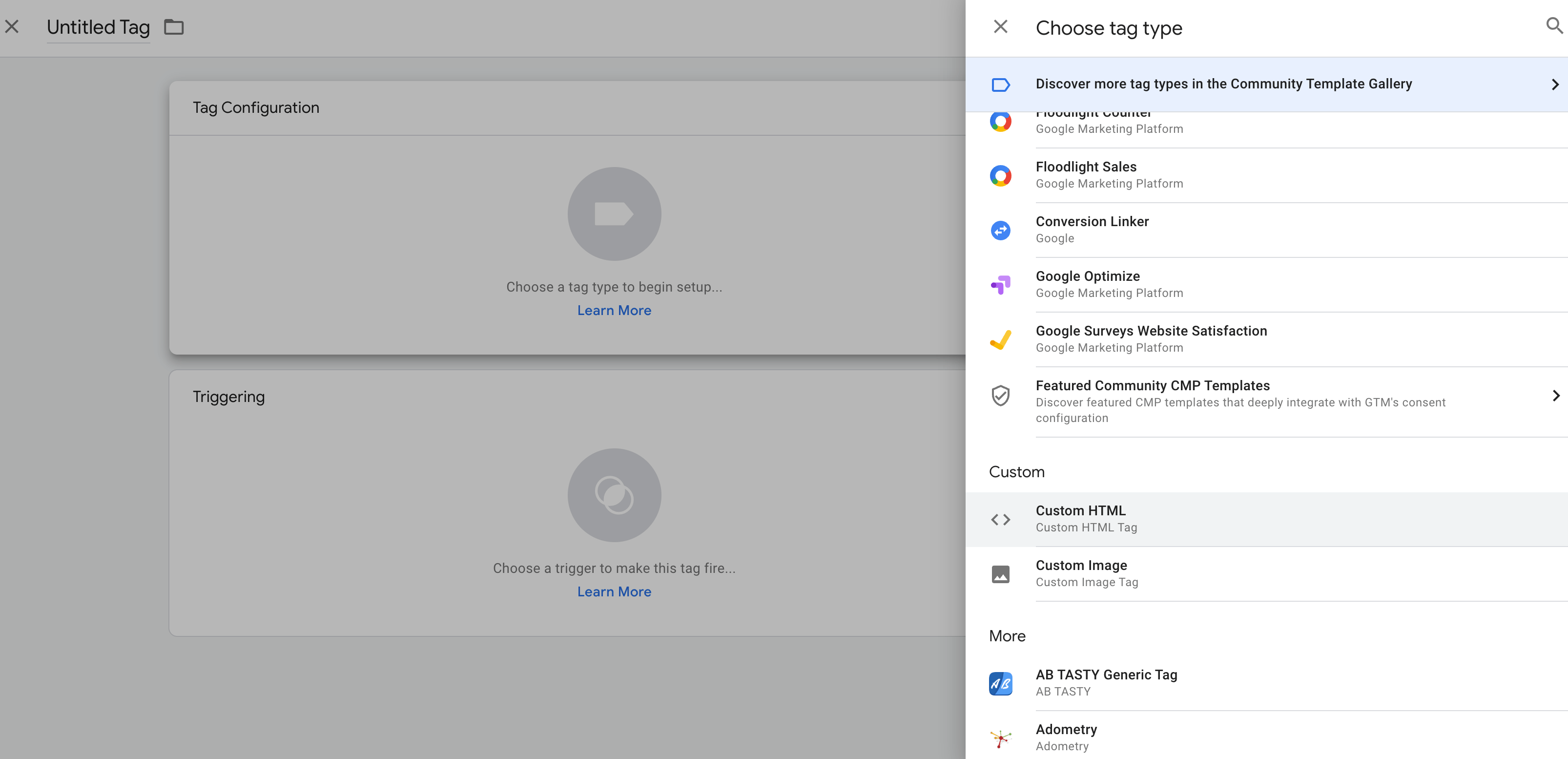
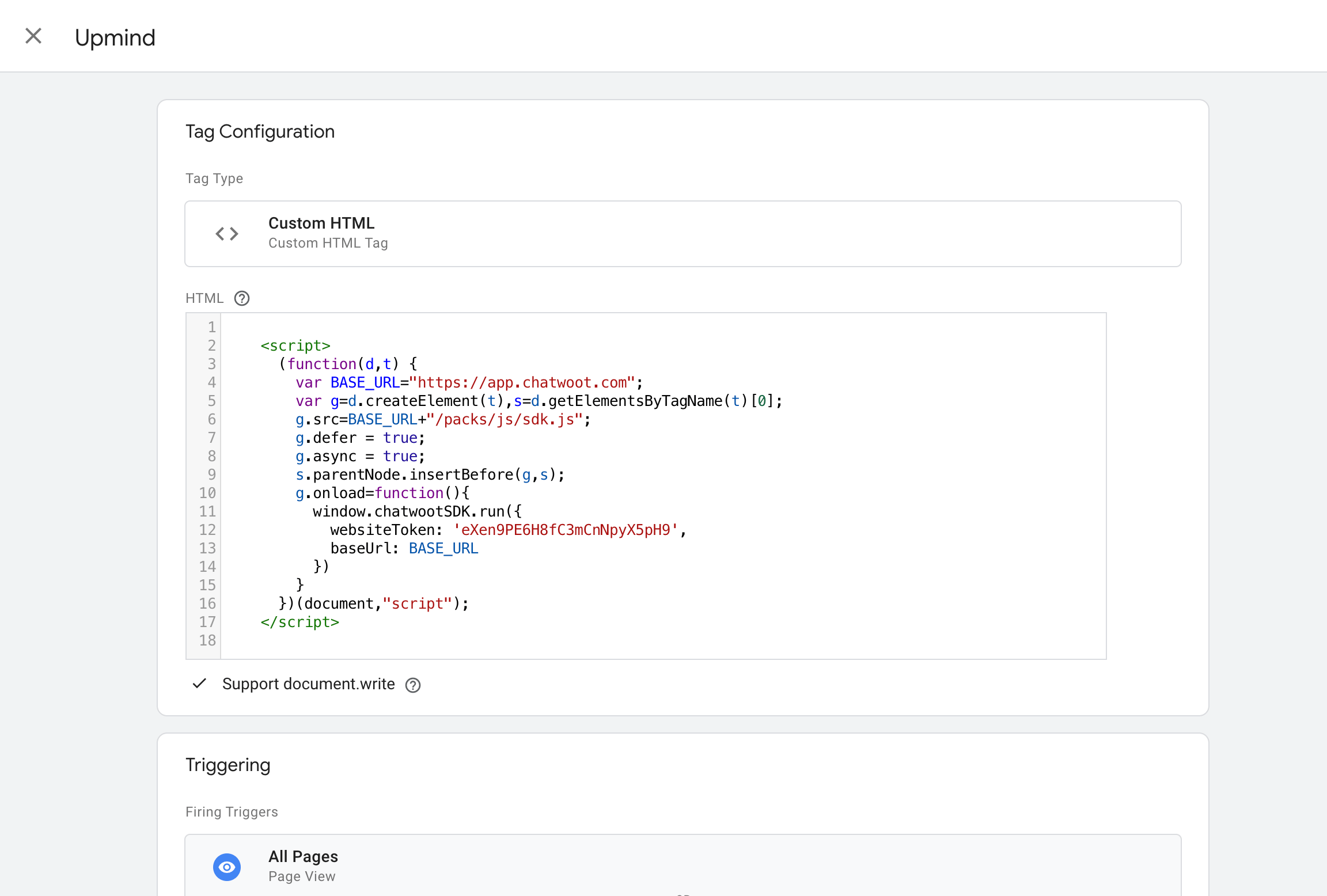
<Frame caption="Add new tag">
  <img src="https://mintcdn.com/upmind/JUoAg6onJmXk_-rR/images/fb/e119598ed6768730.png?fit=max&auto=format&n=JUoAg6onJmXk_-rR&q=85&s=387217d5444d905d83b866705c1d7758" alt="Add new tag" className="mx-auto" style={{ width:"94%" }} width="3212" height="1554" data-path="images/fb/e119598ed6768730.png" />
</Frame>

<Frame caption="This is an example of the code if you are using Chatwoot platform">
  <img src="https://mintcdn.com/upmind/c5sDUwEs8YpzGbjA/images/fb/95399a7233511a58.png?fit=max&auto=format&n=c5sDUwEs8YpzGbjA&q=85&s=1fea0b61f067ac20f2eb28d7dba9eb9c" alt="This is an example of the code" className="mx-auto" style={{ width:"98%" }} width="2304" height="1556" data-path="images/fb/95399a7233511a58.png" />
</Frame>

4. Next, click **Preview** to ensure it publishes.
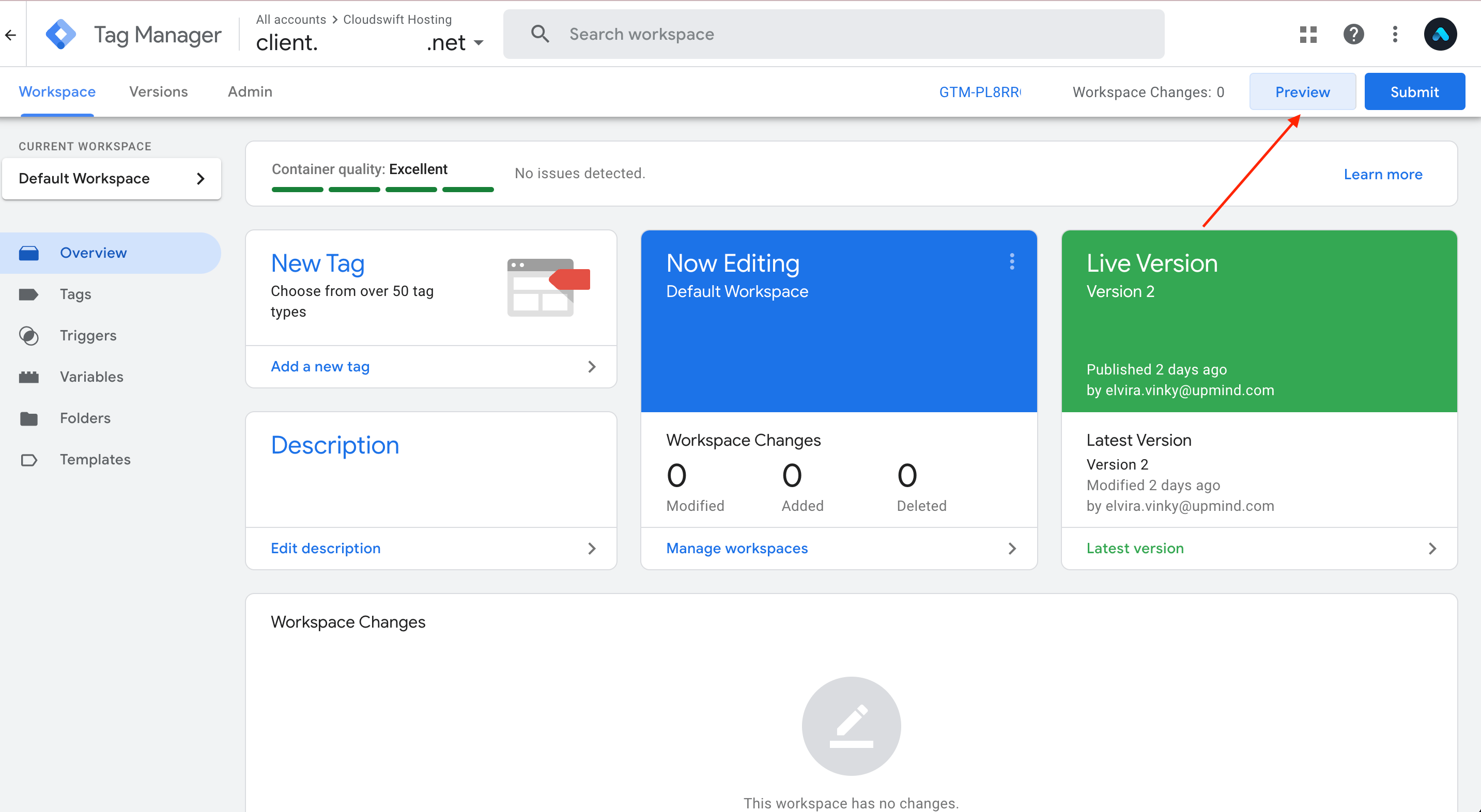
<Frame caption="Preview">
  <img src="https://mintcdn.com/upmind/92wYnpdR_k6AjH3x/images/fb/5864d87c9a9059dd.png?fit=max&auto=format&n=92wYnpdR_k6AjH3x&q=85&s=3bc7d79eede47974fa9abf0a175ea741" alt="Preview" className="mx-auto" style={{ width:"97%" }} width="2866" height="1572" data-path="images/fb/5864d87c9a9059dd.png" />
</Frame>

5. Finally, in the new tab that opens, enter your website URL and try to connect it.
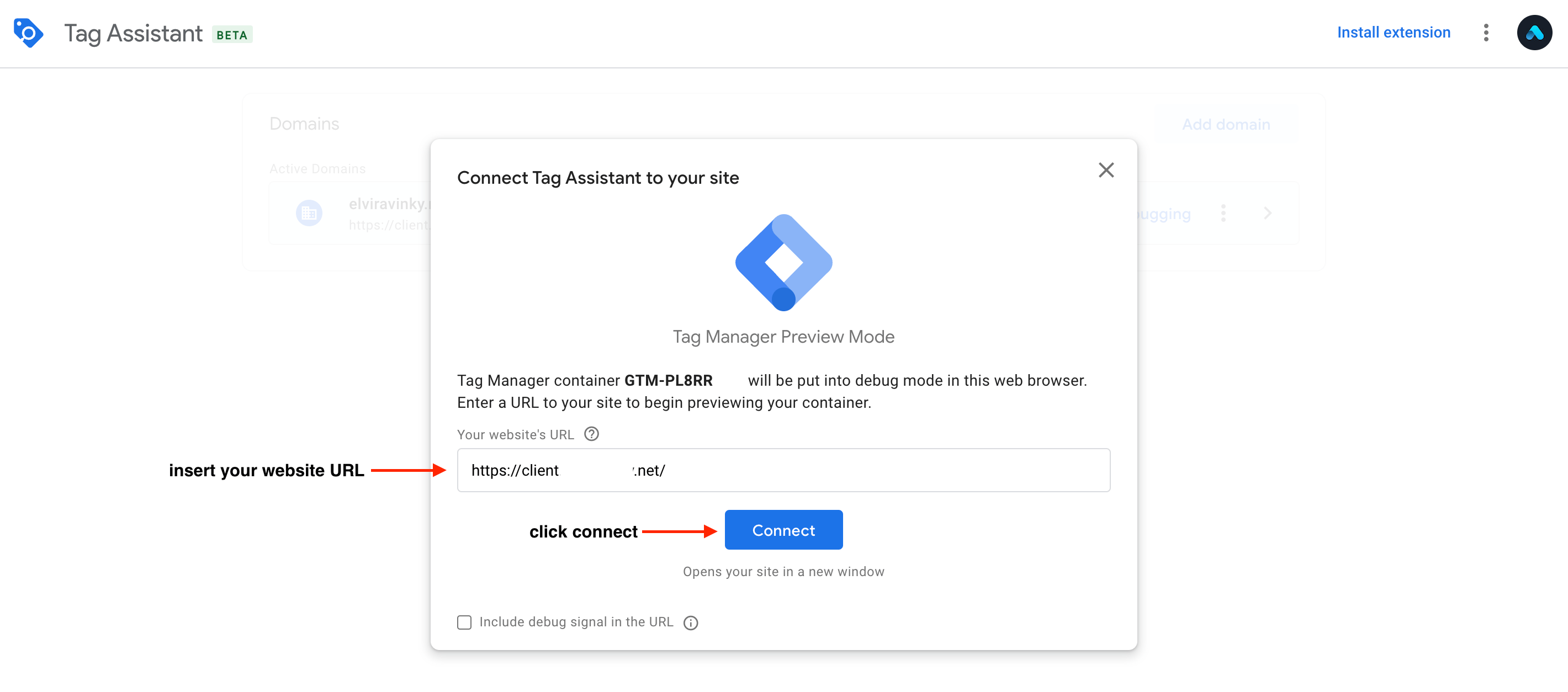
<Frame caption="Connect">
  <img src="https://mintcdn.com/upmind/6knUVC8F1nK4E5CY/images/fb/c826c40256463520.png?fit=max&auto=format&n=6knUVC8F1nK4E5CY&q=85&s=aa30e7fbcb160d32997bc4e039ddd44b" alt="Connect" className="mx-auto" style={{ width:"98%" }} width="2840" height="1254" data-path="images/fb/c826c40256463520.png" />
</Frame>

6. This is how the **Live Chat** looks in your client area.
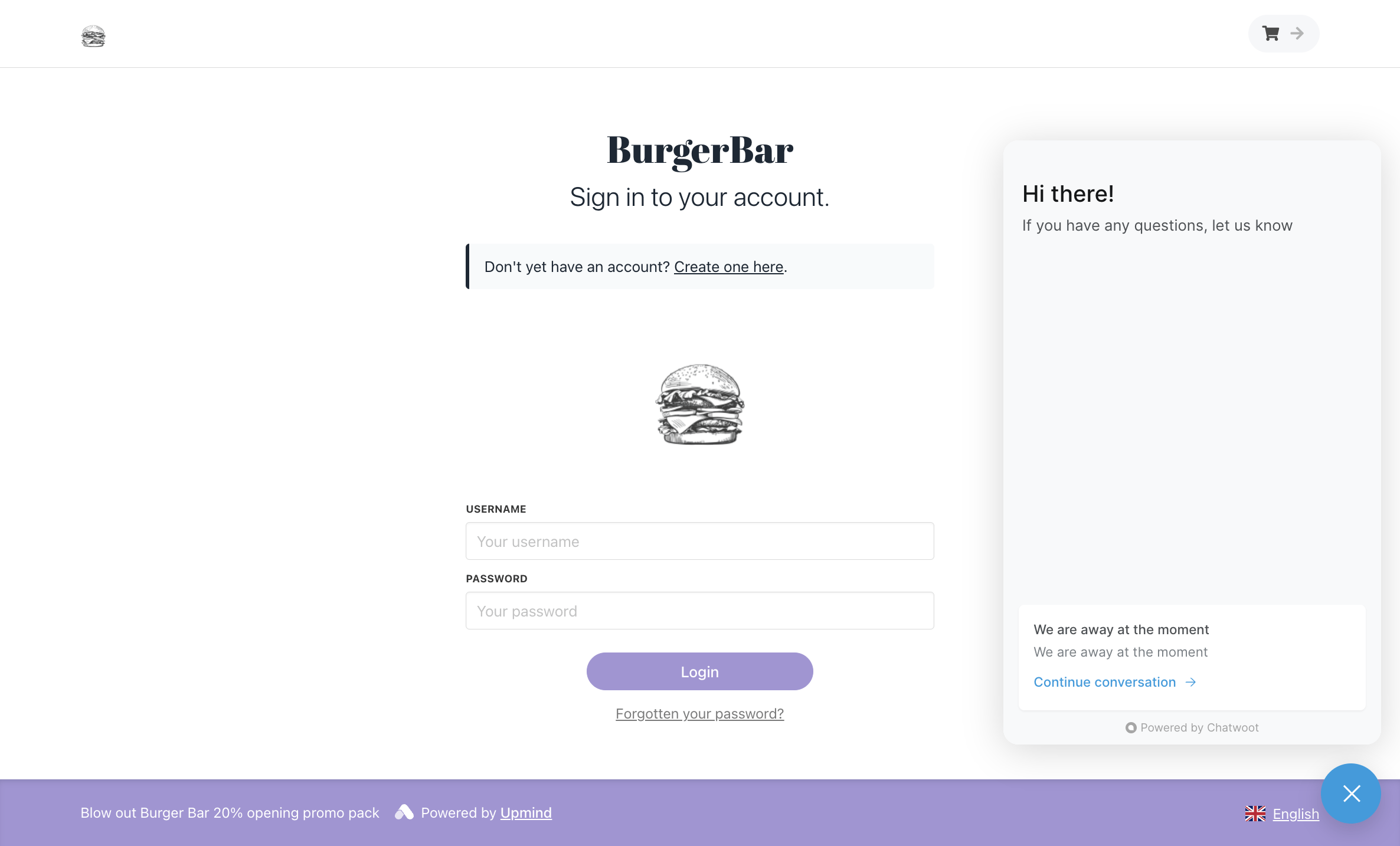
<Frame caption="Live chat">
  <img src="https://mintcdn.com/upmind/Dgjmf3QWYVBR40cE/images/fb/59a7bd169b4c5db7.png?fit=max&auto=format&n=Dgjmf3QWYVBR40cE&q=85&s=fca511ea2854549e34963c86e30a73bd" alt="Live chat" className="mx-auto" style={{ width:"95%" }} width="2372" height="1434" data-path="images/fb/59a7bd169b4c5db7.png" />
</Frame>
