> ## Documentation Index
> Fetch the complete documentation index at: https://docs.upmind.com/llms.txt
> Use this file to discover all available pages before exploring further.
# Overview of the Client Area Dashboard
> Upmind makes it easier for clients to manage everything in one place.
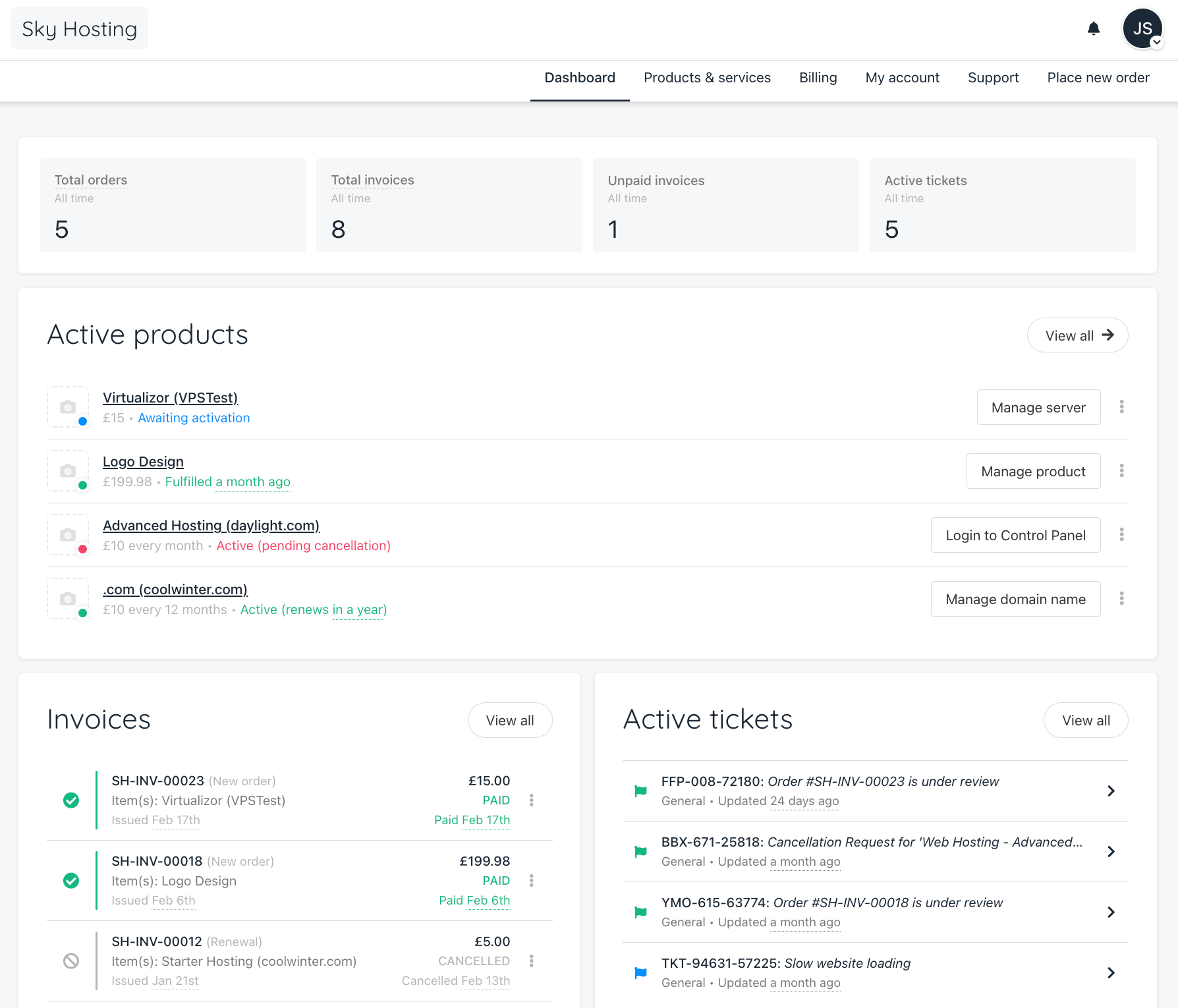
The **Client Area Dashboard** gives your clients a clear overview of their account, making it easy to manage everything in one place. Here’s what they’ll find:
* Total Orders – A count of all orders placed.
* Total Invoices – A count and quick way to check all invoices.
* Unpaid Invoices – A quick way to spot and pay outstanding invoices.
* Active Tickets – A list of open support requests for easy tracking.
* Active Products & Services – Shows all active subscriptions, with links to manage them.
Clients can also navigate to their **Products & Services**, **Invoices**, and **Account Settings**. Everything updates in real time, so they always have the latest info on their subscriptions and payments.